%20(1).svg)
Top 10 Enterprise IT AI Solutions in 2026 (In-Depth Look)
We break down the top enterprise IT AI solutions across key use cases, from ticket automation to security and knowledge management.


Enterprise teams implement IT AI solutions for a variety of reasons, including:
- Automated tier-1 ticket resolution (often the highest-impact use case) where an AI agent handles knowledge-based questions, software access requests, and password resets with minimal human intervention. The best solutions integrate directly with your existing tech stack (e.g., Slack, Teams, existing ticketing systems) and manage the entire ticket lifecycle.
- Other use cases such as knowledge management and internal search, security and threat detection, asset and infrastructure management, and code and script assistance. These are just a few examples, and AI platforms can help streamline most time-consuming IT workflows.
In this article, we’ll discuss 10 enterprise IT AI solutions that cover these use cases and others.
We’ll start with Risotto, our AI agent that’s purpose-built to autosolve tier-1 IT tickets, and can be up and running in hours (as opposed to traditional enterprise systems that require consultants and weeks or months of configuration).
1. Risotto
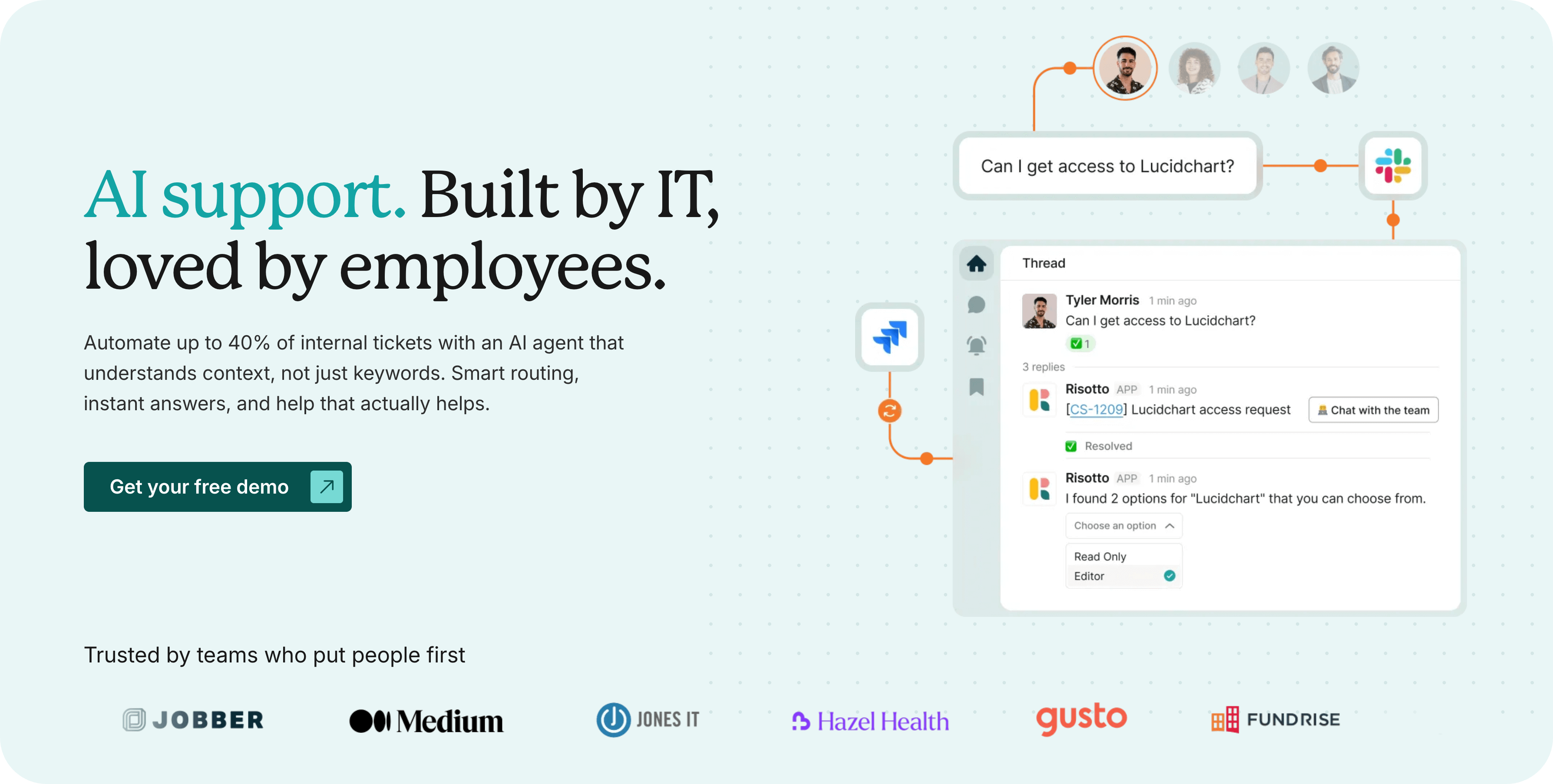
Risotto, our AI agent that auto-solves 20-60% of internal tickets, was built from our co-founder Alex’s firsthand experience leading IT engineering at enterprise companies like Dropbox and Gusto.
As we explore in our origin story, Risotto addresses two key problems that plague enterprise IT teams:
- SaaS sprawl: With nearly one SaaS application for every two employees, managing tools for 1,000+ person organizations is a heavy burden requiring significant automation.
- Repetitive tier-1 questions: IT teams spend too much time manually answering repetitive tier-1 questions like “What do I do if I forgot my employee badge?” or “How do I reset my computer?”, which are ideal candidates for automation.
The results speak for themselves. From large enterprises to fast-growing companies, IT teams using Risotto have seen dramatic improvements in tier-1 ticket automation rates:
- Fundrise: Automated nearly 60% of IT support tickets
- Superhuman: Automated nearly 20% of IT support tickets
- Ironclad: Automated nearly 90% of access-related IT requests
- ThoughtSpot: Automated nearly 48% of IT support tickets
- Trust & Will: Automated nearly 35% of IT support tickets
- Hazel Health: Improved deflection rates from 3-5% to over 20%
- Shakepay: Automated nearly 40% of IT support tickets
- Retool: Reduced SLA resolution time from an average of 2 days to under 1 day
- Vidyard: Automated nearly 56% of IT support tickets
Risotto integrates seamlessly with your existing tech stack, including communication tools like Slack and MS Teams, ticketing systems like Jira, Freshservice, and Zendesk, and popular enterprise solutions such as ServiceNow. We've led IT at large enterprises ourselves, so we know how critical these integrations are. We'll work closely with you to make sure everything connects smoothly.
In this section, we’ll explore:
- How Risotto automates software access requests, including time-based, approval-based, and self-service access
- 3 examples of how our AI intelligently auto-solves knowledge-based questions
- Additional key benefits of Risotto, backed by customer quotes, including:
- Quick setup, faster time to value, and onboarding led by IT practitioners who've been in your shoes
- Auto-learning based on past ticket resolutions and Slack updates, so you spend less time on KB creation and upkeep
- Seamless integration with existing tools and workflows
- Multi-department capabilities out of the box
Let’s dive in.
How Risotto Automates Software Access Requests
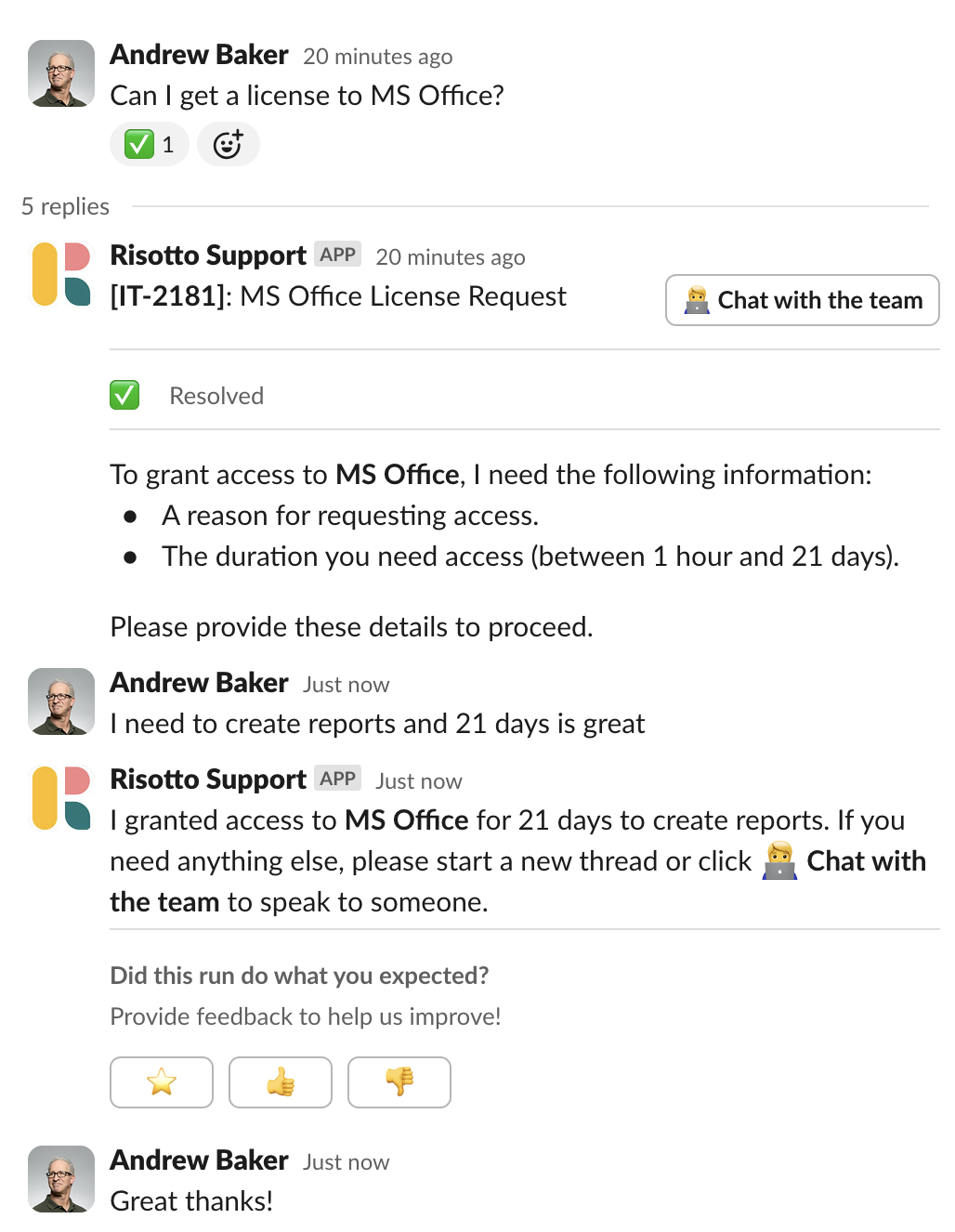
In a nutshell: With Risotto, employees request access in natural language directly through Slack, email, or your corporate chat channels, instead of leaving their workflow and opening another window. From here, Risotto cuts what could take days down to minutes:
- Self-service access with conditional rules
- Role-based and time-based controls
- Customizable multi-step approval flows with fallback options (for when folks are out of office)
- Detailed access records with full context from the help desk for better compliance audits
As Phillip Rickett, VP of IT at Fundrise, stated:
“When a team member asks, ‘How do I get access to Hightouch?’ they’re not looking for a link or a document; they need immediate, actionable assistance… Risotto intelligently understands the intent behind the request. It confirms existing permissions, coordinates necessary approvals proactively, and automatically provisions access upon approval. This automation significantly speeds up provisioning and improves user satisfaction.”
Our tool is user-friendly: Risotto gives you a single support funnel with IGA built right into your help desk. Employees request access from their normal workflows (no switching to a separate tool), which helps drive stronger adoption. As Toby Stewart, IT Engineering at Ironclad, put it:
"Other IGA solutions felt clunky to set up and maintain. There was a lot of overhead to maintain them and they weren't embedded in the help desk, so you're solving one problem but creating another… we include Risotto in all our onboarding material now, and once people see how useful it is they keep coming back to use it more which is a really good sign.”
Risotto is enterprise-ready: We are SOC 2 Type 2 and HIPAA compliant, operate on a zero-trust policy, and our platform is highly scalable. Companies like Gusto are using Risotto to support 4,000 employees in Slack.
Next, let’s take a look at 3 examples of how Risotto streamlines time-based, approval-based, and instant self-service access.
Time-Based Access
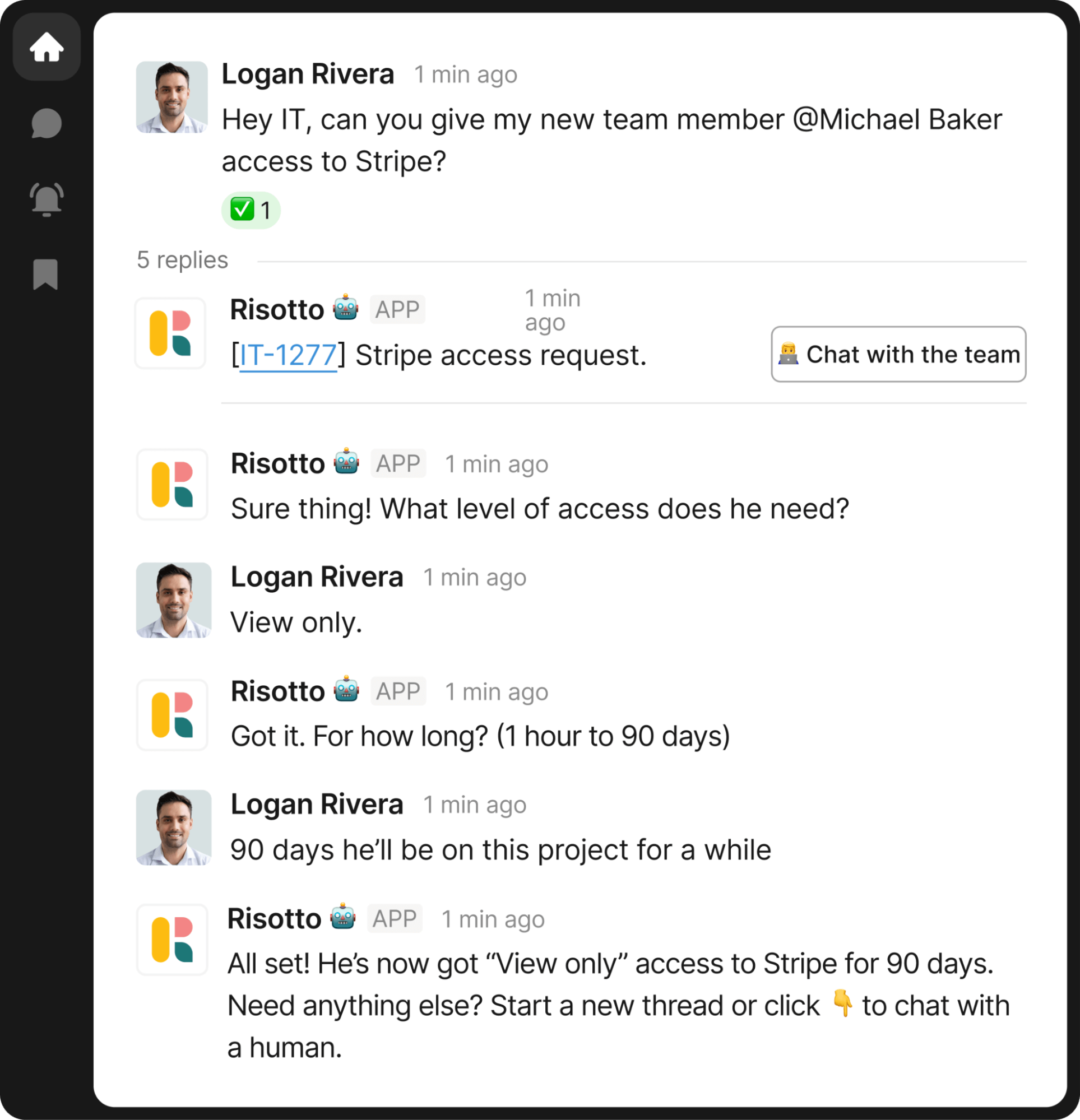
In the example above:
- 🧑💼 Logan asks IT in Slack: “Can you give my new team member Michael Baker access to Stripe?”
- 🤖 Risotto follows up: “What level of access does he need?”
- 🧑💼 Logan replies: “View only.”
- 🤖 Risotto asks for the duration: “For how long? (1 hour to 90 days)”
- 🧑💼 Logan responds: “90 days.”
- 🤖 From start to finish, Risotto streamlines the process — routing approval requests to the appropriate manager(s) with full ticket context, granting access once approved, and automatically revoking it when time expires.
This saves IT agents significant time, and Risotto is embedded directly in your existing help desk, so adoption is seamless.
As Collin Clifford, Legal & Compliance Manager at Superhuman, stated:
"Automated software access saves us so much time. Within minutes people get the access they need with everything tracked, approved, and no additional overhead needed… For sensitive tools and resources Risotto's automated time-based access has been a game-changer."
Approval-Based Access
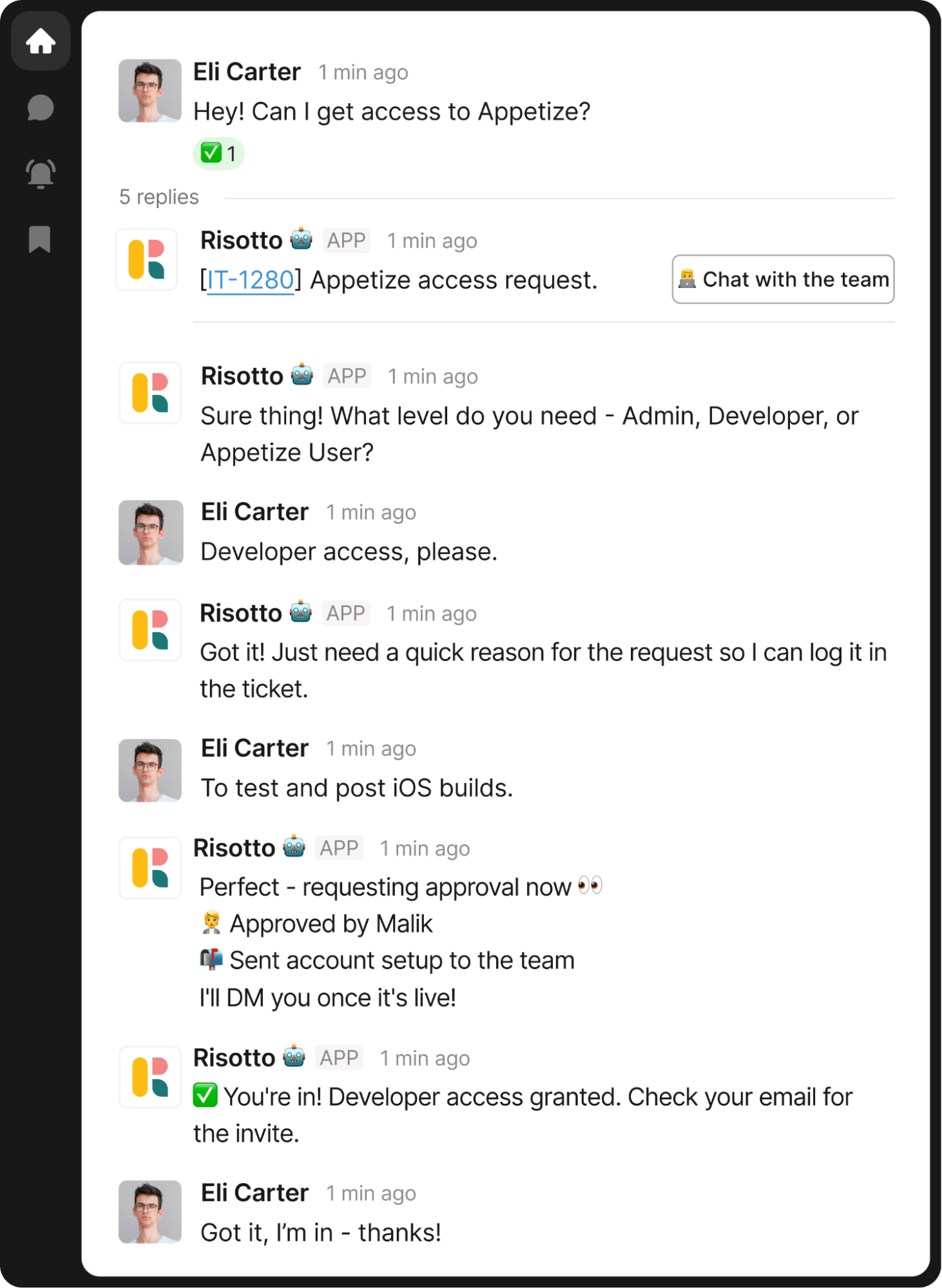
In this example:
- 🧑💼 Eli asks: “Hey! Can I get access to Appetize?”
- 🤖 Risotto asks: “Sure thing! What level do you need — Admin, Developer, or Appetize User?”
- 🧑💼 Eli replies: “Developer access, please.”
- 🤖 Risotto asks for a reason to log.
- 🧑💼 Eli answers: “To test and post iOS builds.”
- 🤖 Risotto requests approval from the relevant person, Malik
- 🤖 Upon approval, Risotto confirms: “✅ You're in! Developer access granted. Check your email for the invite.”
As stated, Risotto always maintains detailed access records (with all the context of the help desk) to help streamline compliance audits.
As Vergil Smith, IT Manager at Vidyard, noted:
“Sending a compliance report from Risotto with all of the tickets tagged correctly — that's so much easier, it's definitely made audits a far less stressful experience."
Self-Service Access
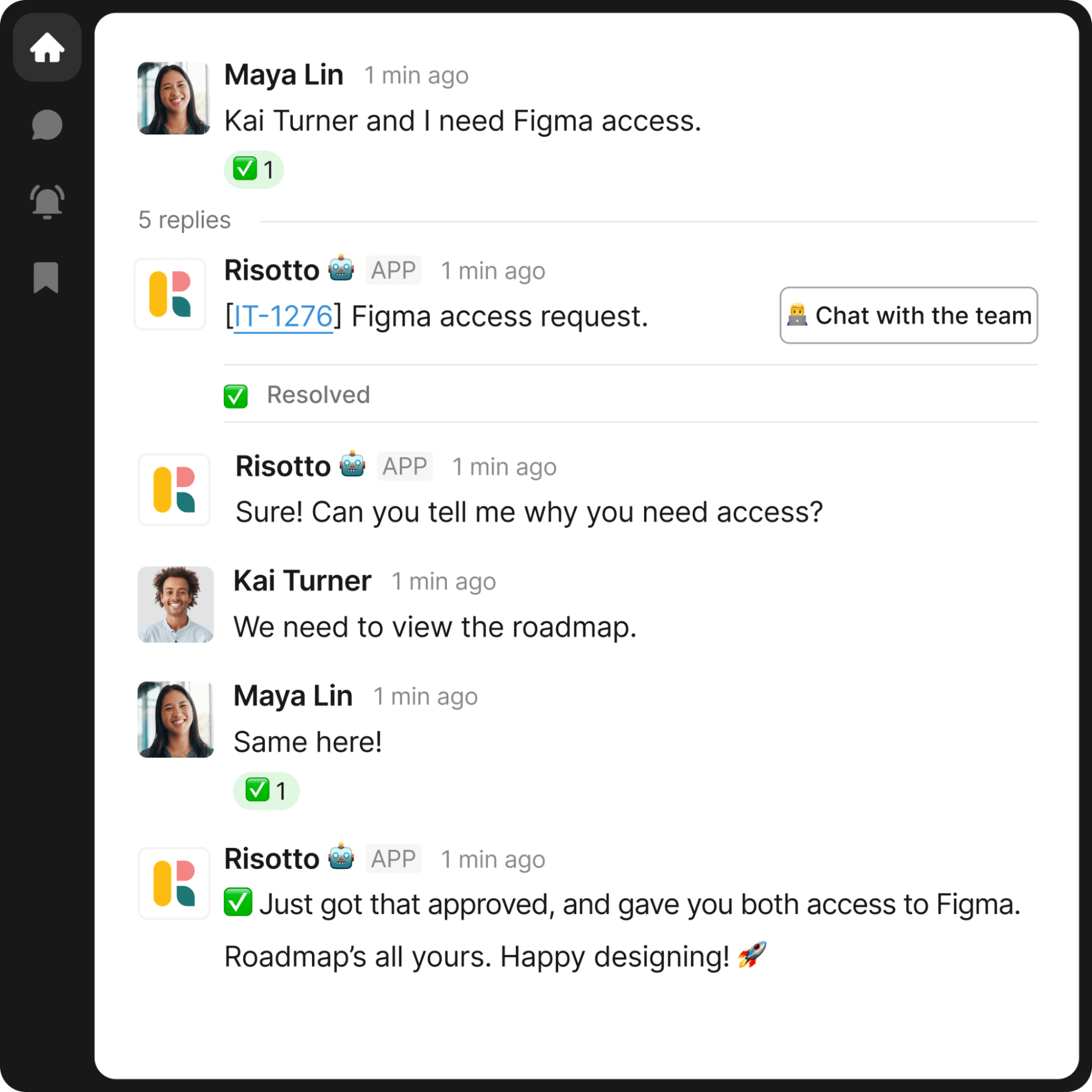
Based on your pre-configured rules, Risotto can enable instant self-service for low-risk applications and access requests.
In the example above:
- 🧑💼 Maya says: “Kai Turner and I need Figma access.”
- 🤖 Risotto responds: “Sure! Can you tell me why you need access?”
- 🧑💼 Kai replies: “We need to view the roadmap.”
- 🤖 Risotto confirms: “✅ Just got that approved, and gave you both access to Figma. Roadmap’s all yours. Happy designing!🚀”
3 Examples Of How Our AI Agent Intelligently Auto-Solves Knowledge-Based Questions
Beyond access requests, Risotto fully resolves a large portion of knowledge tickets that other tools would simply deflect.
It performs intelligent triage, walks employees through multi-step troubleshooting, analyzes screenshots, and synthesizes answers from multiple sources — your KB, historical ticket resolutions, and Slack updates.
When human help is needed, it escalates to the right team member via a seamless workflow in Slack or Teams.
As several of our customers shared:
“Our previous tool summarized whatever it pulled from wiki articles, it didn’t supplement responses with broader LLM knowledge or reasoning. This approach fell short because it lacked the capability to fully understand user intent or supplement answers with external knowledge… Risotto, however, synthesizes information from multiple inputs to provide context-aware, accurate, and actionable responses.”
– Phillip Rickett, VP of IT at Fundrise
“Risotto was able to combine knowledge from different sources and give me an instant answer to a complex question which was awesome to watch."
– Jason Huey, Senior IT Systems Administrator at ThoughtSpot
“It was amazing to see Risotto solve questions for me when I was out of the office, and our employees loved getting answers instantly.”
– Collin Clifford, Legal & Compliance Manager at Superhuman
Next, let's look at three examples of Risotto not just deflecting knowledge tickets, but fully resolving them.
Example #1: Intelligent Triage
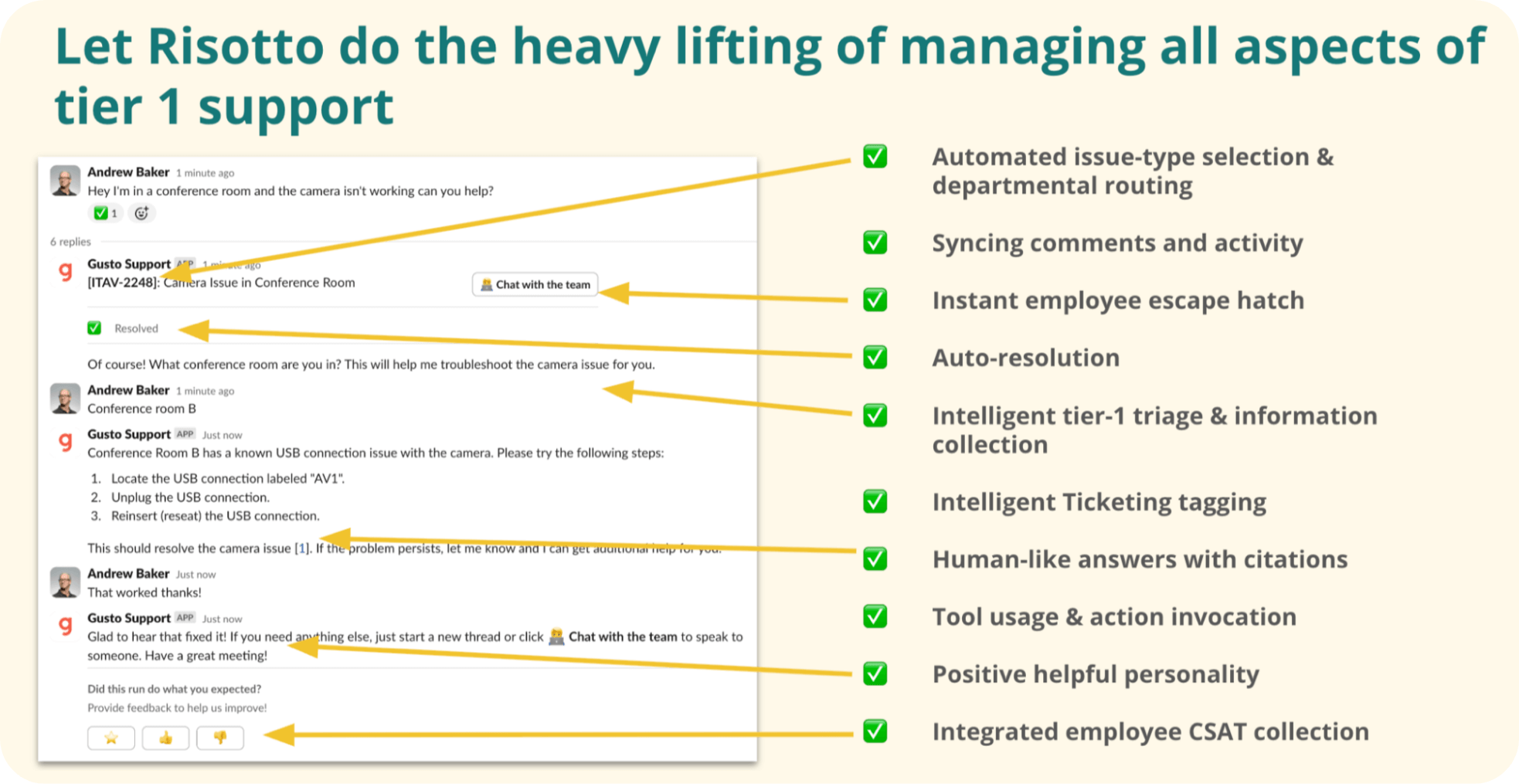
In the example above:
- 🧑💼 Andrew reports an issue in Slack: “Hey I’m in a conference room and the camera isn’t working can you help?”
- 🤖 Risotto jumps in with triage: “Of course! What conference room are you in? This will help me troubleshoot the camera issue for you.”
- 🧑💼 Andrew replies: “Conference room B.”
- 🤖 Risotto delivers troubleshooting instructions tailored to Conference Room B — possible only because it asked the right triage question first.
- 🧑💼 Andrew confirms: “That worked thanks!”
Example #2: Multi-Step Troubleshooting & Intelligent Adaptation

When employees respond with a curveball, our AI agent doesn’t get tripped up or immediately escalate to an agent. Instead, it intelligently adapts.
In the example above:
- 🧑💼Tyler Morris asks, “How can I get an employee badge?”
- 🤖Risotto responds with the standard badge request instructions.
- 🧑💼Tyler clarifies, “I just need a temporary one, I left mine at home.”
- 🤖Risotto pivots mid-conversation, recognizing this is a different question entirely: “If you forget your employee badge, visit the reception desk to obtain a temporary badge.”
Example #3: Multi-Modal Capabilities
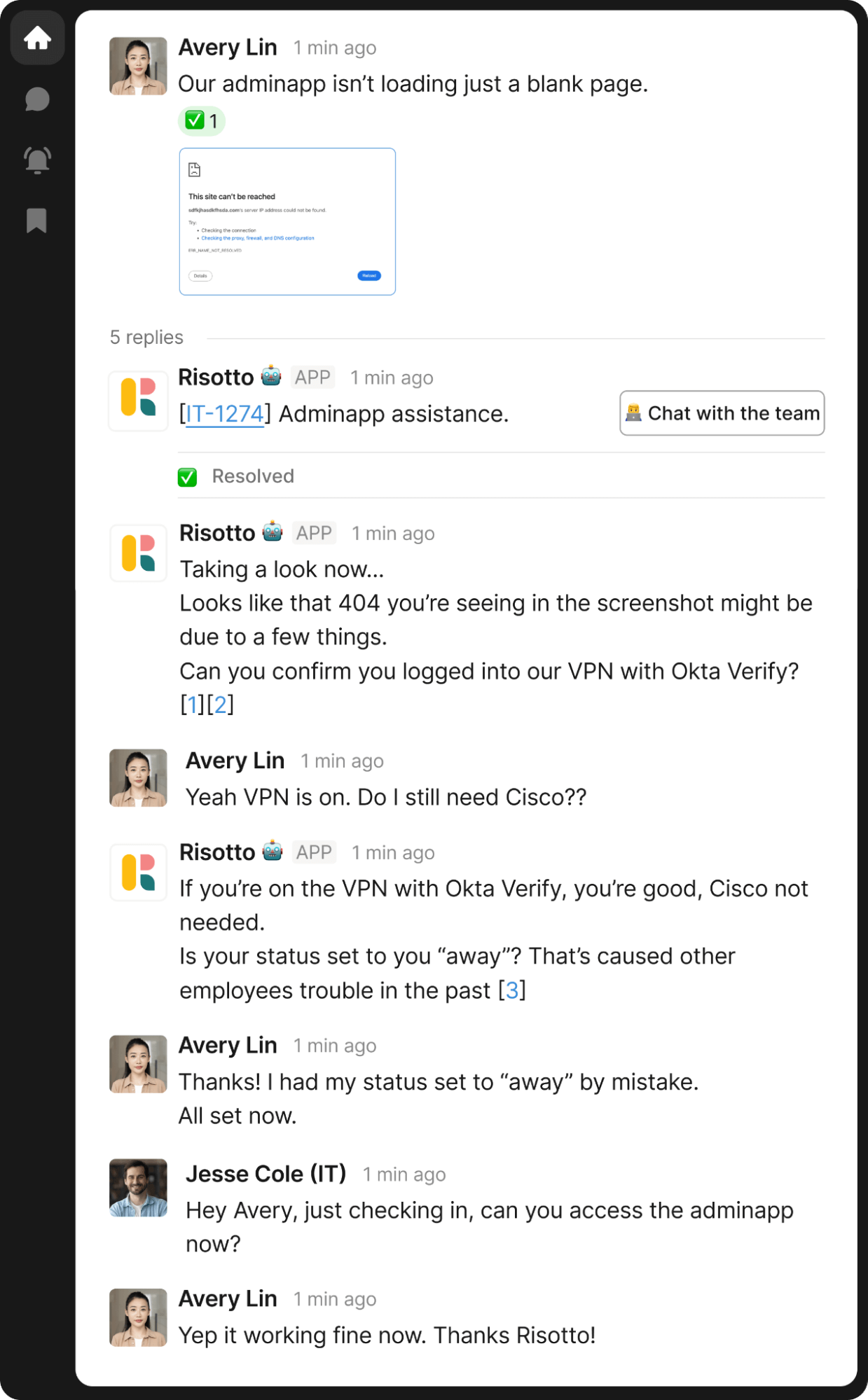
Risotto can interpret multi-modal inputs such as screenshots and perform sophisticated multi-step troubleshooting, just like a human IT agent.
In the above example:
- 🧑💼 Avery uploads an error screenshot with minimal context.
- 🤖 Risotto analyzes the screenshot and responds: “Looks like that 404 you’re seeing in the screenshot might be due to a few things. Can you confirm you logged into our VPN with Okta Verify?”
- 🧑💼 Avery responds: “Yeah VPN is on. Do I still need Cisco?”
- 🤖Risotto responds: “If you’re on the VPN with Okta Verify, you're good, Cisco not needed. Is your status set to ‘away’? That's caused other employees trouble in the past.”
- 🧑💼Avery responds: “Thanks! I had set my status to ‘away’ by mistake. All set now!”
These are just a few examples. Explore our website and customer success stories to see how Risotto intelligently autosolves other types of knowledge questions and access requests.
Additional Key Benefits of Risotto Backed by Customer Quotes
Next, let’s dive into some of the additional advantages of Risotto, backed by quotes from our customers.
Pre-Built Workflows for Quick Setup and Fast Time-to-Value
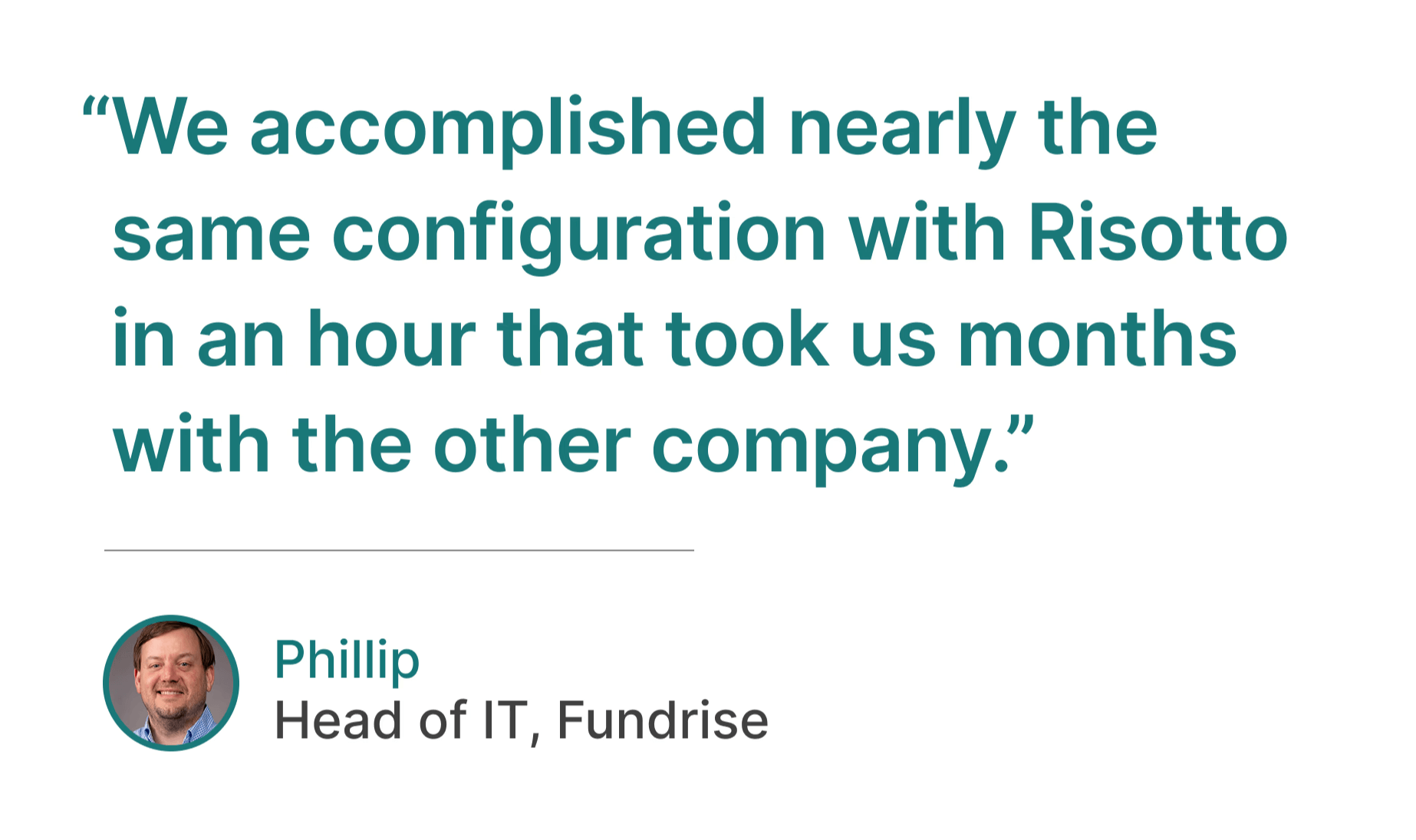
As mentioned, our cofounder Alex led IT engineering at Gusto and Dropbox — so Risotto was designed with enterprise IT needs in mind from day one. It's purpose-built to automate repetitive tier-1 tickets, with prebuilt workflows that make deployment possible in hours, not weeks or months.
In contrast, traditional enterprise AI tools require consultants and weeks or months of configuration just to get up and running (not to mention the ongoing maintenance burden).
As several of our customers shared:
“Ease of deployment was huge. We didn’t need a consultant or months of configuration. Risotto just worked.”
– Peter Hadjisavas, Head of IT at Hazel Health
“Risotto is one of the easiest tools I’ve implemented. We were up and running in less than a week and already seeing our first autosolves... getting Risotto integrated with Jira, Slack, and Okta was so seamless and fast.”
– Jason Huey, Senior IT Systems Administrator at ThoughtSpot
“Working with the Risotto team was awesome from day one. They all have IT backgrounds and really cared about making us successful.”
– Tom Grinberg, IT Manager at Trust & Will
“The speed and simplicity of Risotto’s setup was a great sign that we had made a good decision.”
– Phillip Rickett, VP of IT at Fundrise
"Risotto had the most thorough onboarding experience I've ever been a part of. Alex was great - he met with us weekly and made it very easy to quickly get up and running."
– Collin Clifford, Legal & Compliance Manager at Superhuman
Auto-Learning Based On Past Slack Tickets And Updates
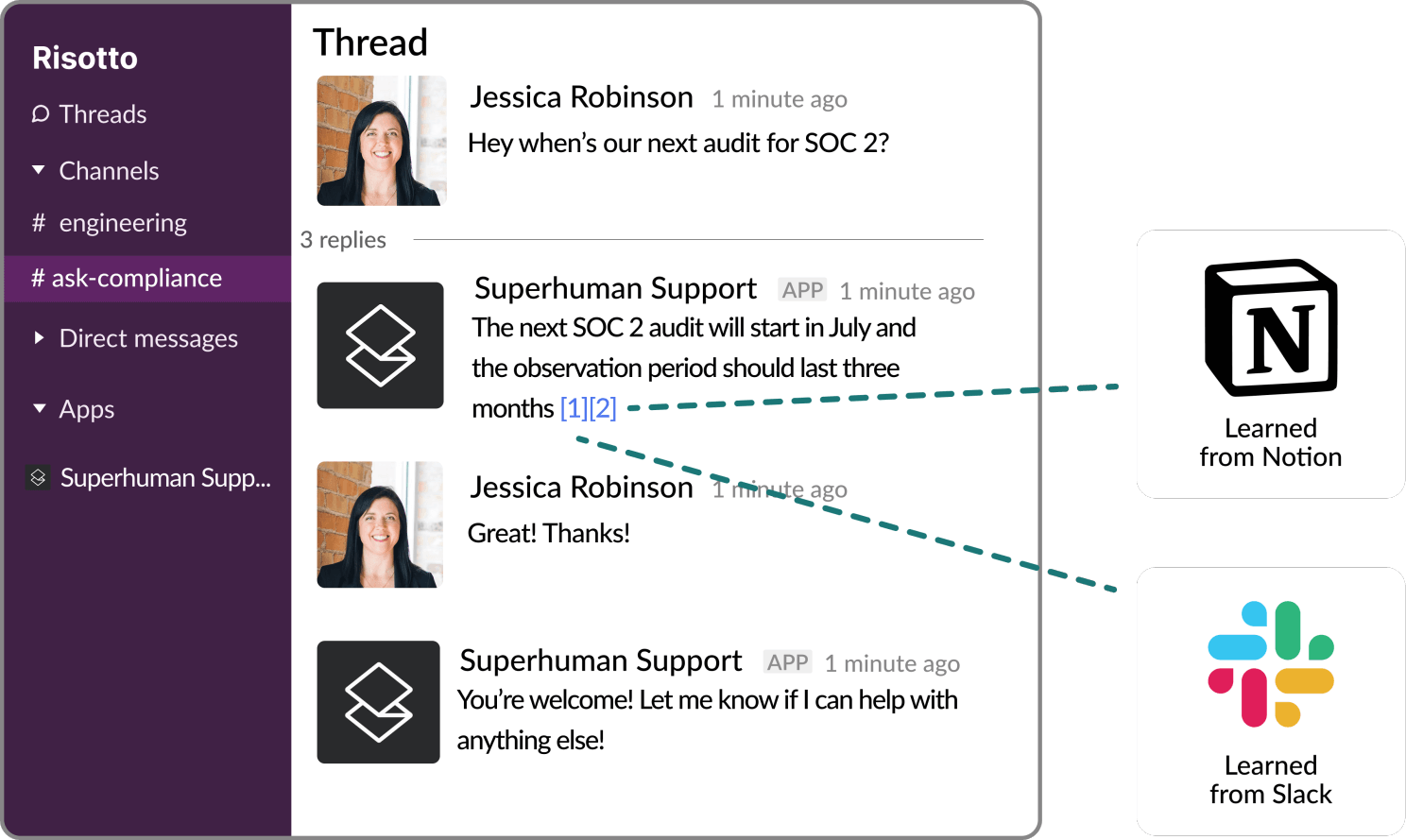
Our motto at Risotto is “never answer the same question twice.” We designed Risotto to learn continuously from past resolved tickets and Slack updates in approved channels, and automatically apply proven solutions to future issues.
IT teams can also convert any successful resolution into a knowledge base article with a single ✍️ emoji. Your KB builds itself over time, so you spend far less time manually maintaining it.
As some of our customers shared:
“The first Risotto demo showed it was clearly superior to our previous chatbot. The killer feature for us was that it could effortlessly learn.”
– Phillip Rickett, VP of IT at Fundrise
“The more we use Risotto, the smarter it gets, that’s what makes it different from every other tool we’ve tried.”
– Peter Hadjisavas, Head of IT at Hazel Health
Seamless Integration with Existing Tools and Workflows
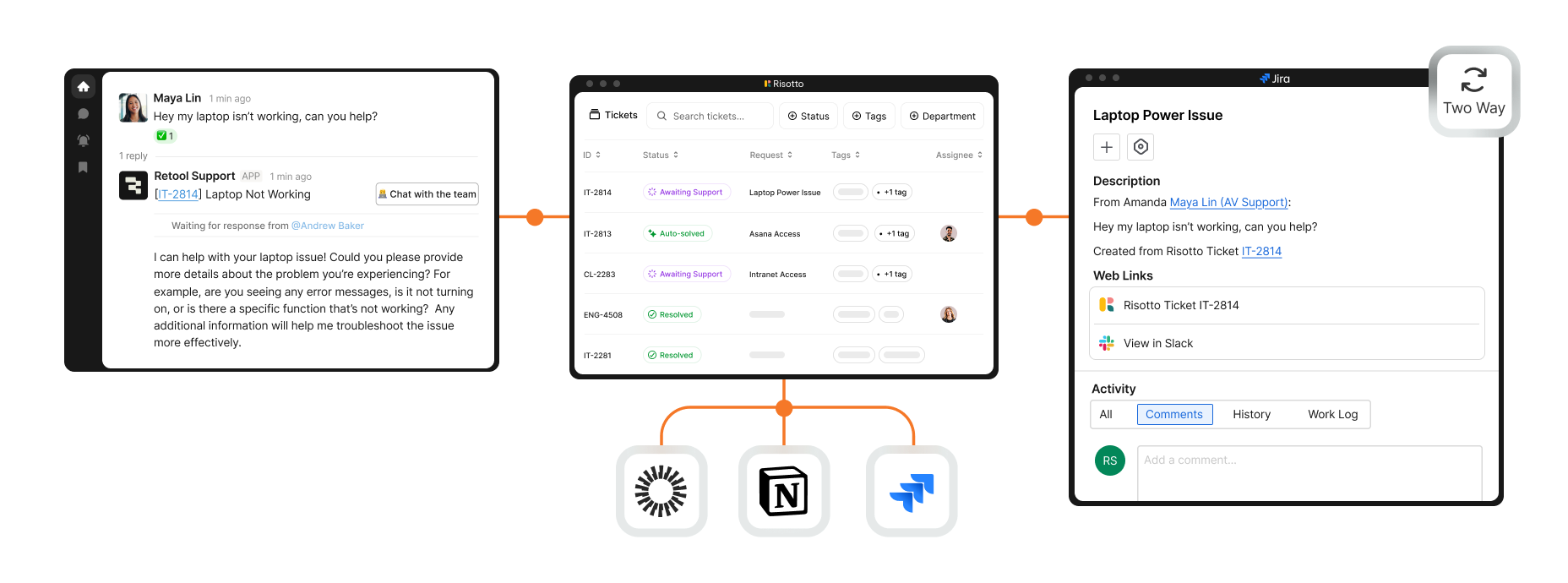
Risotto seamlessly integrates with your existing tech stack, including:
- Slack, Teams, email, and other corporate chat channels
- Ticketing systems such as Jira, Freshservice, Zendesk, and others
- IDPs like Okta Groups, Google Groups, etc.
- Popular enterprise solutions such as ServiceNow
We understand enterprise companies have unique requirements — reach out to discuss how Risotto can accommodate them.
As one of our customers shared:
“Risotto became the orchestration layer for Jira Service Management and gives us instant automation with AI… We always wanted to require a reason for application access, but it was really difficult to integrate that into JSM. Risotto adds that functionality to JSM and so much more.”
– Tom Grinberg, IT Manager at Trust & Will
“We want AI to seamlessly fit into our team’s daily operations, meeting our users where they already work… Risotto’s minimal operational overhead and integration into Slack has enabled us to achieve exactly that.”
– Phillip Rickett, VP of IT at Fundrise
“We wanted to implement more standardization and automation in our help desk, but there wasn’t an easy way in Slack without clunky custom work. Risotto helped us do that.”
– Vergil Smith, IT Manager at Vidyard
Multi-Department Compatibility
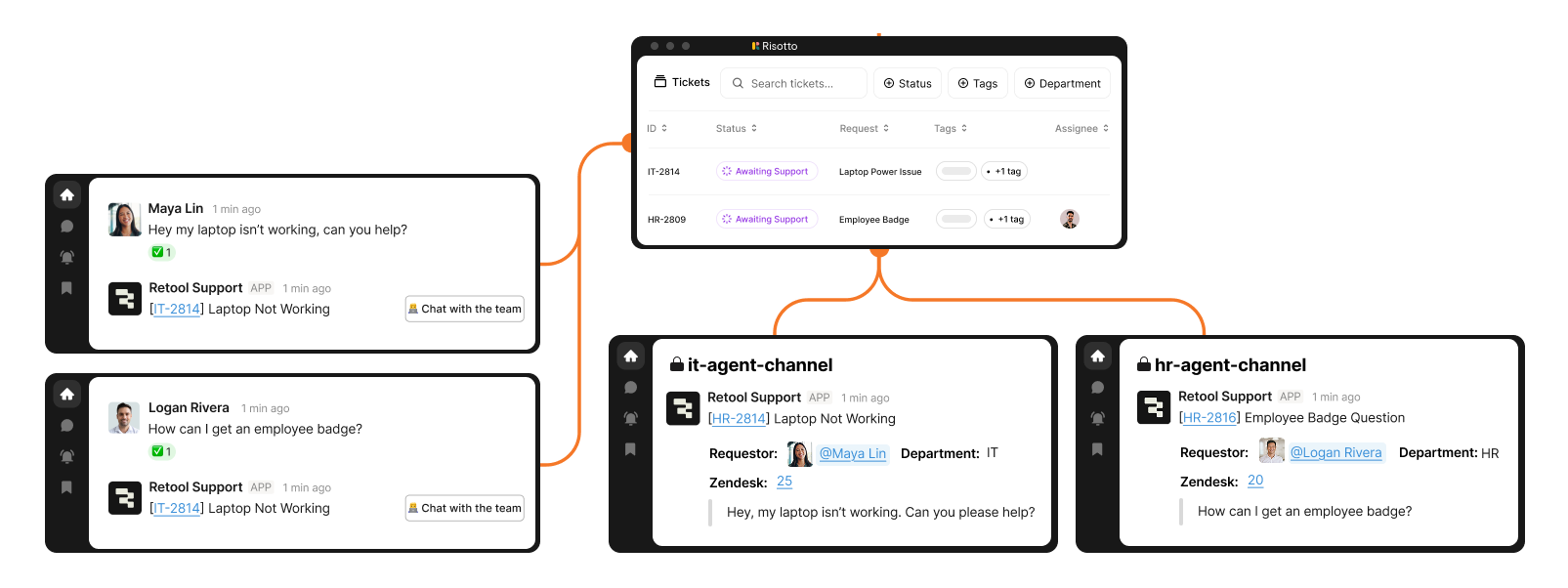
While Risotto was built by IT for IT, our AI agent has also proved popular among other departments that deal with their own repetitive tickets, such as HR, Sales, Legal, Finance, Engineering, and others.
Non-IT teams enjoy built-in ticketing functionality that fits their needs without the complexity or cost of tools like Jira, which are often more than they actually need.
Risotto also intelligently routes tickets to the right department and person, and each team can customize its own workflows, permissions, and more.
As some of our customers shared:
"The multi-department capabilities are awesome. Our engineering and RevOps teams now also want to use Risotto as they also get lots of the same questions over and over again.”
– Collin Clifford, Legal & Compliance Manager at Superhuman
"Once you add in HR our combined automation rate is even higher at 50.2%.”
– Jason Huey, Senior IT Systems Administrator at ThoughtSpot
Interested in Learning More About Risotto?
We built Risotto to solve the problems we faced ourselves when leading IT engineering at enterprise companies like Gusto and Dropbox.
Most teams auto-solve 20-60% of tier-1 tickets, freeing IT staff to focus on higher-value work and helping you support more employees without growing IT headcount.
To learn more, we encourage you to:
2. Jira Service Management

Jira Service Management is an ITSM solution that is popular amongst enterprise teams.
Some of its key features and capabilities include:
- Request Management
- Incident Management
- Change Management
- Asset Management
- Configuration Management
- Knowledge Management
- Problem Management
To learn more about how Risotto’s AI automated ticket resolution capabilities compare to Jira Service Management and other AI applications, see our article on the 7 Best Jira Service Management Alternatives by Use Case.
3. Moveworks
Moveworks is an agentic AI software for enterprise IT teams.
Its solutions and capabilities include:
- ITSM Automation
- Virtual Assistants
- Service Management
- Employee Onboarding
- Employee Self-Service
- Change Communications
- IT Cost Optimization
- IAM Modernization
- AI Digital Transformation
Overall, it’s a solid tool that opens the door to various enterprise AI applications and initiatives.
To learn more about how Risotto’s AI tier-1 ticket resolution capabilities compare to Moveworks, read our article about the 8 Best Moveworks Competitors & Alternatives.
4. Aisera
Aisera is an AI-driven IT platform that can meet the business needs of enterprise organizations.
Some of its capabilities include:
- Agent Composer
- Aisera Unify
- Integrations & Connectors
- TRAPS (Trusted, Responsible, Auditable, Private, Security)
- Analytics & Insights
To learn about how Risotto’s AI tier-1 ticket resolution capabilities compare to Aisera, see our article on the 9 Best Aisera Competitors & Alternatives.
5. ServiceNow
ServiceNow is an enterprise-grade AI platform that is popular with IT teams.
Some of its products include:
- AI Agents
- IT Service Management
- ServiceNow AI Control Tower
- IT Operations Management
- Customer Service Management
- AI Assistants
- Strategic Portfolio Management
- IT Asset Management
- Governance, Risk, and Compliance
- Security Operations
- Field Service Management
- HR Service Delivery
- Employee Center
ServiceNow’s enterprise AI solution is highly flexible, integrates within your existing ecosystem and frameworks, and can help drive innovation and improve business operations.
To learn more about how Risotto’s AI ticket resolution capabilities compare to ServiceNow, read our article about the 13 Best ServiceNow Alternatives & Competitors.
6. Zapier
Zapier can help improve your IT team's efficiency with automated workflows, such as:
- Automated ticket routing
- System health monitoring
- Asset management automation
- Knowledge base updates
Zapier’s tool is flexible, integrates your existing systems, and helps you implement complex end-to-end AI strategies. They offer competitive pricing.
7. Okta
Okta is an IT AI solution for enterprise identity management.
Some of its key features and capabilities include:
- Single Sign-On
- Adaptive MFA
- Device Access
- API Access Management
- Secure Partner Access
- Access Gateway
- Universal Directory
- Privileged Access
- Identity Security Posture Management
- Identity Threat Protection
- Auth0
- Okta Customer Identity
- AI Models
- Lifecycle Management
- Identity Governance
- Natural Language Processing
- Okta Integration Network
- Secure Identity Integrations
- Cross App Access
- Generative AI
- Machine Learning
Overall, it’s a solid enterprise AI platform that can help reduce IT workload, improve user experience, and protect customer data. Note that Risotto, our IGA platform, seamlessly integrates with Okta, so you can onboard your existing applications and permissions in minutes.
8. SailPoint
SailPoint is an advanced AI platform that excels at IGA automation for enterprise IT teams.
Some of its capabilities include:
- Agent Identity Security
- Observability & Insights
- Cloud Infrastructure Entitlement Management
- Non-Employee Risk Management
- Data Access Security
- Password Management
- Access Risk Management
- Machine Identity Security
- Harbor Pilot
- Fraud Detection
Overall, it’s a solid enterprise provider with AI capabilities. They can help improve decision-making through data-driven insights, improve customer experience, and drive operational efficiency.
9. Dynatrace
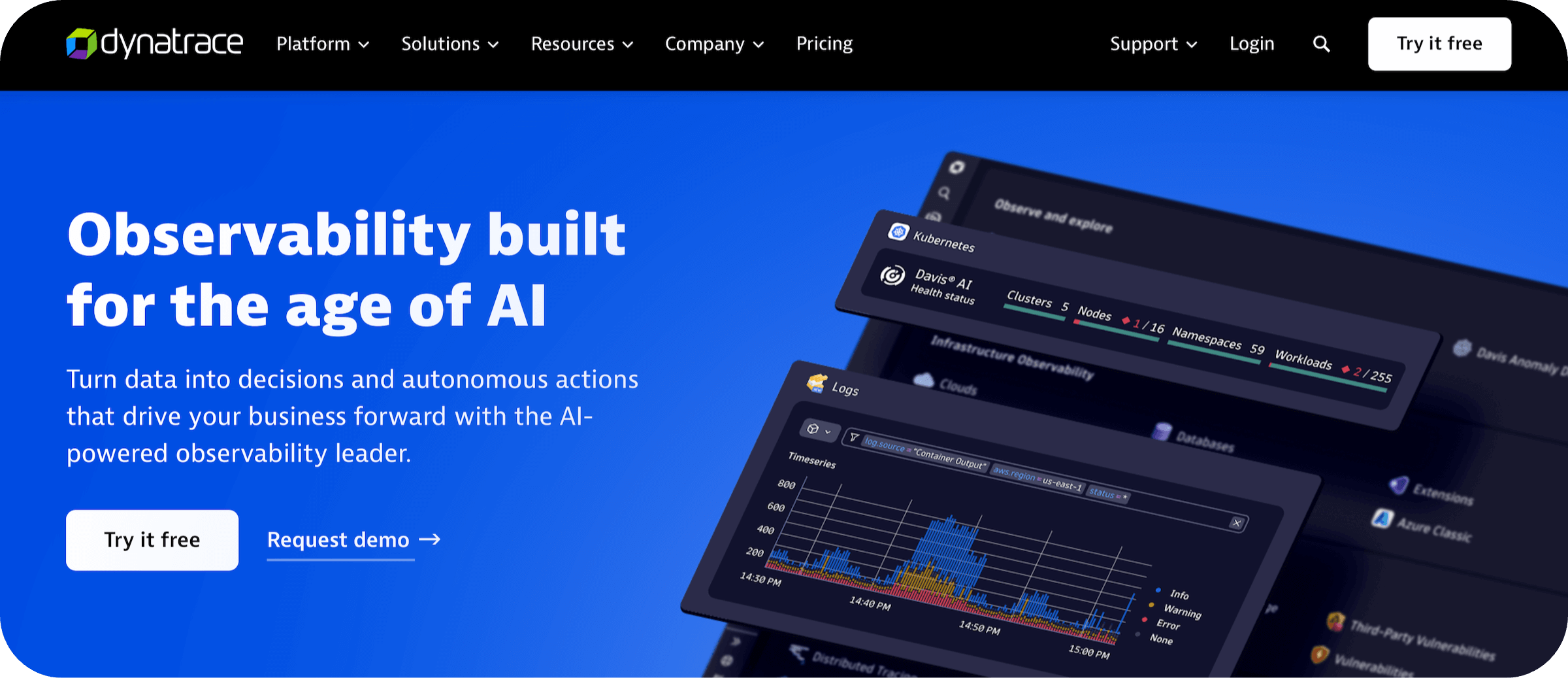
Dynatrace is an AI tool used by enterprise IT teams.
Some of its solution areas include:
- Infrastructure Observability
- Application Observability
- AI Observability
- Digital Experience
- Log Analytics
- Application Security
- Threat Observability
- Software Delivery
- Business Observability
Overall, it’s a solid tool with real-time AI technologies and algorithms.
10. Microsoft Security Copilot
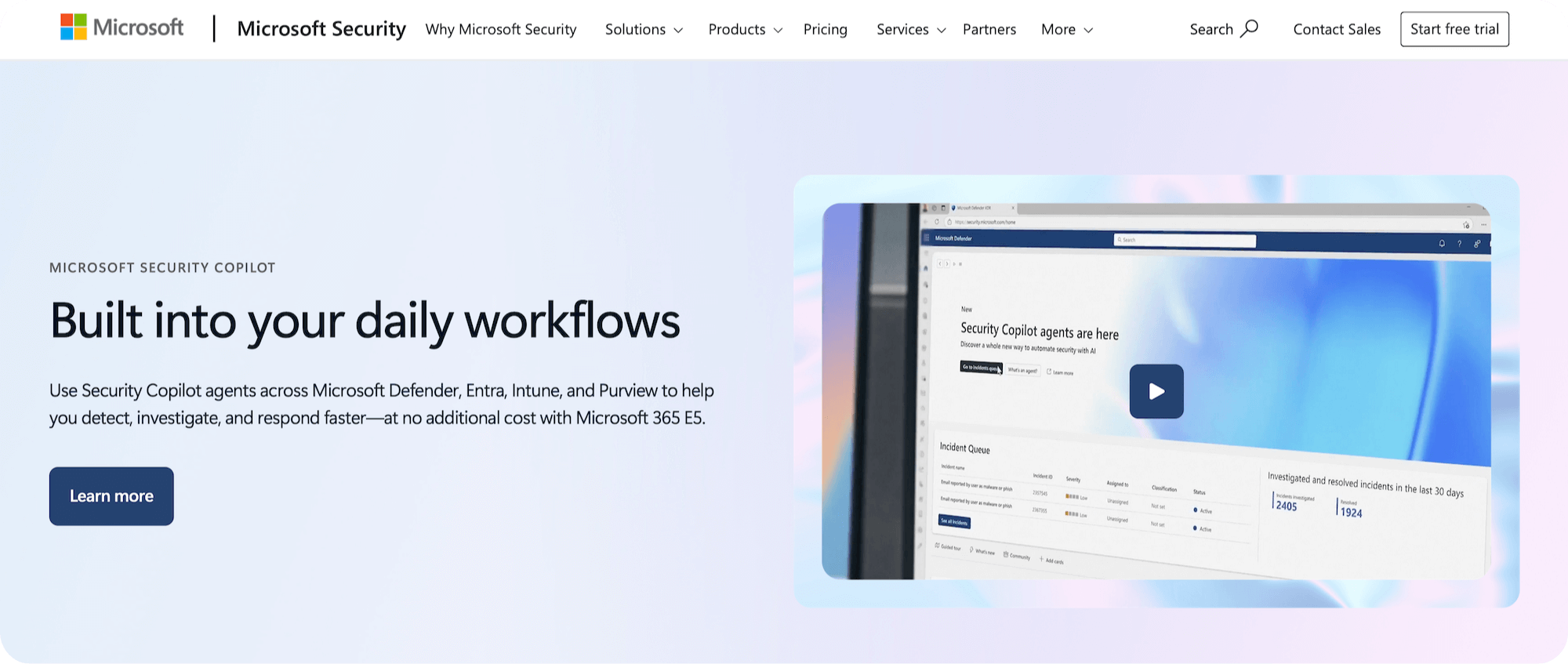
Microsoft Security Copilot is Microsoft’s AI cybersecurity solution for enterprise IT teams.
Some of its capabilities include:
- AI-powered cybersecurity
- Cloud security
- Data security & governance
- Identity & network access
- Privacy & risk management
- Security for AI
- Unified SecOps
- Zero Trust
- AI Systems
Overall, it’s a solid enterprise solution with artificial intelligence capabilities.
Interested in Learning More About Risotto?
Risotto was purpose-built to autosolve tier-1 IT tickets, designed based on our co-founder Alex’s firsthand experience leading IT engineering at enterprise companies like Dropbox and Gusto.
To learn more, we encourage you to:
- Book a demo
- Read our origin story
- Explore our customer success stories:
- Fundrise: Automated nearly 60% of IT support tickets
- Superhuman: Automated nearly 20% of IT support tickets
- Ironclad: Automated nearly 90% of access-related IT requests
- ThoughtSpot: Automated nearly 48% of IT support tickets
- Trust & Will: Automated nearly 35% of IT support tickets
- Hazel Health: Improved deflection rates from 3-5% to over 20%
- Shakepay: Automated nearly 40% of IT support tickets
- Retool: Reduced SLA resolution time from an average of 2 days to under 1 day
- Vidyard: Automated nearly 56% of IT support tickets
Liked the article? Share on:
On this page
Try Risotto for free for 30 days. Commit only when you see the value.


See more recent articles



Want faster solutions and happier employees?
Access that's easy to ask for and impossible to get wrong.
Ensure Legal never answers another "do we need an NDA for this?"
Every policy question is stealing time from the work Finance was hired to do.
Turn Slack requests into action items instead of engineering interruptions.
The biggest deal risk might be an unanswered internal question.
Run a united support system that your employees can depend on.
Build the automations you’ve been planning on for months.
The bottleneck isn't your team. It's the groundwork before they can actually help.
Get support data that your team can talk to.
Jump on a call to understand:
Risotto handles repetitive support requests across tools and teams, so IT gets back to solving real problems, not rerunning the same ones.
.svg)
%20(1).webp)
See what makes the Iru integration a 10/10 for our clients.