%20(1).svg)

IT teams rarely run short of work they would rather automate. Password resets keep coming, access requests wait for approval, scheduled jobs need monitoring, and infrastructure changes still depend on specialist time.
The challenge is that IT automation software covers tools built for very different jobs. Some platforms offer automated AI Tier-1 ticket resolution, while others provision cloud infrastructure, coordinate runbooks, or connect applications through workflow automation. A strong tool in one category may be completely wrong for another.
This guide compares eight leading IT automation platforms by the work they automate, how they fit into existing systems, and what they require from the team managing them. For each option, we break down its standout capabilities, integrations, pricing, and key limitations so you can find the right fit for your highest-priority workflow.
TL;DR
1. Risotto: Best for automated tier-1 IT ticket resolution
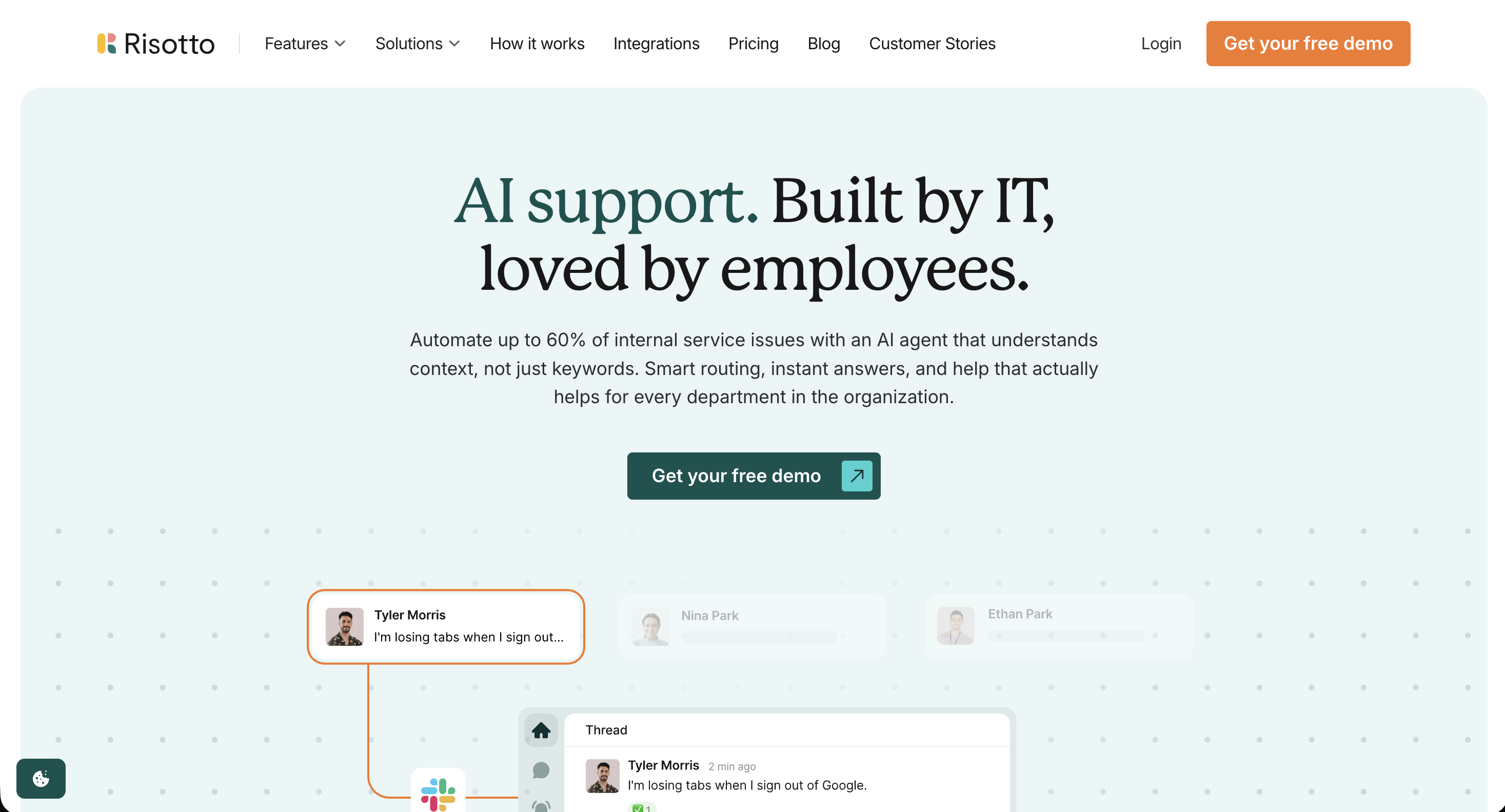
Risotto is an AI-native IT service management platform built for lean teams that want to add IT support automation without replacing their existing ticketing system.
Employees can ask for help through Slack, Microsoft Teams, or email, while tickets and updates sync with ITSM platforms such as Jira Service Management, Freshservice, and Zendesk.
Its strongest IT automation use case is auto-resolving Tier-1 requests. Risotto uses indexed company knowledge to answer policy questions and troubleshoot common issues. When a request requires action, it follows a configured runbook across connected systems. This allows it to provision and remove software access, reset passwords or MFA, and manage group memberships.
Other supported workflows include time-bound access with automatic revocation, employee onboarding and offboarding, distribution-list management, and device actions such as retrieving FileVault recovery keys.
Teams can build runbooks with a no-code editor, use prebuilt templates, or ask the Risotto Assistant to generate a workflow from natural-language instructions. The Assistant also supports tickets that require deeper investigation or specialist judgment. It can review relevant logs, system settings, past tickets, and related patterns, then suggest a possible root cause and remediation plan. It may also recommend a new automation for handling similar requests in the future.
As Vergil Smith, IT Manager at Vidyard, explains, “We wanted to implement more standardization and automation in our help desk, but there wasn’t an easy way in Slack without clunky custom work. Risotto helped us do that.”
Standout automation capabilities
- Automated AI Tier-1 ticket resolution: Risotto uses indexed company knowledge and configured runbooks to auto-solve common requests without an IT agent stepping in.
- Identity and access automation: Employees can request access in natural language. Risotto applies the relevant rules, collects approvals, provisions or removes access, and keeps an audit trail. It also supports temporary access with automatic revocation.
- Runbook creation: Teams can use prebuilt templates, configure workflows through the no-code builder, or describe an automation to the Assistant in plain language. The Assistant can create the runbook and the API tools needed to carry it out, with IT approving each action before launch.
Key integrations
- Request channels: Slack, Microsoft Teams, email
- ITSM: Jira Service Management, Freshservice, Zendesk, ServiceNow
- Identity and access: Okta, Microsoft Entra, Google Workspace
- Knowledge sources: Confluence, Notion, Google Drive, Guru, SharePoint
- MDM: Jamf
- HRIS: Workday, Rippling, BambooHR
- Custom integrations: APIs and MCP support
Pricing
Risotto pricing is set up as follows: The Startup plan costs $1,250 per month when billed annually and is available to companies with fewer than 200 employees. Enterprise pricing is custom. Risotto can work alongside an existing ticketing platform or act as the team’s standalone ITSM. A 30-day trial is available.
Where it falls short
Risotto focuses on internal support automation, so it doesn’t cover infrastructure configuration, patching, or cloud provisioning in the way tools like Ansible and Terraform do.
It also doesn’t include native asset management, which means teams need to connect an existing asset management platform. The direct integration library is still expanding, so less common systems may require custom API tooling or an MCP connection.
See how Risotto automates repetitive IT work and resolves Tier-1 requests end to end. Learn more.
2. Ansible: Best for large-scale infrastructure and configuration management
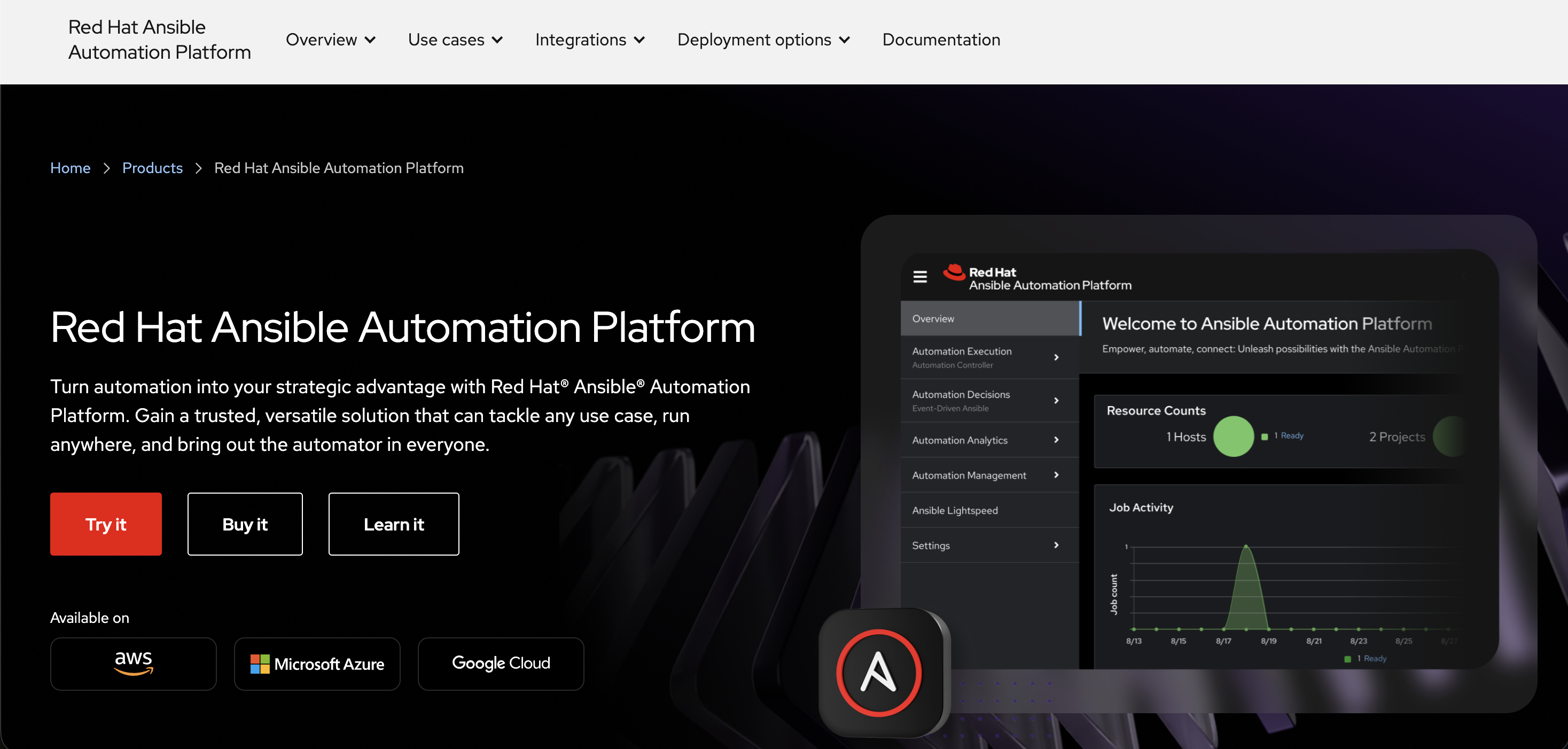
Red Hat Ansible Automation Platform helps IT teams automate infrastructure and system administration across complex IT environments. Organizations can use it to configure servers, deploy applications, apply patches, manage networks, and enforce security policies across on-premises and cloud systems.
Automation is created through reusable playbooks, which describe the steps Ansible should carry out. Because Ansible does not require software agents on every managed system, teams can deploy it across large numbers of servers, devices, and cloud resources with low ongoing maintenance. The enterprise platform also adds centralized management, reporting and access controls.
Ansible is best suited to larger organizations that want to standardize tasks such as server configuration, patching, application deployment, and network changes across multiple systems. It offers extensive control, but usually requires technical expertise to implement and manage effectively.
Standout automation capabilities
- Playbook-based infrastructure automation: Uses reusable playbooks written in YAML, a human-readable configuration format, to provision resources, apply configurations, deploy applications, and install patches consistently.
- Event-driven automation: Responds to events from monitoring, cloud, security, and ITSM systems by running predefined rulebooks and remediation workflows automatically.
- Distributed automation at scale: Ansible can run jobs from servers located in the same region or network as the systems being managed. This reduces the risk of connection problems interrupting changes midway and helps teams automate infrastructure across remote or segmented networks.
Key integrations
- Cloud: AWS, Microsoft Azure, Google Cloud
- Virtualization: VMware
- ITSM and observability: ServiceNow, Splunk, Dynatrace
- Networking and security: Cisco, Palo Alto Networks, CyberArk
Pricing
Annual subscription pricing is available by custom quote.
Where it falls short
Ansible playbooks are written in YAML, which is easier to read than most programming languages. Even so, building reliable automation at enterprise scale requires technical expertise. G2 reviewers often mention a steep learning curve, particularly when managing inventories and configuring the Automation Controller. Larger playbook libraries can also become difficult to maintain.
3. Terraform: Best for creating and managing infrastructure with code
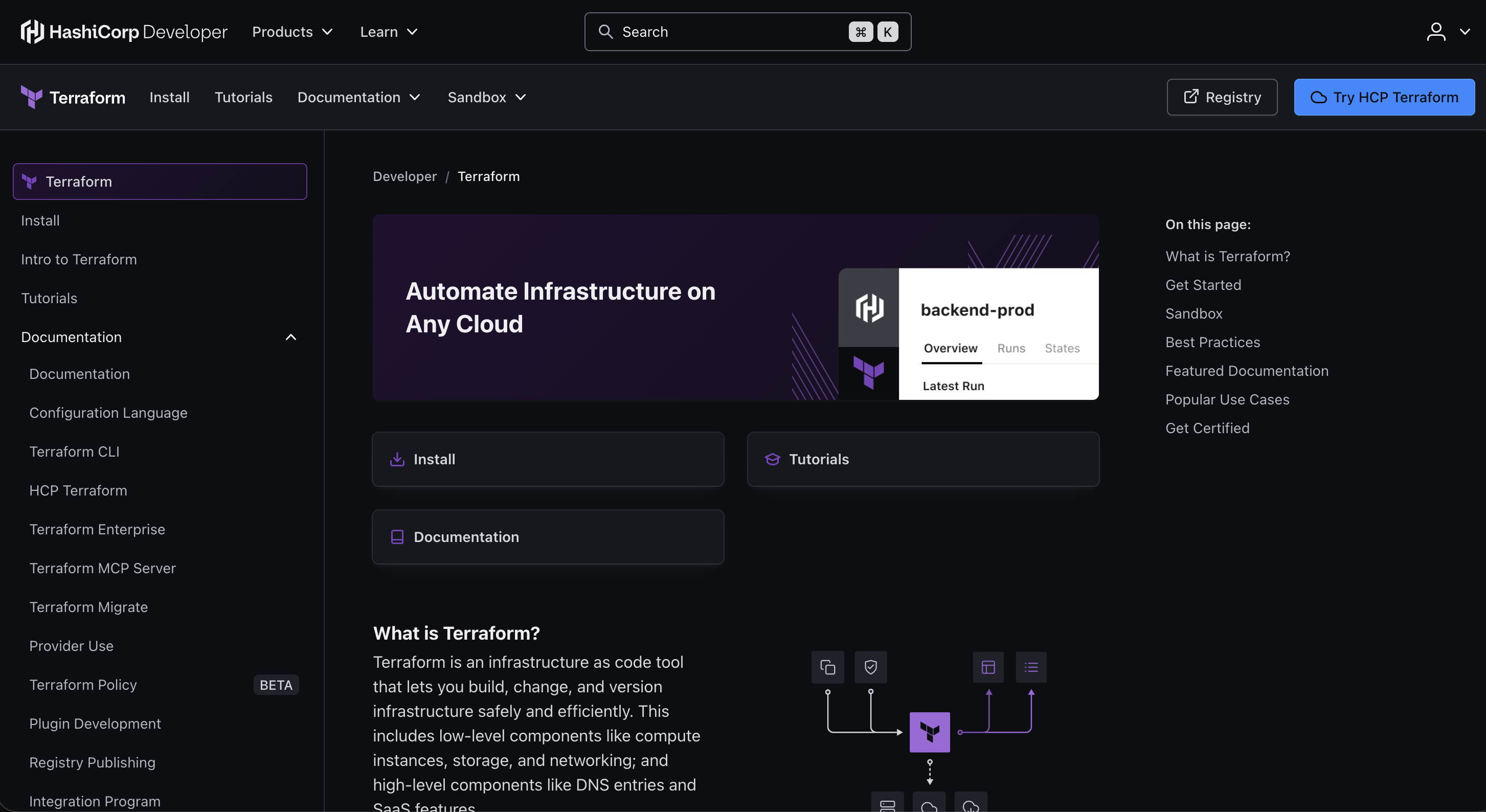
HashiCorp Terraform (recently acquired by IBM) helps platform and DevOps teams create and manage infrastructure using code. Teams describe the resources they need in configuration files, and Terraform determines what must be created, changed, or removed to reach that desired setup. It can manage infrastructure across public clouds, private data centers, networks, and SaaS platforms through a large ecosystem of providers.
Before making changes, Terraform generates a plan that teams can review and approve. Reusable modules also allow organizations to standardize common infrastructure setups instead of rebuilding them for every project.
Terraform is best suited to organizations that want a consistent, repeatable way to provision resources across multiple environments while maintaining a clear record of infrastructure changes.
Standout automation capabilities
- Multi-cloud provisioning: Creates and manages resources across cloud platforms, private data centers, networks, and SaaS services through one workflow.
- Automated planning and deployment: Compares the requested setup with the current infrastructure, previews the proposed changes, and applies them in the correct order.
- Reusable infrastructure templates: Teams can package approved configurations into modules, which makes it easier to deploy consistent infrastructure across projects and environments.
Key integrations
- Cloud platforms: AWS, Microsoft Azure, Google Cloud, IBM Cloud
- Containers: Kubernetes, Docker
- Version control and CI/CD: GitHub, GitLab, GitHub Actions, Jenkins
- ITSM: ServiceNow, Jira
- Developer portals: Backstage, Port, Cortex
Pricing:
Annual subscription pricing is available by custom quote.
Where it falls short
G2 users commonly mention that Terraform becomes harder to manage as infrastructure grows. The platform keeps a record of the resources it controls, but that record can become outdated when several people make changes at once or when infrastructure is updated outside Terraform. This can cause future updates to fail or make unintended changes.
4. ServiceNow: Best for large enterprises wanting a broad ITSM platform
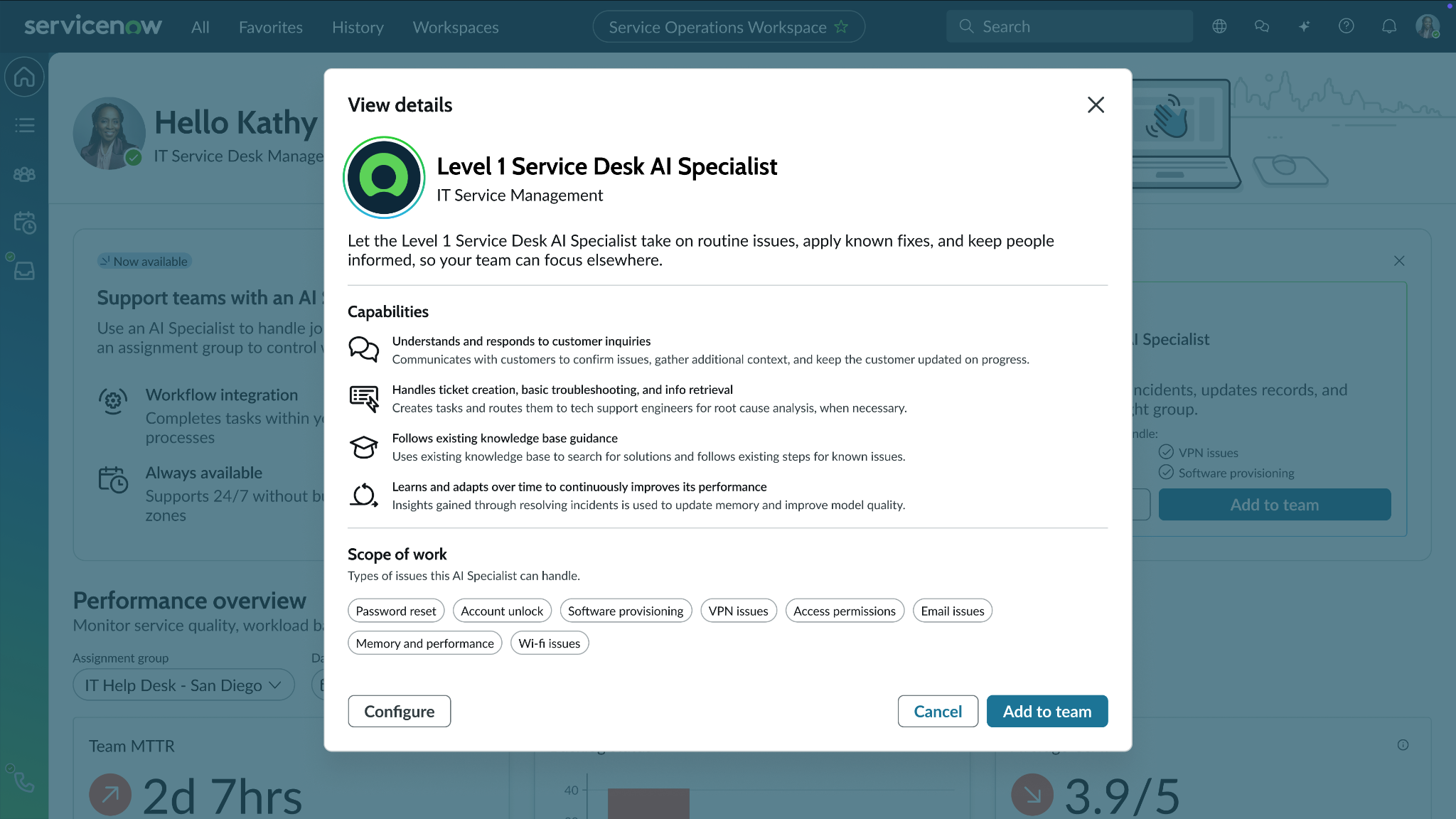
ServiceNow IT Service Management gives large organizations one platform for managing incidents and service requests. It also supports problem management and change processes, helping teams standardize how IT work is logged, assigned, approved, and resolved.
Its automation covers routine service desk requests and more structured workflows. For example, it can manage a change request through risk assessment, approval gates, and CMDB impact analysis before a deployment goes ahead.
ServiceNow’s AI agents, called AI Specialists, can also resolve supported requests such as password resets or software provisioning. When an issue requires human expertise, they pass it to an IT agent with the relevant context.
ServiceNow is best suited to large organizations that need a broad range of IT service management tools and have the time and expertise to configure the platform around their existing processes.
Standout automation capabilities
- Routine request resolution: AI Specialists can triage, resolve, and document common requests such as password resets, access provisioning, and software installation.
- Proactive device remediation: ServiceNow can monitor employee devices for issues such as low disk space, cache problems, or expiring certificates. It attempts to fix them automatically and escalates to a support engineer when help is required.
- Automated change management: The platform can create change records from CI/CD deployments, apply risk checks, route approvals, and assess the potential impact using CMDB data. If a deployment or system update fails, the system automatically restores the previous version.
Key integrations
- Collaboration: Microsoft Teams, Slack, Zoom
- DevOps and project management: Jira, Jira Service Management, GitHub, Jenkins
- Identity and access: Okta, Microsoft Entra ID, Microsoft Active Directory
- Enterprise applications: Salesforce, Workday
Pricing:
Annual subscription pricing is available by custom quote.
Where it falls short
G2 users most commonly mention ServiceNow’s steep learning curve. Creating automated workflows can require extensive configuration, while customizations often depend on specialist knowledge. This can slow implementation and increase the effort needed to maintain the platform over time.
If you’re looking for a more specialized platform, you can explore these ServiceNow alternatives.
5. Moveworks: Best for enterprise search and cross-functional AI assistance
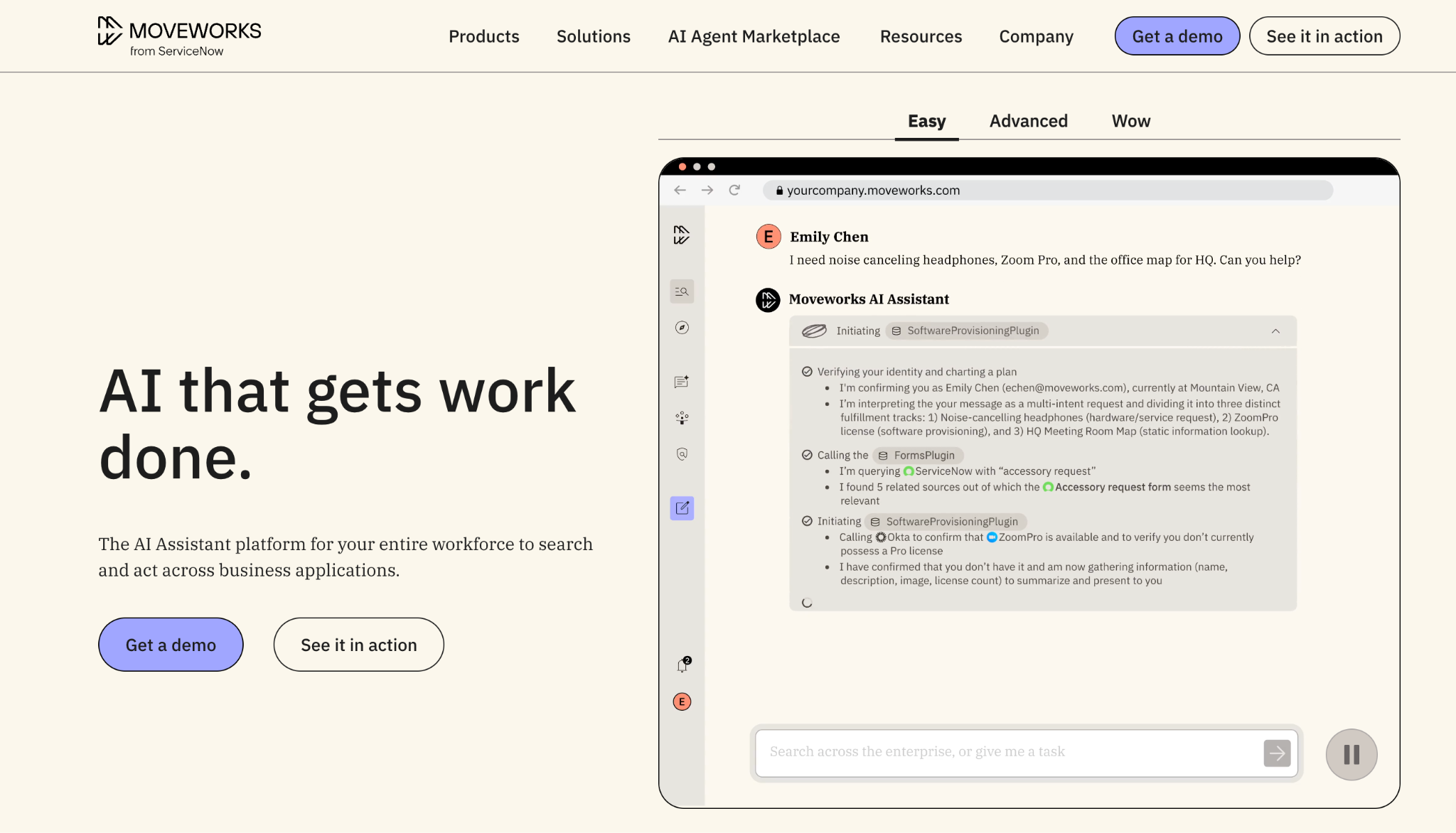
Moveworks is an enterprise AI assistant platform, now part of ServiceNow, that helps employees find information across company systems through one conversational interface. Its enterprise search connects knowledge from sources such as SharePoint, Confluence, and Google Drive, while applying the user’s existing permissions so employees only see information they are authorized to access.
The platform can also turn a search or question into an action. An employee might ask about a company policy, then submit a related request without switching tools. Moveworks can complete workflows across IT, HR, finance, and other departments by connecting to the applications involved.
It is best suited to large organizations that want a single AI assistant for enterprise-wide search, with workflow automation layered on top.
Standout automation capabilities
- Search-to-action automation: Employees can find information across connected systems, then complete the related task from the same conversation.
- Multi-step workflow execution: The Reasoning Engine breaks requests into individual steps and carries them out across the appropriate business applications.
- Custom AI agents: Agent Studio allows developers to build agents for company-specific processes. Teams can also install prebuilt plugins from the AI Agent Marketplace for common enterprise workflows.
Key integrations
- Collaboration: Slack, Microsoft Teams, Google Chat, Zoom
- ITSM: ServiceNow, Jira, Freshservice, Zendesk, BMC Helix
- HR and finance: Workday, SAP SuccessFactors, SAP Concur, Coupa
- Knowledge sources: Confluence, SharePoint, Google Drive, Notion, Box
- Identity and device management: Okta, OneLogin, Duo, Jamf
- Business and development tools: Salesforce, GitHub, Databricks
Pricing:
Annual subscription pricing is available by custom quote.
Where it falls short
G2 users most commonly mention the time and complexity required to set up Moveworks. Deep integrations can demand significant implementation work, particularly when organizations use tools outside the ServiceNow ecosystem. This may delay how quickly teams can roll out and expand their automations.
Compare Moveworks with other enterprise AI assistants in our guide to the top Moveworks competitors.
6. ActiveBatch: Best for job scheduling and workload automation
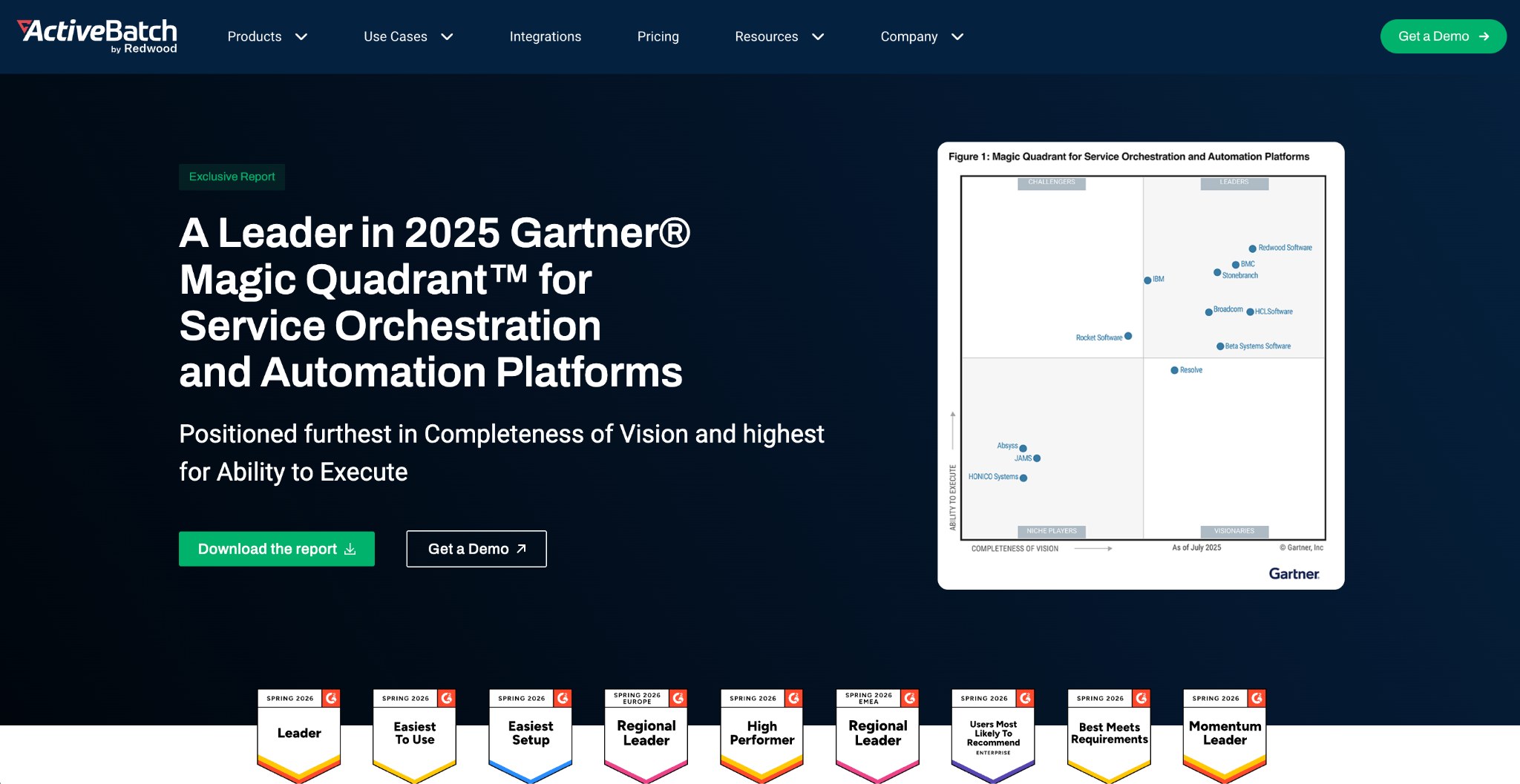
ActiveBatch by Redwood helps IT teams automate recurring jobs and coordinate processes that span multiple systems. Common use cases include data transfers, database maintenance, report generation, and scheduled backups. Workflows can run at a set time or begin when a specific event occurs, such as a file arriving or a database record changing.
A drag-and-drop designer and library of prebuilt job steps reduce the need to maintain separate scripts for every system. Teams can also monitor workflows from one console, receive alerts when something fails, and model processes before moving them into production.
ActiveBatch is best suited to organizations that want to replace disconnected schedulers and scripts with a centralized workload automation platform.
Standout automation capabilities
- Event-driven scheduling: Starts workflows based on schedules or operational events, including incoming files, database updates, and message queue activity.
- Cross-system orchestration: Connects individual tasks into end-to-end workflows using a low-code designer and hundreds of prebuilt job steps.
- Workflow monitoring and recovery: Tracks job health in real time and sends customizable alerts. Workflows can also retry failed steps or trigger remediation processes.
Key integrations
- Cloud and infrastructure: Amazon Web Services, VMware
- Microsoft: SQL Server, SharePoint, PowerShell
- Enterprise applications and data: SAP, Oracle, Informatica, IBM
- ITSM: ServiceNow
Pricing:
Annual subscription pricing is available by custom quote.
Where it falls short
G2 users most commonly mention that setting up and configuring ActiveBatch can be complex. Advanced workflows often require significant training and technical knowledge, which can make it slower for new users to build and maintain automations independently.
7. Dynatrace: Best for automated monitoring and incident response
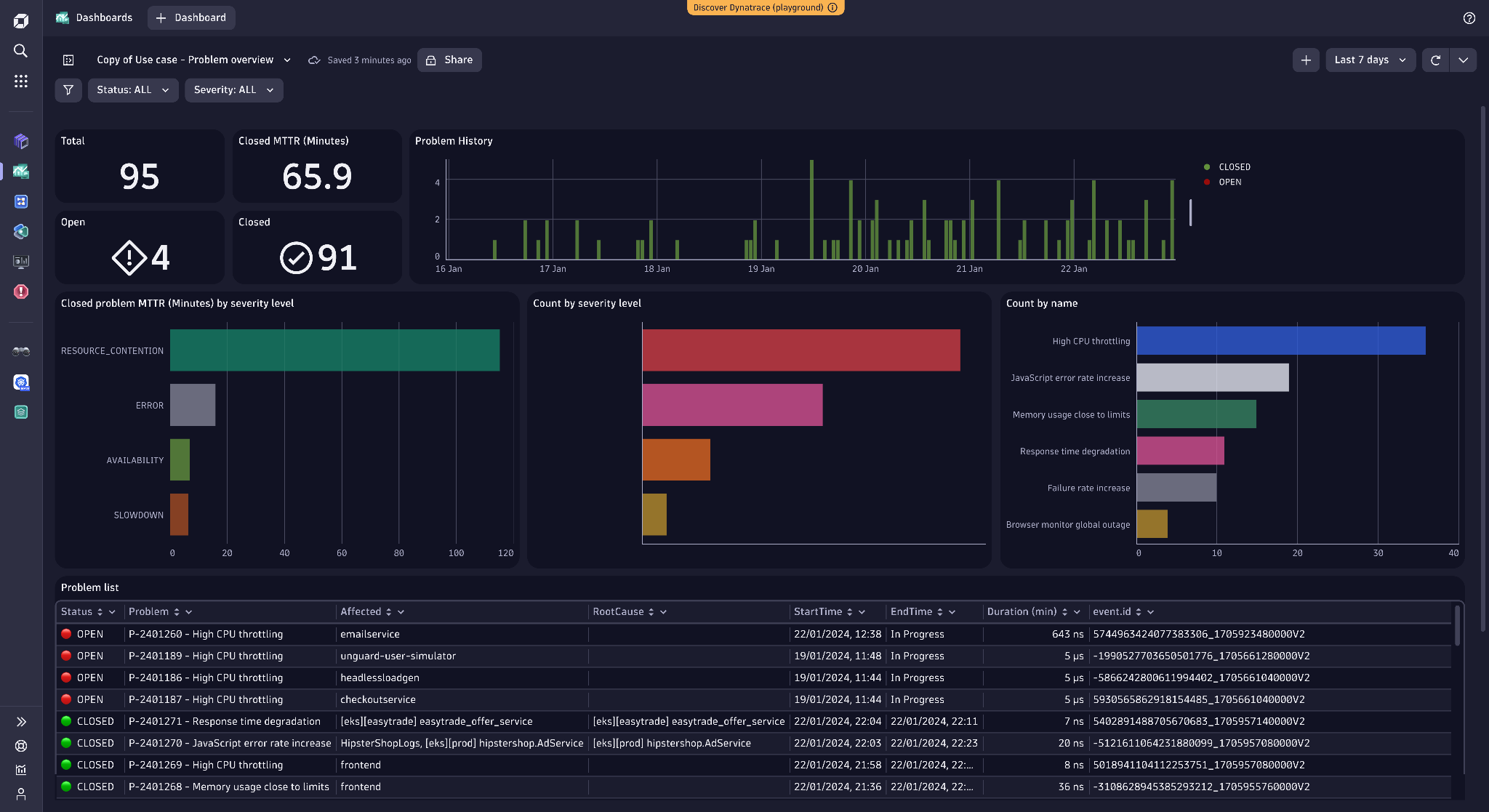
Built for complex IT environments, Dynatrace gives operations and engineering teams one place to monitor applications, infrastructure, and cloud services. It maps how those systems depend on one another, analyzes performance data, and uses Dynatrace Intelligence to pinpoint the issue behind wider service problems.
That analysis can feed directly into automated response workflows. When Dynatrace detects a performance issue, it can notify the responsible team, open an incident, or trigger a predefined remediation.
This makes it a strong fit for organizations that want to monitor data to support faster incident response and reduce the manual work involved in resolving operational problems.
Standout automation capabilities
- Automated root-cause analysis: Dynatrace correlates related events into a single problem and identifies their shared cause, which reduces the number of separate alerts teams need to investigate.
- Event-triggered remediation: Workflows are triggered when Dynatrace detects a problem or security alert. Teams can also use metric thresholds, schedules, or external API calls as triggers.
- Governed workflow orchestration: A visual builder lets teams combine ready-made actions with approvals and retries. Conditions, loops, and human review can be added for more controlled automation.
Key integrations
- Cloud: AWS, Microsoft Azure, Google Cloud
- Containers: Kubernetes, Red Hat OpenShift
- ITSM and collaboration: ServiceNow, Jira, Slack, Microsoft 365
- DevOps: GitHub, GitLab, Jenkins, Azure DevOps
Pricing:
Annual subscription pricing is available by custom quote.
Where it falls short
G2 users often say Dynatrace’s usage-based pricing is difficult to forecast. Costs may increase unexpectedly as an organization monitors more systems or processes larger volumes of logs and other telemetry data.
8. Rundeck: Best for operational runbook automation and self-service
Many operations teams already have scripts and commands that can restart services, deploy software, or collect diagnostics. The problem is that only a few specialists know how to run them safely. Rundeck turns that existing automation into controlled workflows, called jobs.
Rather than replacing tools like Ansible or custom scripts, Rundeck connects them and turns them into repeatable, multi-step runbooks. Role-based permissions let other teams run approved procedures without receiving direct infrastructure access, while execution logs show what ran and whether it succeeded.
This makes Rundeck particularly useful for DevOps and teams that want to reduce operational bottlenecks by offering safe self-service access to routine tasks.
Standout automation capabilities
- Runbook orchestration: Combines scripts, system commands, API calls and automation from other tools into standardized workflows that can span multiple systems.
- Flexible job execution: Runbooks can start on demand, run automatically at set times, or respond to incoming webhooks. Workflow controls support conditional steps and error handling.
- Distributed command execution: Rundeck can run commands and workflows across multiple servers and environments through SSH or WinRM, which enables teams to apply the same operational procedure across their infrastructure.
Pricing:
Annual subscription pricing is available by custom quote.
Where it falls short
Reviews of PagerDuty Automation, which Rundeck is part of, mention that configuring more sophisticated workflows can involve significant manual setup. The interface can also feel unintuitive when teams are managing complex schedules and automation settings, which makes large runbook libraries harder to maintain without experienced administrators.
How to choose the best IT automation software
There is no single “best” IT automation platform. Some tools focus on employee support, while others are built for infrastructure, job scheduling, or cross-system workflows. Use the criteria below to narrow the field based on the work you need to automate, the systems involved, and the people who will manage it.
Start with the workflow you need to automate
Which manual process is creating the most delays or repetitive work? Map where it begins, what systems it touches, and what a successful outcome looks like. A specialized tool may be the fastest option for a defined use case. Broader workflow platforms make more sense when teams need to build several custom automations.
Examine the tool’s automation capabilities
Automation can mean anything from sending an alert to completing an entire workflow. When assessing AI-driven automations, find out what happens after the tool receives a request or detects an event. Does it take action, collect approval, or simply recommend the next step? Also check how exceptions and failed actions are handled.
Check whether it fits into your existing stack
A platform’s feature set matters less if it can’t work with the systems involved. Identify the required integrations and establish whether they are available out of the box. Custom APIs or scripts may offer flexibility, but they also increase setup and maintenance.
Evaluate security and governance functionality
Many IT automations interact with sensitive accounts, data, or infrastructure. Permissions should limit who can launch each workflow, while approval controls protect higher-risk actions. You should also be able to see what ran and who initiated it. Self-hosting or air-gapped deployment may be important in more restricted environments.
Consider setup and maintenance
Choose a tool that matches your team’s technical skills. Compare implementation effort, ongoing maintenance, and how pricing changes as usage grows. A lower starting price can become expensive once additional users or automation volume are added.
Auto-solve more Tier-1 requests with Risotto
Some IT automation platforms manage infrastructure, while others schedule jobs or coordinate processes across systems. The right fit depends on where manual work is slowing your team down and how much of that work the platform can carry through to resolution.
For teams spending too much time on repetitive employee support, Risotto adds end-to-end Tier-1 auto-resolution to the stack they already use. It answers questions from indexed company knowledge, troubleshoots common issues, and follows approved runbooks to complete requests like software access and password resets.
Tickets stay synced with the existing ITSM, while escalations reach a specialist with the full context already captured. The Risotto Assistant can also investigate more complex tickets and propose a remediation plan.
Vidyard, for example, layered Risotto onto Jira and automated 80% of Tier-1 requests in its first month, reducing average resolution time to about two hours. Gusto now auto-resolves 55% of tickets on average and supports twice the ticket volume with the same lean team.
These results show how targeted automation can give employees faster support while creating more capacity for IT to focus on complex work.
FAQs about IT automation software
What's the difference between IT automation software and IT process automation?
IT automation software is the broader category. It includes tools that automate individual IT tasks, as well as platforms designed for service management, infrastructure, security, and software delivery.
IT process automation focuses on coordinating multiple tasks into an end-to-end workflow. For example, it might connect an access request with approval, provisioning, ticket updates, and an audit record across several systems.
How much does IT automation software cost?
Pricing varies considerably. Open-source tools may be free to use, while commercial platforms commonly charge by user, usage, managed resource, or annual subscription. Larger enterprise products often provide custom quotes.
Look beyond the license fee when comparing options. Implementation, custom integrations, training, and ongoing maintenance all contribute to the total cost of ownership.
How long does it take to implement IT automation software?
Implementation time depends on the size of the workflow and how many systems need to be connected. A focused automation using existing integrations can be launched relatively quickly. A company-wide platform with custom workflows, security controls, and legacy-system integrations will take longer.
Starting with one repetitive, well-defined process makes it easier to prove value before expanding automation across the organization.
Does IT automation software replace IT teams?
No. IT automation software handles repetitive and rules-based work so IT staff can spend more time on problems that require investigation, judgment, or specialist expertise. Human oversight also remains important, teams still need to define workflows, approve sensitive actions, manage exceptions, and improve automations over time.

Liked the article? Share on:
On this page
See how Risotto can resolve more Tier-1 requests without replacing your existing ITSM


See more recent articles



Want faster solutions and happier employees?
Access that's easy to ask for and impossible to get wrong.
Ensure Legal never answers another "do we need an NDA for this?"
Every policy question is stealing time from the work Finance was hired to do.
Turn Slack requests into action items instead of engineering interruptions.
The biggest deal risk might be an unanswered internal question.
Run a united support system that your employees can depend on.
Build the automations you’ve been planning on for months.
The bottleneck isn't your team. It's the groundwork before they can actually help.
Get support data that your team can talk to.
Jump on a call to understand:
Risotto handles repetitive support requests across tools and teams, so IT gets back to solving real problems, not rerunning the same ones.
.svg)
%20(1).webp)
See what makes the Iru integration a 10/10 for our clients.