.svg)
%20(1).svg)
Automate the IT tasks that keep coming back.
Risotto handles every tier-1 IT service desk request, from password resets to KB searches, with self-service automations. Never bother an IT agent with a repeat fix again.
Trusted by modern companies that can’t afford slow internal support.























The same IT tasks. Two very different ways of running them.

What teams had to say when they finally got a break from repeat requests.





Risotto started autosolving tickets immediately. Within the first few weeks, we saw departments that had never tracked ticket requests before, like our Cloud team, asking to get on the platform and streamline their support function.

Erik Van Dijk
Senior IT Manager at Jobber
Read full case study
Before Risotto compliance reports could take days to figure out but now I can pull everything needed in seconds.

Jason Huey
Senior IT Systems Administrator at ThoughtSpot
Read full case study
When a team member asks, ‘How do I get access to Hightouch?’ they’re not looking for a link or a document; they need immediate, actionable assistance… Risotto intelligently understands the intent behind the request. It confirms existing permissions, coordinates necessary approvals proactively, and automatically provisions access upon approval. This automation significantly speeds up provisioning and improves user satisfaction.
%20(1).webp)
Phillip Rickett
Head of IT, Fundrise
Read full case study
Our team was moving quickly, and we needed a platform that could evolve at the same pace. That meant shorter turnaround times and more flexibility than we had before.

Jose Izquierdo
Head of AIT Operations at Gusto
Read full case study
We wanted to implement more standardization and automation in our help desk, but there wasn’t an easy way in Slack without clunky custom work. Risotto helped us do that.”
%20(1).webp)
Vergil Smith
IT Manager at Vidyard
Read full case study
Internal support shouldn’t keep you on your toes. That’s why we’ve built Risotto.
End-to-end IT request automation, not just routing or suggestions. Reset passwords, grant access, answer questions, and close tickets automatically.
Employees solve common IT issues directly in chat, such as on Slack, without opening tickets or waiting for an agent.
Built for real IT operations, policy-aware & SOC 2 compliant workflows, secure access controls, and fully audit-ready IT automation at scale.
Don’t rebuild your support processes from scratch. Just connect them.
Connects with your MDM, IAM, ITSM, and HRIS tools for end-to-end IT process automation.
.webp)
.avif)
Your most common IT tasks, now running themselves.
Turn multi-step IT processes into no-code automated workflows. Collect details, route approvals, and execute actions.
Resolve common questions and troubleshooting requests instantly using conversational AI powered by your internal inputs.
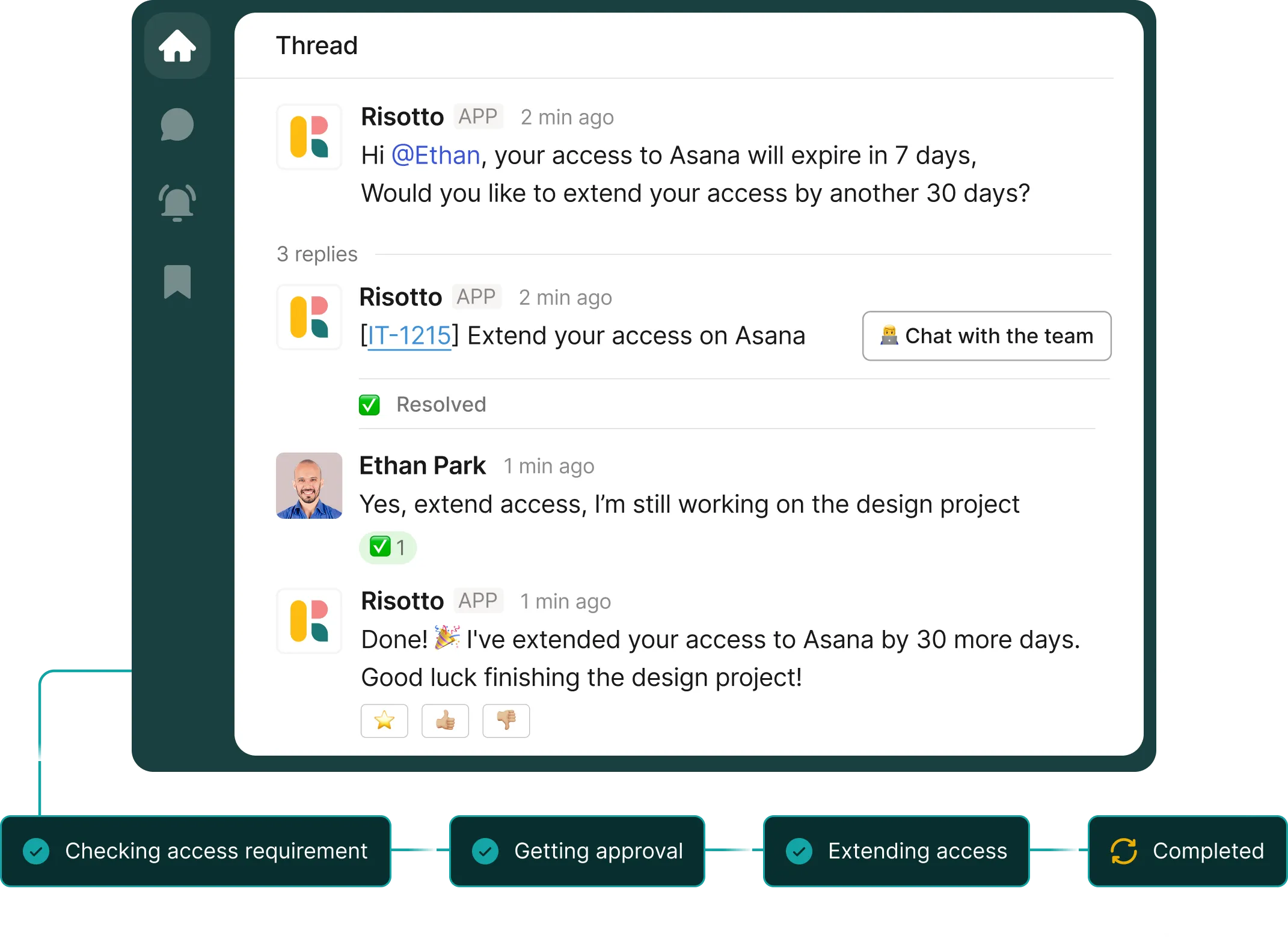
Grant access and resolve identity issues automatically while keeping everything secure and auditable.
If a request requires human support, the ticket arrives fully prepared with context and troubleshooting history.
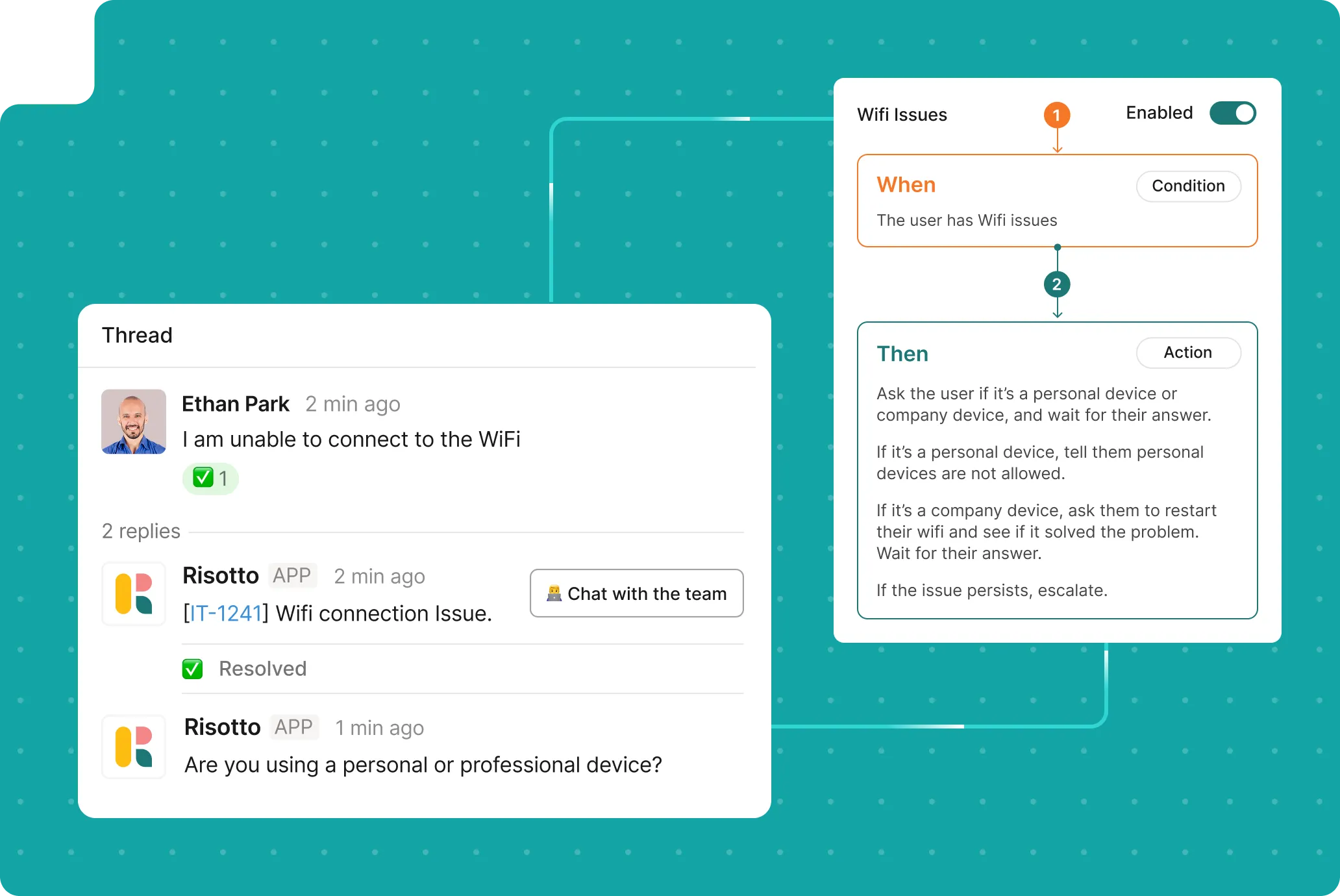
Turn multi-step IT processes into automated workflows. Collect details, route approvals, and execute actions.
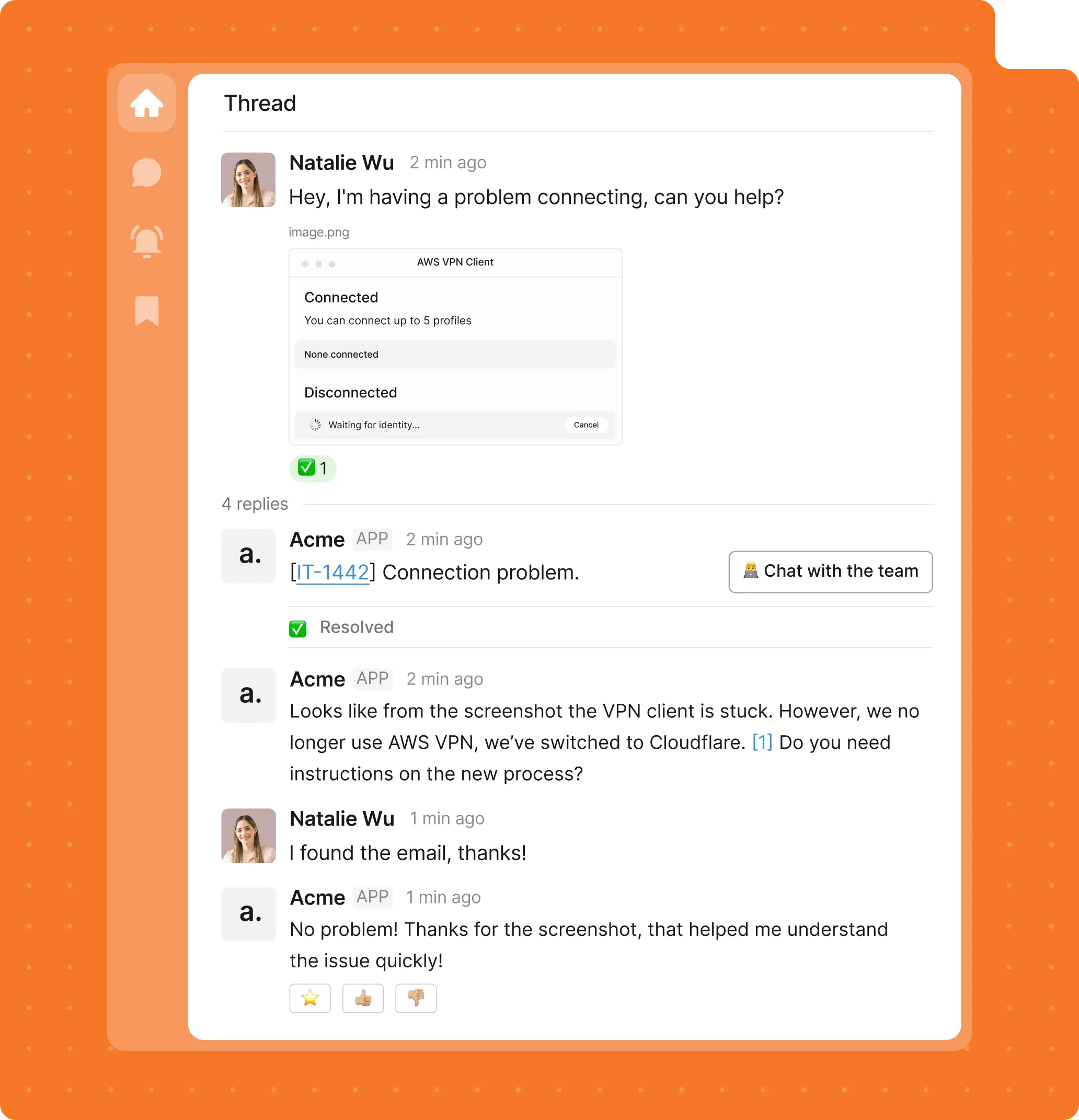
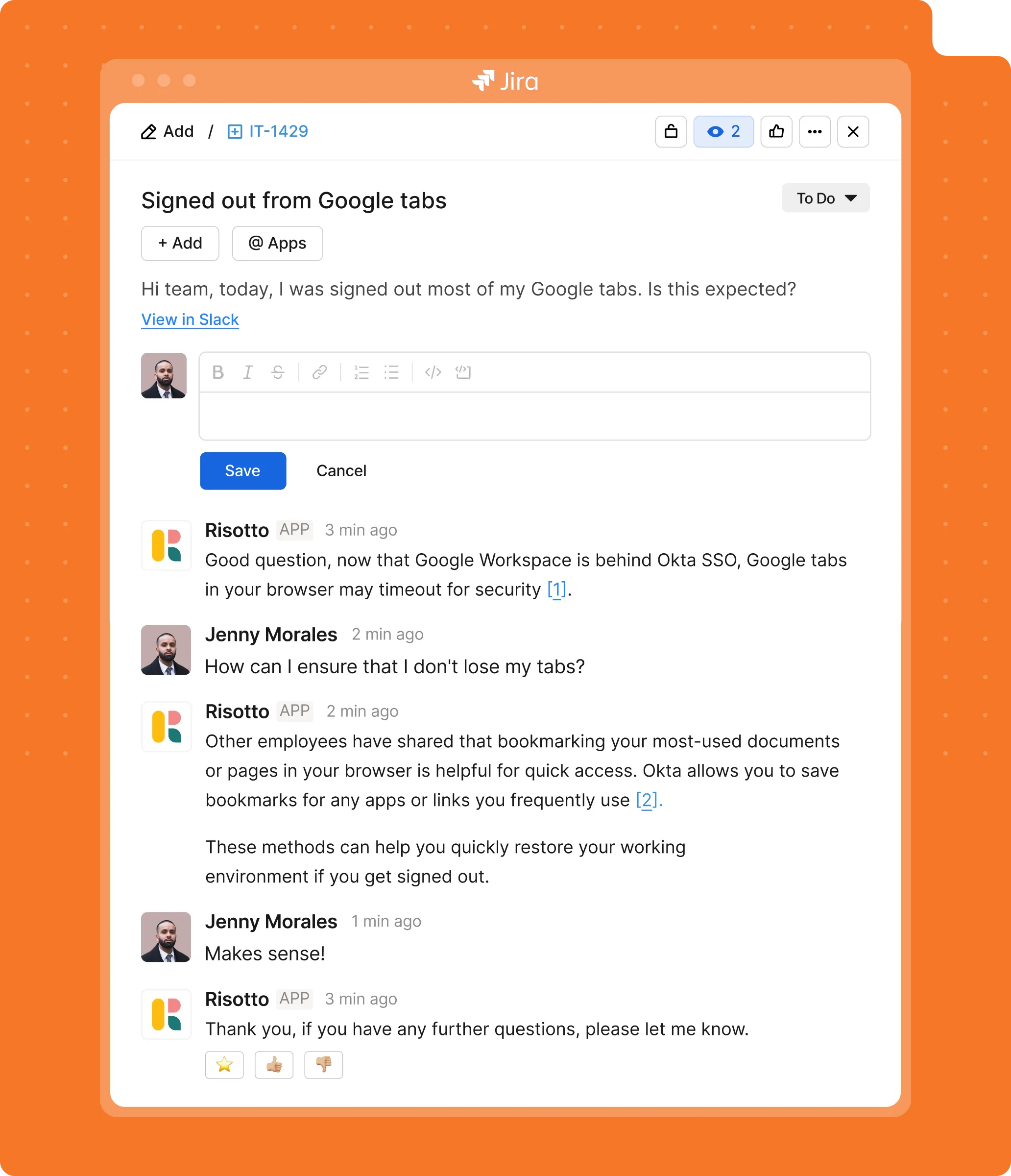
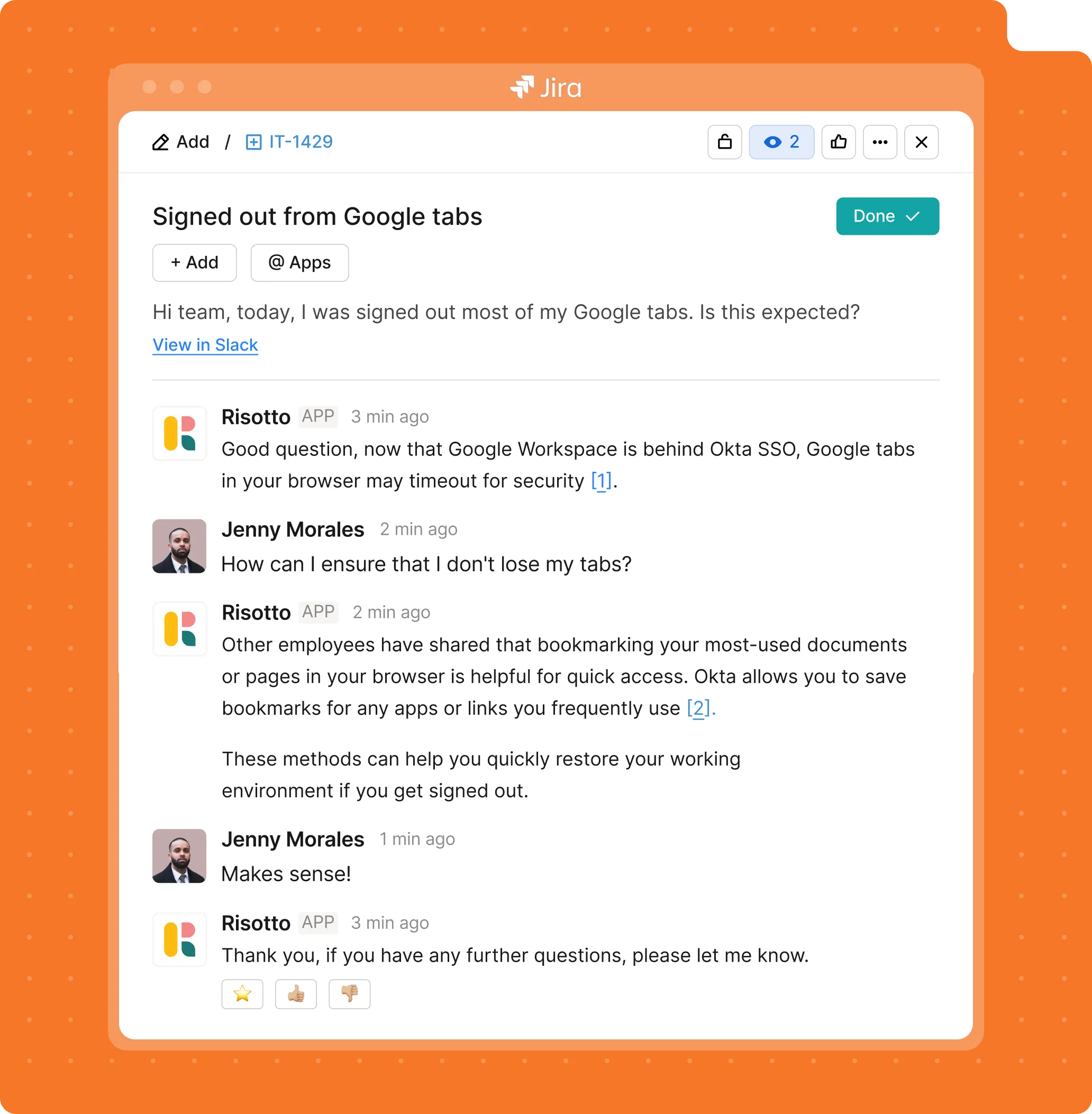
Resolve common questions and troubleshooting requests instantly using conversational AI powered by your internal inputs.
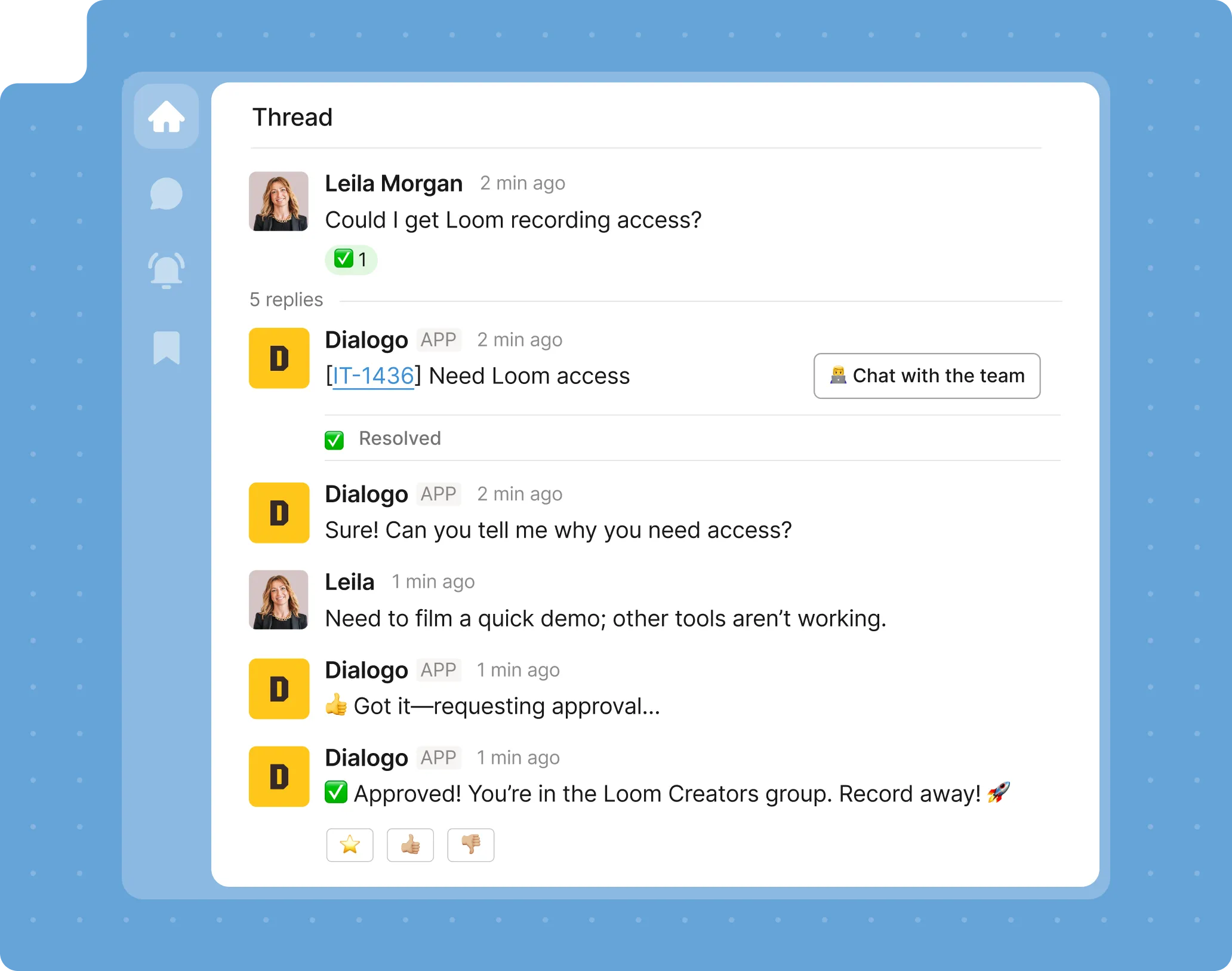
Grant access and resolve identity issues automatically while keeping everything secure and auditable.
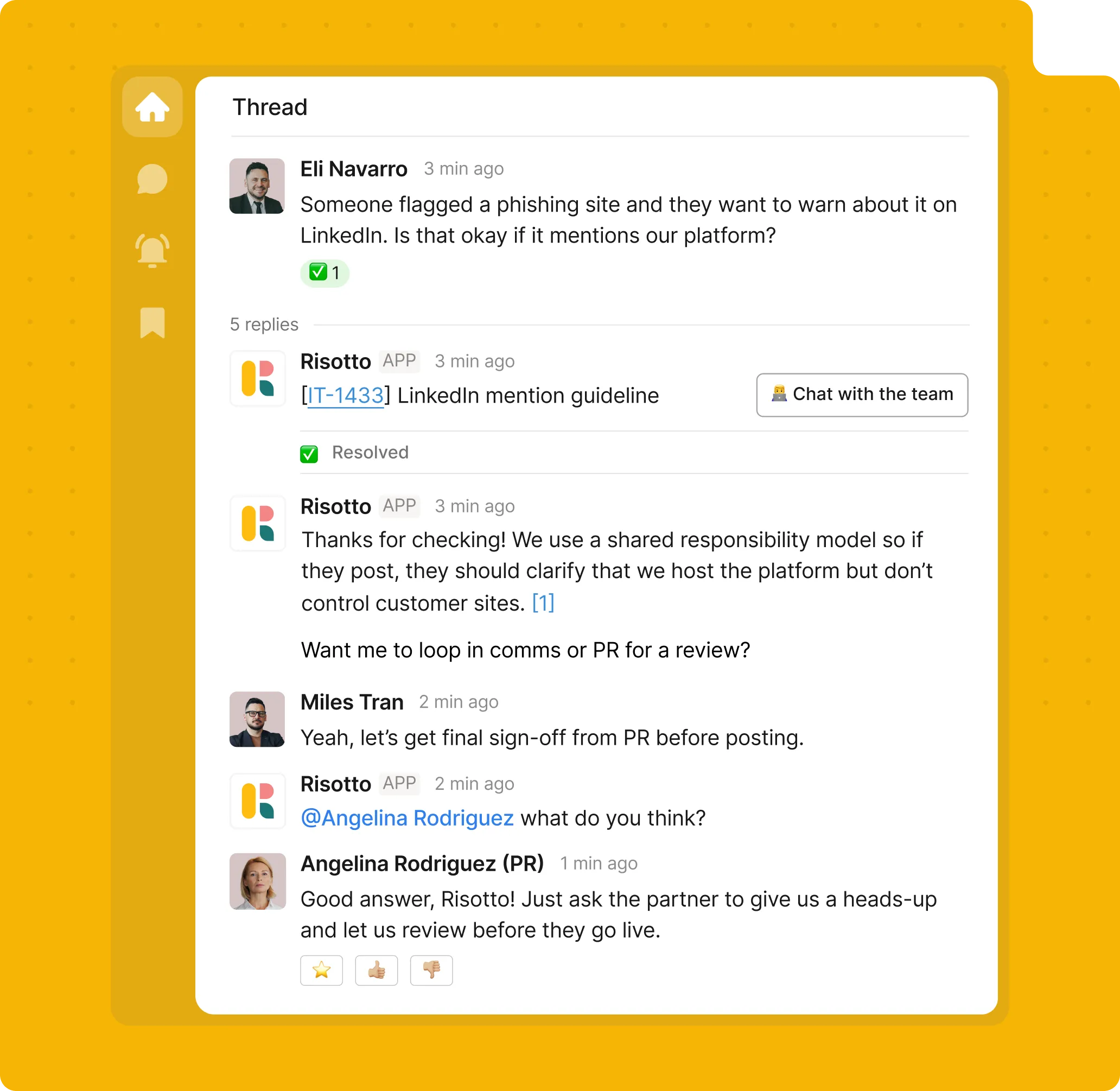
If a request requires human support, the ticket arrives fully prepared with context and troubleshooting history.
Built for IT automation, not just ticket management.
Most IT help desks force users to switch tools or work as glorified search engines.
But most internal requests start as conversations.
Risotto was built to turn those conversations into real automation.
Instead of just matching keywords, Risotto executes tasks to solve requests, without ever leaving your chat tool.
Get Risotto. Cut routine IT tasks out of your workday.

Need more than IT automation?
Get your free demo
Capture and manage support tickets directly inside your chat platforms.
Route IT, HR, and Ops requests into one clear support pipeline in chat.
Resolve common issues automatically before a ticket ever reaches IT.
Automate access requests, approvals, and provisioning directly inside chat.
Still have questions?
Maybe these answers will help.
From custom workflows to advanced access policies, our support team helps you get the most out of every integration.
What kinds of IT requests can actually be automated?
Risotto automates the most common Tier-1 support requests that typically consume the majority of IT time.
This includes knowledge questions, password resets, access requests, device management actions, and troubleshooting guidance. When automation reaches its limit, Risotto automatically escalates the issue to the right agent with full context
What kind of automation rates do teams typically see?
Most organizations automate 20–60% of Tier-1 support tickets after deploying Risotto.
Many teams start seeing automated resolutions immediately after launch, and the automation rate increases over time as Risotto learns from past tickets, conversations, and approved knowledge sources.
Does Risotto work with Microsoft Teams as well as Slack?
Yes! Risotto works with Microsoft Teams as well as Slack. It integrates directly with your chat tools, so employees can get support in whichever platform your company uses. View integrations →
How quickly can we deploy IT automation with Risotto?
Most teams are live within hours or a few days, not weeks or months.
Risotto comes with prebuilt integrations for tools like Slack, Jira, Okta, and Confluence, so IT teams don’t need to build complex automation workflows or bring in external consultants to get started.
Do I need to replace my existing ticketing system?
No. Risotto works alongside your current ITSM tools like Jira, ServiceNow, Freshservice, or Zendesk.
Employees interact with Risotto in Slack or Teams, while every request, update, and resolution is automatically synced with your ticketing system behind the scenes. Your existing workflows, reporting, and ticket history all stay intact.
Still have questions?
Contact us
Automate the last manual layer in IT: internal support.
Make sure your IT team never has to solve the same issues again. Get more out of your workday with Risotto’s conversational AI support.
%20(1).png)
See what makes the Iru integration a 10/10 for our clients.