%20(1).svg)

When choosing an IT help desk chatbot, here are the key questions to ask:
- Is the north-star metric auto-solve rate (where the question was fully resolved without any manual IT involvement), or does the tool optimize for deflection rates that still leave the employee to figure things out on their own?
- Can it auto-solve a wide range of IT tickets, including knowledge questions, access requests, MDM actions, and more?
- Was it purpose-built for automated ticket resolution from the ground up, or was it a feature bolted onto a ticketing system or legacy provider?
- Can it deliver enterprise-grade capabilities without lengthy implementation timelines? The best IT help desk chatbots deploy in under a week, ideally backed by a team with firsthand experience working in enterprise IT.
- Does it integrate natively with existing ticketing systems like Jira Service Management, Freshservice, Zendesk, and ServiceNow?
- Can it resolve tickets conversationally in Slack and Teams, where employees are already accustomed to asking questions?
- Can the IT support chatbot automatically learn from past ticket resolutions, so your team spends far less time manually updating the knowledge base?
- Does it support multiple departments out of the box? Beyond IT, can it automate tickets for HR, Sales, Legal, and other teams without lengthy setup?
Up next, we'll cover how Risotto (our IT help desk chatbot) excels in these areas. Then, we'll discuss other solutions on the market so you can make an informed decision.
1. Risotto
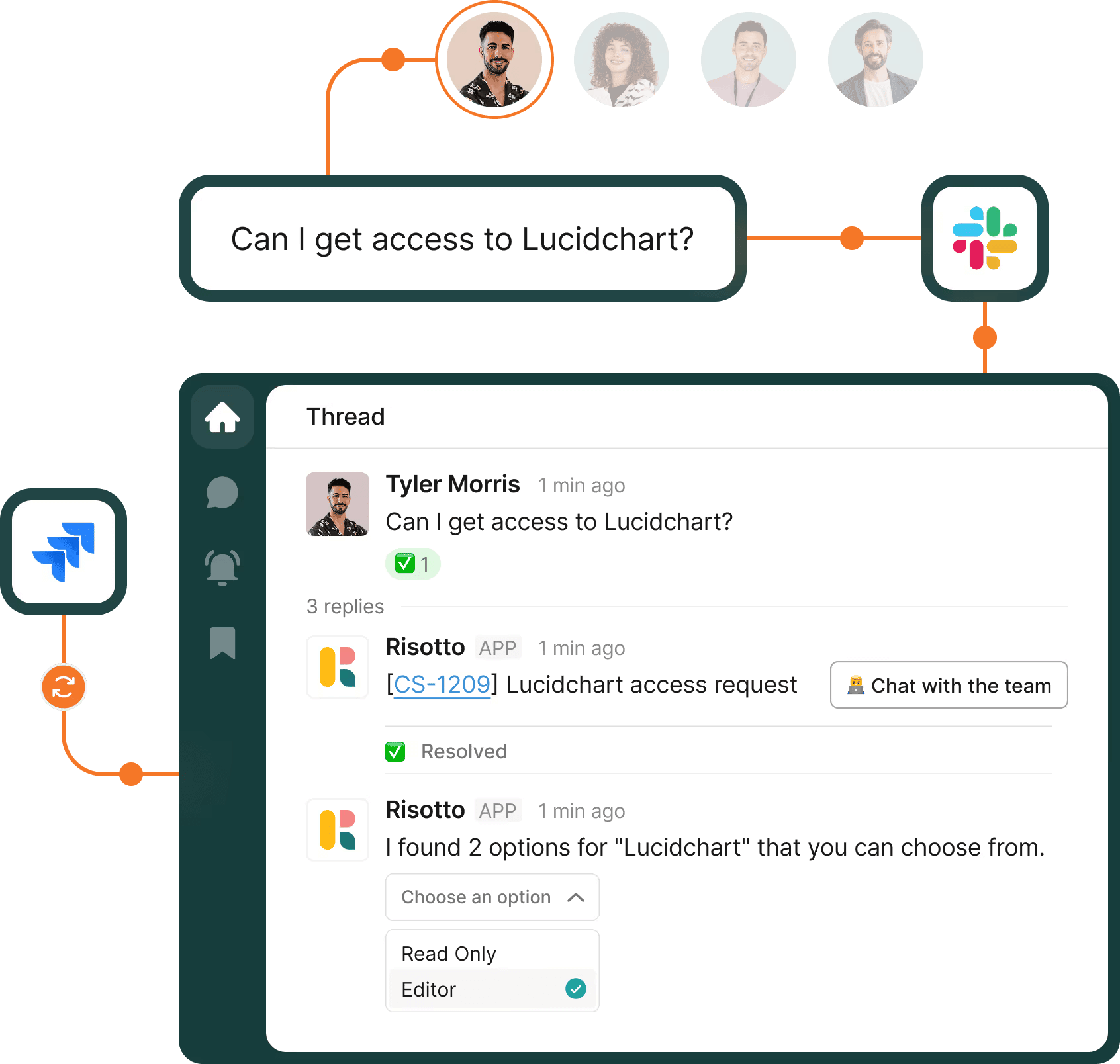
Risotto is our IT help desk chatbot that auto-solves 20-60+% of IT tickets and augments your existing ticketing systems — including Jira Service Management, Zendesk, Freshservice, ServiceNow, and others.
You can explore our full library of customer success stories. We've helped teams ranging from enterprise organizations like Gusto with ~3,000 requests/month to mid-size organizations like ThoughtSpot with ~1,500 requests/month.
- Gusto: Auto-resolved 55% of IT tickets
- Hazel Health: 28% auto-solve rate for IT and 35% auto-solve for HR
- ThoughtSpot: Automated 48% of IT tickets and expanded to HR & accounting
- Ironclad: Auto-solved 90% of access-related IT requests
- Jobber: Automated 38% of IT support tickets
- Fundrise: Automated 60% of IT support tickets
- Thinkific: Automated 46% of total support tickets
- Vidyard: Auto-solved 56% of IT support tickets
- Shakepay: Automated 40% of IT support tickets
- Superhuman: Automated 20% of IT support tickets
- Trust & Will: Automated 35% of IT support tickets
As we cover in our origin story, Risotto was built based on co-founder Alex Confer's firsthand experience leading IT engineering teams at enterprise organizations like Dropbox. That firsthand knowledge shapes every part of the product, and it's something enterprise teams feel immediately.
You get enterprise-grade functionality without the lengthy timelines. Most teams are set up in under a week and start seeing auto-solve rates right away. For example, Gusto hit a 53% resolution rate on day one of implementation.
Example of Risotto Auto-Solving a Knowledge Question
Below is an example of Risotto auto-solving a knowledge-based question directly in Slack, while syncing everything to your existing ticketing system (e.g., Jira Service Management, ServiceNow, Freshservice) via native two-way sync. No complex setup required.
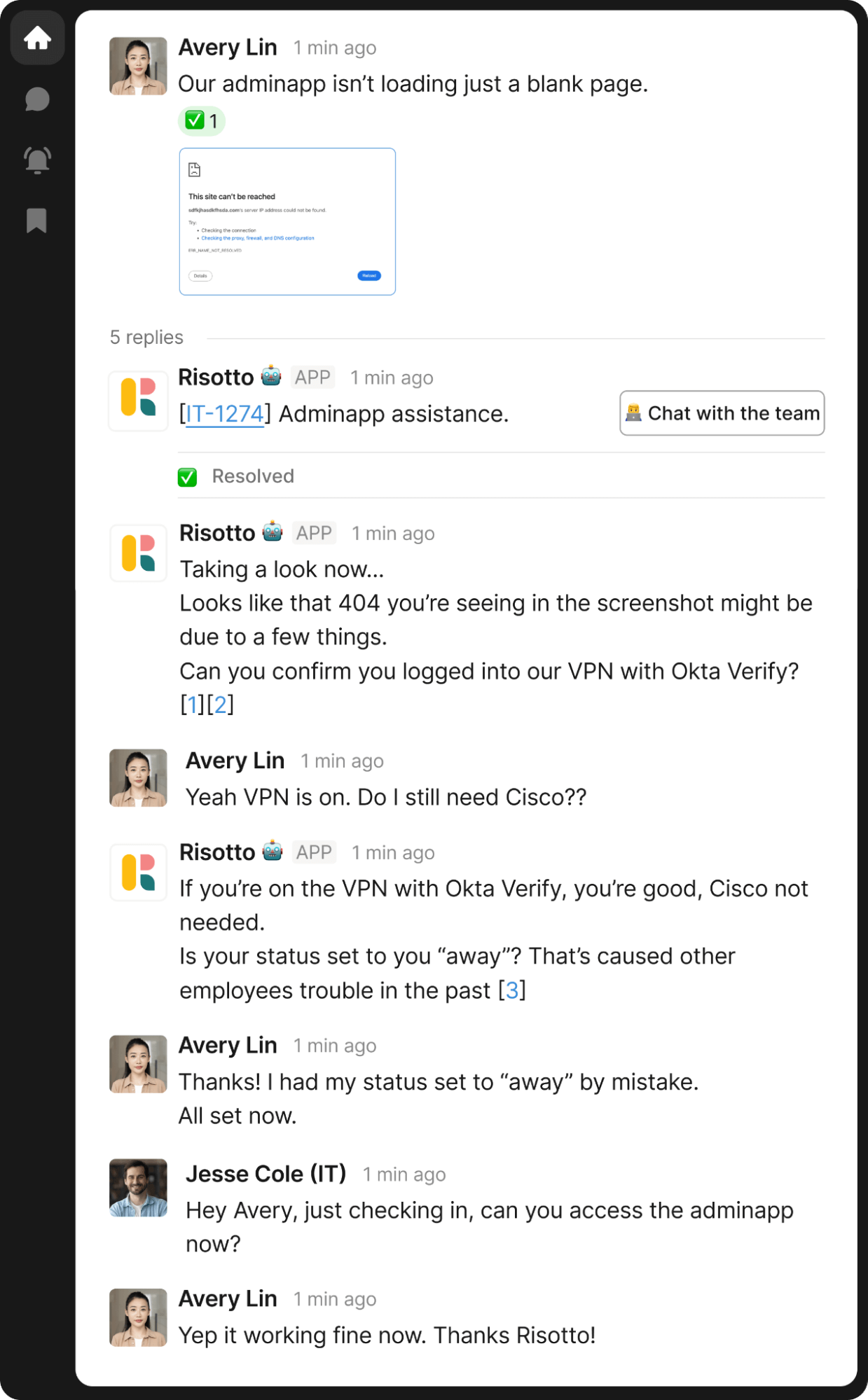
Notice what Risotto doesn't do. It doesn't just drop a link to a KB article and call it a win.
Instead, it reads the screenshot the employee shared, identifies the problem, and works through it step by step, the way a good IT agent would handle the same conversation.
That difference between deflecting to a KB article and actually resolving the issue without any manual IT involvement is one of Risotto's core differentiators.
Example of Risotto Automating a Time-Based Access Request
Below is an example from our Vidyard case study of Risotto automating a time-based access request end-to-end in Slack, all while staying audit-ready with detailed access records.
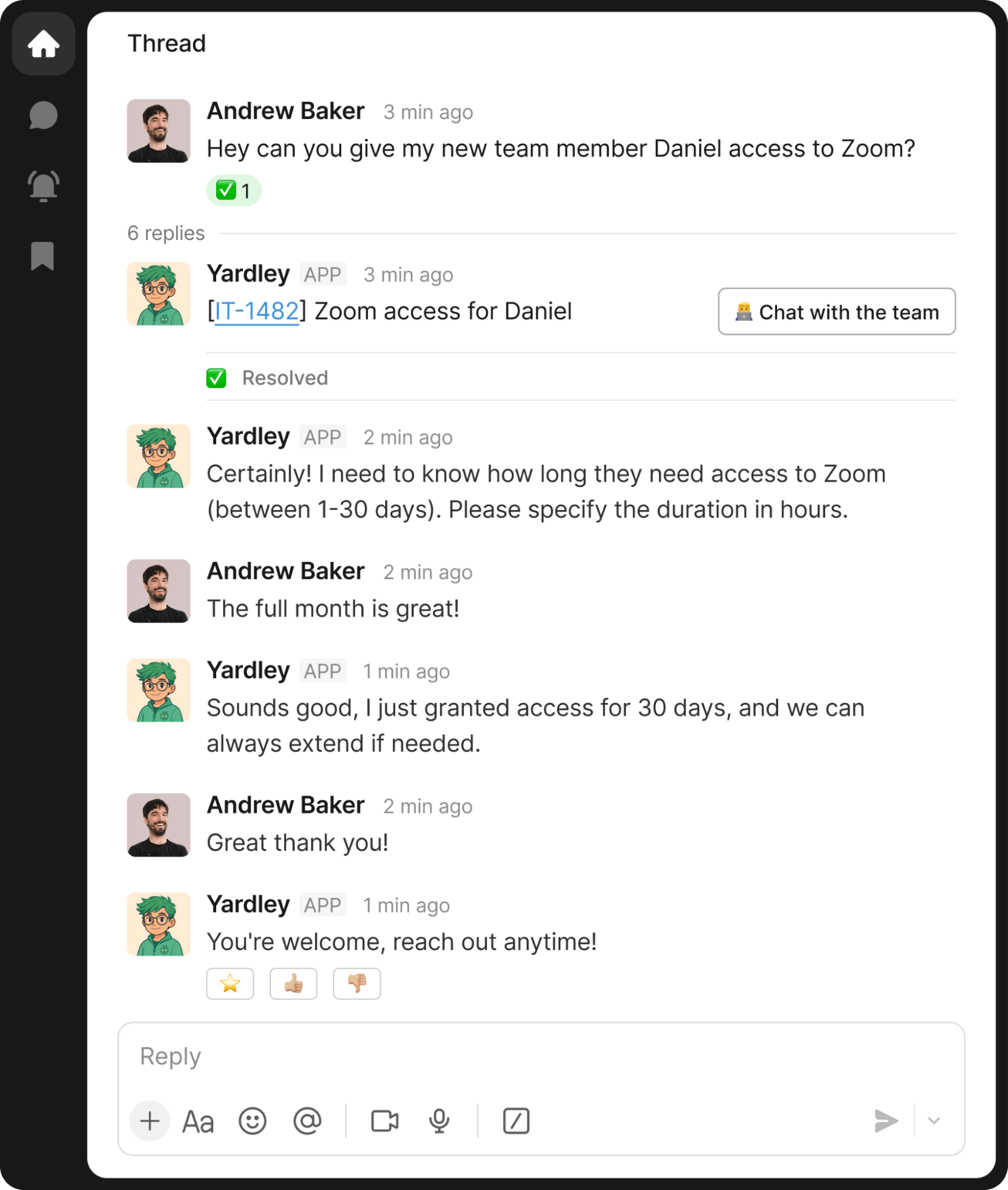
Employees are already used to requesting access in Slack, and Risotto turns that into a seamless, automated workflow.
On the IT side, approvals are routed to the appropriate manager(s) in Slack with the employee's reasoning and requested duration. You can also configure dynamic multi-step approval flows, and everything is managed through an intuitive self-serve dashboard.
You get enterprise-grade IGA automation without the lengthy setup timelines. Learn more on our IGA automation page.
Note that these are just two examples. Beyond knowledge and access requests, Risotto seamlessly handles a wide range of IT ticket types. Learn more in our article on 9 IT Help Desk Automation Ideas (& Real-World Examples).
Customer Quotes Highlighting Risotto’s Key Benefits
As you explore our success stories, a few common themes come up when customers explain why they chose Risotto as their IT help desk chatbot.
Below are some of the key benefits, backed by customer quotes.
Benefit #1: Risotto seamlessly augments existing ticketing systems and adds a powerful AI ticket resolution layer
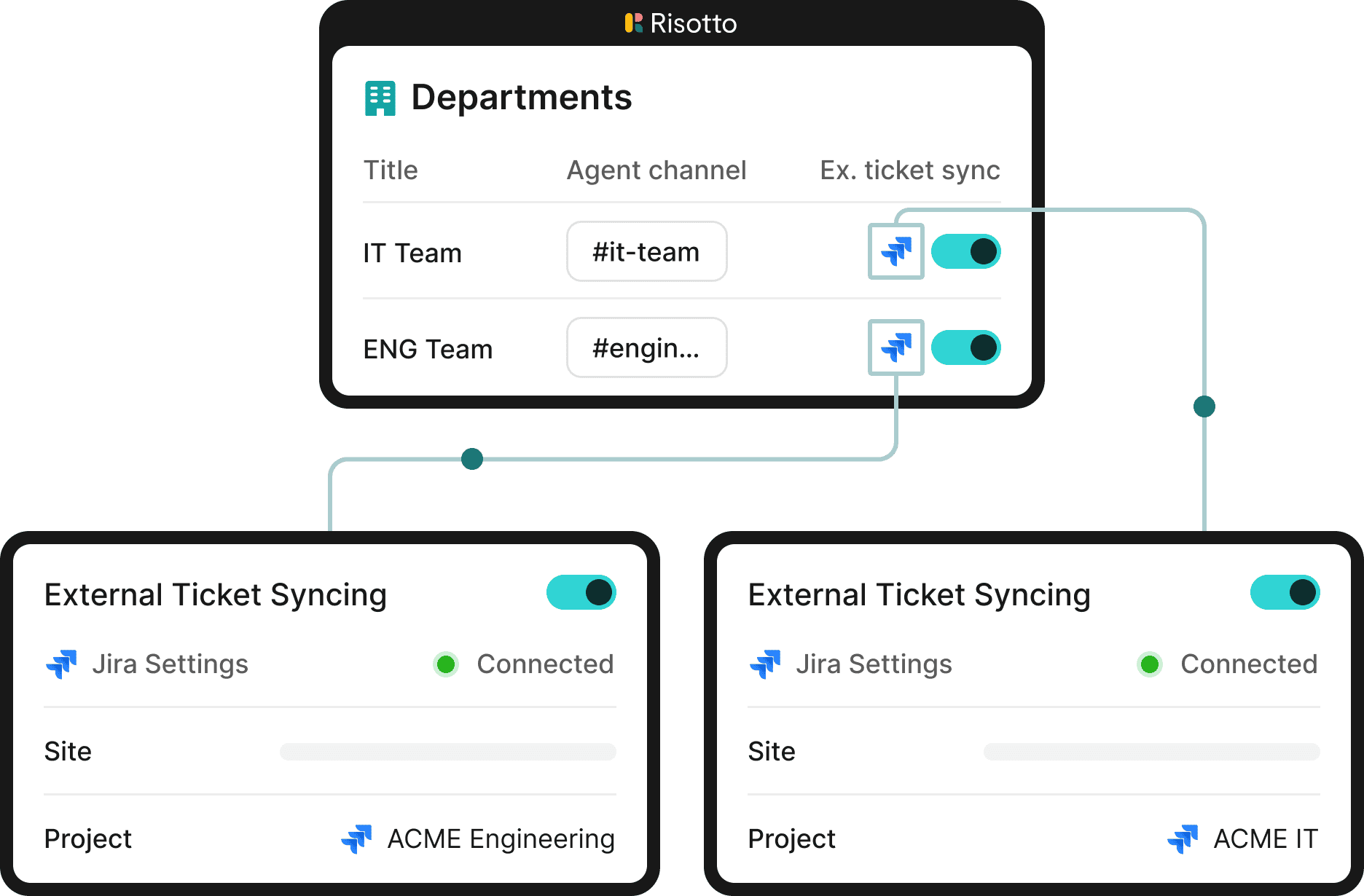
"Risotto became the orchestration layer for Jira Service Management and gives us instant automation with AI."
– Tom Grinberg, IT Manager at Trust & Will
"Everything we do in Risotto is logged in Jira… So when it comes time for auditing or assessments, we don't have to worry about gaps or errors. Everything has been captured."
– Vergil Smith, Head of IT and Security at Vidyard
"Getting Risotto integrated with Jira, Slack, and Okta was so seamless and fast. Risotto is one of the easiest tools I've implemented."
– Jason Huey, Senior IT Systems Administrator at ThoughtSpot
"Risotto consolidated support from multiple channels into one unified, automated funnel, giving us the freedom to focus on high-value tasks."
– Kevin Vye, Senior Director of Information Security and Technology at Thinkific
Benefit #2: Risotto sets up in under a week (often in just a few hours), ensuring fast time-to-value and immediate ticket automation benefits
"The speed and simplicity of Risotto's setup was a great sign that we had made a good decision… We accomplished nearly the same configuration with Risotto in an hour that took us months with the other company."
– Phillip Rickett, VP of IT at Fundrise
"Ease of deployment was huge. We didn't need a consultant or months of configuration. Risotto just worked.
– Peter Hadjisavas, Head of IT at Hazel Health
"Risotto had the most thorough onboarding experience I've ever been a part of. Alex was great — he met with us weekly and made it very easy to quickly get up and running."
– Collin Clifford, Legal & Compliance Manager at Superhuman
"Working with the Risotto team was awesome from day one. They all have IT backgrounds and really cared about making us successful."
– Tom Grinberg, IT Manager at Trust & Will
"It's not just the tool that matters, it's the team behind it. Companies that work with Risotto are partnering with a responsive, collaborative group of people who are invested in your success."
– Vergil Smith, Head of IT and Security at Vidyard
"Risotto began fielding tickets right away, and the setup across teams was incredibly low-lift. I could show colleagues how to configure their own workflows without any technical requirements."
– Victoria DiRugeris, IT Operations Manager at Hazel Health
Benefit #3: Risotto’s AI auto-learns from past ticket resolutions and designated Slack channels, ensuring you never answer the same question twice
"The killer feature for us was that it could effortlessly learn and capture knowledge that our team creates every day in Slack… With Risotto, instead of constantly writing new documentation, our team can simply answer questions, and Risotto learns as we go."
– Phillip Rickett, VP of IT at Fundrise
"The more we use Risotto, the smarter it gets, that's what makes it different from every other tool we've tried."
– Peter Hadjisavas, Head of IT at Hazel Health
"One special thing about Risotto is it's constantly improving with every question. We see it getting better and better every day."
– Jason Huey, Senior IT Systems Administrator at ThoughtSpot
Benefit #4: Risotto's north-star metric is auto-solve rate, and our AI agent automates 20-60+% of IT tickets with minimal setup
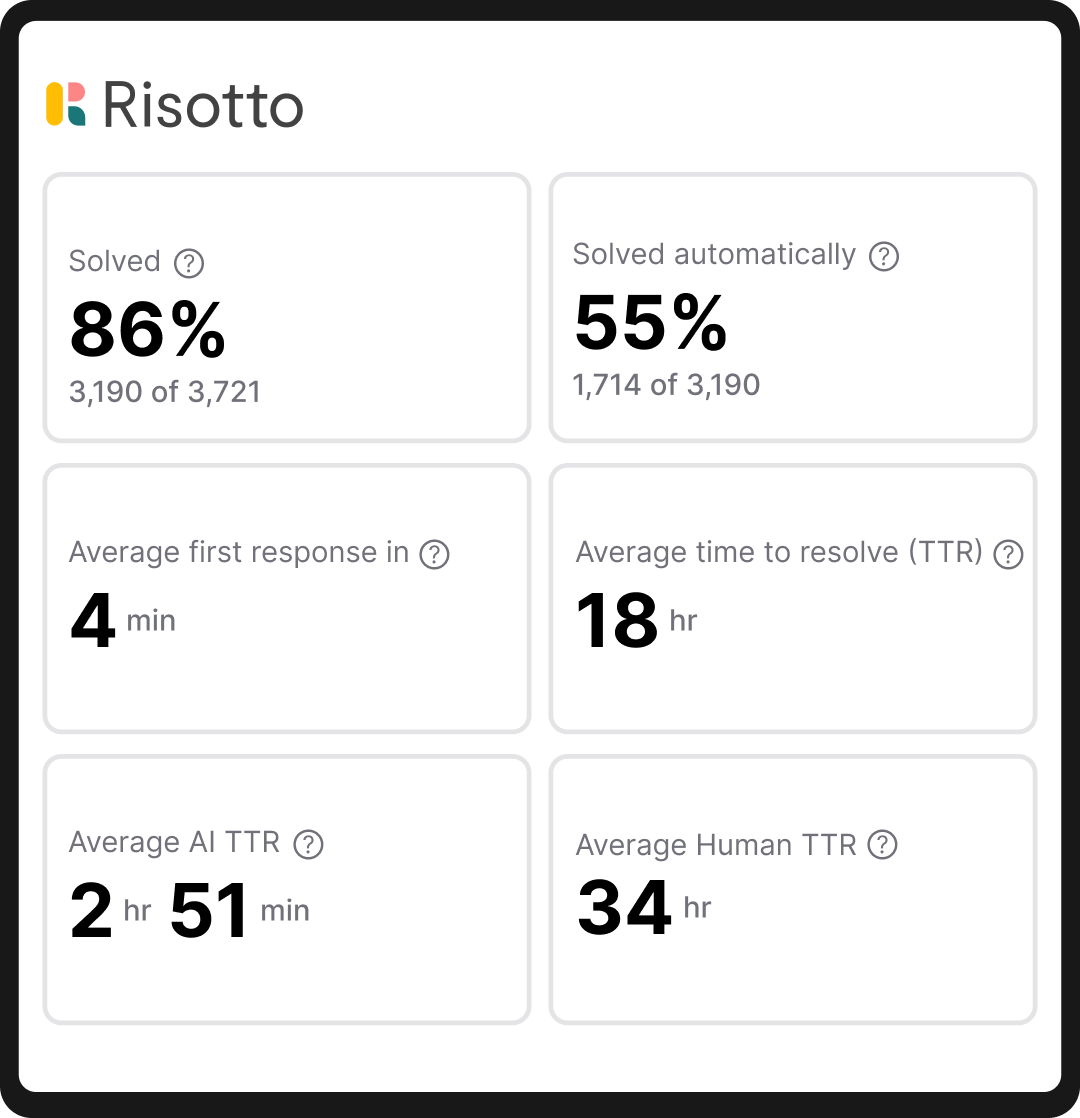
"We came to Risotto hoping to hold the line — but the results blew away our expectations. We doubled our resolution rate on day one, and it hasn't dropped since."
– Jose Izquierdo, Head of AIT Operations at Gusto
"Risotto's AI-powered support system had a massive impact straight out of the box and with very little setup. Employees now get fast, efficient answers with the same precision as one of our professionals."
– Mike Smith, IT Operations Manager at Jobber
“Our previous tool summarized whatever it pulled from wiki articles, it didn’t supplement responses with broader LLM knowledge or reasoning. This approach fell short because it lacked the capability to fully understand user intent or supplement answers with external knowledge… Risotto, however, synthesizes information from multiple inputs to provide context-aware, accurate, and actionable responses.”
– Phillip Rickett, VP of IT at Fundrise
"Things really clicked for us when we saw that Risotto actually reads and understands our knowledge instead of just guessing. Now, it's so ingrained in our daily work that our first instinct is to 'just ask Yardley."
– Vergil Smith, Head of IT and Security at Vidyard
"Risotto was able to combine knowledge from different sources and give me an instant answer to a complex question, which was awesome to watch."
– Jason Huey, Senior IT Systems Administrator at ThoughtSpot
"I'll see that six requests came in overnight and Risotto has resolved every general Tier-1 issue that popped up."
– Victoria DiRugeris, IT Operations Manager at Hazel Health
Benefit #5: Risotto is multi-departmental out of the box, so teams beyond IT (HR, Sales, Legal, and others) can also automate their repetitive tickets
"Once you add in HR, our combined automation rate is even higher at 50.2%."
– Jason Huey, Senior IT Systems Administrator at ThoughtSpot
"Risotto began fielding tickets right away, and the setup across teams was incredibly low-lift. I could show colleagues how to configure their own workflows without any technical requirements."
– Victoria DiRugeris, IT Operations Manager at Hazel Health
"The multi-department capabilities are awesome. Our engineering and RevOps teams now also want to use Risotto."
– Collin Clifford, Legal & Compliance Manager at Superhuman
"Risotto started autosolving tickets immediately. Within the first few weeks, we saw departments that had never tracked ticket requests before, like our Cloud team, asking to get on the platform and streamline their support function."
– Erik Van Dijk, Senior IT Manager at Jobber
Interested in Learning More About Risotto’s IT Help Desk Chatbot?
We invite you to:
2. Moveworks

Moveworks started as one of the earlier players in AI-powered employee support and has since been acquired by ServiceNow. The platform is built around the idea of giving every employee a single conversational entry point to get things done across the company's entire software stack.
- Single chatbot interface across 50+ business apps: Employees type what they need in natural language, and Moveworks attempts to figure out which system to query or which action to take. It connects to tools like Okta, Workday, Salesforce, SharePoint, and others behind a single chat window, so the employee doesn't need to know which system handles their request.
- Pre-built workflow marketplace: Moveworks offers workflows for common scenarios like onboarding provisioning, PTO lookups, and distribution list management. IT teams can also customize these or build their own through a visual editor.
- ServiceNow acquisition changes the picture: ServiceNow completed the Moveworks acquisition, which means the product is now being woven into ServiceNow's broader platform.
- Designed for large enterprises: Moveworks has historically been used by larger enterprise organizations. It carries compliance certifications relevant to regulated industries. The flip side is that the sales cycle, pricing, and implementation tend to reflect that enterprise orientation.
- Covers departments beyond IT: The platform extends into HR, Finance, Legal, Marketing, and other teams.
Note: For a more detailed comparison of Risotto vs. Moveworks, see our article on the best Moveworks Alternatives & Competitors
3. Aisera
Aisera provides a toolkit for building and orchestrating multiple AI agents across an organization, with IT service desk being one of several supported use cases. The company was recently acquired by Automation Anywhere.
- Build-your-own agent model: Aisera's Agent Composer lets teams construct conversational AI chatbots for specific functions (IT troubleshooting, access requests, onboarding Q&A) and wire them together. You can choose which underlying language models power each agent, including Aisera's own models or third-party options, which gives technical teams more control over how the chatbot reasons and responds.
- Proactive issue detection through operational monitoring: One differentiator from a pure IT help desk chatbot play is Aisera's operational intelligence layer. It monitors alerts, logs, and system telemetry to surface problems before employees report them. For IT teams dealing with recurring incidents like outages or degraded services, this may be relevant.
- Multi-departmental support: The platform supports IT, HR, Finance, Facilities, Legal, Procurement, Sales, Customer Service, and other departments. Each team gets its own AI agents and knowledge sources, offering a solid user experience.
- Automation Anywhere acquisition: The acquisition folds Aisera into a larger automation company. How this affects the IT help desk chatbot and customer experience in the long term (pricing, integration priorities, etc.) is still playing out.
Note: For more details on how Risotto compares to Aisera, see our article on the best Aisera Alternatives & Competitors
4. Console
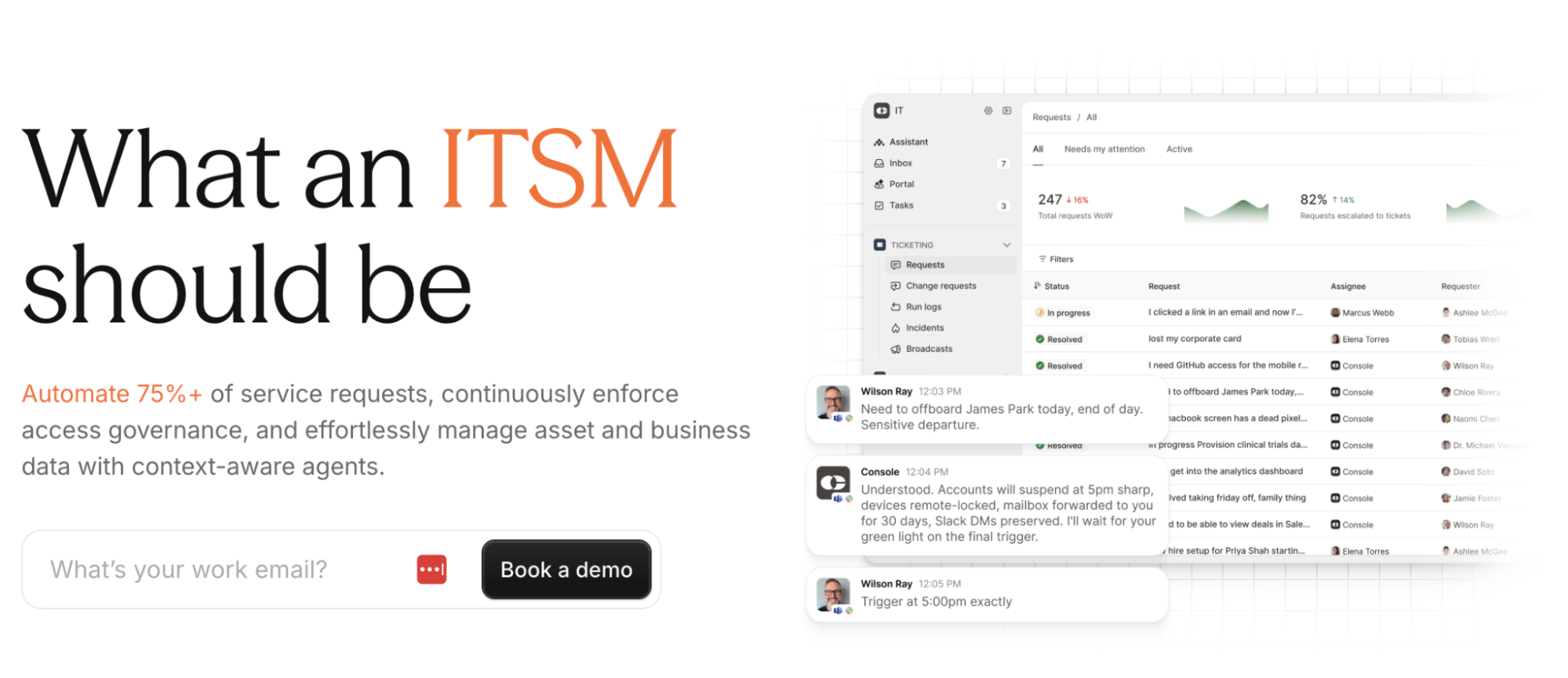
Console is an IT help desk chatbot that describes itself as what a modern IT service management platform should be.
- Context-aware AI agents for auto-resolution: Console deploys AI agents in Slack and Microsoft Teams that resolve requests directly in the channels where employees ask for help.
- Intelligent AI Assistant: Tell Console what you’d like to build or ask it what’s missing, and it will automatically surface relevant insights or delegate requests.
- Intelligent ticketing: Automatic ticket routing to the right person through natural language processing and with full context.
- Workflow automation: Create multi-system AI-driven workflows in plain language, even if you’re not technical.
- Access governance: Manage access across your entire company, all in one place.
- Asset management: Manage every asset in one central view.
5. Serval
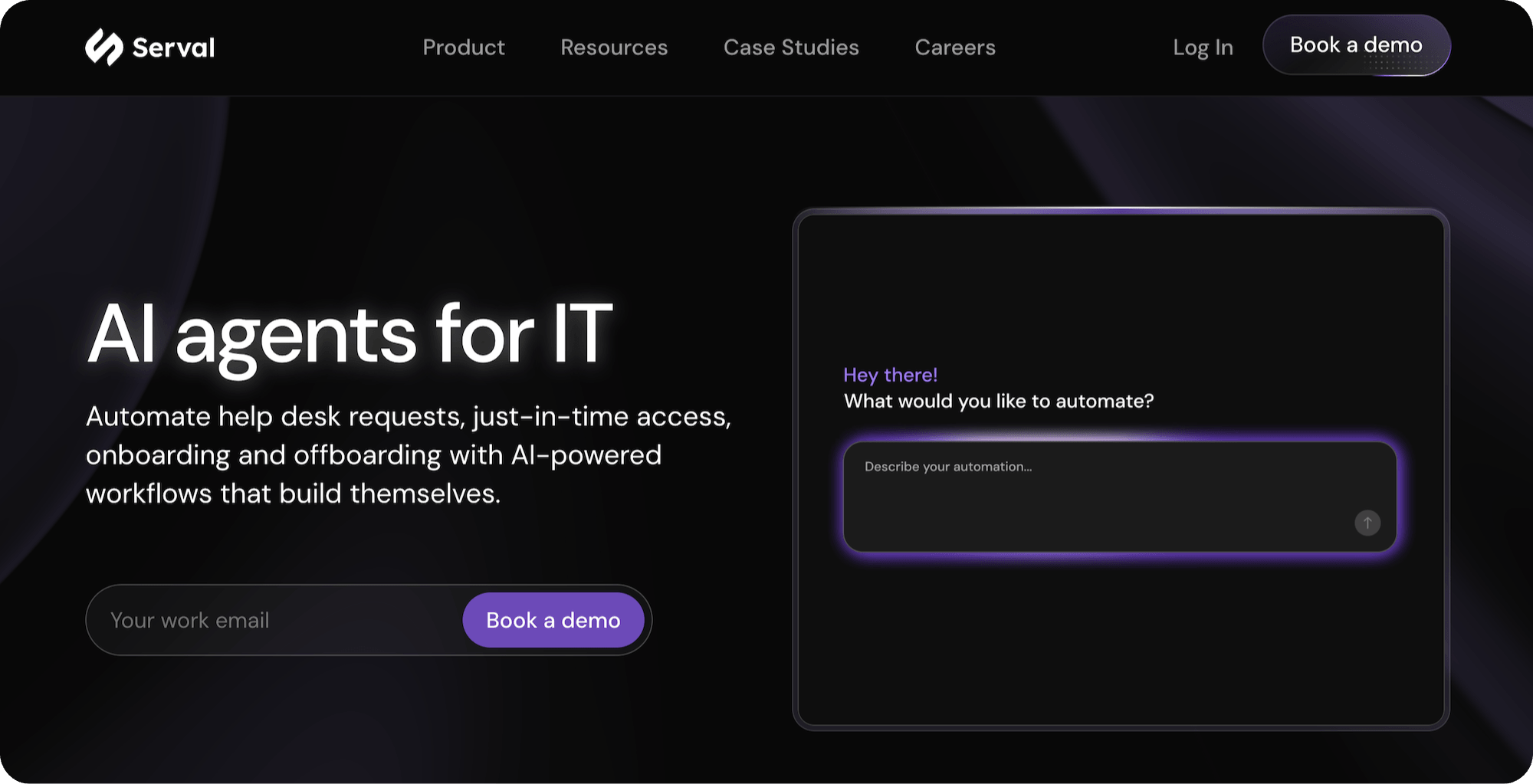
Serval is another AI IT help desk chatbot positioning itself for modern IT teams. It focuses on automating help desk requests, just-in-time access management, onboarding/offboarding through AI-powered workflows, and more.
- AI workflows that build themselves: Serval's core pitch is that its AI-powered workflows can be created using natural language rather than manual configuration. The idea is that you describe what you want automated, and the platform constructs the workflow, reducing setup time compared to traditional workflow builders. This improves employee experience.
- Just-in-time access management: Emphasizes time-based access provisioning as a core capability, allowing employees to request access that automatically expires after a defined period, addressing both convenience and security concerns.
- Onboarding and offboarding automation: Handles the provisioning and de-provisioning tasks associated with employee lifecycle events, including app access, device setup, account creation/removal, and other repetitive tasks.
6. HappyFox
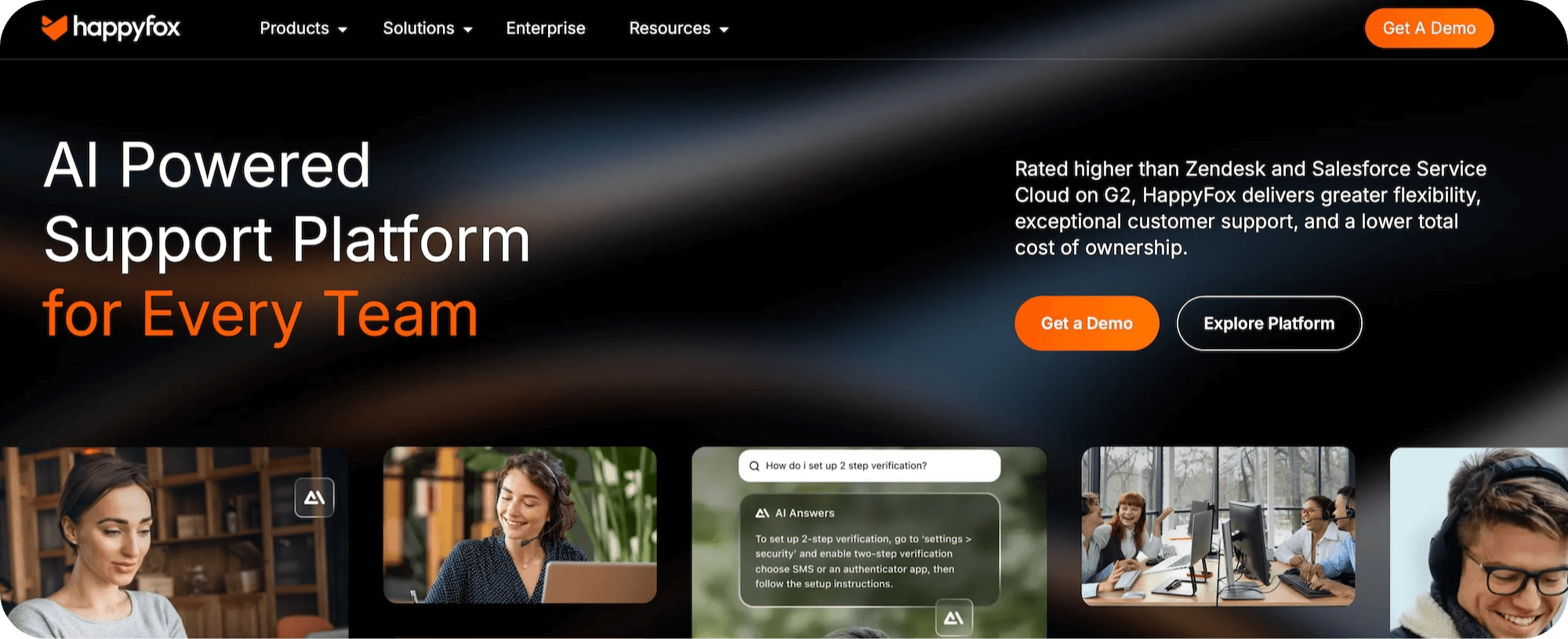
HappyFox is a help desk platform that offers a dedicated AI chatbot product for IT support alongside its broader suite of ticketing, live chat, and workflow tools.
- IT chatbot in Slack and Teams: HappyFox's self-service ITSM chatbot operates inside Slack and Microsoft Teams to handle common requests like password resets, software access, and other high ticket volume categories.
- Native to the HappyFox platform: Unlike some chatbot solutions that require separate configuration, HappyFox's chatbot is built into the platform natively. Ticket creation, chat history sync, agent escalation, and reporting work out of the box. No separate AI module to purchase.
- No-code setup with flat pricing: HappyFox emphasizes accessibility. Setup requires no developer resources, and most internal support teams deploy within a week. Pricing is per agent, which makes costs more scalable and predictable as volume grows compared to usage-based models.
- Broader product suite available: Beyond the IT chatbot, HappyFox offers a help desk, service desk, live chat, workflow automation, business intelligence, and an AI contact center. This breadth can be useful if you want a single vendor for multiple support functions.
7. Jira Service Management

Jira Service Management offers a Virtual Service Agent as part of its Atlassian Intelligence capabilities. It handles IT support requests through the JSM portal, Slack, and Microsoft Teams.
- Virtual Service Agent powered by Atlassian Intelligence: Uses large language models connected to your company's Confluence knowledge base to answer tier-1 questions in real-time. Employees can describe issues in natural language, and the agent either resolves them directly or collects required information before escalating to a human agent.
- Intent flows with a no-code builder: IT teams can design structured conversation paths using a visual, no-code interface. These intent flows map common request types (password resets, policy questions, access requests) to specific resolution paths.
- Deep Atlassian ecosystem integration: If your organization is already invested in Atlassian products, the Virtual Service Agent benefits from that existing data and workflow connectivity.
- Deploys in Slack and Microsoft Teams: The Virtual Service Agent can run inside Slack or Teams, so employees can interact with it without leaving their messaging platform. Conversations sync back to JSM.
- Requires Premium or Enterprise plan: The Virtual Service Agent and Atlassian Intelligence features are only available on JSM's Premium or Enterprise tiers. Teams on Free or Standard plans would need to upgrade to access AI chatbot capabilities.
For more information on implementing conversational ticketing in Jira, limitations, and how Risotto comes into play, see this article: Jira Conversational Ticketing: In-Depth Look & Case Studies
Interested in Learning More About Risotto’s IT Help Desk Chatbot?
Risotto auto-solves 20–60%+ of IT tickets and deploys in under a week.
We've helped teams ranging from enterprise organizations like Gusto (~3,000 requests/month) to mid-size organizations like ThoughtSpot (~1,500 requests/month).
To learn more, we invite you to:

Liked the article? Share on:
On this page
Try Risotto for free for 30 days. Commit only when you see the value.





Want faster solutions and happier employees?
Access that's easy to ask for and impossible to get wrong.
Ensure Legal never answers another "do we need an NDA for this?"
Every policy question is stealing time from the work Finance was hired to do.
Turn Slack requests into action items instead of engineering interruptions.
The biggest deal risk might be an unanswered internal question.
Run a united support system that your employees can depend on.
Build the automations you’ve been planning on for months.
The bottleneck isn't your team. It's the groundwork before they can actually help.
Get support data that your team can talk to.
Jump on a call to understand:
Risotto handles repetitive support requests across tools and teams, so IT gets back to solving real problems, not rerunning the same ones.
.svg)
%20(1).webp)
See what makes the Iru integration a 10/10 for our clients.