%20(1).svg)

Teams look to implement a Jira Service Desk chatbot because the same handful of support requests (e.g., knowledge questions, password resets, access provisioning) eat up the majority of their team's bandwidth. Automating those repetitive tickets means employees get answers in seconds, and your staff can focus on higher-value work.
But there's a wide gap between seeking AI chatbot automation and getting it to work reliably inside Jira Service Management. This article breaks down what's available, limitations to consider, and what to do about it.
In this article, we'll cover:
- Jira Service Management's built-in AI chatbot capabilities — a brief overview of the three options at your disposal: Virtual Service Agents, Atlassian Assist (formerly Jira Assist), and Rovo. We'll touch on what each one does and link out to deeper resources.
- Common limitations teams encounter — including complex setup requirements, ongoing maintenance overhead, limited auto-solve rates, and a knowledge base dependency that often creates more work than it saves.
- How purpose-built AI support tools can augment your existing Jira setup — specifically, how adding a dedicated AI ticket-resolution layer on top of JSM delivers materially higher ticket automation rates without requiring you to rip and replace anything. We'll cover how Risotto approaches this, backed by results and quotes from customers:
- Fundrise: Automated nearly 60% of IT tickets, integrated with Jira, Slack, Okta & more.
- Gusto: Automated nearly 55% of IT tickets, integrated with Jira, Slack, Confluence, Okta & more.
- ThoughtSpot: Automated nearly 48% of IT tickets, integrated with Jira, Slack, Okta, Confluence & more.
- Jobber: Automated nearly 38% of IT tickets, integrated with Jira, Slack, AWS, Jamf, Confluence & more.
- Trust & Will: Automated nearly 35% of IT tickets, integrated with Jira, Slack & more.
- Hazel Health: Automated 28% of IT tickets, integrated with Jira, Slack, Kandji, SimpleMDM & more.
Jira Service Management's Built-In AI Chatbot Capabilities: Options at Your Disposal
If you're looking to implement a chatbot that auto-resolves tickets within Jira Service Management, there are a few tools at your disposal, and some of them can be layered together. Here's a brief overview of each, with links to more detailed articles.
Virtual Service Agents
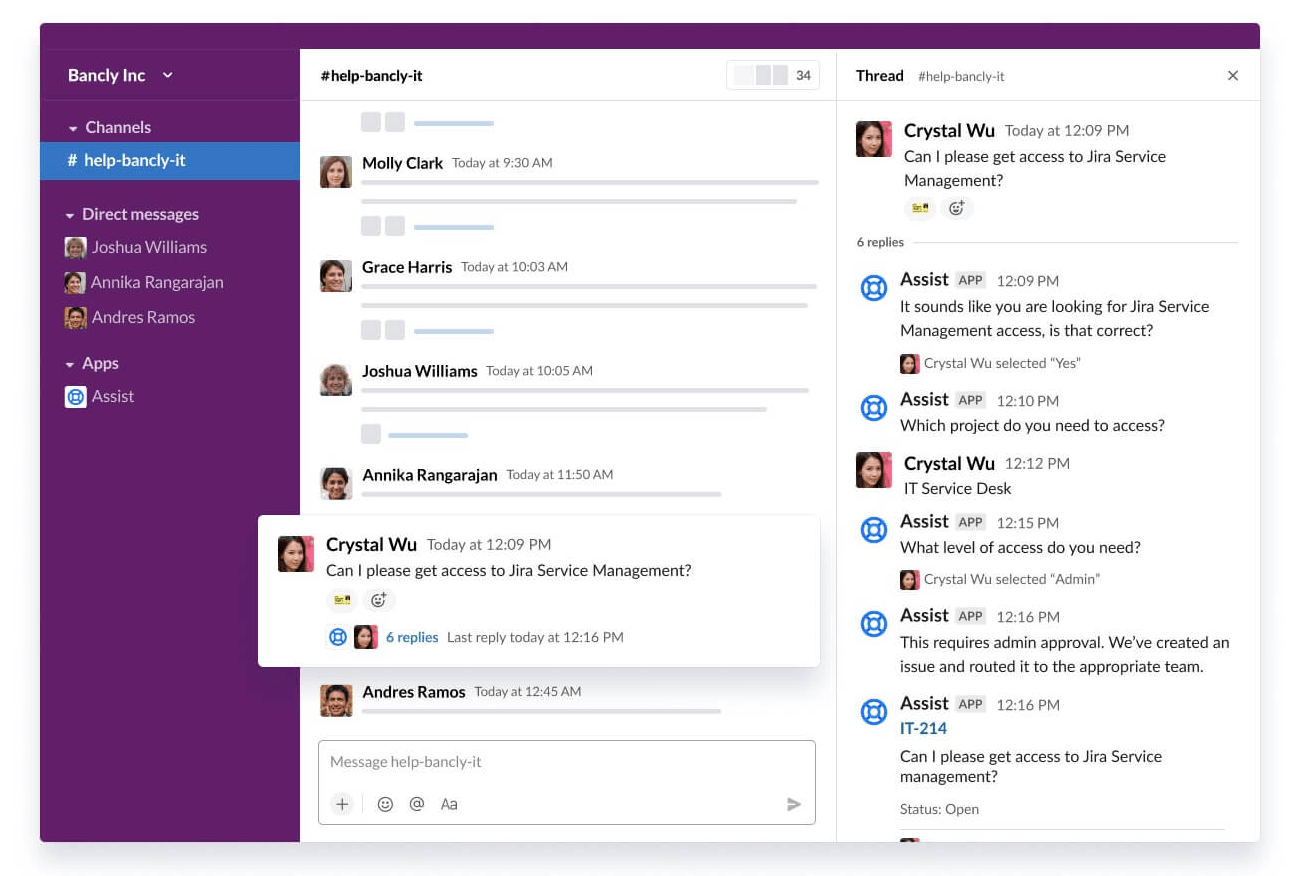
JSM’s Virtual Service Agents enable you to build an AI-powered chatbot, available on Jira Cloud Premium and Enterprise plans. It's the primary tool Atlassian offers for automated ticket resolution.
It works through two mechanisms: intent flows and AI Answers. Intent flows are structured conversation trees you build for specific request types, like a password reset or an access request. You define the intent, train it with example phrases (Atlassian recommends around 20 variations per intent), and map out the branching logic the bot follows. AI Answers, on the other hand, uses generative AI to pull from your linked knowledge base (typically Confluence) and generate conversational responses.
Both approaches have real utility. Intent flows give you precise control over how specific request types are handled, and AI Answers can handle a broader set of questions without requiring manual flow-building for each one.
That said, the experience depends heavily on how much time your team invests in configuration and documentation. If you haven't included the right keyword variations for an intent, the bot may not recognize the request — even if the employee's question is a straightforward version of something you've already built a flow for. And AI Answers are only as useful as the knowledge base articles behind them.
Further reading: Jira Service Management Virtual Service Agent: Overview & Limitations
Atlassian Assist (Formerly Jira Assist)
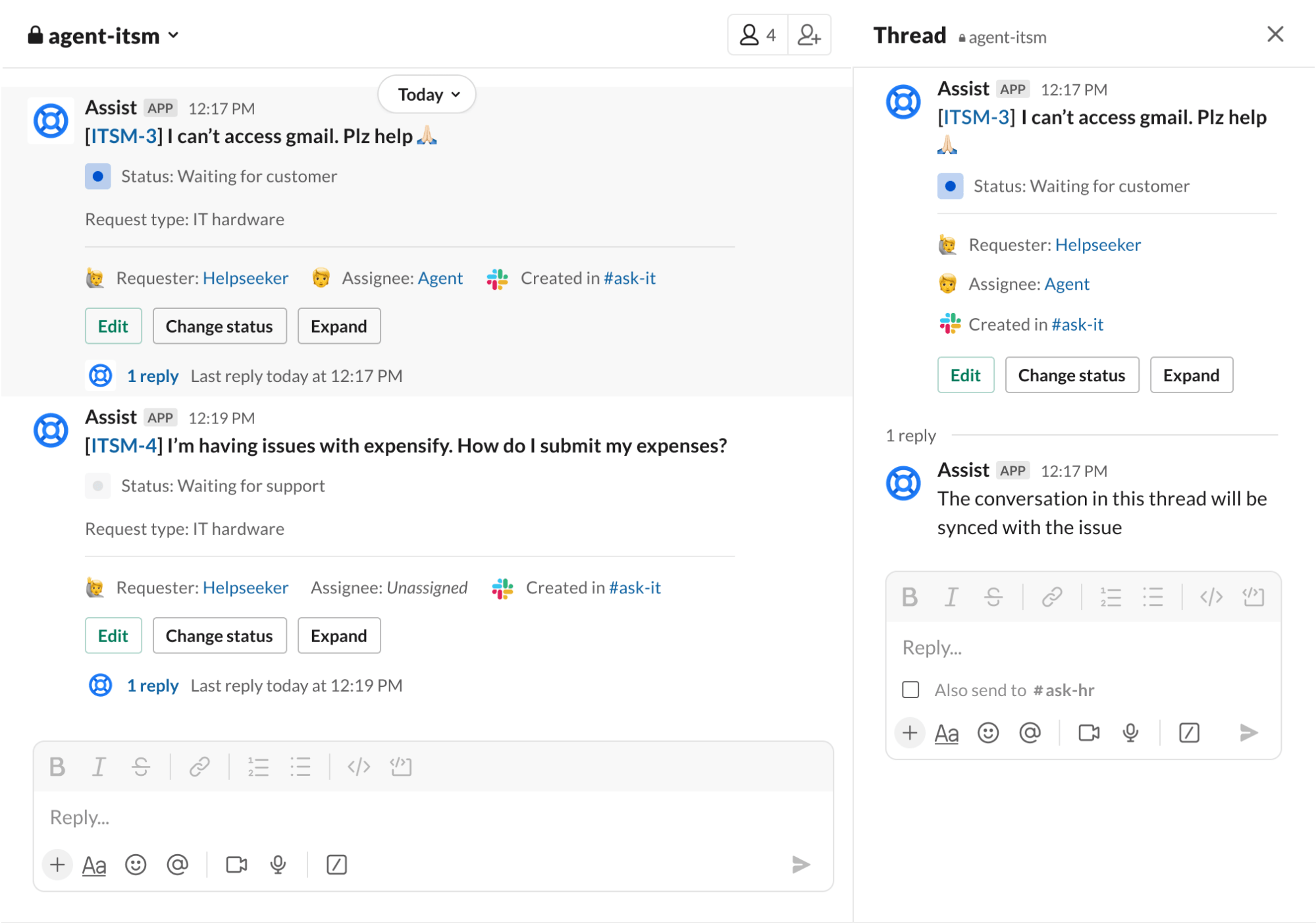
Atlassian Assist is JSM's conversational ticketing extension for Slack and Microsoft Teams. It lets employees raise tickets from Slack or Teams using slash commands, emoji reactions, or message shortcuts, and it syncs those conversations bi-directionally with JSM. Agents can triage, comment, transition, and resolve issues directly from the chat thread.
Where Assist becomes relevant to automated ticket resolution is when you pair it with the Virtual Service Agent. With both enabled, incoming messages in a Slack request channel can be intercepted by the Virtual Service Agent, which attempts to auto-resolve the request before it ever reaches a human agent.
The combination gives you conversational ticketing (Assist) and automated resolution (Virtual Service Agent) in one workflow. Many teams start here when they want AI-driven support inside Slack or Teams without leaving the Atlassian ecosystem.
For more details, see our article on Atlassian Assist: Overview, Setup & Limitations.
Rovo

Rovo is Atlassian's AI platform that combines enterprise search, a chat assistant, and a no-code agent builder.
Rovo is best known for its enterprise search capabilities. It indexes across Atlassian products and third-party apps to surface answers from wherever your company's knowledge lives. You can chat with Rovo directly to get answers about projects, policies, or team-specific terminology without manually digging through Confluence pages.
On the service desk side, Rovo's agent builder lets you create custom AI agents that can automate certain workflows, and some teams have started experimenting with using Rovo agents for automated ticket resolution. However, Rovo's primary strength remains in enterprise search and knowledge retrieval rather than end-to-end ticket resolution.
For more details, explore Atlassian's Rovo product page. You may also be interested in our article on the best Rovo alternatives by category.
Where Jira Service Management’s Built-In AI Chatbot Capabilities Hit a Ceiling
The built-in AI capabilities described above are a solid starting point, but teams consistently find a gap between what they expect from AI-driven ticket automation and what they can achieve with JSM's native capabilities alone.
Here's where that gap shows up most:
🚫 Setup is time-consuming, even for technically adept teams.
Getting the Virtual Agent to a point where it meaningfully auto-solves a large percentage of tickets is a significant undertaking.
Each intent flow has to be hand-built — you're defining intents, writing training phrases, mapping conversation branches, and configuring web request endpoints for any automated actions. Almost none of this comes pre-built. Even teams with strong technical chops find the process takes weeks, and in many cases months, before the system is up and running.
🚫 Maintenance becomes its own full-time job.
The initial setup is only the beginning. Every time your team adopts a new tool, changes an access policy, restructures a department, or updates a workflow, those intent flows and automations need to be updated, too.
Several IT leaders we've worked with describe a real fear around making changes — one wrong edit to a workflow can cascade into unexpected breakdowns elsewhere. The system that was supposed to reduce your team's workload can end up adding to it. And for teams that need outside help, bringing in external consultants adds cost that wasn't part of the original plan.
🚫 Auto-solve rates tend to be lower than expected.
One of the most common frustrations is the gap between "deflection" and "resolution". When an employee asks a question, JSM's AI chatbot often responds by surfacing a knowledge base article rather than fully resolving the issue end-to-end.
The employee still has to read the article, determine if it applies to their situation, and potentially follow up with IT anyway. And when the AI does attempt to answer directly, the quality of those answers can be inconsistent — particularly for questions that don't map neatly to a pre-configured intent flow or a well-documented KB article.
🚫 The AI doesn't easily learn from how your agents actually resolve tickets.
This is the one that compounds over time. When the Virtual Service Agent can't handle a request and a human agent steps in and resolves it in Slack or Teams, that resolution knowledge doesn't automatically feed back into the AI.
The insights from that interaction — the troubleshooting steps, the context gathered, the solution that worked — stay locked in a Slack thread. The only way to make the AI smarter is for someone on your team to turn that resolution into a knowledge base article manually. It's a constant treadmill: your team solves problems all day, but the AI doesn't benefit from any of it unless someone stops to write documentation.
🚫 Expanding to departments beyond IT multiplies the complexity.
If your ticket automation goals extend beyond IT to teams like HR, Legal, Sales Ops, and others, each new department means more intent flows, more request types, and more ongoing configuration.
For non-technical teams that just want a simple way to handle repetitive questions, the overhead of setting up and maintaining this project in JSM can outweigh the benefits.
Augmenting Jira Service Management with Risotto: A Purpose-Built AI Ticket Resolution Layer
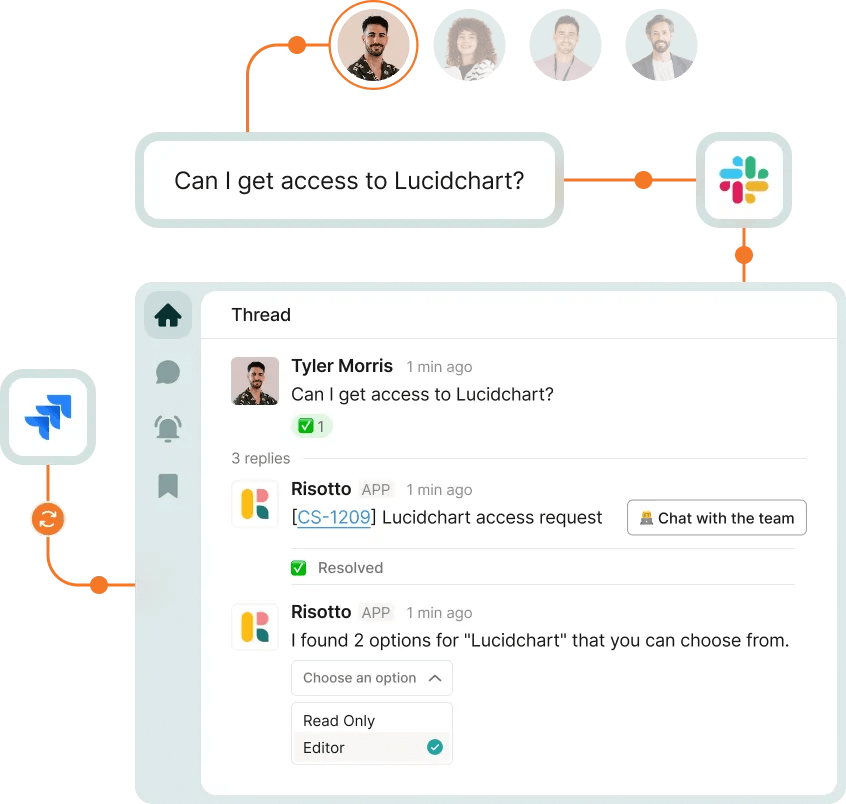
Risotto’s AI ITSM is purpose-built to augment Jira Service Management and adds a powerful AI ticket resolution layer on top of your existing setup:
- Fundrise: Automated nearly 60% of IT support tickets
- Hazel Health: Automated nearly 28% of IT support tickets
- Vidyard: Automated nearly 56% of IT support tickets
- Gusto: Automated nearly 55% of IT support tickets
- ThoughtSpot: Automated nearly 48% of IT support tickets
- Thinkific: Automated nearly 46% of total support tickets
- Shakepay: Automated nearly 40% of IT support tickets
- Jobber: Automated nearly 38% of IT support tickets
- Trust & Will: Automated nearly 35% of IT support tickets
- Ironclad: Automated nearly 90% of access-related IT requests
- Superhuman: Automated nearly 20% of IT support tickets
Risotto is designed for enterprise teams, and that's not incidental. Our co-founder, Alex Confer, spent years leading IT engineering at Dropbox and Gusto. He went through the cycle firsthand: months spent configuring automation tools that were supposed to save time, only to end up with a mediocre ticket resolution and a growing pile of maintenance work on top of everything else. Risotto is the product he wished existed. Explore our origin story.
Up next, we’ll discuss the key benefits of Risotto, backed by customer results:
1. Experience Automation Benefits in Days, Not Months

The most immediate difference IT teams notice is speed to value. Risotto's integrations with Jira Service Management, Slack, Okta, Confluence, and dozens of other tools come pre-built. There's no intent-flow builder to configure, no keyword triggers to map, no web request endpoints to wire up. You connect your tools, point Risotto at your existing knowledge sources, and it starts resolving tickets.
Here are real deployment timelines from some of our customers:
- Gusto: Fully deployed in 2 weeks, handling ~3,000 requests/month; experienced 53% resolution rate on day one of implementation
- Shakepay: Fully operational in under 48 hours
- Jobber: Live across Slack, JSM, AWS, Jamf, and Confluence in 2 days
- ThoughtSpot: Integrated with Jira, Slack, and Okta in under a week, with autosolves happening almost immediately
Onboarding is led by members of our founding team who've actually run enterprise IT operations, not customer success reps without firsthand experience.
“Getting Risotto integrated with Jira, Slack, and Okta was so seamless and fast. Risotto is one of the easiest tools I’ve implemented. We were up and running in less than a week and already seeing our first autosolves.”
– Jason Huey, Senior IT Systems Administrator at ThoughtSpot
“The speed and simplicity of Risotto’s setup was a great sign that we had made a good decision… We accomplished nearly the same configuration with Risotto in an hour that took us months with the other company.”
– Phillip Rickett, VP of IT at Fundrise
“We’ve completely replaced JIRA Assist with Risotto, it was a seamless transition… Ease of deployment was huge. We didn’t need a consultant or months of configuration. Risotto just worked.”
– Peter Hadjisavas, Head of IT at Hazel Health
“Working with the Risotto team was awesome from day one. They all have IT backgrounds and really cared about making us successful.”
– Tom Grinberg, IT Manager at Trust & Will
“Risotto had the most thorough onboarding experience I’ve ever been a part of. Alex was great — he met with us weekly and made it very easy to quickly get up and running.”
– Collin Clifford, Legal & Compliance Manager at Superhuman
“I can't say enough good things about Risotto. They instantly understood the nature of our support function, and they're always so responsive and communicative. I never feel like we’re just another number."
– Victoria DiRugeris, IT Operations Manager at Hazel Health
2. Risotto’s North Star Metric is Ticket Auto-Solve Rate (Not Deflection)

Risotto’s north-star metric is ticket auto-solve rate, meaning the ticket was fully resolved end-to-end without human intervention. This stands in stark contrast to other tools that point proudly to ticket deflection rates.
Risotto excels at handling:
- Knowledge questions: "How do I connect to the printer wirelessly?" or "What's the policy on expensing software?"
- Access requests: "I need access to Figma" or "Can you provision me for Salesforce for the next 14 days?"
- MDM actions: Seamless integration with Jamf, Kandji, Iru, and more.
- HRIS flows: Automate onboarding and offboarding, seamless integration with Workday and other tools.
When Risotto can't fully resolve a ticket, it escalates to a human agent in Slack with the full conversation history, troubleshooting steps already taken, and relevant context — so the agent picks up mid-conversation rather than starting from zero.
“We came to Risotto hoping to hold the line — but the results blew away our expectations. We doubled our resolution rate on day one, and it hasn’t dropped since.”
– Jose Izquierdo, Head of AI Operations at Gusto
“Risotto started autosolving tickets immediately. Within the first few weeks, we saw departments that had never tracked ticket requests before — like our Cloud team — asking to get on the platform and streamline their support function.”
– Erik Van Dijk, Senior IT Manager at Jobber
“Risotto’s AI-powered support system had a massive impact straight out of the box and with very little setup. Employees now get fast, efficient answers with the same precision as one of our professionals.”
– Mike Smith, IT Operations Manager at Jobber
3. Gets Smarter from Your Team's Day-to-Day Work in Slack & Past Ticket Resolutions
Most AI chatbots in the ITSM space are stuck in a loop: the AI fails to answer a question, a human agent steps in and resolves it, but the AI doesn't learn from that resolution. Someone has to manually write a KB article about it. Next time the same question comes in, the AI still can't answer it, unless someone got around to writing that article.
Risotto solves this issue and continually auto-learns. When it escalates a ticket and an agent resolves it in Slack, Risotto picks up on what worked — the troubleshooting approach, the specific steps, what ultimately fixed the issue — and incorporates that into how it handles similar requests going forward. Your team's daily work in Slack gradually builds the AI's understanding without anyone having to update the KB manually.
Risotto runs each message through rigorous validation before it's eligible to inform future answers.
"The killer feature for us was that it could effortlessly learn and capture knowledge that our team creates every day in Slack… with Risotto, instead of constantly writing new documentation, our team can simply answer questions, and Risotto learns as we go."
– Phillip Rickett, VP of IT at Fundrise
"The more we use Risotto, the smarter it gets — that's what makes it different from every other tool we've tried."
– Peter Hadjisavas, Head of IT at Hazel Health
"One special thing about Risotto is it's constantly improving with every question. We see it getting better and better every day."
– Jason Huey, Senior IT Systems Administrator at ThoughtSpot
4. Automated IGA Inside the Help Desk

Access requests are one of the highest-volume ticket categories for most IT teams. Managing them through a combination of manual processes, IGA tools, and custom JSM workflows creates fragmentation and compliance headaches.
Here’s how Risotto enables IGA automation inside the help desk support funnel:
- An employee asks for access to a software in Slack
- Risotto gathers business justification conversationally
- The request routes to the appropriate approver(s) based on the software and the requester's role
- Upon approval, access is provisioned automatically, including Just-In-Time (JIT) access that auto-revokes after a set period
- Every step is logged, ensuring a complete audit trail
Everything syncs to JSM in real time, so your ticketing system stays the source of record without requiring separate IGA tools.
“We always wanted to require a reason for application access, but it was really difficult to integrate that into JSM. Risotto adds that functionality to JSM and so much more.”
– Tom Grinberg, IT Manager at Trust & Will
“When a team member asks, ‘How do I get access to Hightouch?’ they’re not looking for a link or a document; they need immediate, actionable assistance. Risotto intelligently understands the intent behind the request. It confirms existing permissions, coordinates necessary approvals proactively, and automatically provisions access upon approval.”
– Phillip Rickett, VP of IT at Fundrise
“The software access automations were a huge win for us. They were super easy to set up and we now have more than 30 applications with automated provisioning running 24/7.”
– Tom Grinberg, IT Manager at Trust & Will
“Automated software access saves us so much time. Within minutes people get the access they need with everything tracked, approved, and no additional overhead needed… For sensitive tools and resources Risotto’s automated time-based access has been a game-changer."
– Collin Clifford, Legal & Compliance Manager at Superhuman
5. Works Where Your Employees Already Are
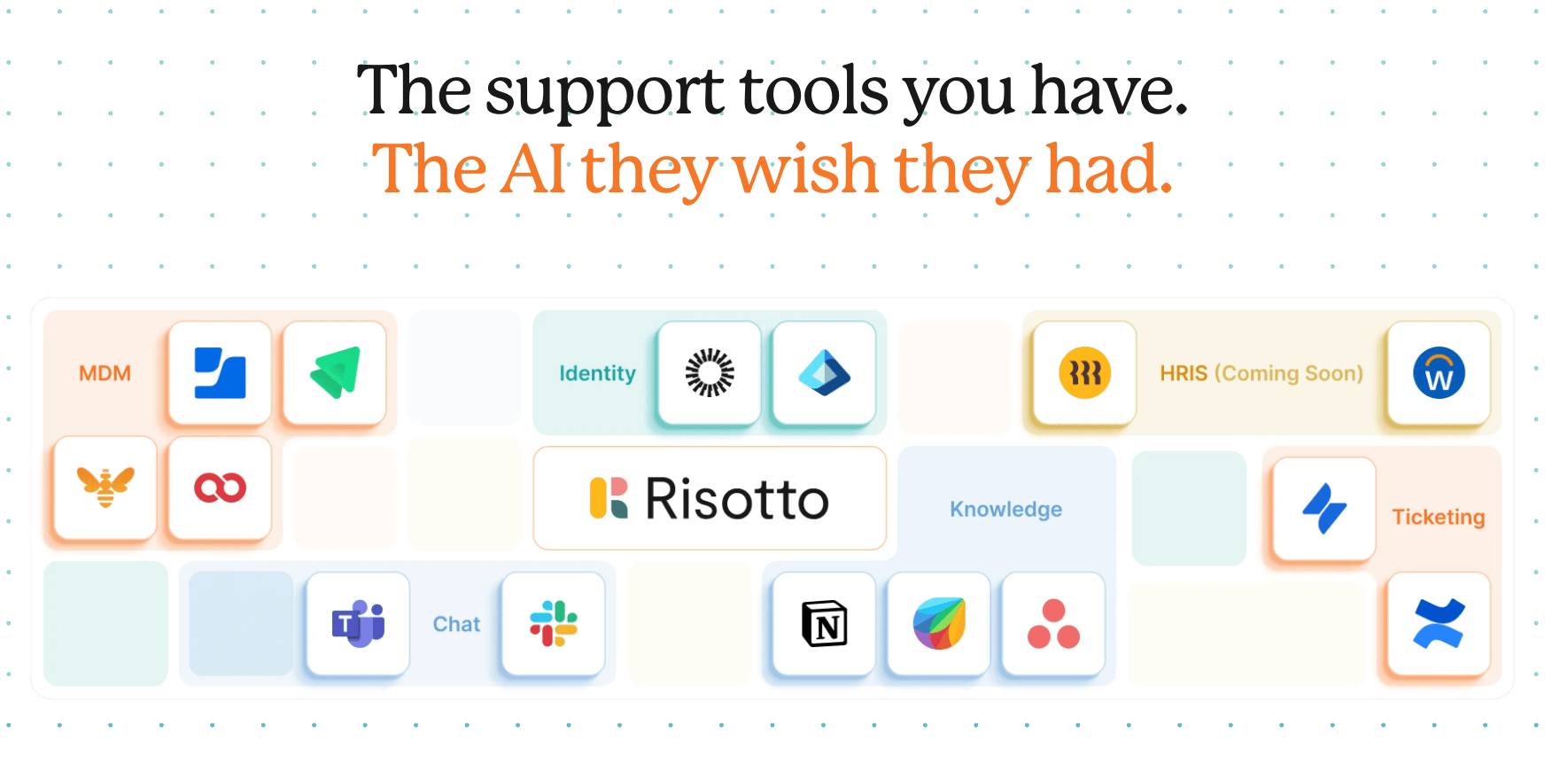
Risotto operates natively inside Slack, where employees are already accustomed to asking for help. Tickets are created, triaged, and resolved without anyone leaving the conversation. Everything syncs bi-directionally to Jira Service Management, and it works seamlessly from day one. No extensive configuration required.
When the AI chatbot experience lives in the same tools employees use all day, it significantly impacts adoption and ticket resolution rates.
"We want AI to seamlessly fit into our team's daily operations, meeting our users where they already work… Risotto's minimal operational overhead and integration into Slack has enabled us to achieve exactly that."
– Phillip Rickett, VP of IT at Fundrise
"Risotto has been super popular internally, it's a much improved experience for employees to get answers and problems solved immediately."
– Tom Grinberg, IT Manager at Trust & Will
"We're now able to keep requests centralized and work on all of those things in one view, which is really nice. It works so reliably so we don't have to worry about missing a message."
– Charlie Verrey, IT Manager at Retool
6. Scales Across Departments Seamlessly
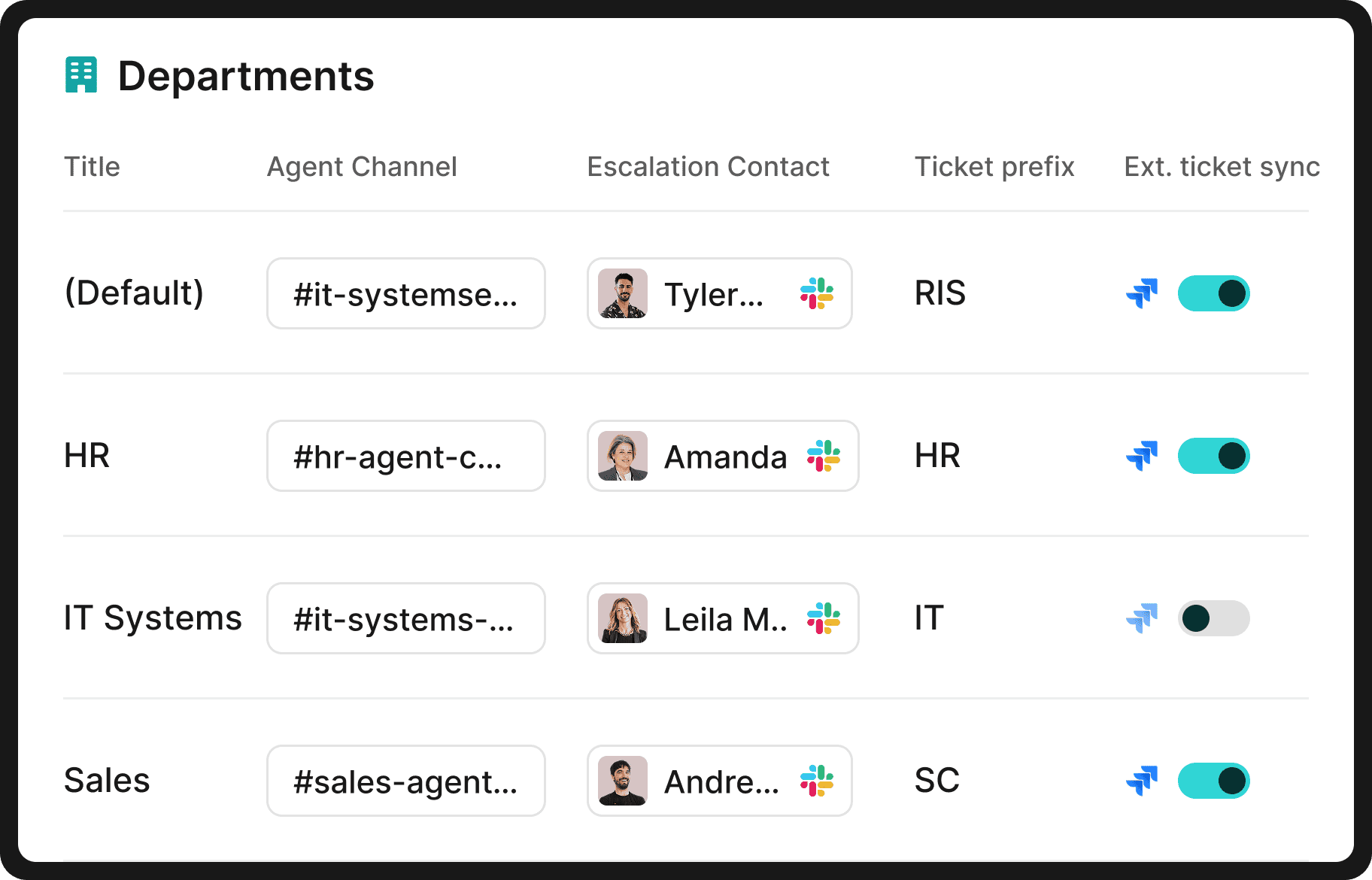
Once IT implements Risotto, it often spreads organically. HR hears that employees are getting instant answers to IT questions in Slack and asks why their team can't have the same thing. Legal follows. Then Finance, Sales Ops, Engineering, and so on.
Expanding doesn't mean spinning up new JSM projects, building more intent flows, or hiring someone to manage the configuration.
Each department gets its own setup within Risotto: separate knowledge bases, escalation paths, workflows, and permissions. It works seamlessly from day one, and every department is covered under a single license.
For non-technical teams that find JSM to be overwhelming, Risotto also includes a lightweight built-in ticketing system. That said, if a department prefers to keep using Jira, Risotto integrates with it just the same.
"Once you add in HR, our combined automation rate is even higher at 50.2%."
– Jason Huey, Senior IT Systems Administrator at ThoughtSpot
"Risotto began fielding tickets right away, and the setup across teams was incredibly low-lift. I could show colleagues how to configure their own workflows without any technical requirements."
– Victoria DiRugeris, IT Operations Manager at Hazel Health
"The multi-department capabilities are awesome. Our engineering and RevOps teams now also want to use Risotto as they also get lots of the same questions over and over again."
– Collin Clifford, Legal & Compliance Manager at Superhuman
"Risotto started autosolving tickets immediately. Within the first few weeks, we saw departments that had never tracked ticket requests before — like our Cloud team — asking to get on the platform and streamline their support function."
– Erik Van Dijk, Senior IT Manager at Jobber
Interested in Augmenting Jira Service Management with Risotto?
If your team is using Jira Service Management and looking for higher auto-resolution rates than JSM's built-in AI chatbot capabilities can deliver, Risotto plugs directly into your existing setup. Get set up in hours, not weeks or months.
We invite you to:

Liked the article? Share on:
On this page
Try Risotto for free for 30 days. Commit only when you see the value.


See more recent articles



Want faster solutions and happier employees?
Ensure Legal never answers another "do we need an NDA for this?"
Every policy question is stealing time from the work Finance was hired to do.
Turn Slack requests into action items instead of engineering interruptions.
The biggest deal risk might be an unanswered internal question.
Run a united support system that your employees can depend on.
Build the automations you’ve been planning on for months.
The bottleneck isn't your team. It's the groundwork before they can actually help.
Get support data that your team can talk to.
Jump on a call to understand:
Risotto handles repetitive support requests across tools and teams, so IT gets back to solving real problems, not rerunning the same ones.
.svg)
%20(1).webp)
See what makes the Iru integration a 10/10 for our clients.