%20(1).svg)

Atlassian Rovo combines enterprise search, an AI chat assistant, and a no-code agent builder across your Atlassian stack. It's a solid concept, but the execution has gaps depending on what you're actually trying to solve.
Some teams have started using Rovo's AI agents to auto-resolve internal support tickets, from knowledge questions to access requests, and are finding that Rovo's agent capabilities are still early for that use case. Purpose-built tools go significantly deeper here.
Many teams are looking for stronger enterprise AI search and knowledge retrieval, and there are several options worth evaluating depending on your specific needs and tech stack.
We've organized this list accordingly:
AI-Powered Internal Support & Automated Ticket Resolution
- Risotto: Our AI-native ITSM that layers on top of your existing ticketing system (Jira Service Management, Freshservice, Zendesk, ServiceNow) and auto-resolves 20–60% of internal support tickets across IT, HR, Legal, and other departments. Co-founded by Alex Confer, who previously led IT engineering at Dropbox and Gusto.
Enterprise Search & AI Assistants
- Glean: Enterprise AI search that indexes across 100+ SaaS apps and uses a company-specific knowledge graph to personalize results. A good fit if your team's knowledge is spread across many tools and you want a single AI search layer that covers them all.
- Microsoft 365 Copilot: The native AI assistant across Microsoft 365. If your org runs heavily on Teams, Outlook, SharePoint, and OneDrive, Copilot covers that side of your stack where your team already works.
- Google Workspace with Gemini: Google's AI layer across Gmail, Docs, Sheets, Slides, and Drive. A strong fit for orgs that are already Google-native and want AI embedded directly into their everyday productivity tools.
- Slack AI: AI search and summarization built into Slack that also searches connected apps like Google Drive, SharePoint, and Confluence. If Slack is already the connective tissue of your org, it handles a lot of the same "find information fast" use case with no new platform to stand up.
1. Risotto
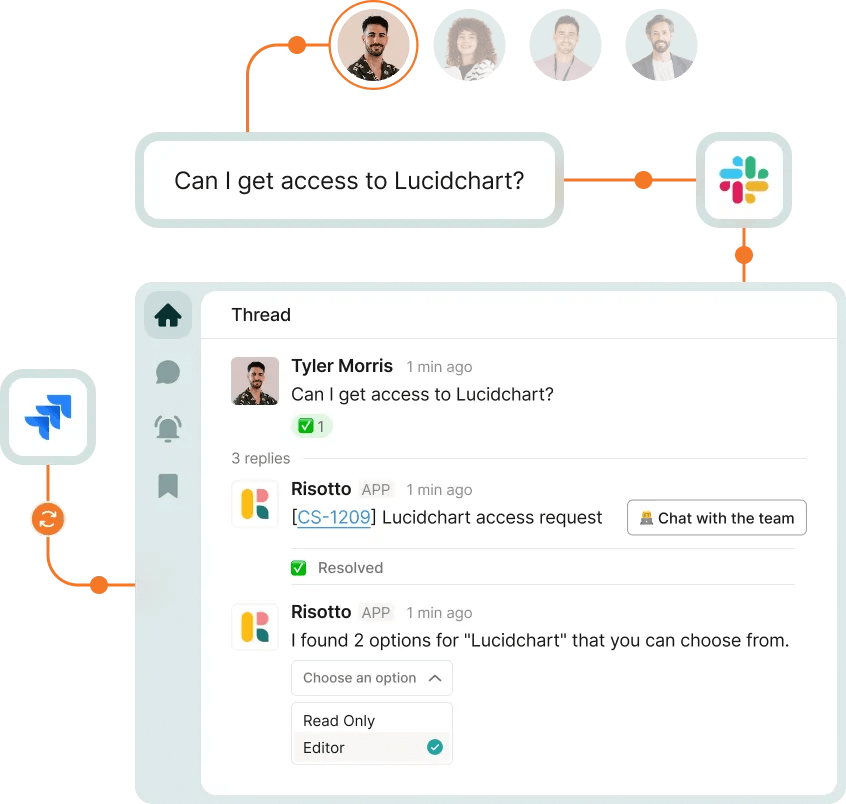
Risotto is our AI-native ITSM that augments Jira Service Management or other existing ticketing systems. It’s designed for mid-to-large-sized organizations and auto-solves 20–60%+ of internal support issues directly in Slack or Teams, as you’ll see from these success stories:
- Fundrise: Automated nearly 60% of IT support tickets. Implemented in hours, with average response times of 3.8 seconds and a 55% reduction in SLA time.
- Gusto: Automated nearly 55% of IT support tickets, saved 114,000+ hours of support wait time, and onboarded 11 departments with 157 access rules and 50+ runbooks.
- Superhuman: Automated nearly 20% of IT support tickets. Expanded beyond IT into compliance, finance, HR, and engineering, with an average first response time of just seconds.
- Ironclad: Automated nearly 90% of access-related IT requests. Went from 100–150 manual tickets per week to automated workflows across 40–50 integrated applications for a 600-person company.
- ThoughtSpot: Automated nearly 48% of IT support tickets. Up and running in less than a week, with an AI resolution time of 6.5 hours vs. 31 hours for human agents. Expanded beyond IT to HR and accounting.
- Trust & Will: Automated nearly 35% of IT support tickets. Over 50% of their requests were access-related, and Risotto became the orchestration layer on top of Jira Service Management.
- Thinkific: Automated nearly 46% of total support tickets, exceeding their 30% target. Onboarded 6 departments in under two months, hit 86% auto-solve rate in the engineering department.
- Jobber: Automated nearly 38% of IT support tickets. Fully deployed in 3 weeks across 12 departments, saved 2,747 hours, and achieved a 3-hour AI TTR (down from 35-hour human TTR).
- Hazel Health: Improved deflection rates from 3–5% to over 20% after switching from Jira Assist and Atlassian Virtual Service Agents to Risotto. Provides 24/7 support for a distributed healthcare workforce spanning the East Coast to Hawaii, serving 5 million students.
- Shakepay: Automated nearly 40% of IT support tickets. Fully operational in under 48 hours, and reinforcing a security-first culture by centralizing security and IT requests.
- Retool: Reduced SLA resolution time from an average of 2 days to under 1 day. Consolidated multiple regional Slack channels into a single agent view, with an average time-to-first response of 3.78 secs.
- Vidyard: Automated nearly 56% of IT support tickets. Streamlined SOC 2 audit evidence collection and expanded across IT, HR, and dev teams.
Up next, we’ll cover key differentiators that set us apart, backed by customer results and quotes from our case studies.
Auto-Solves Tickets, Not Just Deflects
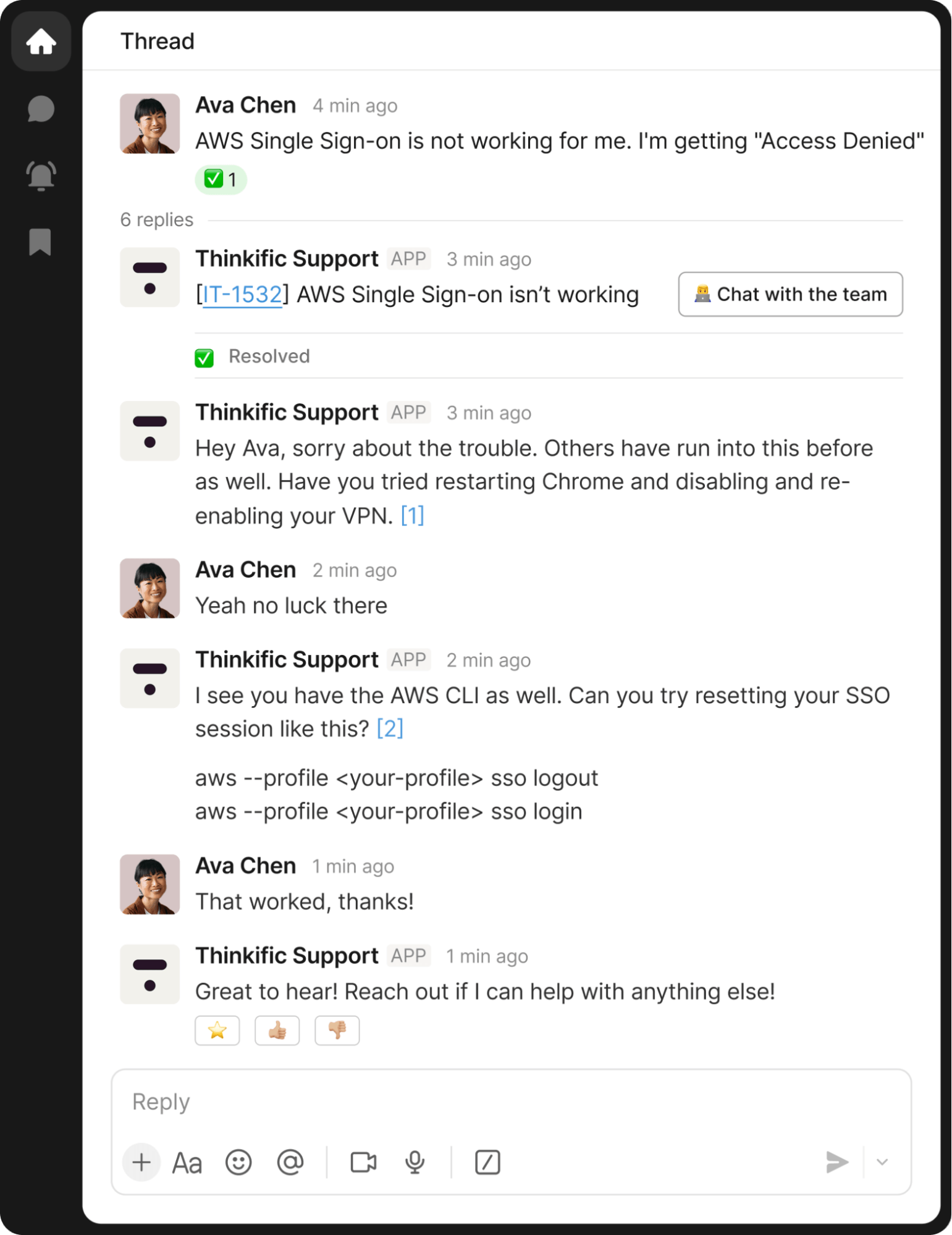
Risotto's north star is the auto-solve rate, meaning tickets are actually resolved, not just deflected with a knowledge base link.
Most customers hit 20–60%+ auto-solve rates within less than a week of deployment.
We offer pre-built workflows for ticket categories that drive the majority of internal support volume, including:
- Knowledge questions: Password resets, policy lookups, how-to questions (e.g., “How do I turn on the camera in conference room B?”)
- Access requests: Automated provisioning and de-provisioning (e.g., “I need Teams access for 21 days”) and sophisticated approval workflows
- MDM actions: Looking up and taking action in tools like Jamf, Kandji, and others
- HRIS-connected flows: Onboarding, offboarding, and HR-triggered workflows
- No-code custom automations: Risotto's no-code builder lets you create custom automations without the extensive technical expertise that most ITSM platforms require to configure.
"We came to Risotto hoping to hold the line — but the results blew away our expectations. We doubled our resolution rate on day one, and it hasn't dropped since."
– Jose Izquierdo, Head of AIT Operations at Gusto
“Our previous tool summarized whatever it pulled from wiki articles, it didn’t supplement responses with broader LLM knowledge or reasoning. This approach fell short because it lacked the capability to fully understand user intent or supplement answers with external knowledge… Risotto, however, synthesizes information from multiple inputs to provide context-aware, accurate, and actionable responses.”
– Phillip Rickett, VP of IT at Fundrise
"Risotto's AI-powered support system had a massive impact straight out of the box and with very little setup. Employees now get fast, efficient answers with the same precision as one of our professionals."
– Mike Smith, IT Operations Manager at Jobber
“Risotto was able to combine knowledge from different sources and give me an instant answer to a complex question, which was awesome to watch."
– Jason Huey, Senior IT Systems Administrator at ThoughtSpot
Augments Your Existing Ticketing System

Risotto adds a powerful AI ticket resolution layer on top of Jira Service Management, Zendesk, Freshservice, or ServiceNow — it doesn't replace your ticketing infrastructure. Bi-directional sync means every action is tracked and auditable.
Behind the scenes, Risotto manages the entire ticket lifecycle, including:
- Creating a ticket in Jira, Freshservice, Zendesk, or ServiceNow
- Generating a title
- Categorizing the issue
- Applying relevant tags
- Routing it to the appropriate department
- Starting the initial triage process
Note: For more information, explore our article on Jira Conversational Ticketing.
"Risotto became the orchestration layer for Jira Service Management and gives us instant automation with AI."
– Tom Grinberg, IT Manager at Trust & Will
"We always wanted to require a reason for application access, but it was really difficult to integrate that into JSM. Risotto adds that functionality to JSM and so much more."
– Tom Grinberg, IT Manager at Trust & Will
"We’ve completely replaced JIRA Assist with Risotto, it was a seamless transition.”
– Peter Hadjisavas, Head of IT at Hazel Health
"Getting Risotto integrated with Jira, Slack, and Okta was so seamless and fast. Risotto is one of the easiest tools I've implemented. We were up and running in less than a week and already seeing our first autosolves."
– Jason Huey, Senior IT Systems Administrator at ThoughtSpot
Native Slack Integration That Works From Day One
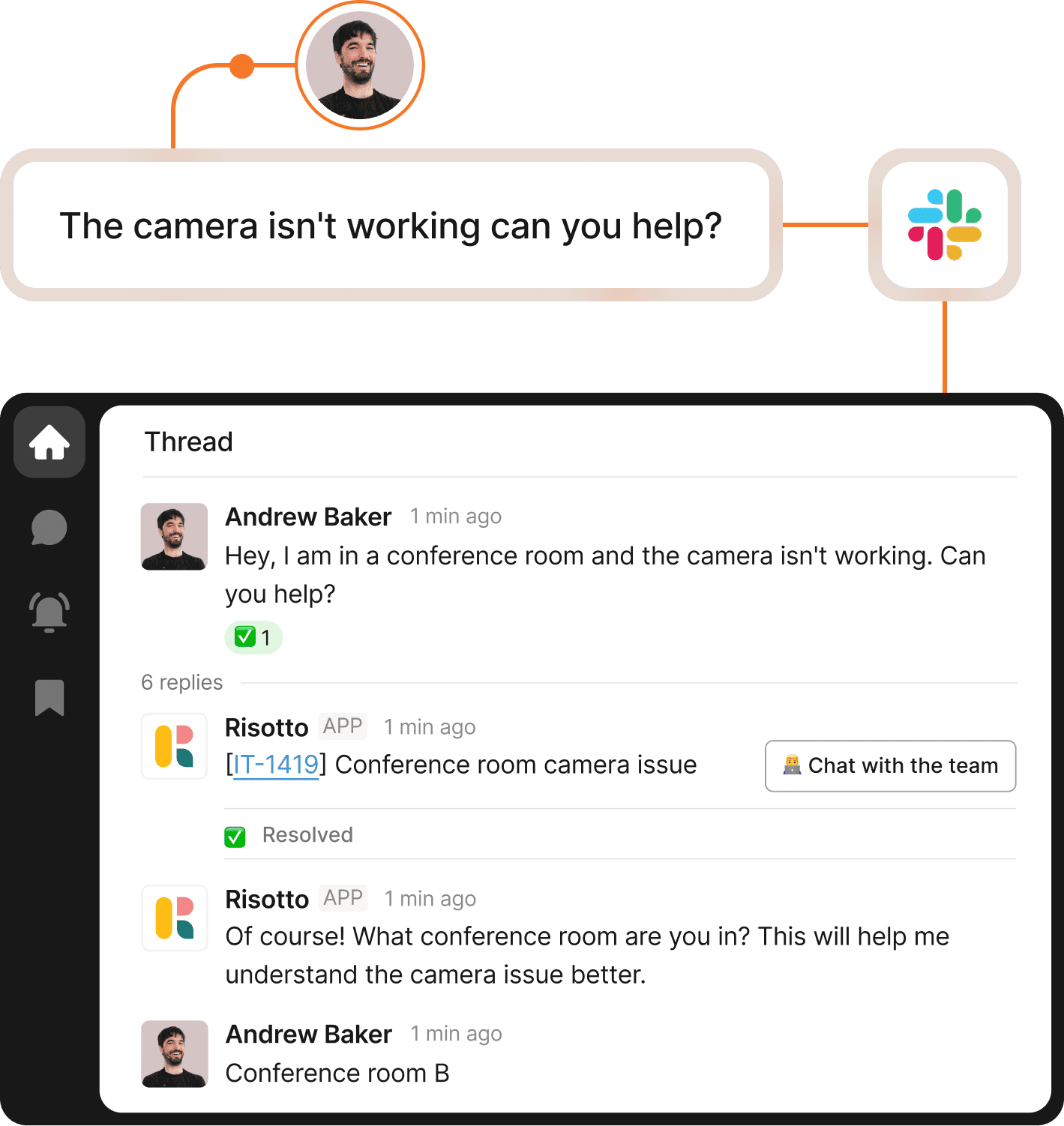
Risotto works directly inside Slack, where your employees are already accustomed to asking for help.
Tickets are created, triaged, and resolved without anyone leaving the conversation. If Risotto can't fully resolve a ticket, it seamlessly escalates to a human agent with the full context of the conversation, so nothing gets lost or repeated.
Everything syncs bi-directionally back to Jira Service Management or whichever ticketing system you're already using.
“We want AI to seamlessly fit into our team’s daily operations, meeting our users where they already work… Risotto’s minimal operational overhead and integration into Slack has enabled us to achieve exactly that.”
– Phillip Rickett, VP of IT at Fundrise
"We wanted to implement more standardization and automation in our help desk, but there wasn't an easy way in Slack without clunky custom work. Risotto helped us do that."
– Vergil Smith, IT Manager at Vidyard
“We’re now able to keep requests centralized and work on all of those things in one view, which is really nice. It works so reliably so we don’t have to worry about missing a message”.
– Charlie Verrey, IT Manager at Retool
“Risotto has been super popular internally, it’s a much improved experience for employees to get answers and problems solved immediately.”
– Tom Grinberg, IT Manager at Trust & Will
“Risotto consolidated support from multiple channels into one unified, automated funnel, giving us the freedom to focus on high value tasks.ˮ
– Kevin Vye, Senior Director of Information Security and Technology at Thinkific
Built Around How Enterprise IT Teams Actually Operate
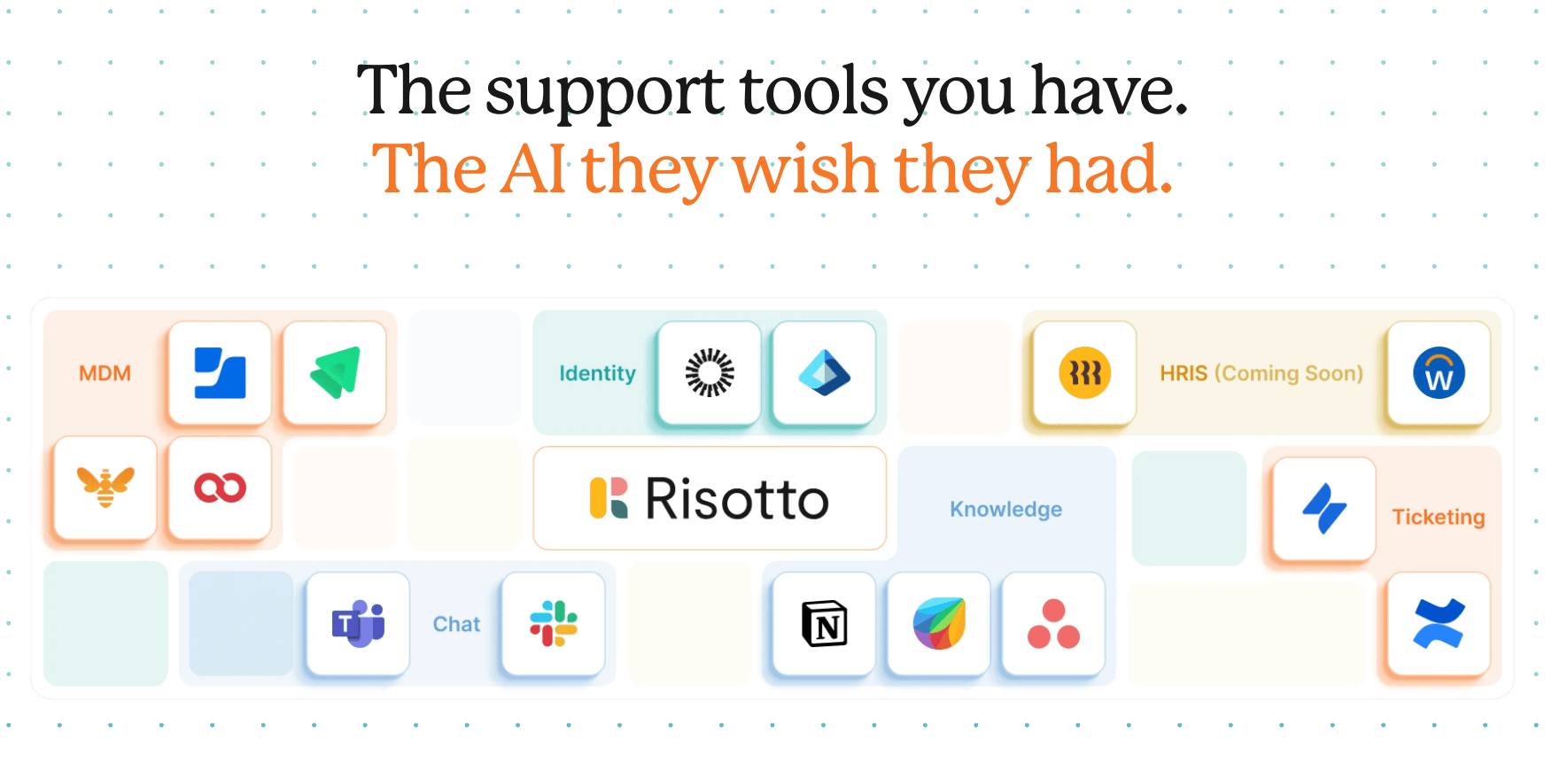
Risotto was co-founded by Alex Confer, who previously led IT engineering at large enterprise organizations like Dropbox and Gusto. Every product decision — from how workflows are structured to how automations are deployed — is built with that firsthand experience in mind.
That also means onboarding is hands-on and led by IT folks who've actually done the job, not customer success reps reading from a playbook.
“Working with the Risotto team was awesome from day one. They all have IT backgrounds and really cared about making us successful."
– Tom Grinberg, IT Manager at Trust & Will
“Risotto had the most thorough onboarding experience I’ve ever been a part of. Alex was great — he met with us weekly and made it very easy to quickly get up and running.”
– Collin Clifford, Legal & Compliance Manager at Superhuman
"It's refreshing to work closely with the Risotto team. They genuinely care about solving our problems and improving our operations. The level of responsiveness, speed and agility in their development cycle is outstanding. Sometimes we see updates or enhancements delivered the very same day."
– Phillip Rickett, VP of IT at Fundrise
Deploys in Less Than a Week (Rather Than Months of Extensive Configuration)
Most enterprise AI chatbots and ITSM tools require months of configuration, consultant-led implementations, and extensive knowledge base buildout before they start resolving anything.
Risotto connects to your existing stack (Slack, Jira Service Management, Okta, etc.) with pre-built integrations and starts auto-solving tickets within less than a week of deployment, not months.
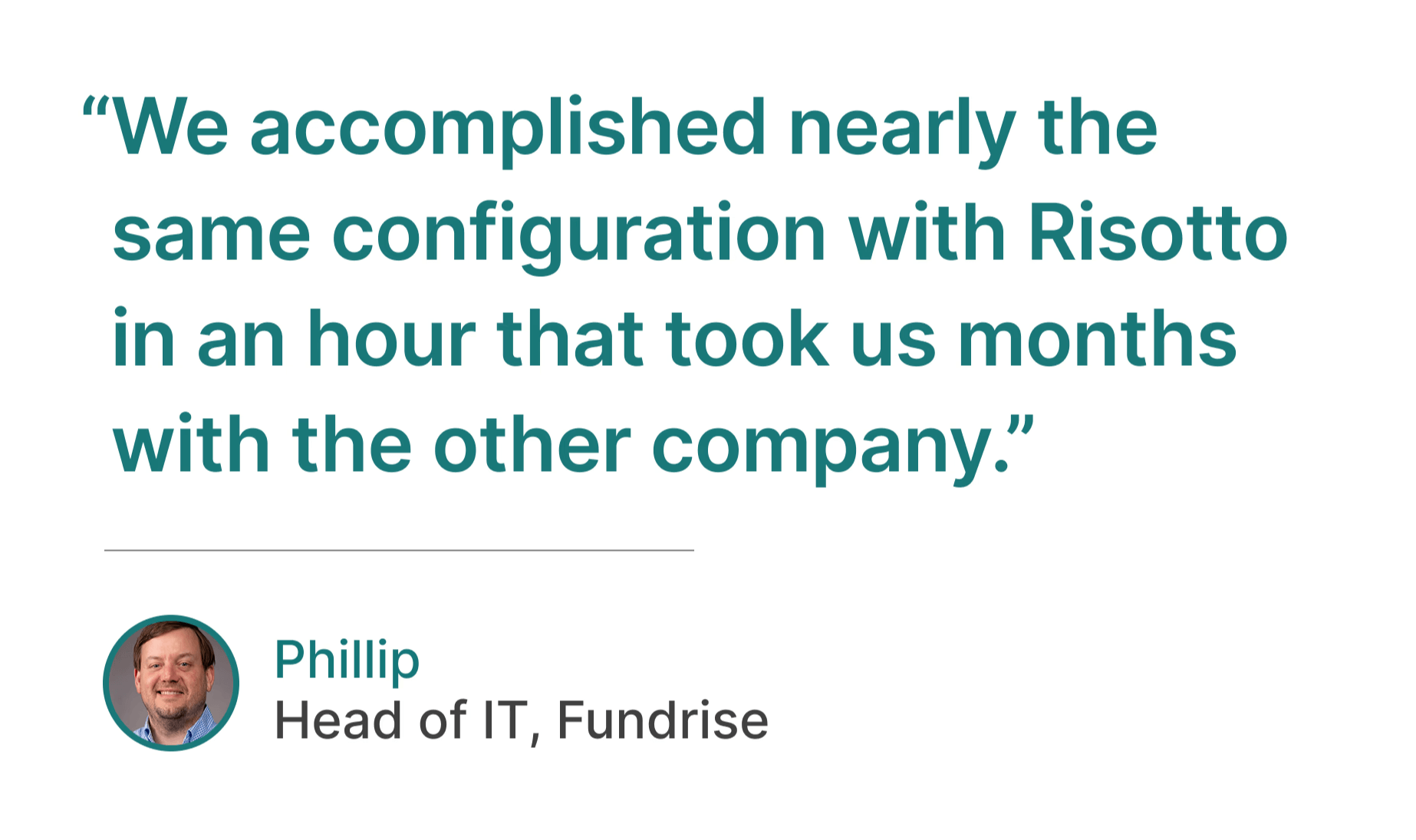
“The speed and simplicity of Risotto’s setup was a great sign that we had made a good decision… We accomplished nearly the same configuration with Risotto in an hour that took us months with the other company.”
– Phillip Rickett, VP of IT at Fundrise
"Risotto is one of the easiest tools I've implemented. We were up and running in less than a week and already seeing our first autosolves."
– Jason Huey, Senior IT Systems Administrator at ThoughtSpot
"Ease of deployment was huge. We didn't need a consultant or months of configuration. Risotto just worked."
– Peter Hadjisavas, Head of IT at Hazel Health
Learns Continuously from Every Interaction in Slack
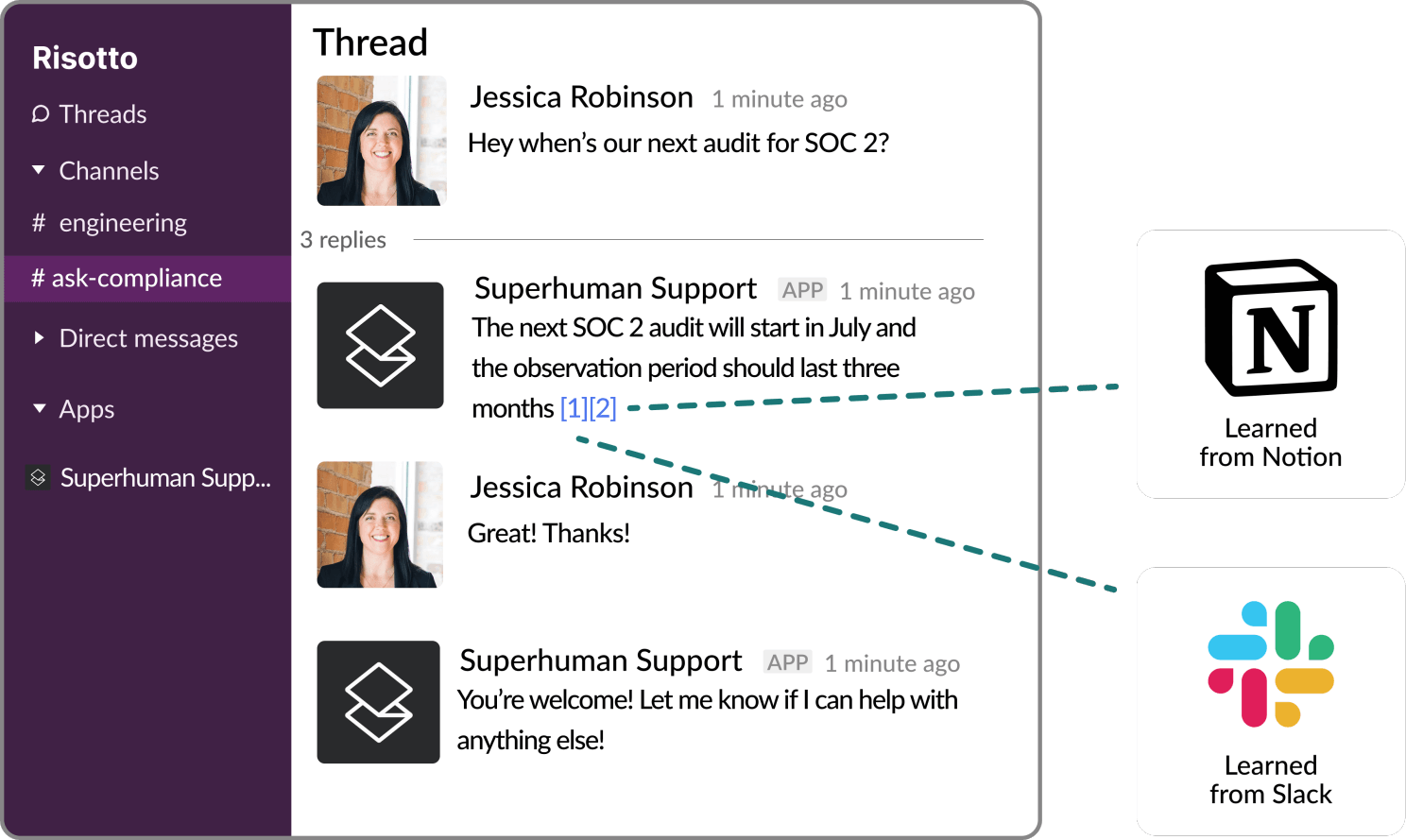
Instead of requiring you to update your knowledge base continually, Risotto's AI learns from how your team actually resolves tickets in Slack, building institutional knowledge automatically.
This was one of our hardest engineering challenges — it took 18 months to build. Extracting reliable answers from messy, conversational Slack messages is a fundamentally different problem than searching a structured wiki, and most of the practical knowledge your team relies on lives in those threads, not your documentation.
"The killer feature for us was that it could effortlessly learn and capture knowledge that our team creates every day in Slack… With Risotto, instead of constantly writing new documentation, our team can simply answer questions, and Risotto learns as we go.”
– Phillip Rickett, VP of IT at Fundrise
"The more we use Risotto, the smarter it gets, that's what makes it different from every other tool we've tried."
– Peter Hadjisavas, Head of IT at Hazel Health
"One special thing about Risotto is it's constantly improving with every question. We see it getting better and better every day."
– Jason Huey, Senior IT Systems Administrator at ThoughtSpot
"Our auto-solve rate continues to get better over time automatically which is so cool to see."
– Collin Clifford, Legal & Compliance Manager at Superhuman
IGA Embedded in the Help Desk

Software provisioning, time-based access, approval workflows, and compliance tracking are embedded directly in the help desk — not bolted on through a separate IGA tool.
Here’s what that looks like in practice:
- Employees request access in Slack: For example, an employee asks for Stripe access in Slack. Risotto chats with them conversationally to gather the necessary details, like access level, justification, and duration.
- Routing & approval: Risotto routes the approval request to the right manager(s) directly in Slack based on your configured approval workflows.
- Provisioning and de-provisioning: Once approved, Risotto provisions access immediately through your identity provider. For just-in-time (JIT) requests (e.g., Stripe access for 90 days), access is automatically revoked when the time window expires, with optional Slack notifications before expiration.
- Backend controls: Configure role-based access control (RBAC) rules, segregation of duties (SoD) with multi-step approval workflows, least-privilege principles, and more via our incredibly intuitive dashboard.
- Compliance built in: Every request, approval, and access change is logged automatically, so SOC 2 evidence collection happens in the background instead of as a manual scramble.
"Other IGA solutions felt clunky to set up and maintain. There was a lot of overhead to maintain them and they weren't embedded in the help desk, so you're solving one problem but creating another… we include Risotto in all our onboarding material now, and once people see how useful it is they keep coming back to use it more which is a really good sign.”
– Toby Stewart, IT Engineering at Ironclad
"When a team member asks, 'How do I get access to Hightouch?' they're not looking for a link or a document; they need immediate, actionable assistance. Risotto intelligently understands the intent behind the request. It confirms existing permissions, coordinates necessary approvals proactively, and automatically provisions access upon approval."
– Phillip Rickett, VP of IT at Fundrise
“The software access automations were a huge win for us. They were super easy to set up and we now have more than 30 applications with automated provisioning running 24/7.”
– Tom Grinberg, IT Manager at Trust & Will
“Automated software access saves us so much time. Within minutes people get the access they need with everything tracked, approved, and no additional overhead needed… For sensitive tools and resources Risotto’s automated time-based access has been a game-changer.”
– Collin Clifford, Legal & Compliance Manager at Superhuman
"Our control for SOC 2 is that access to privileged systems is approved by a manager... Risotto is able to automate the approval process and ticket tracking portion which is exactly what we needed."
– Vergil Smith, IT Manager at Vidyard
Multi-Department Under One License
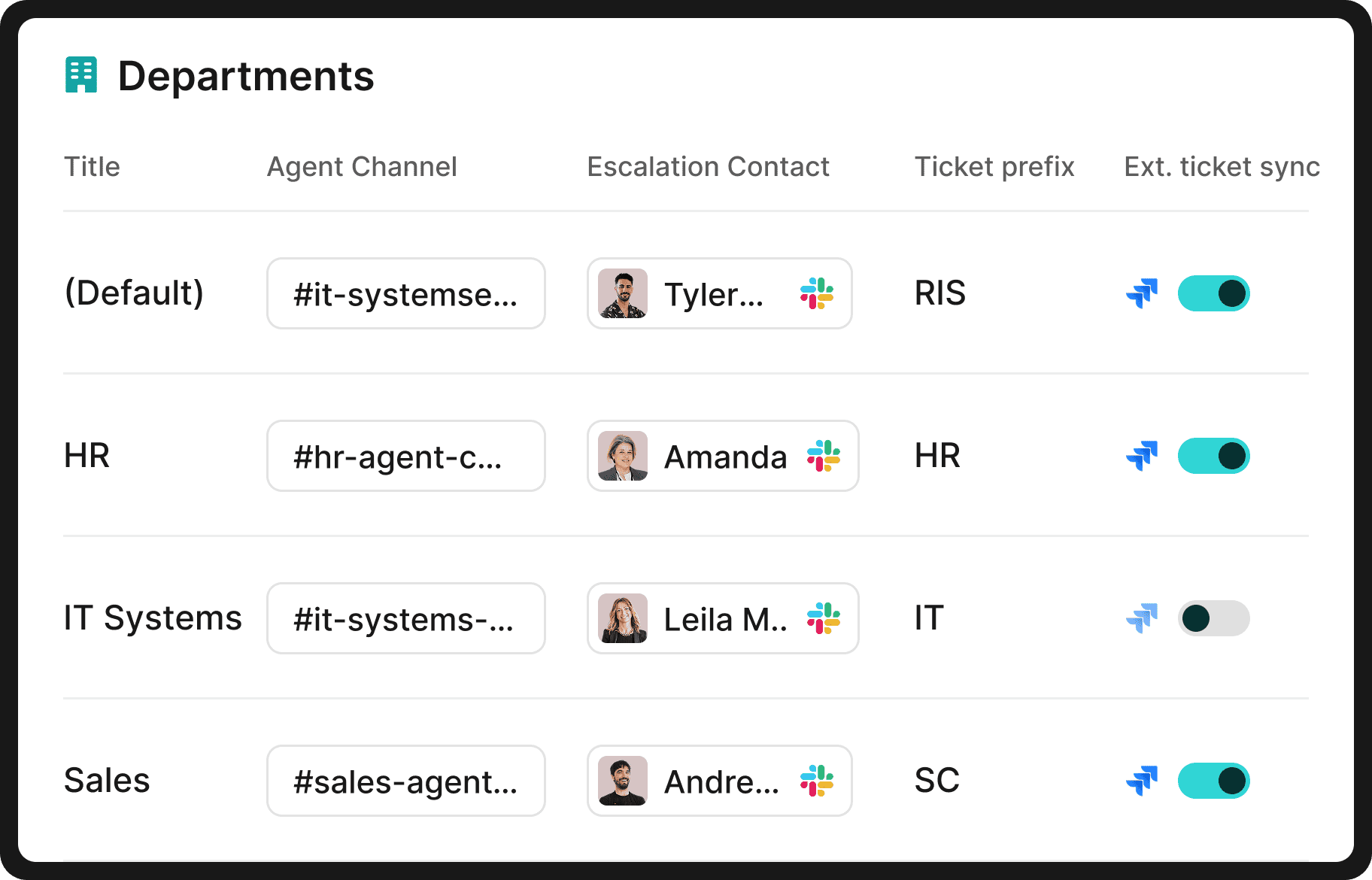
IT, HR, Legal, Sales Ops, and any internal support function can run through Risotto under a single license with no per-department fees or add-on pricing. Each department gets:
- Its own dedicated setup: Separate Slack channels, knowledge bases, workflows, and escalation paths per team. HR tickets never surface in IT queues and vice versa.
- Automatic ticket routing: Requests are intelligently routed to the right team and person based on prior ticket history in Slack.
- Flexible ticketing options: Risotto includes a lightweight built-in ticketing system that non-technical teams often prefer, though it also integrates with Jira or any existing ticketing system just as well if a department already has one.
- Fast onboarding: New departments can be up and running in less than a week, rather than undergoing an extensive months-long deployment.
"Once you add in HR, our combined automation rate is even higher at 50.2%."
– Jason Huey, Senior IT Systems Administrator at ThoughtSpot
"The multi-department capabilities are awesome. Our engineering and RevOps teams now also want to use Risotto."
– Collin Clifford, Legal & Compliance Manager at Superhuman
"Risotto started autosolving tickets immediately. Within the first few weeks, we saw departments that had never tracked ticket requests before, like our Cloud team, asking to get on the platform and streamline their support function."
– Erik Van Dijk, Senior IT Manager at Jobber
“We set out to become AI native. Risotto's AI support agent is helping us turn this vision into a reality."
– Jose Izquierdo, Head of AIT Operations at Gusto
Interested in Learning More About Risotto?
Risotto auto-solves 20–60% of internal support tickets, and seamlessly integrates with the tools your team already uses, including Jira Service Management, Freshservice, Zendesk, ServiceNow, Okta, Google Workspace, Confluence, Notion, Slack, and more — so there's no rip-and-replace required.
To learn more, we invite you to:
2. Glean
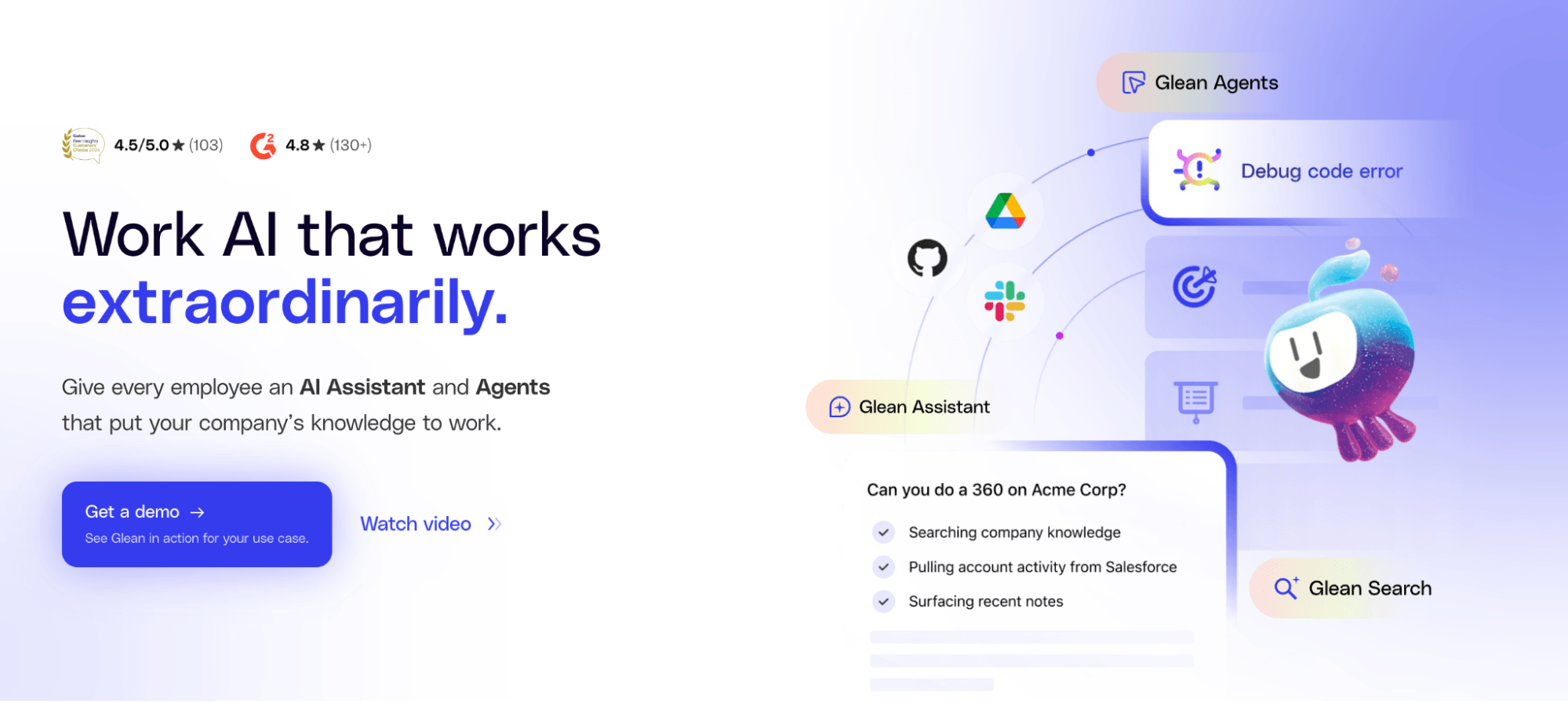
Glean is an enterprise AI platform that combines workplace search, an AI assistant, and an agent builder. It connects to over 100 SaaS applications and uses a company-specific knowledge graph to deliver personalized, permission-aware results across your entire tech stack.
Some of their features and capabilities include:
- Unified search across 100+ apps: Indexes content from tools like Jira, Confluence, Slack, Google Drive, Salesforce, GitHub, and dozens more. Results are returned in real time and scoped to each user’s permissions, so people only see what they’re authorized to access. Supports various Atlassian tools.
- Company-specific knowledge graph: Goes beyond keyword matching by mapping relationships between people, projects, teams, and content across your organization. This lets Glean personalize results based on your role, department, and how your company actually works.
- AI assistant with generated answers: Rather than just returning links, Glean’s AI assistant synthesizes information from multiple sources to provide direct answers grounded in your company’s data. It also detects subject-matter experts and surfaces relevant people alongside content.
- No-code AI agents: Lets teams build multi-step automated workflows using natural language. Agents can chain together actions like searching, summarizing, and sending notifications, with human-in-the-loop controls and permission boundaries built in.
- Enterprise-grade security and governance: Mirrors the access controls of every connected source app in real time, so search results always respect existing permissions. Includes data governance features designed for regulated industries through Glean Protect.
3. Microsoft 365 Copilot
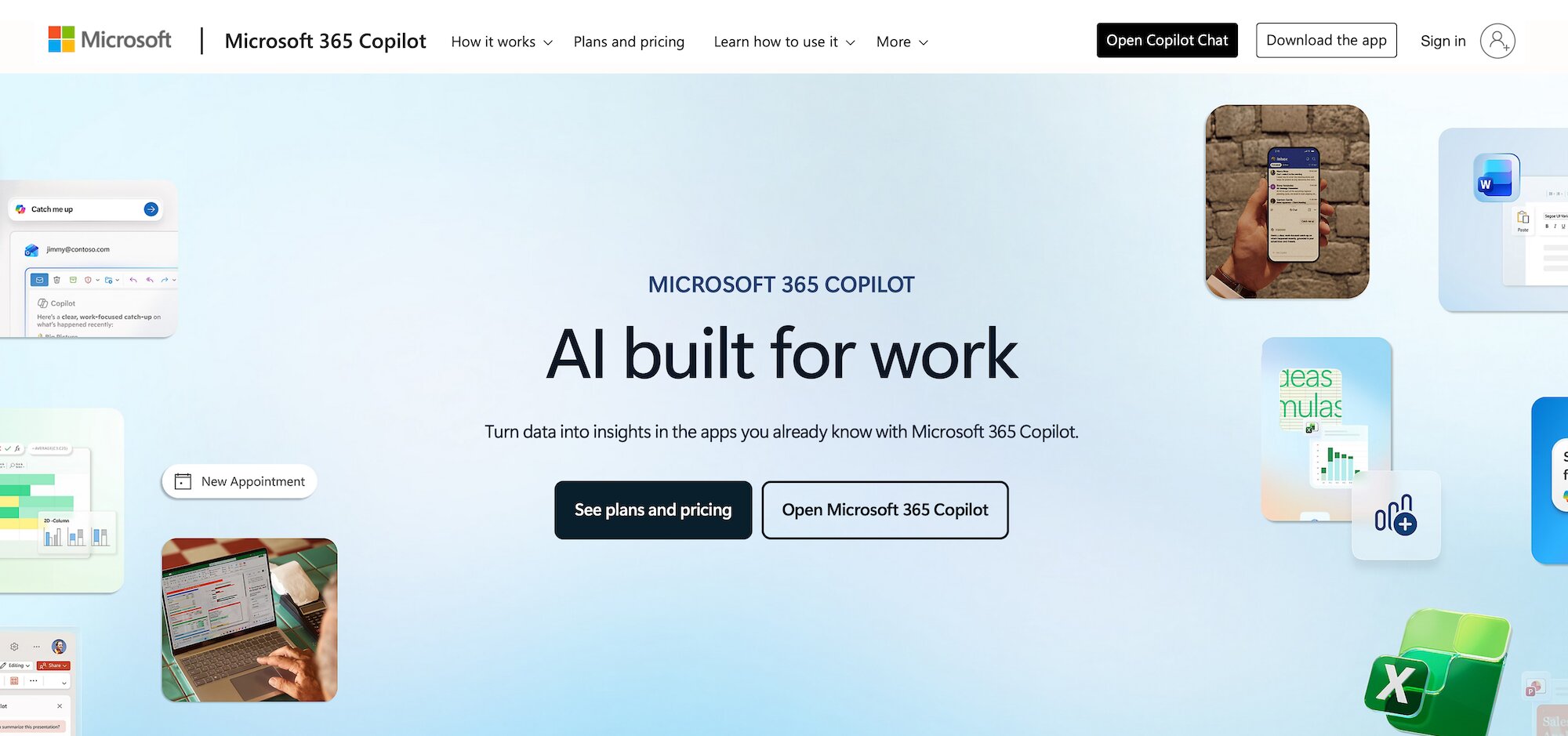
Microsoft 365 Copilot is Microsoft’s AI assistant embedded natively across the Microsoft 365 suite. If your organization already runs on Teams, Outlook, Word, Excel, PowerPoint, and SharePoint, Copilot brings AI capabilities directly into those tools without requiring a separate AI platform.
Some of their features and capabilities include:
- AI embedded in every core app: Draft and revise documents in Word, analyze data and build formulas in Excel, generate presentation decks in PowerPoint, summarize email threads in Outlook, and recap meetings with action items in Microsoft Teams. All done through natural language prompts.
- Microsoft Graph-powered context: Copilot draws on the Microsoft Graph, which maps relationships between your emails, files, meetings, and contacts, to provide contextually relevant responses grounded in your organization’s data rather than generic answers.
- Custom agents with Copilot Studio: Organizations can build, deploy, and govern custom AI agents that automate specific workflows, such as scheduling meetings, generating documents, updating CRM records, and more. Designed for enterprise-grade policy management and audit logging.
- Enterprise data protection: Copilot respects your existing Microsoft 365 permissions and security policies. Prompts and responses stay within your tenant, and admins get compliance controls through Microsoft Purview, including audit logs for all agent-related activities.
- Industry-specific solutions: Microsoft offers purpose-built Copilot editions for sales (integrated with Dynamics 365 and Salesforce) and customer service (connected to CRM systems) that go beyond general productivity into role-specific workflows.
4. Google Workspace with Gemini
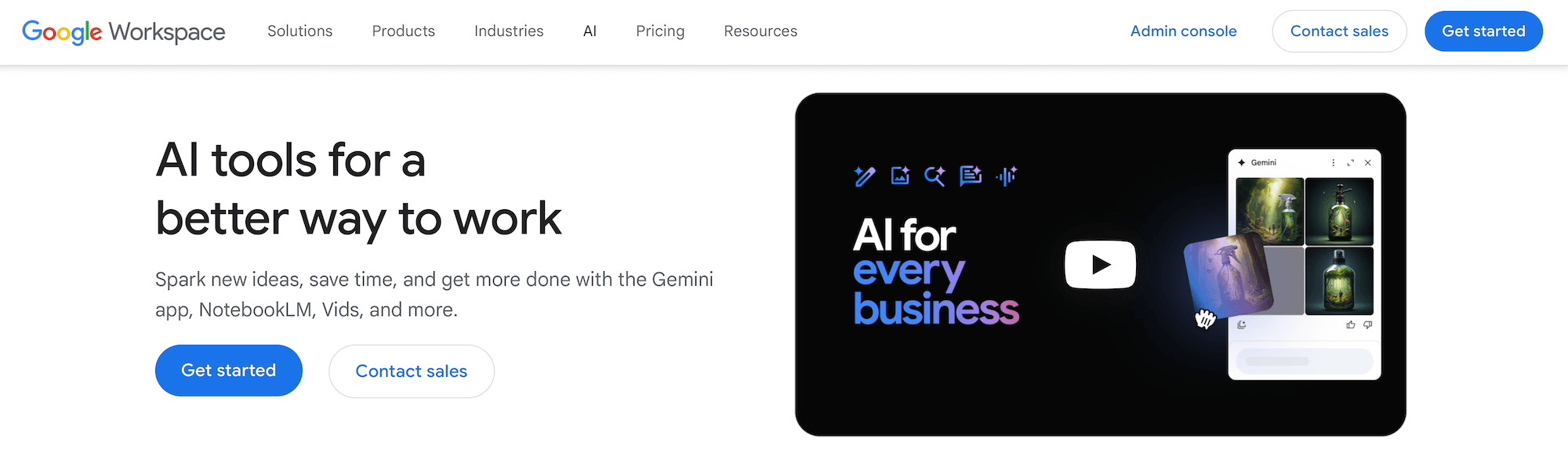
Google Workspace with Gemini is Google’s AI layer built directly into Gmail, Docs, Sheets, Slides, Drive, and Meet. For organizations already running on Google Workspace, Gemini adds AI-powered assistance natively inside the tools your team uses every day.
Some of their features and capabilities include:
- AI assistance across the full Workspace suite: Summarize email threads and draft replies in Gmail, generate and refine content in Google Docs, analyze data in Sheets, create presentation slides, and get automated meeting notes in Meet so your team can focus on the conversation rather than note-taking.
- Standalone Gemini app and NotebookLM: Beyond in-app features, Google offers a dedicated AI assistant for research, brainstorming, and complex analysis. NotebookLM lets users upload documents and generate summaries, discover connections across sources, and create audio overviews from their materials.
- Agentic capabilities with Gemini Enterprise: The enterprise tier enables organizations to create, share, and run AI agents across workflows. Teams can build agents for specific use cases like sales analysis, project tracking, or development pipeline management without writing code. Overall, you get powerful generative AI capabilities that work within your ecosystem.
- Data privacy and compliance controls: Your organization’s data isn’t used to train Gemini models or for ad targeting. Gemini respects existing access controls, so users only see content they’re authorized to view. Google also offers DLP, information rights management, and client-side encryption.
- Multilingual support: The Gemini app works in over 40 languages, and the side panel AI features in Gmail, Docs, Sheets, and Drive support 25 languages. This is an important consideration for globally distributed teams considering AI tools.
5. Slack AI
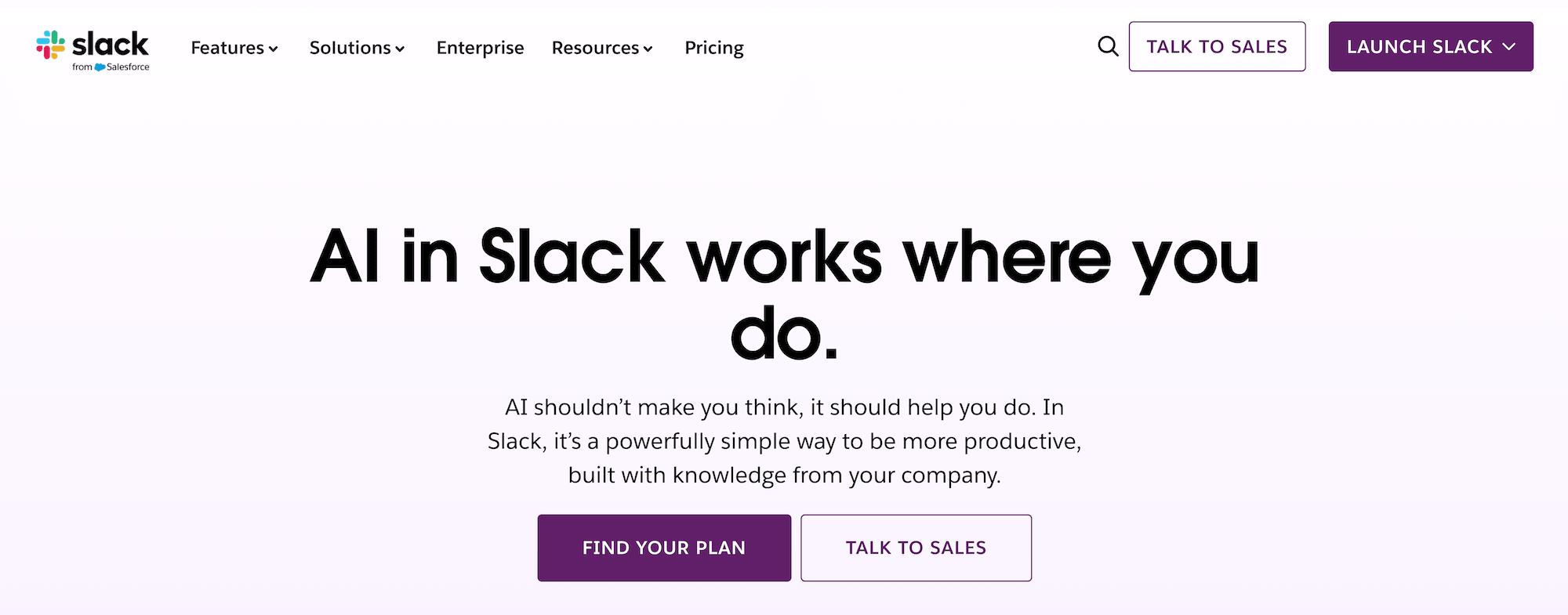
Slack AI adds AI-powered search and summarization directly inside Slack. If Slack is already the central hub for your team’s communication, Slack AI layers knowledge retrieval on top of the conversations and files that already live there.
Some of their features and capabilities include:
- Natural language search across channels and connected apps: Ask questions in plain language, and Slack AI pulls together answers with citations linking to the original messages, files, or canvases. It also searches across connected apps like Google Drive, Salesforce, and SharePoint.
- Thread and channel summaries: Get a one-click recap of long threads, catch up on everything you missed in a channel, or set up daily digests for channels you need to stay on top of. Huddles also get automatic transcriptions and summaries with highlighted action items.
- AI-driven Workflow Builder: Describe what you want to automate in plain language and Slack AI generates the workflow for you. You can also add steps like “summarize public channel” to automations for recurring reports or project updates without manual effort.
- Tiered feature access by plan: Slack AI features scale with your plan level. Pro includes core summarization, Business+ adds AI-powered search and workflow generation, and Enterprise Grid unlocks the full suite with advanced security controls and enterprise-wide search capabilities.

Liked the article? Share on:
On this page
Try Risotto for free for 30 days. Commit only when you see the value.


See more recent articles


Want faster solutions and happier employees?
Access that's easy to ask for and impossible to get wrong.
Ensure Legal never answers another "do we need an NDA for this?"
Every policy question is stealing time from the work Finance was hired to do.
Turn Slack requests into action items instead of engineering interruptions.
The biggest deal risk might be an unanswered internal question.
Run a united support system that your employees can depend on.
Build the automations you’ve been planning on for months.
The bottleneck isn't your team. It's the groundwork before they can actually help.
Get support data that your team can talk to.
Jump on a call to understand:
Risotto handles repetitive support requests across tools and teams, so IT gets back to solving real problems, not rerunning the same ones.
.svg)
%20(1).webp)
See what makes the Iru integration a 10/10 for our clients.