%20(1).svg)
ITSM best practices for 2026: How AI is rewriting the old playbook
The old ITSM playbook was built for human-led support. Here’s how to update it for a service desk where AI agents can resolve Tier-1 work themselves.


ITSM best practices are the standard habits IT teams use to deliver support consistently: keep a service catalog, document knowledge, give employees self-service options, and measure the work. Most of them were written for a world where every request eventually reached a human.
For a long time, a person was the only thing that could read a plain-language request and act on it. Software needed the request broken into fields first, so IT built forms, portals, and queues around that limit.
But those limitations are gone. An AI agent can read a sentence and understand what the person needs. It can then act on that request directly without a human stepping in. But too many IT leaders still describe their weeks the way they always have, keeping the wheels on while project work waits for the queue to let up.
This article walks through how ITSM best practices need to evolve with the technology that’s taking over service desks.
TL;DR
- Classic ITSM best practices were built for a world where humans had to read every request. But now that an AI agent handles Tier-1 requests, some of those recommendations need to be revisited.
- Knowledge articles that work for people don't necessarily work for agents; you need exact system names, numbered steps, and ownership so an agent can execute them reliably.
- Employees won't use a separate portal if they can get help in Slack, so put self-service where they already work.
- Auto-solve rate matters more than first response time now, and it's the metric that tells you how much volume you absorbed without growing.
- Layer an AI agent on top of your existing ITSM platform, keep your ticketing tool as the system of record, and watch your team shift from closing repetitive tickets to building automations and compounding time savings.
Why the standard best-practice list is starting to date
Classic ITSM best practices all apply to the same type of workflow. A request joins a queue, a human works the queue, and a self-service portal sits in front of it to keep the volume down.
Most of that queue is made up of Tier-1 requests: first-line work resolved by following a documented procedure, like access requests, password resets, and troubleshooting with known steps. There’s no judgment calls required, just a procedure and someone to follow it.
The queue existed in the first place because a human was the only thing that could read an employee's request, like trying to access Figma, and work out who owns the license and whether this person should have one.
But none of this touches incident, problem, and change enablement. What's changing is how the front line executes, and three assumptions underneath it are worth examining.
- Employees will use your portal. IT leaders consistently tell us that a meaningful share of support requests arrives as untracked Slack or Teams DMs, and at some organizations, it's the majority. One was running the portal and Slack at once, context switching all day. Too often, employees get stuck mid-conversation with no ticket and no resolution.
- Knowledge exists to be read by a person. Articles get written for a human who'll skim them and fill in the gaps. An AI agent reads the same article and acts on it, but that article has to be optimized accordingly.
- First response speed is the thing worth optimizing. While it’s important to still look at, first response speed doesn’t tell you how effective the support was, how quickly the issue was resolved, and what the employee experience was like.
Three ITSM best practices, rewritten for AI-first support
You still need to follow best practices to run an efficient IT service desk. What’s changed is that an agent now handles the first point of contact instead of a person, so your approach to ITSM needs to evolve as well.
2. Put self-service where employees already work
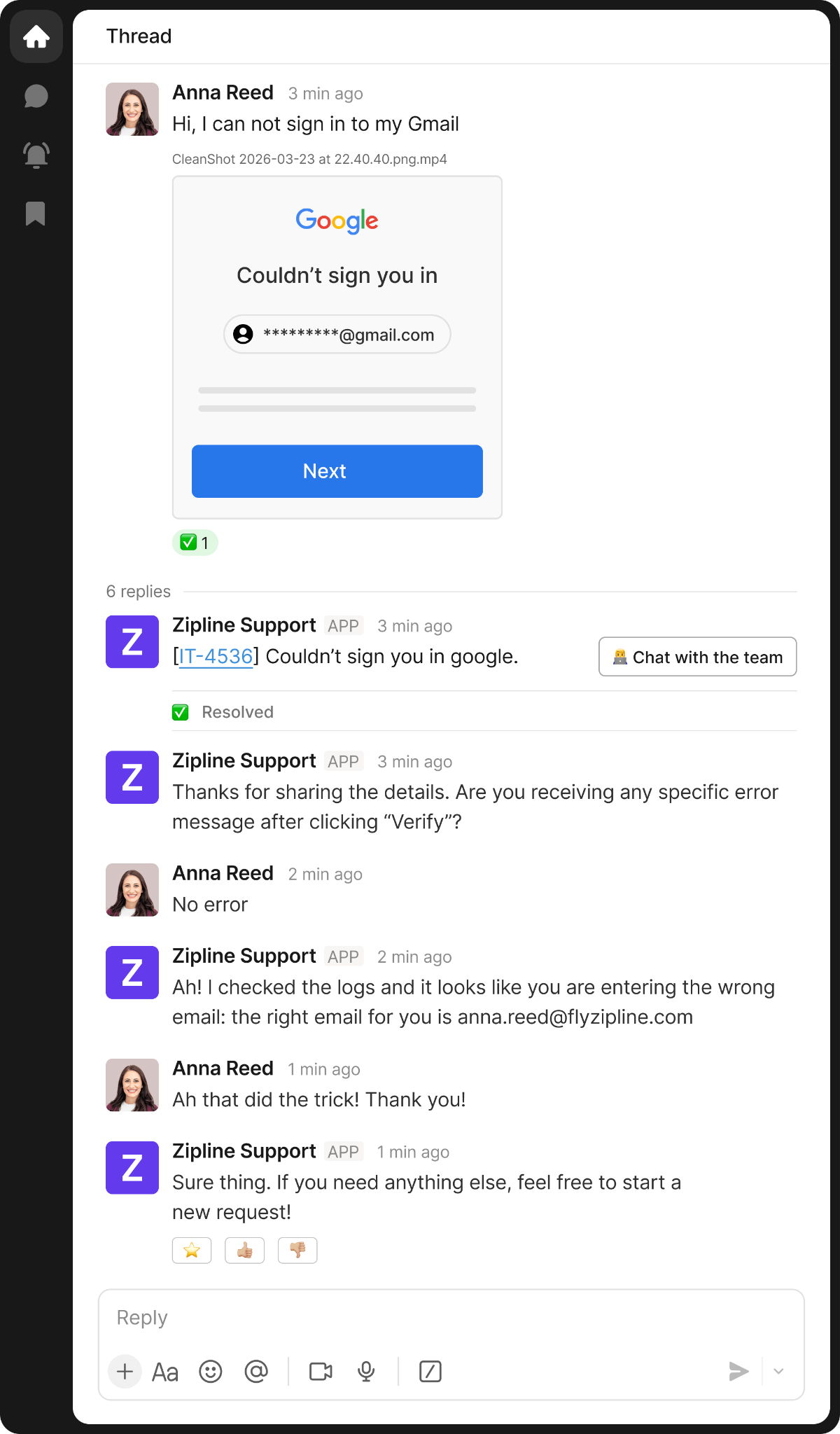
You built your support portal to keep volume down, but employees would rather send a Slack message to IT instead. When this happens, both your IT team and employees are context switching all day. One company we spoke with ditched their vendor because it was "not faster than a Slack ping." That's the bar, and if you're slower than that, people don't use it.
Portals can create problems even when employees do use them. Faced with a large service catalog, people may choose the easiest-looking option rather than the correct request type. That can send the ticket down the wrong workflow and stop automations from firing.
Your employees already live in Slack or Teams, so that's where the agent should be, not as a bot you bolt onto a portal. With conversational ticketing, employees can explain their issue via chat, and the AI agent solves the issue right then and there.
But don't kill your email or portal intake. Requests will still come through both during rollout, so route them into the same funnel as Slack. Where possible, keep approvals in Slack or Teams too, so requests don't stall in email or ticket notifications.
So no matter where an employee shares their issue or request, your ticketing tool remains the system of record, and escalations reach your IT team with the conversation history attached. What changes is where the employee makes contact, not where the support lives.
3. Go beyond traditional ITSM metrics
First response time used to matter because it was the constraint. When someone had to manually pick up a request, every second counted, and response time depended heavily on what your queue looked like. Now every team replies in seconds. The metric stops telling you anything useful.
What you actually need to know is whether the agent finished the job, which is what auto-solve rate tells you. It enables you to track how much volume your team absorbed without growing headcount. Beyond that, look into the reopen rate of auto-solve tickets to ensure AI agents are actually resolving issues rather than sweeping them under the rug. These are two of the help desk KPIs that give you a clearer view of whether support is actually improving.
Be cautious with deflection rate on its own. A request can count as deflected without being resolved end to end, which makes the number difficult to audit. Where possible, tie AI performance back to ticketed interactions so you can clearly separate automated resolutions from requests that needed a person.
There are a few more ways you can pair classic ITSM metrics with updated indicators to give you a better idea of how an AI-led service desk is performing:
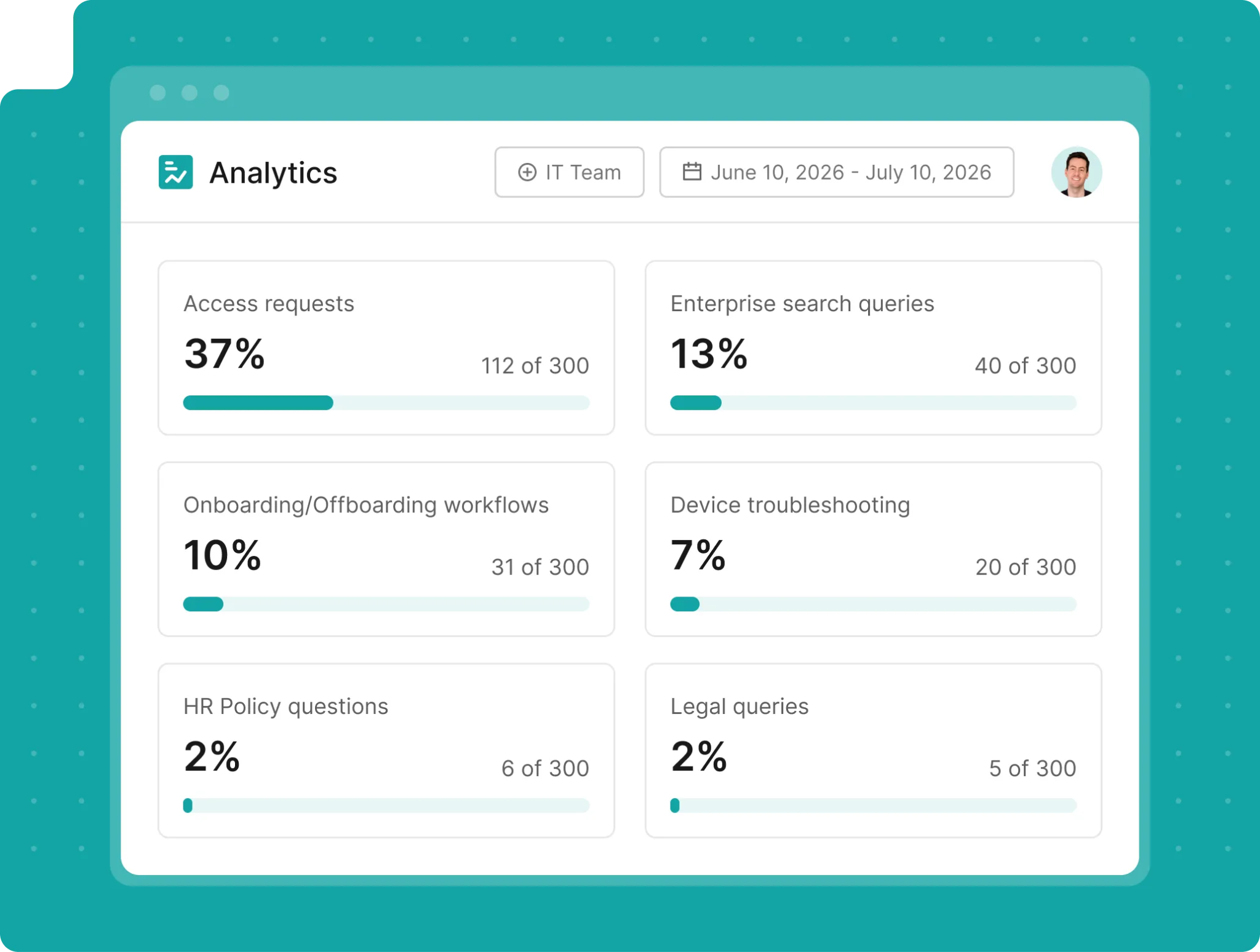
See what auto-solve rate could look like on your own ticket volume. Book a demo.
How to roll this out without replacing your ITSM
The best part about implementing these updated ITSM best practices is that you don’t have to migrate anything. Your ticketing system stays exactly where it is, and the agent handles the conversation in Slack or Teams. The two systems talk to each other with bidirectional syncing, and your ticketing tool stays the system of record.
Start in a private or “silent” mode before putting the agent in front of employees, so you can confirm ticket sync and resolution behavior first. You can also replay a sample of recent tickets through the agent to benchmark likely auto-solve performance before go-live.
And when getting started, run a weekly loop. Sort what the agent couldn’t resolve into three buckets:
- Knowledge gap: The agent didn’t have the information it needed.
- Missing automation: The relevant automation hadn’t been set up yet.
- Correctly escalated: The request genuinely needed an IT agent.
Start by fixing the knowledge articles, then move onto rewriting runbooks as necessary, and track auto-solve rate week over week. What does good look like? One of our customers hit 53% auto-solve on day one. Keep your existing reporting running, and add the new metrics we mentioned above on top.
Just a quick note: automating Tier-1 specialists won’t automatically reduce your headcount. Rather, the focus of your IT team shifts. Instead of closing 100 simple tickets a day, they spend the week writing runbooks and building automations to lay out the next wave of requests the agent can handle, work that offers far higher ROI than manual password resets or troubleshooting.
Putting these ITSM best practices into action
The strongest IT teams are adapting their playbooks for a world where an agent handles the first line instead of a person.
Knowledge still needs to be written down, self-service still works, and measuring your work still matters. What changes is how you build out each of your IT processes to work with an AI agent instead of solely relying on human support.
For a layer that sits on top of your existing ITSM platform and applies these practices while keeping your system of record intact, look to Risotto.The agent handles the conversation, your ticketing tool stays the source of truth, and the two stay in sync.
Risotto auto-solves up to 60% of Tier-1 tickets, and employees can stay in the channels they already use, like Slack and Teams, to make their request. You also get detailed reporting on AI-focused metrics like auto-solve rate across workflows, so you can measure where AI has an easy time resolving tickets and where you may need to improve knowledge base articles or runbooks.
There’s no need to migrate or rip and replace. You simply adapt your current processes to an AI support layer that increases your team’s capacity and lets them focus on bigger picture issues.
FAQs about ITSM best practices
What are some ITSM best practices?
Some ITSM best practices include documenting knowledge in a way an agent can act on, not just a human can read; putting self-service options where employees already spend their time; and measuring auto-solve rate alongside response time to see what you're actually fixing, not just how fast you reply.
What is the difference between ITSM and ITIL?
ITIL is a framework on how IT should work. ITSM is the practice of actually doing it. You take ITIL concepts, like documenting knowledge and measuring performance, and build them into your own processes, using your own tools, shaped to how your company works.
How do you measure ITSM performance?
Start with response time and ticket volume. Add auto-solve rate to see how much work the team absorbed without growing, then track MTTR segmented by resolution path so you know whether automated or human tickets are actually faster. Finally, look at repeat contact rate to make sure auto-solved tickets stay solved.
Does AI replace the IT service desk?
AI handles Tier-1 requests that follow a procedure, but Tier-2 tickets and escalations still need people. What changes is your team moves from approving the same request dozens of times a day to handling the requests AI can't solve, enabling them to work on higher-leverage problems.
What is a good auto-solve rate?
The typical range is 20 to 60%, with very successful deployments reaching up to 80%. To get an idea of what auto-solve rate could look like for your business, pull your ticket history, mark the requests that follow a documented procedure with no judgment call, and that's the number to aim at.
Liked the article? Share on:
On this page
See how Risotto helps IT teams handle more requests without adding headcount





Want faster solutions and happier employees?
Access that's easy to ask for and impossible to get wrong.
Ensure Legal never answers another "do we need an NDA for this?"
Every policy question is stealing time from the work Finance was hired to do.
Turn Slack requests into action items instead of engineering interruptions.
The biggest deal risk might be an unanswered internal question.
Run a united support system that your employees can depend on.
Build the automations you’ve been planning on for months.
The bottleneck isn't your team. It's the groundwork before they can actually help.
Get support data that your team can talk to.
Jump on a call to understand:
Risotto handles repetitive support requests across tools and teams, so IT gets back to solving real problems, not rerunning the same ones.
.svg)
%20(1).webp)
See what makes the Iru integration a 10/10 for our clients.