%20(1).svg)
7 ServiceNow Virtual Service Agent Alternatives (Key Points)
Discover top ServiceNow Virtual Service Agent alternatives and competitors for automated ticket resolution and key factors to consider.


If you're evaluating ServiceNow Virtual Agent alternatives for automated ticket resolution, there are a few key questions worth asking before you commit to any platform:
- Does it actually resolve tickets, or just deflect them? There's a meaningful difference between an AI that links employees to a knowledge base article and one that resolves the issue end-to-end without a human touching it. When evaluating any tool, ask for documented ticket auto-solve rates backed by real customer data. If a vendor can only show you deflection numbers, that's a red flag.
- Does it integrate seamlessly with ServiceNow and your broader tech stack? If you're evaluating alternatives to ServiceNow's Virtual Agent, you likely want to keep ServiceNow as your ticketing system. The right tool should layer on top of it — complete two-way sync, live webhooks, automatic ticket handling — without requiring you to rip out or migrate away from your current infrastructure. Beyond ServiceNow, look for depth of integration with other tools that matter for IT support automation.
- How quickly will it actually deliver value, and how much ongoing maintenance does it require? You should have a clear answer on how long before you're actually seeing tickets get auto-resolved. Many tools promise automated ticket resolution but still require months of configuration and manual workflow building before they actually start solving anything. And once it's live, pay attention to what happens next. Can your team make configuration changes through an intuitive, self-serve dashboard? Or do you need to contact a service rep every time you want to tweak something?
- Does the AI continually learn and improve on its own? Most AI IT chatbots can only pull from your knowledge base — which means they're only as good as your documentation. The problem is, documentation goes stale fast. A new workaround for an issue may get shared in #it-help but never makes it into an article. Now the AI is confidently giving employees yesterday's answer. Look for platforms that can auto-learn from the conversations already happening in Teams and Slack — not just what's written in the knowledge base. And make sure that each message runs through rigorous quality checks so only verified resolutions make it into the AI's knowledge.
- Is it AI-native, or AI bolted onto a legacy system? There are broadly three categories of tools in this space: bundled AI from your existing ITSM provider (limited ticket auto-solve potential), platform/iPaaS tools you build on yourself (flexible but require engineering bandwidth and still limited auto-solve rates), and AI-native point solutions built specifically for this problem (fastest time to value, highest auto-solve ceiling). Knowing which category you're buying from — and what you're trading off — makes the evaluation a lot easier.
- Does it support AI-driven IGA automation with enterprise-grade security? Most tools just route access requests to a separate IGA system or make employees navigate a portal to submit them. Look for platforms where IGA is embedded directly in the help desk — so an employee can say "I need access to Stripe" in Teams or Slack, and the entire flow — ticket routing and approval, provisioning, and de-provisioning — happens without leaving the conversation. Just as important: make sure there are enterprise-grade guardrails to ensure expected behavior, and prevent the AI from taking unauthorized actions. Also, ensure the platform supports automatic compliance reports, where tickets & audit trails are automatically managed for every request.
- Can it auto-resolve tickets across multiple departments, not just IT? The companies getting the most value from AI support aren't limiting it to IT. They're expanding across HR, Legal, Finance, Sales Ops, and more — and that multi-department reach is often what unlocks executive buy-in. Make sure the platform comes with prebuilt workflows for each department — not one that requires your team to configure each one from the ground up.
Up next, we'll discuss how Risotto (our product) was built specifically to address these areas. Then we'll discuss other ServiceNow Virtual Service Agent alternatives so you can make an informed decision.
1. Risotto
AI-Native ITSM that Augments Your Existing Ticketing System
Risotto is our AI-native ITSM that augments ServiceNow (or other existing ticketing systems) with complete two-way sync and live webhooks — so you keep your existing ticketing infrastructure exactly as it is while adding a powerful AI ticket resolution layer:
- Gusto: Auto-resolved 55% of IT support tickets
- Enterprise scale
- Lean IT team handling 3,000 tickets per month
- Fully deployed in 2 weeks
- Saved 114,000+ hours of support wait time
- 11 departments onboarded with 157 access rules and 50+ runbooks
- ThoughtSpot: Automated 48% of IT support tickets
- Lean IT team serving 1,000+ employees
- Up and running in less than a week
- AI resolution time of 6.5 hours vs. 31 hours for human agents
- Expanded beyond IT into HR and accounting
- Ironclad: Auto-solved 90% of access-related IT requests
- Lean IT team serving nearly 600 employees
- Went from 100–150 manual tickets per week to automated workflows across 40–50 integrated applications
- Jobber: Automated 38% of IT support tickets
- Fully deployed in 3 weeks across 12 departments
- 2,747 hours saved waiting for ticket resolution
- 3-hour AI TTR (down from 35-hour human TTR)
- Fundrise: Automated 60% of IT support tickets
- Accomplished nearly the same configuration with Risotto in an hour that took them months with a widely known legacy ITSM provider
- 55% SLA time reduction
- 3.8 sec average first response time
- Thinkific: Automated 46% of total support tickets
- Onboarded 6 departments in under two months
- 86% auto-solve rate in the Engineering department (showing what happens when the ticket types are well-defined and repetitive)
- Vidyard: Auto-solved 56% of IT support tickets.
- Streamlined SOC 2 audit compliance
- Expanded beyond IT to HR and dev teams
- Shakepay: Automated 40% of IT support tickets.
- Fully operational in under 48 hours
- Centralized security and IT requests into a single workflow
- Superhuman: Automated 20% of IT support tickets.
- Expanded beyond IT to compliance, finance, HR, and engineering
- Average first response time of seconds
- Trust & Will: Automated 35% of IT support tickets.
- More than 30 applications with automated provisioning running 24/7
- Risotto became the AI orchestration layer on top of their existing ticketing system
Risotto is co-founded by Alex Confer, who spent years leading IT engineering at Dropbox and Gusto. They were drowning in SaaS sprawl & knowledge tickets, searching for ways to automate, and testing AI ITSM tools that never lived up to their promise. Per our origin story, our enterprise IT background is baked into every part of the product — what gets built, what gets prioritized, and how our team thinks about the problems you're trying to solve.
Next, we’ll explore the key reasons to choose Risotto, backed by customer stories.
Auto-Solves 20–60%+ of Tickets End-to-End
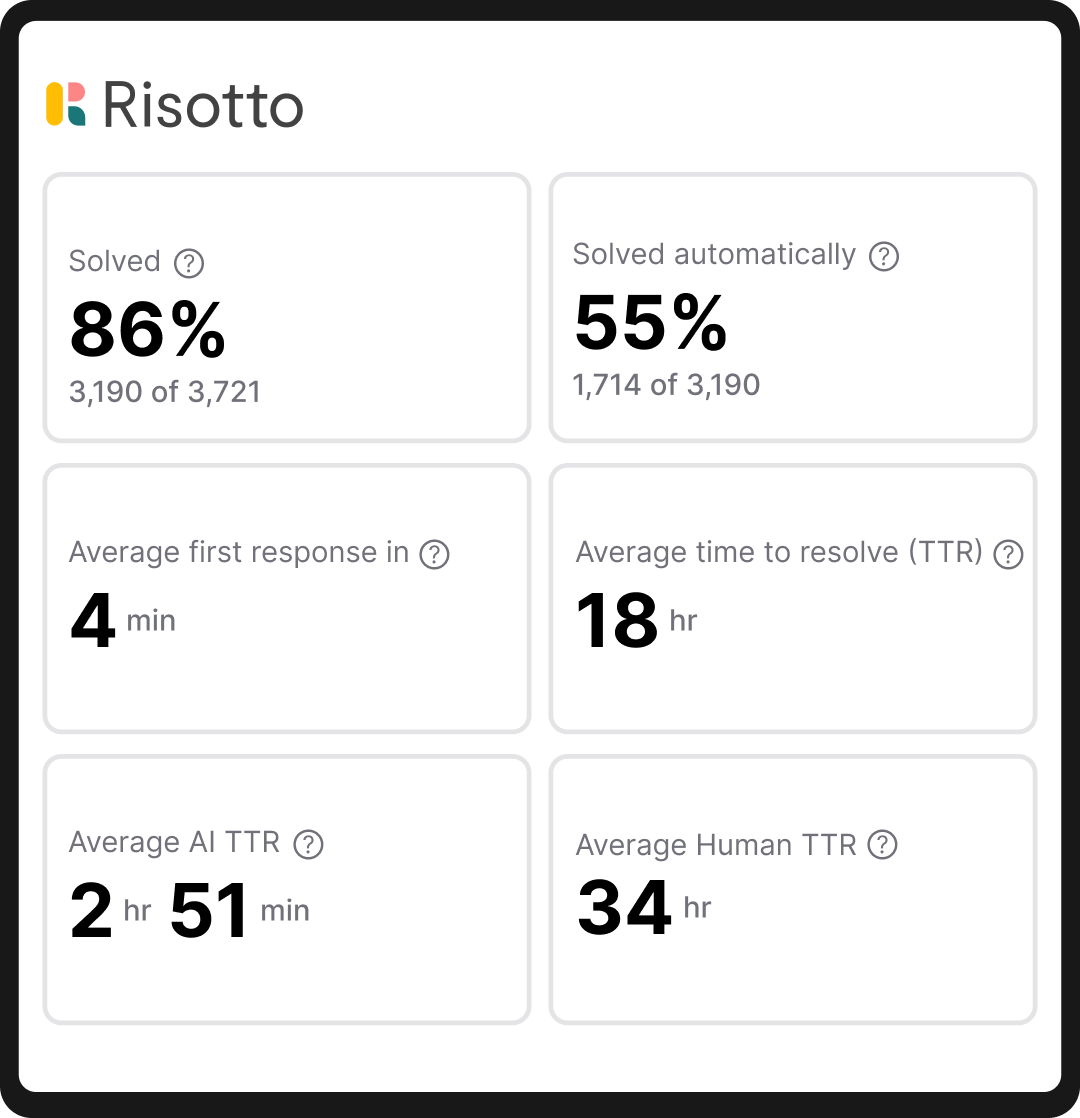
Risotto measures success by auto-solve rate. This is the percentage of tickets fully resolved without a human touching them — not deflected to an article, not routed to a queue and forgotten, but fully resolved.
Gusto, a large enterprise organization with 3,000 IT tickets per month, achieved a 53% resolution rate on day one of implementation. In 2 weeks, they had fully deployed Risotto across Gusto's IT department, with zero downtime.
As our customers describe across several case studies:
"We came to Risotto hoping to hold the line — but the results blew away our expectations. We doubled our resolution rate on day one, and it hasn't dropped since."
– Jose Izquierdo, Head of AIT Operations at Gusto
“Our previous tool summarized whatever it pulled from wiki articles, it didn’t supplement responses with broader LLM knowledge or reasoning. This approach fell short because it lacked the capability to fully understand user intent or supplement answers with external knowledge… Risotto, however, synthesizes information from multiple inputs to provide context-aware, accurate, and actionable responses.”
– Phillip Rickett, VP of IT at Fundrise
"Risotto's AI-powered support system had a massive impact straight out of the box and with very little setup. Employees now get fast, efficient answers with the same precision as one of our professionals."
– Mike Smith, IT Operations Manager at Jobber
“Risotto was able to combine knowledge from different sources and give me an instant answer to a complex question, which was awesome to watch."
– Jason Huey, Senior IT Systems Administrator at ThoughtSpot
Integrates with ServiceNow and Your Broader Stack
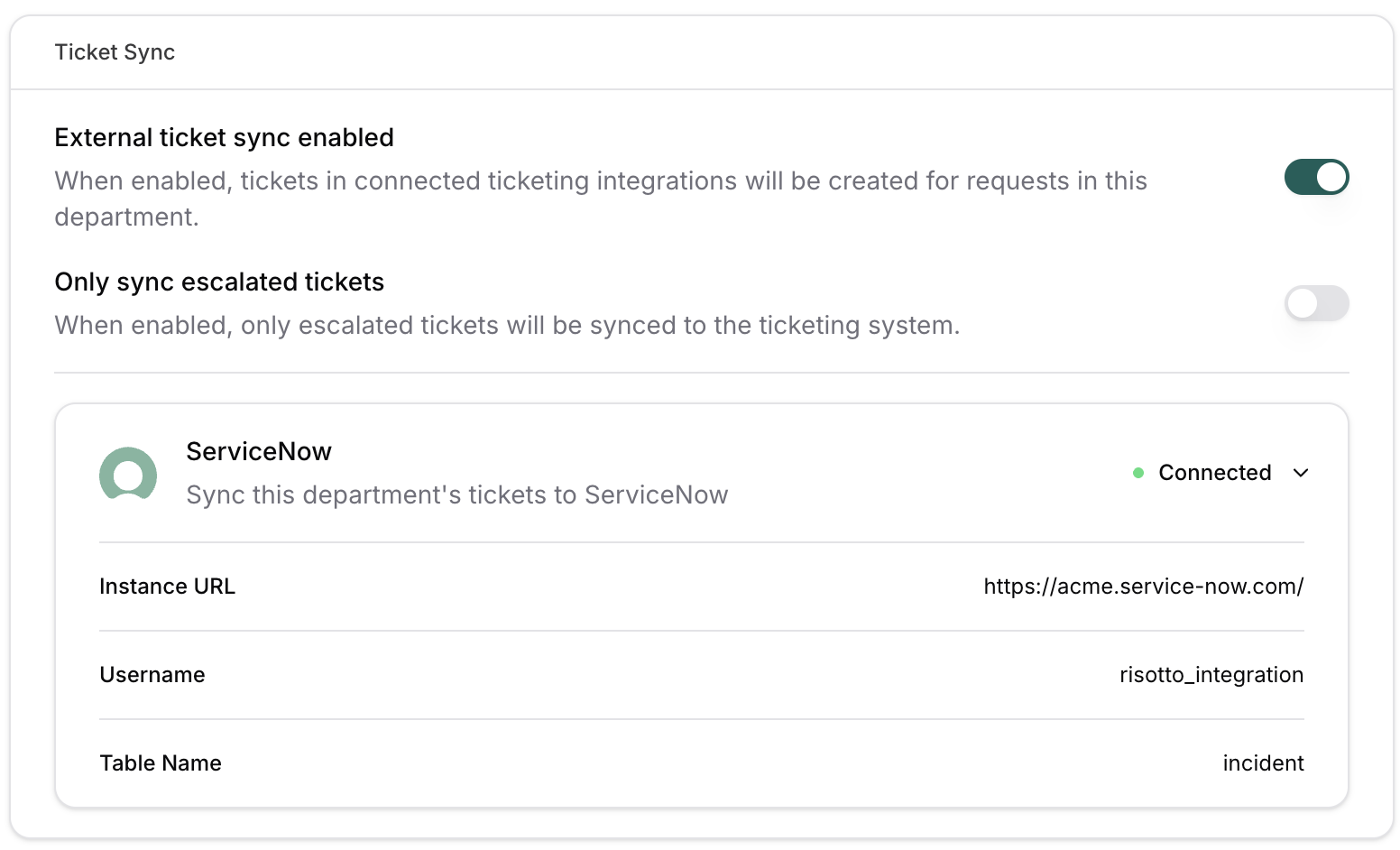
We’re not asking IT teams to abandon ServiceNow or their existing infrastructure — instead, we add a powerful AI resolution layer on top of it, and make it smarter and more capable (without painful migration projects).
The integration depth extends well beyond ServiceNow. Here’s a small glimpse:
- Chat Integrations (e.g., Teams, Slack) →
Meet employees where questions actually get asked.
- Knowledge (e.g., SharePoint, Notion, Google Drive, Confluence, Slack) →
Turn your documentation into instant answers.
- Identity and access (e.g., Okta, Microsoft Entra, Google Workspace) →
Grant access without the back-and-forth.
- MDM (e.g., Jamf, Kandji, Microsoft Intune) →
Take device management out of the ticket queue.
- HRIS (e.g., BambooHR, Workday, Rippling) →
Automate onboarding and offboarding flows with Risotto.
You can explore the full list of integrations here.
"Risotto consolidated support from multiple channels into one unified, automated funnel, giving us the freedom to focus on high-value tasks."
– Kevin Vye, Senior Director of Information Security and Technology at Thinkific
"Getting Risotto integrated with Jira, Slack, and Okta was so seamless and fast. Risotto is one of the easiest tools I've implemented."
– Jason Huey, Senior IT Systems Administrator at ThoughtSpot
Deploys in Less Than a Week, Not Months
Most existing solutions in the market underperform and take more time to implement than what they save:
🚫 Bundled AI from legacy ticketing systems have limited ticket auto-solve capabilities
🚫 Most requests still escalate to a human after AI makes a weak attempt at “ticket deflection”
🚫 Building in-house using platform tools has long implementation cycles before any value is realized (if at all)
🚫 Other solutions have complex setup, heavy configurations, slow adoption and limited auto-solve potential.
Because Risotto was built from the ground up for a singular purpose — automated ticket resolution — and designed by people who spent years living the problem at enterprise IT organizations, none of those tradeoffs apply.
Pre-built integrations with ServiceNow and the rest of your stack mean most teams are seeing their first auto-solves within the first week — some within hours.
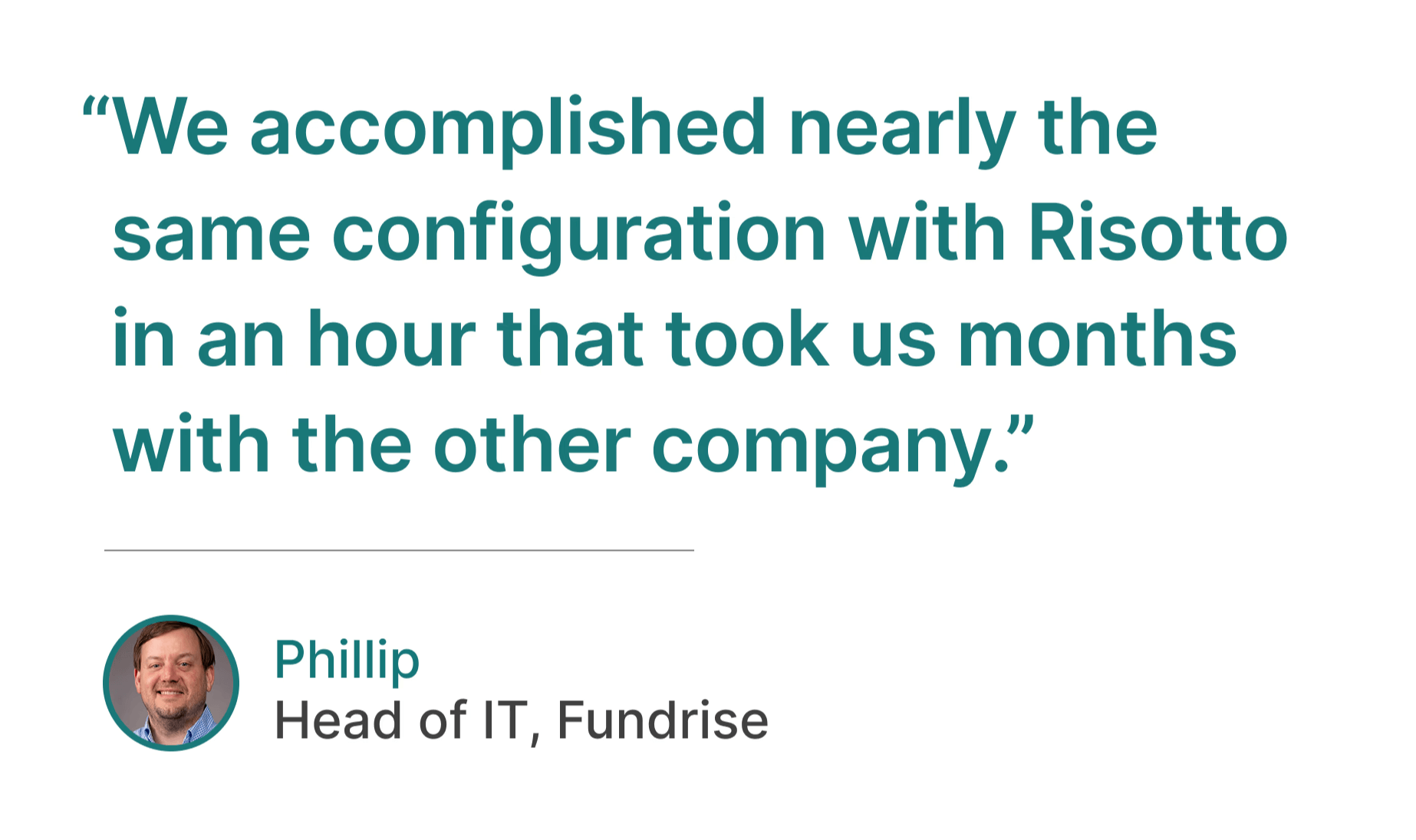
“The speed and simplicity of Risotto’s setup was a great sign that we had made a good decision… We accomplished nearly the same configuration with Risotto in an hour that took us months with the other company.”
– Phillip Rickett, VP of IT at Fundrise
"Risotto is one of the easiest tools I've implemented. We were up and running in less than a week and already seeing our first autosolves."
– Jason Huey, Senior IT Systems Administrator at ThoughtSpot
"Ease of deployment was huge. We didn't need a consultant or months of configuration. Risotto just worked."
– Peter Hadjisavas, Head of IT at Hazel Health
“Working with the Risotto team was awesome from day one. They all have IT backgrounds and really cared about making us successful."
– Tom Grinberg, IT Manager at Trust & Will
“Risotto had the most thorough onboarding experience I’ve ever been a part of. Alex was great — he met with us weekly and made it very easy to quickly get up and running.”
– Collin Clifford, Legal & Compliance Manager at Superhuman
"It's refreshing to work closely with the Risotto team. They genuinely care about solving our problems and improving our operations. The level of responsiveness, speed and agility in their development cycle is outstanding. Sometimes we see updates or enhancements delivered the very same day."
– Phillip Rickett, VP of IT at Fundrise
Risotto’s AI Continually Learns from Every Interaction
Most AI IT support tools hit a ceiling. They launch, resolve the easy tickets that match your existing documentation, and then plateau. Auto-solve rates flatten because the AI only knows what's already been written down — and your team is too busy handling tickets to go back and update the knowledge base every time something changes.
Risotto works differently.
Every time your team resolves a ticket in Teams or Slack — like a workaround for a recurring VPN timeout, or a quick fix for a printer issue that's been tripping up new hires — Risotto's AI picks up on it. That resolution becomes part of the AI's knowledge automatically, without anyone having to manually update the KB.
This isn't just raw ingestion. Each conversation runs through multiple quality checks before anything gets absorbed — filtering out incomplete threads, outdated information, and back-and-forth noise so only verified, accurate resolutions make it into the AI's knowledge.
The result is auto-solve rates that compound over time instead of plateauing after the first month. Our motto is: Never answer the same question twice.
"The killer feature for us was that it could effortlessly learn and capture knowledge that our team creates every day in Slack… With Risotto, instead of constantly writing new documentation, our team can simply answer questions, and Risotto learns as we go.”
– Phillip Rickett, VP of IT at Fundrise
"The more we use Risotto, the smarter it gets, that's what makes it different from every other tool we've tried."
– Peter Hadjisavas, Head of IT at Hazel Health
"One special thing about Risotto is it's constantly improving with every question. We see it getting better and better every day."
– Jason Huey, Senior IT Systems Administrator at ThoughtSpot
"Our auto-solve rate continues to get better over time automatically which is so cool to see."
– Collin Clifford, Legal & Compliance Manager at Superhuman
IGA Automation (Fully Embedded in the Help Desk)

Risotto offers AI-Driven IGA Automation with enterprise-grade security:
- IGA embedded in the help desk. Employees never wonder where to go to get access to a tool.
- Reduce birthright accounts. Save time, money, and improve security with approvals and time-based access.
- Enterprise-grade guardrails ensure expected behavior. Built-in safeguards prevent AI from taking unauthorized actions.
- Automatic compliance reports. Tickets and audit trails automatically managed for every request.
For more information on Risotto’s IGA automation capabilities, click here.
"When a team member asks, 'How do I get access to Hightouch?' they're not looking for a link or a document; they need immediate, actionable assistance. Risotto intelligently understands the intent behind the request. It confirms existing permissions, coordinates necessary approvals proactively, and automatically provisions access upon approval."
– Phillip Rickett, VP of IT at Fundrise
"Other IGA solutions felt clunky to set up and maintain. There was a lot of overhead to maintain them and they weren't embedded in the help desk, so you're solving one problem but creating another… we include Risotto in all our onboarding material now, and once people see how useful it is they keep coming back to use it more which is a really good sign.”
– Toby Stewart, IT Engineering at Ironclad
“The software access automations were a huge win for us. They were super easy to set up and we now have more than 30 applications with automated provisioning running 24/7.”
– Tom Grinberg, IT Manager at Trust & Will
“Automated software access saves us so much time. Within minutes people get the access they need with everything tracked, approved, and no additional overhead needed… For sensitive tools and resources Risotto’s automated time-based access has been a game-changer.”
– Collin Clifford, Legal & Compliance Manager at Superhuman
"Our control for SOC 2 is that access to privileged systems is approved by a manager... Risotto is able to automate the approval process and ticket tracking portion which is exactly what we needed."
– Vergil Smith, IT Manager at Vidyard
Multi-Department Capabilities (Automate Internal Requests for IT, HR, Sales, Legal, Sales Ops & More)
Most AI support tools start and end with IT. That's the initial use case, and for a lot of platforms, it's the only one that actually works. But the companies getting the most out of Risotto aren't stopping there — they're expanding into HR, Legal, Finance, Sales Ops, Engineering, and more.
This matters for a practical reason: when a CFO asks "where's the ROI?", a tool that only automates IT tickets is a harder sell than one that's absorbing request volume across the entire organization. Multi-department expansion is often what turns a department-level line item into a company-wide investment.
For more information on using Risotto across multiple departments, click here.
"Once you add in HR, our combined automation rate is even higher at 50.2%."
– Jason Huey, Senior IT Systems Administrator at ThoughtSpot
"The multi-department capabilities are awesome. Our engineering and RevOps teams now also want to use Risotto."
– Collin Clifford, Legal & Compliance Manager at Superhuman
"Risotto started autosolving tickets immediately. Within the first few weeks, we saw departments that had never tracked ticket requests before, like our Cloud team, asking to get on the platform and streamline their support function."
– Erik Van Dijk, Senior IT Manager at Jobber
“We set out to become AI native. Risotto's AI support agent is helping us turn this vision into a reality."
– Jose Izquierdo, Head of AIT Operations at Gusto
Interested in Using Risotto to Augment Your Existing Ticketing System & Auto-Resolve 20–60% of Tier-1 Tickets?
We invite you to:
2. Jira Service Management

Jira Service Management offers a Virtual Service Agent feature powered by Atlassian Intelligence. It handles frontline support requests through Slack, Microsoft Teams, and the JSM portal, using generative AI to answer questions from your linked Confluence knowledge base.
- AI-powered virtual service agent for tier-1 requests: The virtual agent uses large language models to handle common support questions like password resets and policy lookups. It can collect required information from employees conversationally before escalating to a human agent when needed.
- Intelligent triage and routing: AI automatically categorizes incoming tickets and routes them to the appropriate queue based on the request’s content. It also uses sentiment analysis to flag high-priority issues that may need urgent attention.
- Deep Atlassian ecosystem integration: JSM ties directly into Confluence for knowledge retrieval, Jira Software for development workflows, and Opsgenie for incident management.
- Slack and Microsoft Teams support: The virtual agent can be deployed inside Slack or Teams so employees can get answers and submit requests without leaving their messaging platform. Conversations are synced back to JSM. Overall, they offer solid omnichannel support capabilities.
- Available on Premium and Enterprise plans: The virtual service agent and Atlassian Intelligence features require a JSM Premium or Enterprise subscription. Teams on the Free or Standard tiers would need to upgrade to access AI capabilities.
Note: If you’d like to explore how JSM’s AI capabilities compare to Risotto for automated ticket resolution, see our breakdown of Jira Service Management Virtual Service Agent: Overview & Limitations. We also invite you to explore our article comparing Jira Service Management vs. ServiceNow vs. Risotto.
3. Freshservice
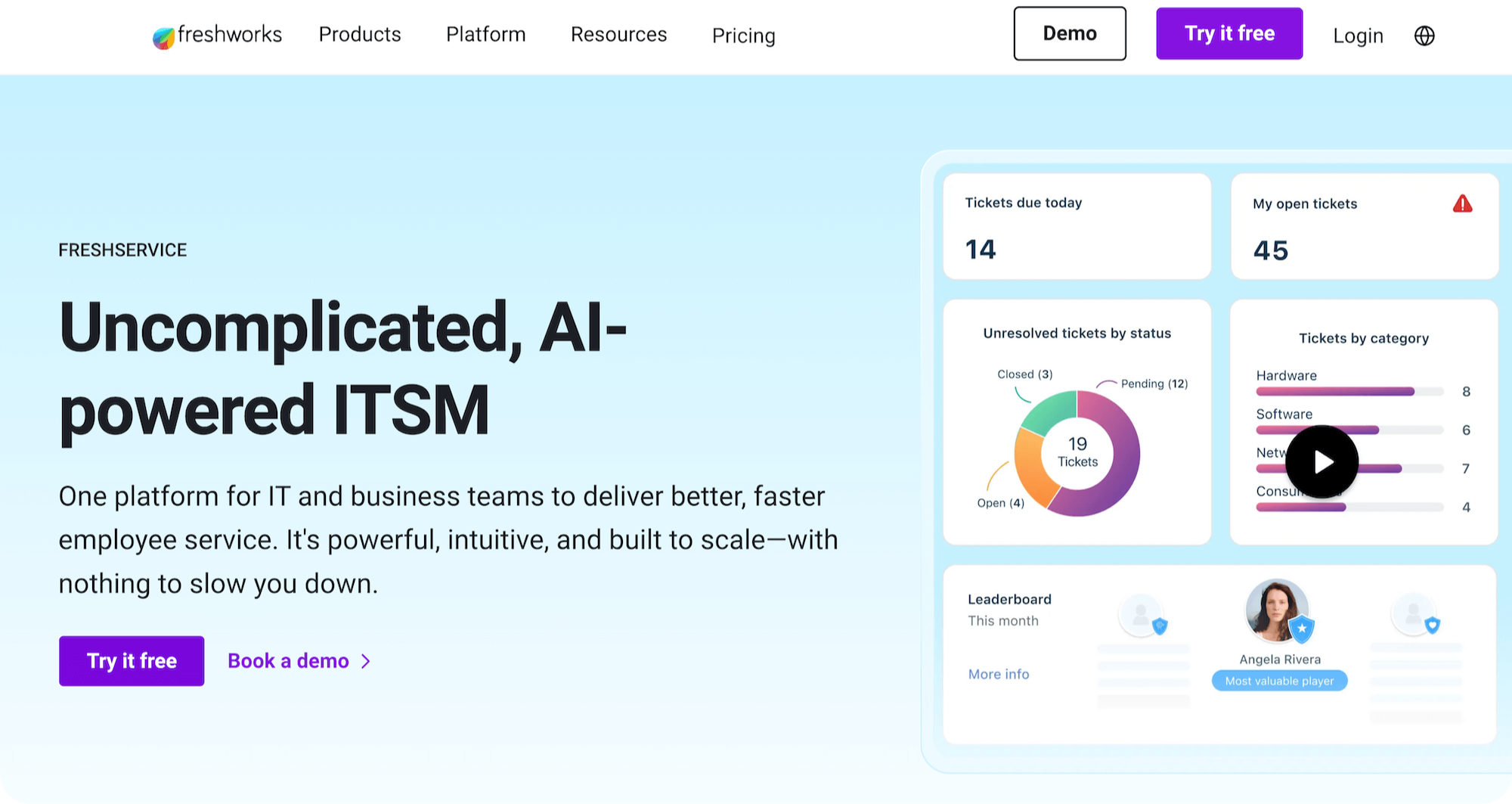
Freshservice is Freshworks’ cloud-based ITSM platform with an AI virtual agent called Freddy AI. It uses generative AI to hold natural conversations with employees across Slack, Microsoft Teams, and service portals.
- Freddy AI Agent with generative AI: Freddy handles employee questions conversationally, guiding users through troubleshooting steps and helping them submit service requests. It maintains context across follow-up messages so employees don’t have to repeat themselves.
- External knowledge source integration: Beyond its own knowledge base, Freddy can pull answers from connected sources like SharePoint, Google Drive, and Confluence, giving employees a single search layer across the organization’s documentation.
- Agent assist and intelligent routing: For tickets that do reach a human, Freddy AI Copilot generates suggested responses, summarizes long ticket threads, and uses skill-based routing to assign the right agent. Load balancing and availability-aware assignment help distribute work evenly.
- Multilingual support across 40+ languages: Freddy AI Agent supports conversations in over 40 languages across Slack, Teams, and self-service portals, which is relevant for globally distributed organizations.
- Enterprise plan required for AI agent: Freddy AI Agent is only available on the Freshservice Enterprise tier and pricing comes with a set number of AI sessions per license. Teams on Starter, Growth, or Pro plans would need to upgrade to access the virtual agent.
Note: For more information on how Risotto compares to Freshservice for automated ticket resolution, see our article on the Best Freshservice Alternatives. If you already use Freshservice, you can also see how to automate internal IT tickets in Freshservice without replacing it.
4. Zendesk
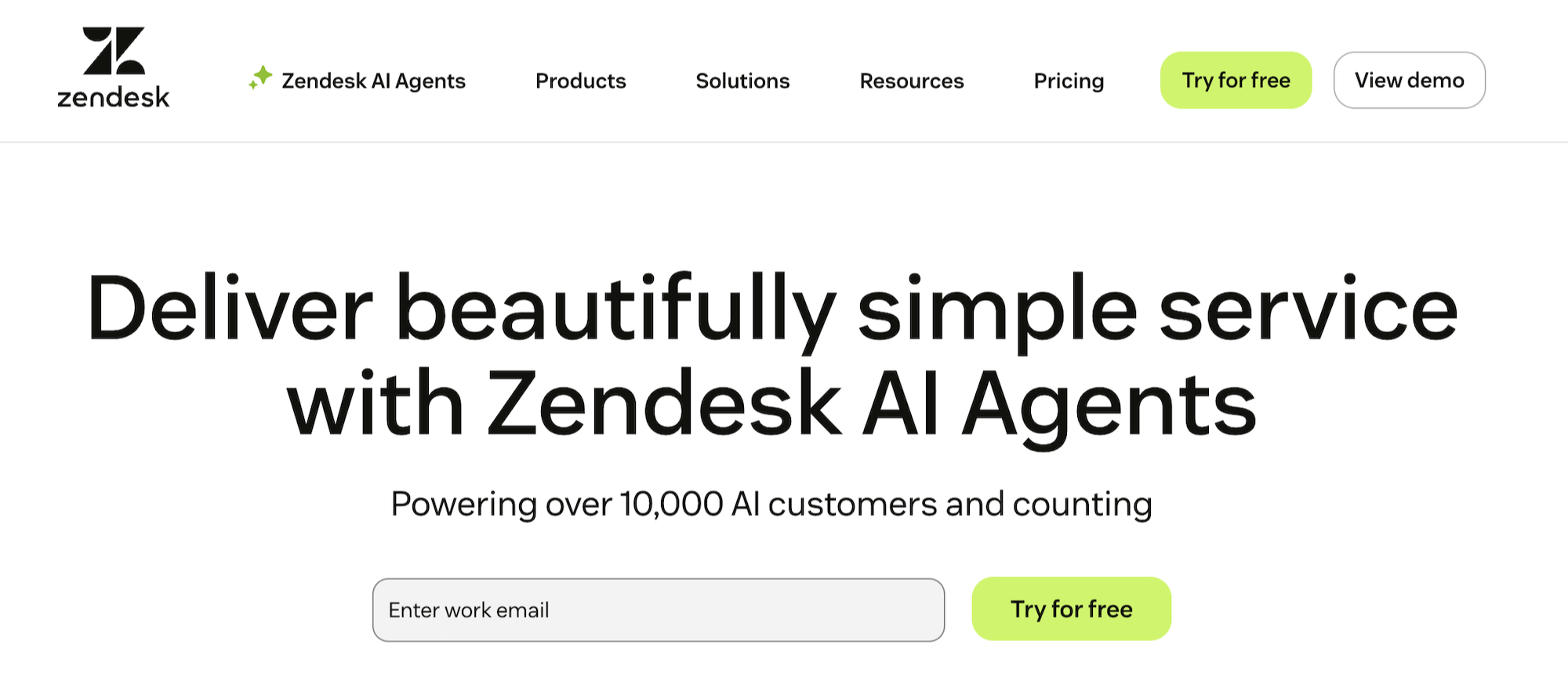
Zendesk is a ServiceNow alternative primarily known as a customer support platform, but it also offers an Employee Service Suite for internal IT and HR support. Its AI agents can handle both customer-facing and internal employee requests, with tiered AI capabilities depending on your plan.
- AI agents for automated resolution: Zendesk offers two tiers of AI agents. The Essential tier (included with all plans) handles basic FAQ-style queries from your help center. The Advanced tier (paid add-on) enables custom conversation flows, API connections to external tools, and more detailed analytics.
- Employee Service Suite for internal support: Zendesk’s employee-facing product includes a service catalog where staff can request hardware, software, or other resources directly from the help center. IT asset management is built in natively, bringing service and asset data together in one view.
- Admin Copilot for service operations: A proactive AI assistant for service admins that provides summaries, insights, and recommendations through a conversational interface. It helps identify optimization opportunities and can suggest automations based on patterns in your ticket data.
- Flexible data modeling with Custom Objects: Zendesk’s Custom Objects let you add structured data like assets, locations, or work orders directly into the platform. This is the foundation of their Employee Suite and allows teams to tailor Zendesk to internal workflows beyond standard ticketing.
Note: For more information on how Risotto compares to Zendesk for automated ticket resolution, see our article on the Best Zendesk Alternatives.
5. Aisera
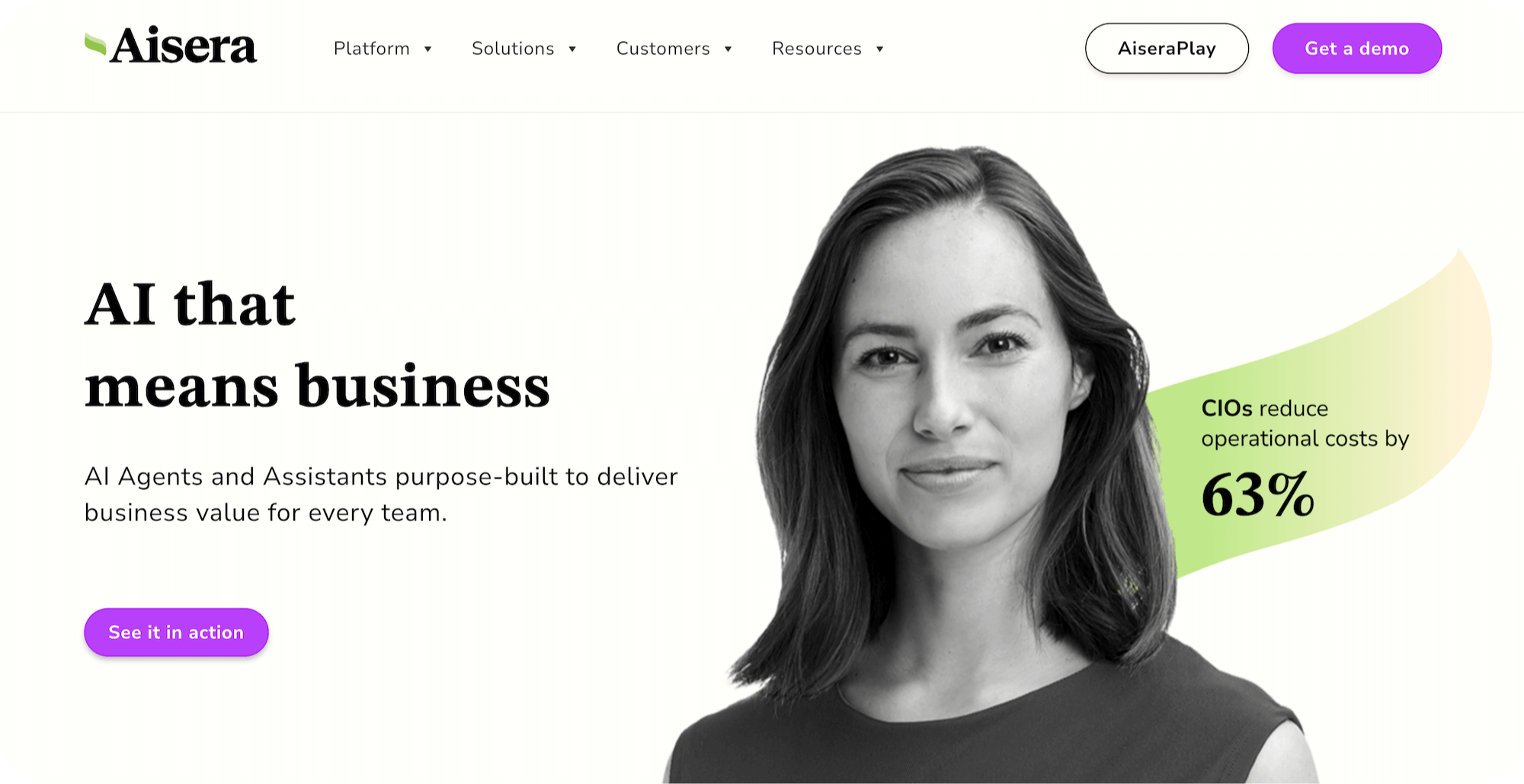
Aisera is an agentic AI platform focused on enterprise service management across IT, HR, and other departments. It was recognized as a Visionary in the 2025 Gartner Magic Quadrant for AI Applications in IT Service Management and offers autonomous AI agents that handle ticket resolution, access provisioning, and incident management.
- Autonomous AI agents for ticket resolution: Aisera deploys AI agents that can resolve incidents and service requests end-to-end, including intelligent triage, routing, and automated status updates. The platform supports its own LLM or integration with third-party models through its LLM Studio.
- AIOps for proactive incident management: Goes beyond reactive ticket handling by correlating patterns across alerts, logs, and telemetry data to detect potential outages before they affect the business. Includes root cause analysis and change management capabilities.
- Access provisioning and software management: Automates user onboarding, de-provisioning, account lockout resolution, and software access requests with compliance guardrails built in. Designed to handle the full lifecycle of identity and access management within the service desk.
- Universal entry point across departments: Aisera provides a single AI-powered interface that spans IT, HR, Facilities, and other internal functions. The goal is to eliminate siloed service portals so employees have one place to go regardless of the type of request.
Note: For more information on how Risotto compares to Aisera for automated ticket resolution, see our article on the Best Aisera Alternatives.
6. Leena AI
Leena AI is an agentic AI platform that deploys autonomous “AI Colleagues” across IT, HR, Finance, and Procurement. It’s designed to go beyond answering questions by executing multi-step workflows end-to-end, from diagnosing device issues to provisioning software access, with minimal human involvement.
- Autonomous IT service desk automation: Leena AI’s agents can run diagnostics in real-time, reset network settings, handle password resets, and process software access requests without human involvement. For straightforward IT issues, the AI acts as both the first and often only point of contact.
- Multi-department coverage beyond IT: While Leena AI handles IT workflows, it also has deep HR capabilities including benefits administration, onboarding and offboarding automation, and document management. Finance and Procurement use cases are also supported through specialized agents.
- Orchestrator-based agentic architecture: Uses a central orchestrator to coordinate specialized agents across domains. Each agent handles a specific function (IT diagnostics, HR workflows, etc.) while the orchestrator manages handoffs, security, and compliance across the full request lifecycle.
- IT asset lifecycle management: Manages hardware refresh planning, tracks unreturned devices, handles stock replenishment, and automates end-of-life software cleanup with alerts and escalation workflows built in.
7. Tray
Tray is an iPaaS (integration platform as a service) rather than a traditional ITSM tool. If you want to build your own automated support workflows by connecting the tools in your stack, Tray provides the integration layer and AI agent framework to do it without writing custom code.
- Merlin Agent Builder for custom AI agents: Build AI agents using natural language and reusable components through a visual interface. Tray offers pre-built Agent Accelerator templates for common use cases like ITSM, knowledge management, and support so teams can get started faster.
- Hundreds of pre-built connectors: Tray provides ready-to-use connectors for apps, databases, and data warehouses, plus an HTTP connector and universal API support for custom systems. This lets you wire together ServiceNow, Teams, Slack, Okta, HR systems, and any other tool in your stack into automated workflows.
- Enterprise governance and security controls: Every automation and integration on the platform is governed through Tray Enterprise Core with role-based access, SSO, and audit logs. Tray Guardian adds a data protection layer specifically for AI workflows to keep sensitive information secure.
Liked the article? Share on:
On this page
Try Risotto for free for 30 days. Commit only when you see the value.


See more recent articles



Want faster solutions and happier employees?
Access that's easy to ask for and impossible to get wrong.
Ensure Legal never answers another "do we need an NDA for this?"
Every policy question is stealing time from the work Finance was hired to do.
Turn Slack requests into action items instead of engineering interruptions.
The biggest deal risk might be an unanswered internal question.
Run a united support system that your employees can depend on.
Build the automations you’ve been planning on for months.
The bottleneck isn't your team. It's the groundwork before they can actually help.
Get support data that your team can talk to.
Jump on a call to understand:
Risotto handles repetitive support requests across tools and teams, so IT gets back to solving real problems, not rerunning the same ones.
.svg)
%20(1).webp)
See what makes the Iru integration a 10/10 for our clients.