%20(1).svg)

.png)
Access control built for security teams. Frictionless access for everyone else.
Give employees one place to request access. Opal + Risotto automate approvals, enforce policy, and provision least-privilege access through chat.

Trusted by modern companies that can’t afford slow internal support.





















For teams who want access to run faster than the requests coming in.



Access requests that used to span three tools and two inboxes, resolved in one thread.
Just-in-time access requests
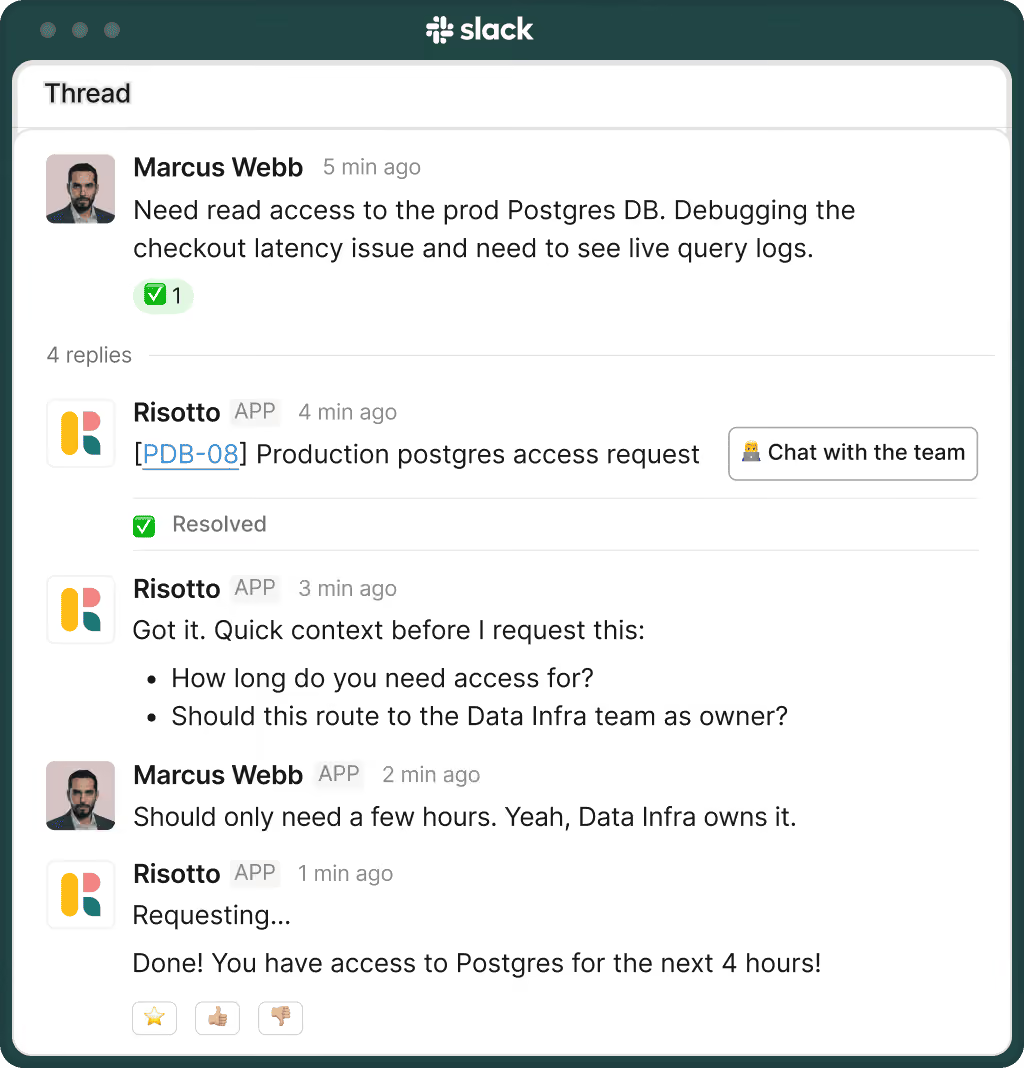
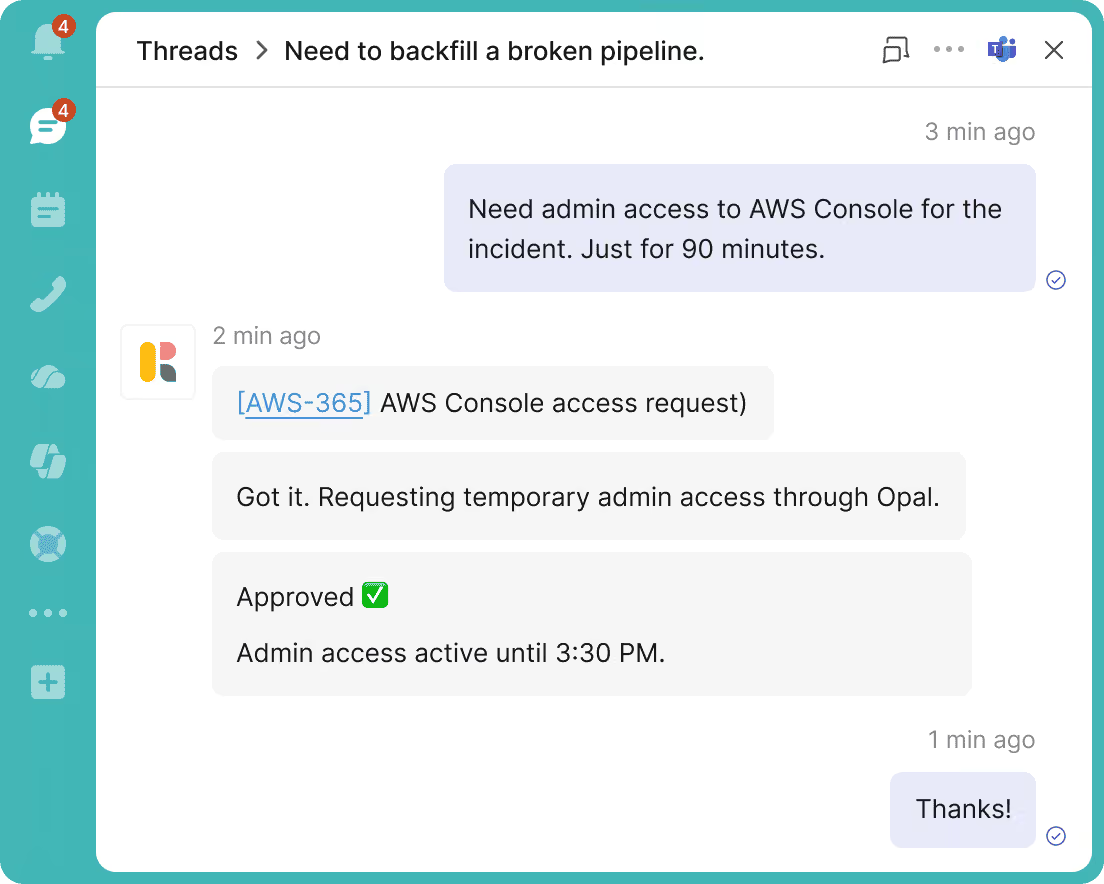
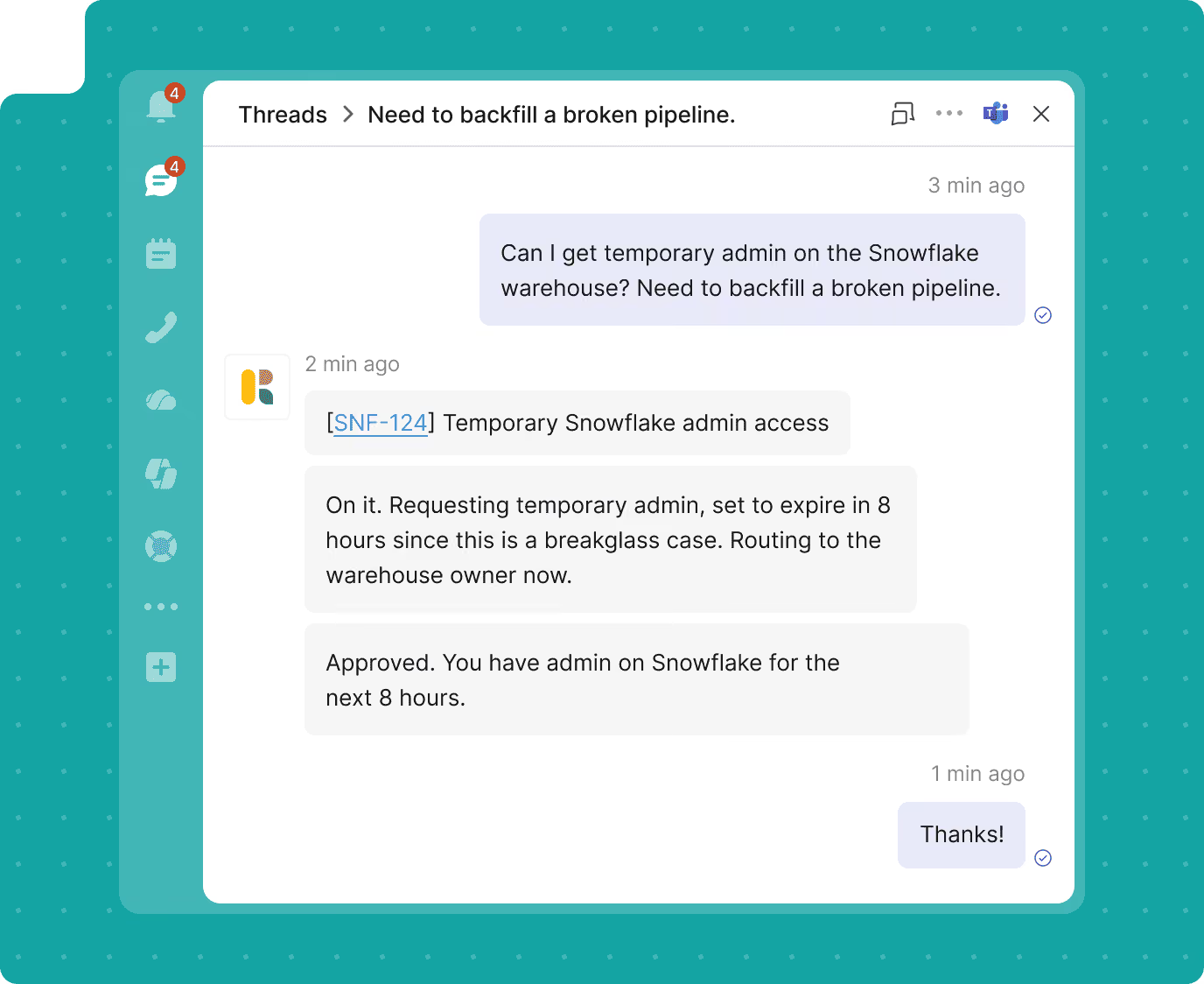
Request privileged access in Slack for exactly as long as you need it. Risotto gets approval, provisions access through Opal, and removes it automatically when time expires.
Role-based access changes
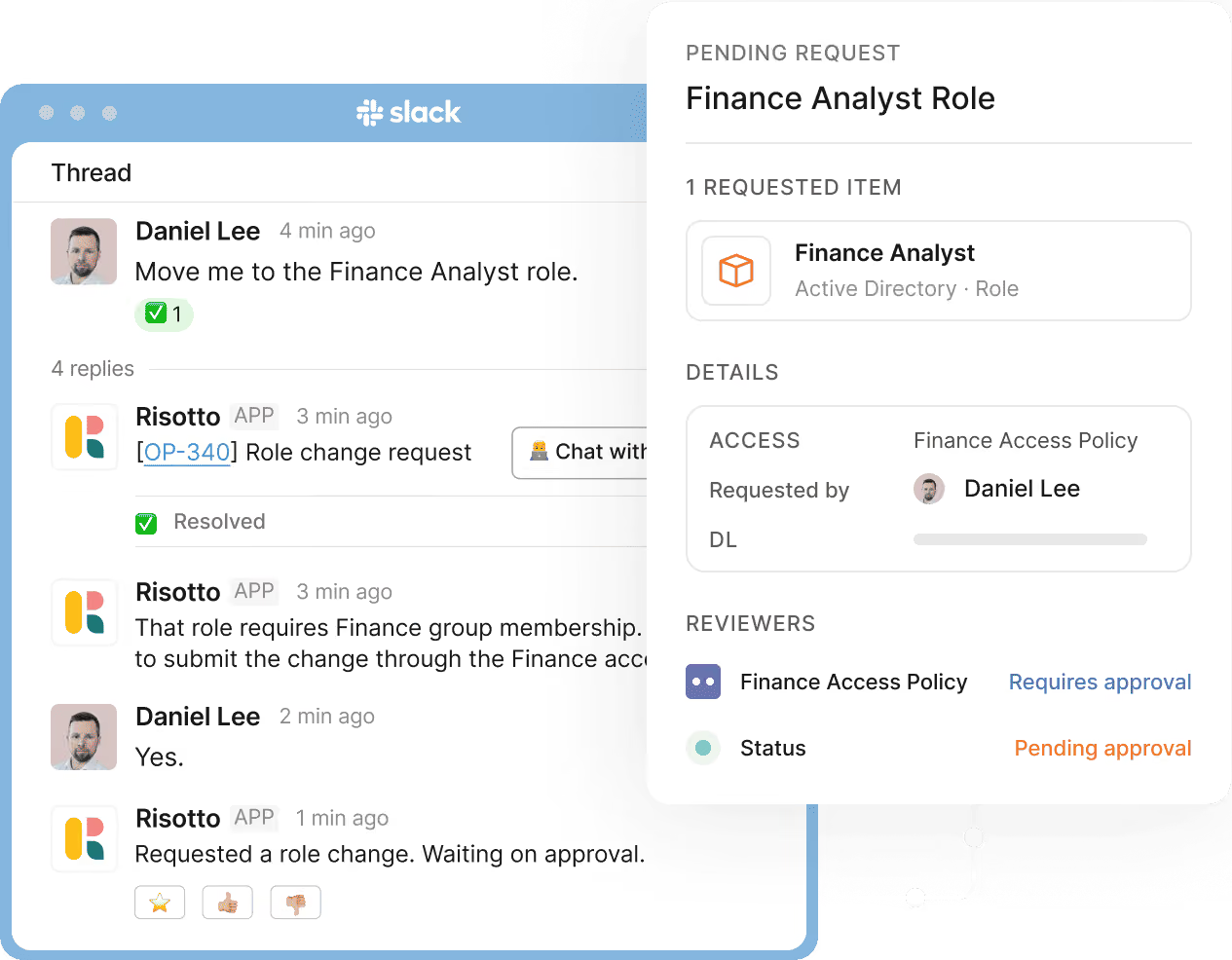
Request role or group changes in plain language. Risotto routes the request through the right Opal policy and applies it with a complete audit trail.
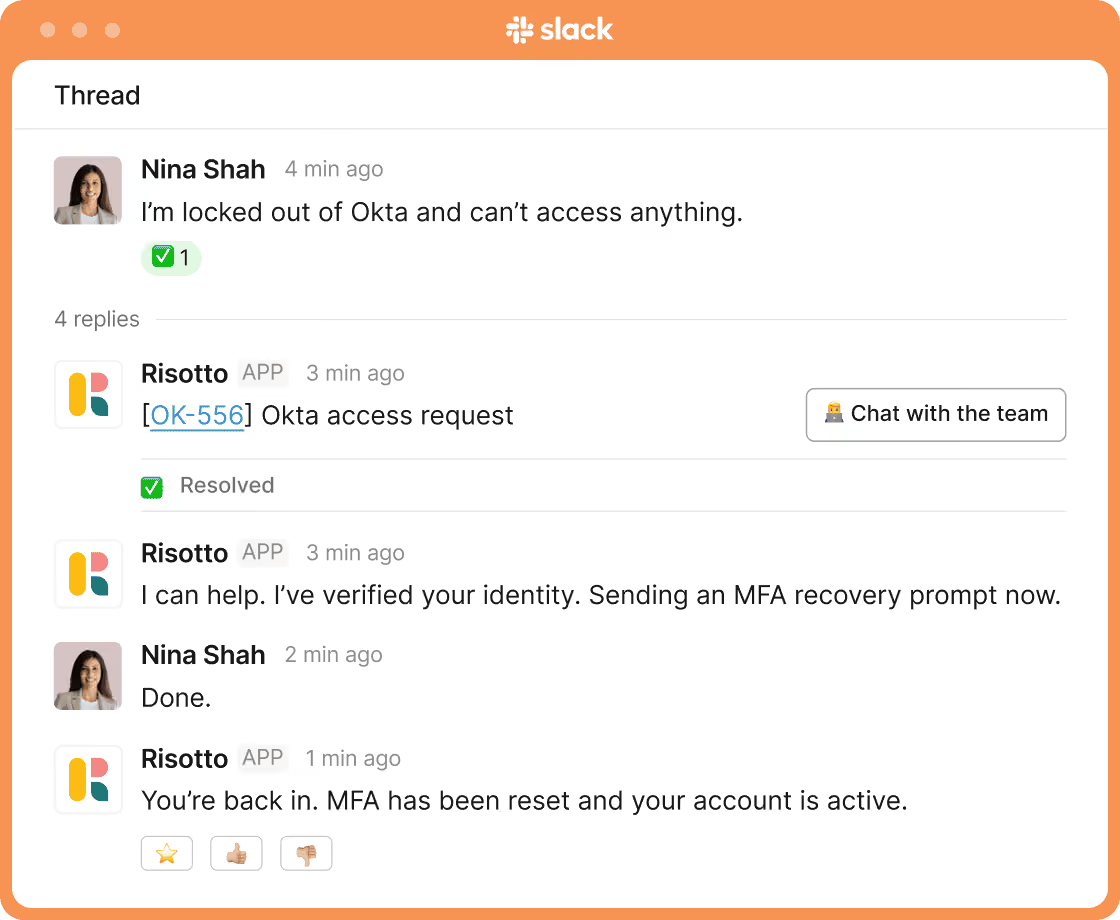
Lockout recovery and MFA resets
Get employees back into critical systems quickly. Risotto handles verified lockout recovery and MFA resets through secure, policy-compliant workflows.
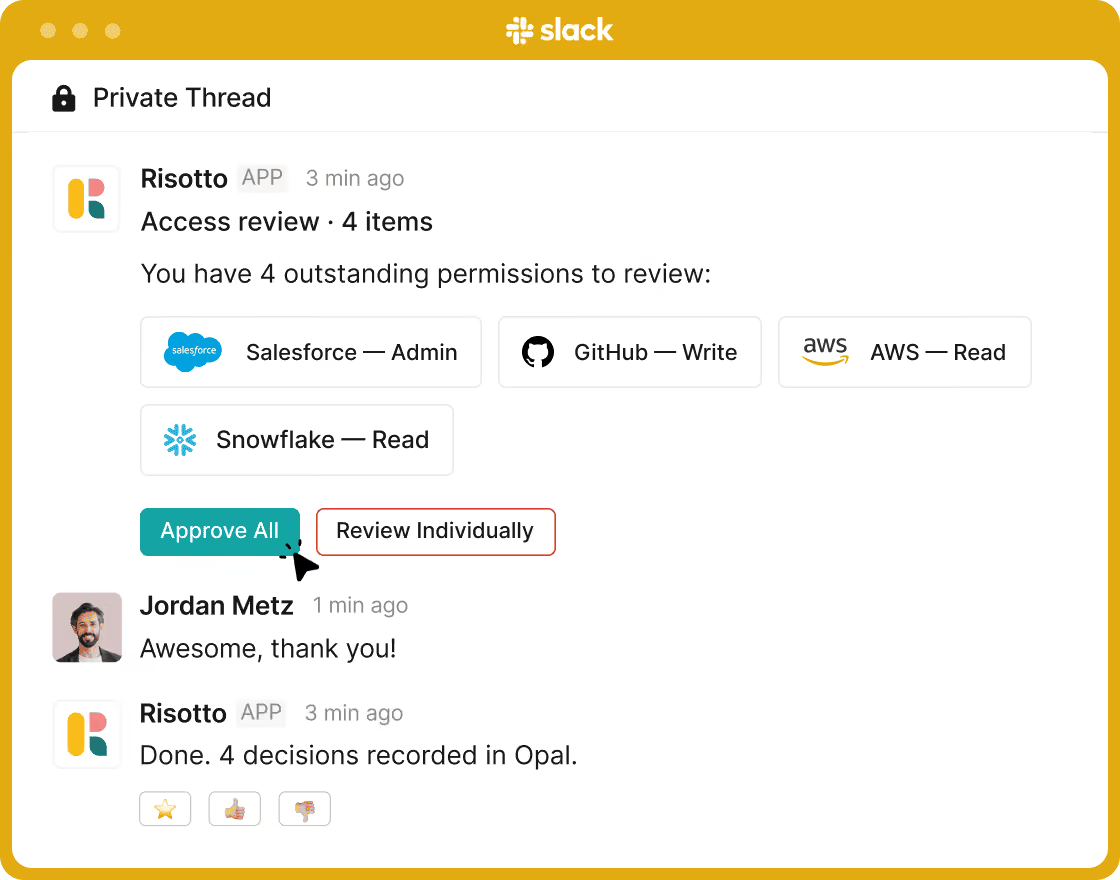
Access certification reviews
Complete access reviews directly in Slack. Approve, revoke, or escalate permissions while Opal records every decision automatically.
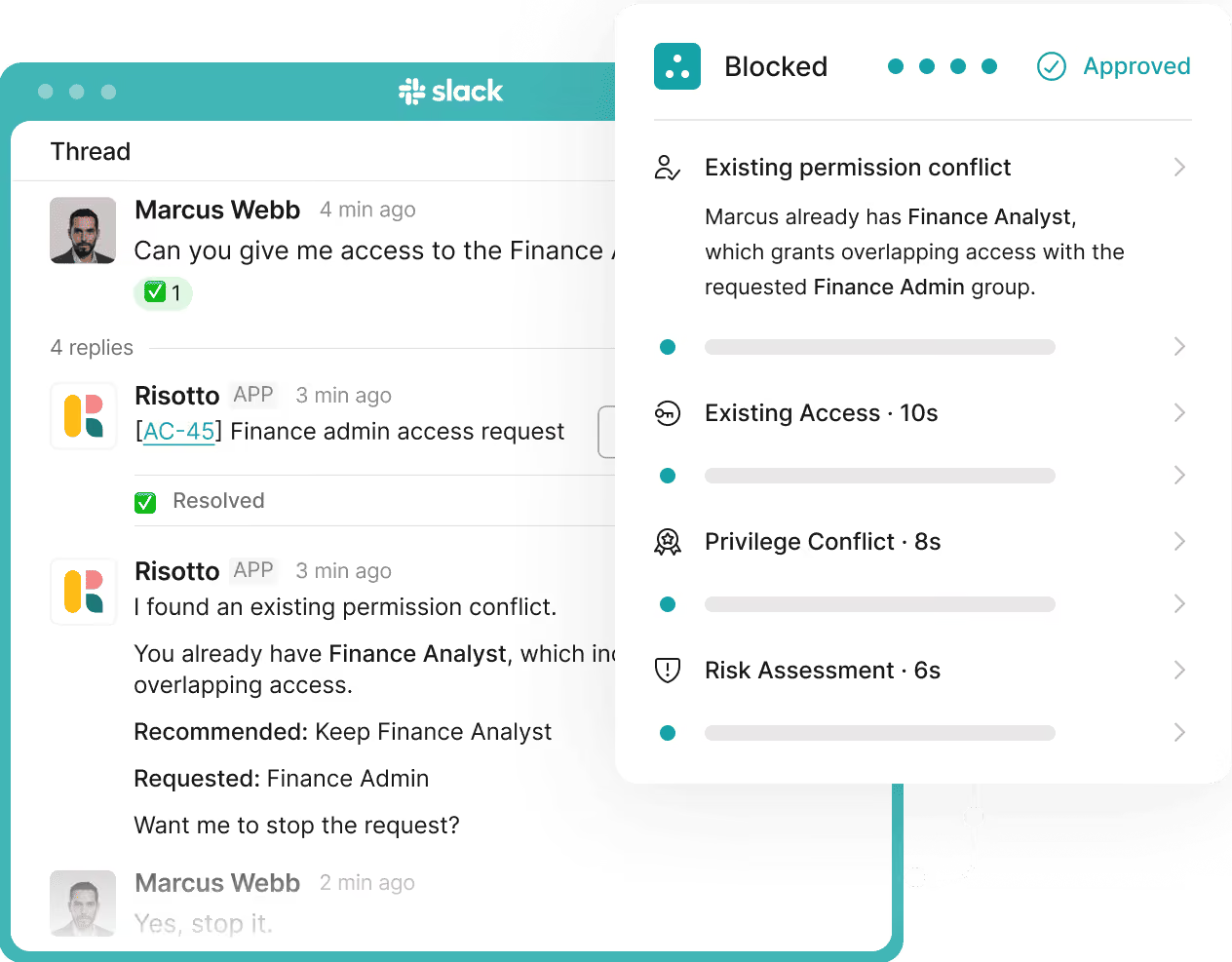
Duplicate and conflict detection
Prevent unnecessary or risky access before it's granted. Risotto checks for duplicate permissions, conflicts, and privilege risks using Opal's access graph.
Give your employees access control in chat, without sacrificing on security.
Employees describe what they need in plain language. Risotto structures the request, matches it to the right Opal policy, and provisions access correctly, right in the chat platform.
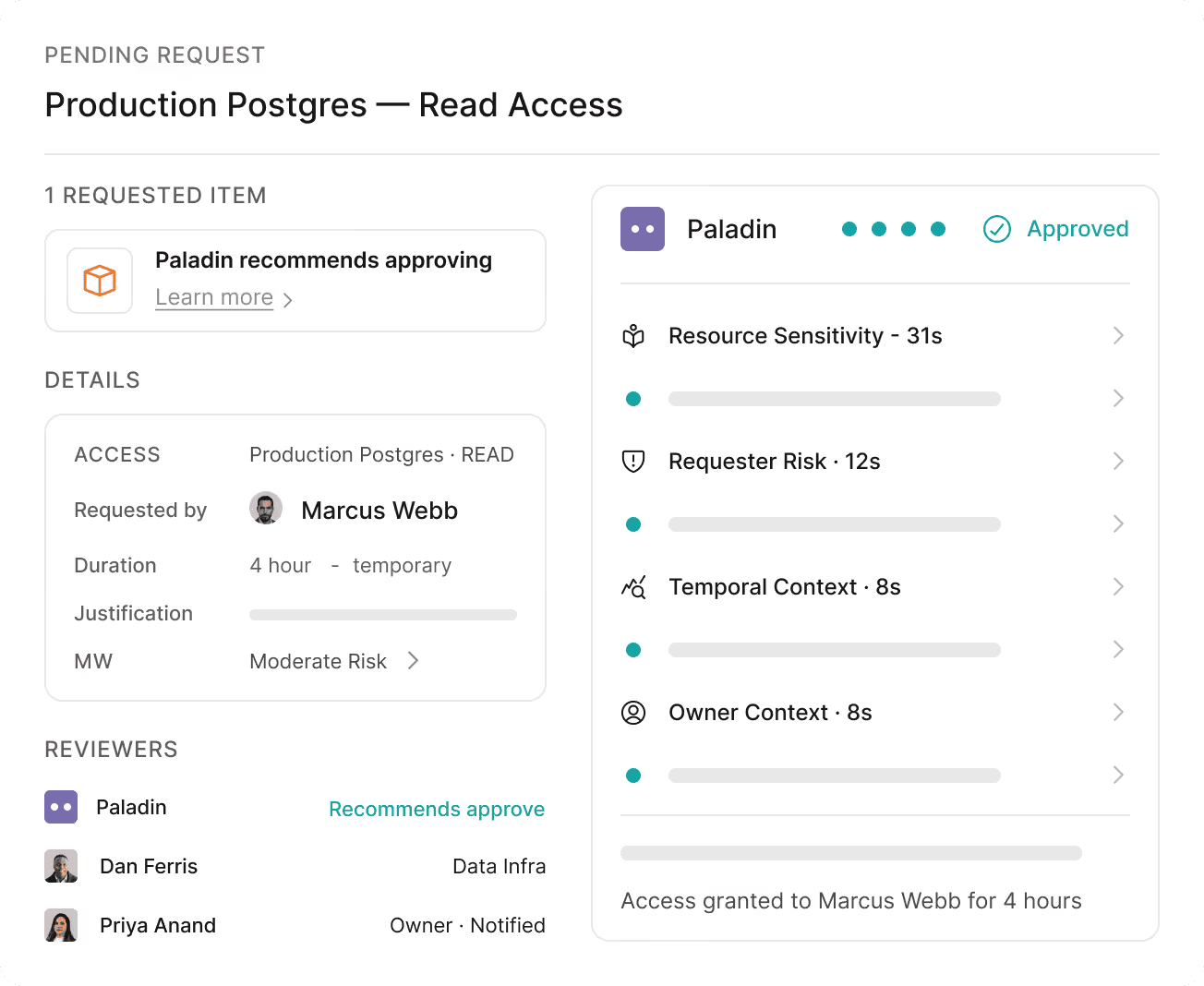
Opal enforces the right level of access for every request. Risotto makes sure employees get exactly what they’re allowed, and what they need. Nothing else.
Approvers get a clean, structured notification in Slack with everything they need to decide. One tap and the access moves. The chain doesn't stall because someone didn't check a portal.
Set the window. Risotto provisions through Opal and revokes automatically when it closes. No one has to remember.
No standing access accumulates. The attack surface shrinks on its own.
Risotto checks Opal's access graph before executing any change, validating groups, flagging conflicts, and protecting governed paths from modification.
Your policies, roles, approval workflows, and Identity Governance flows stay exactly as they are. Risotto adds a conversational interface on top. The employee experience is transformed.
Employees describe what they need in plain language. Risotto structures the request, matches it to the right Opal policy, and provisions access correctly, right in the chat platform.
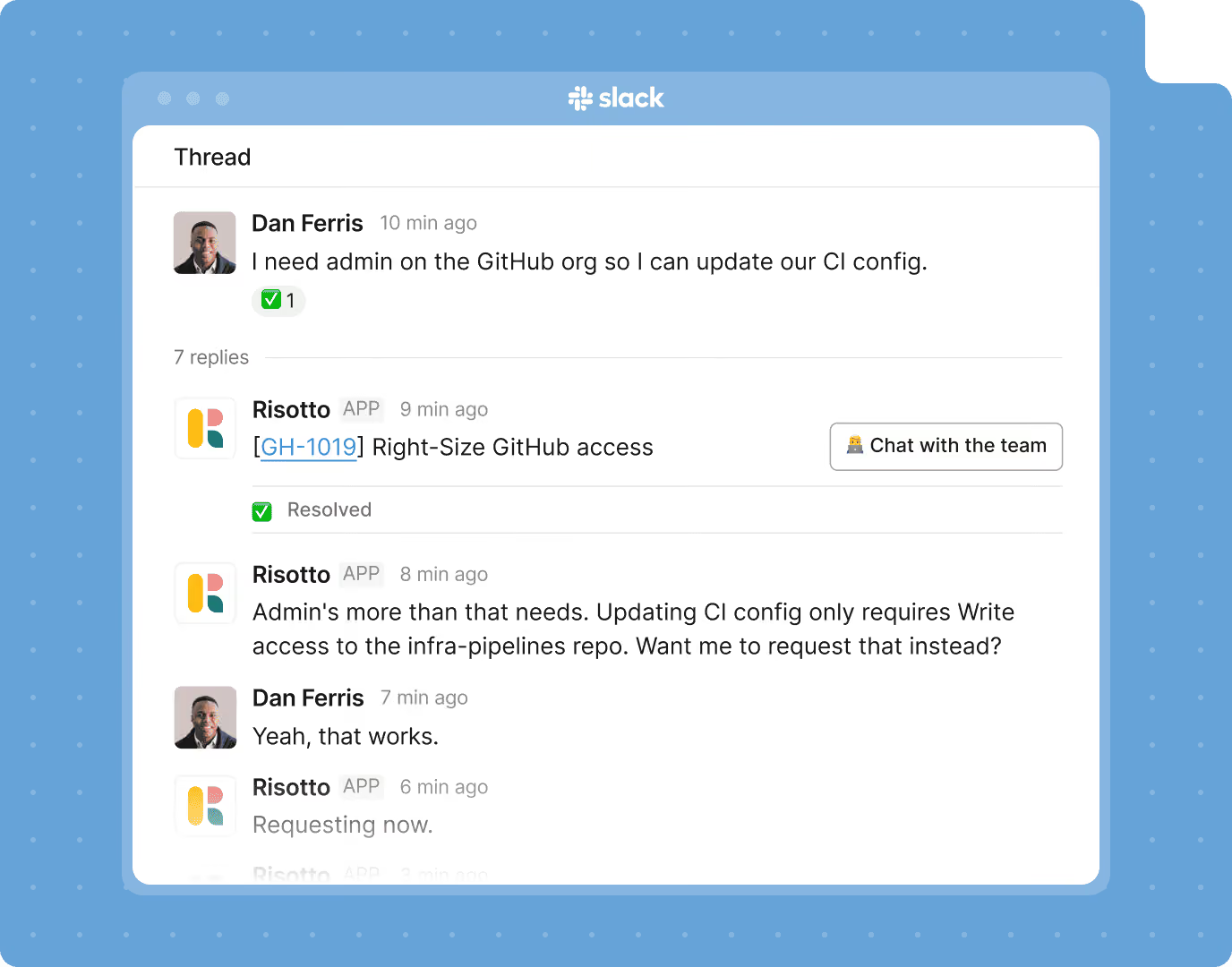
Opal enforces the right level of access for every request. Risotto makes sure employees get exactly what they’re allowed, and what they need. Nothing else.
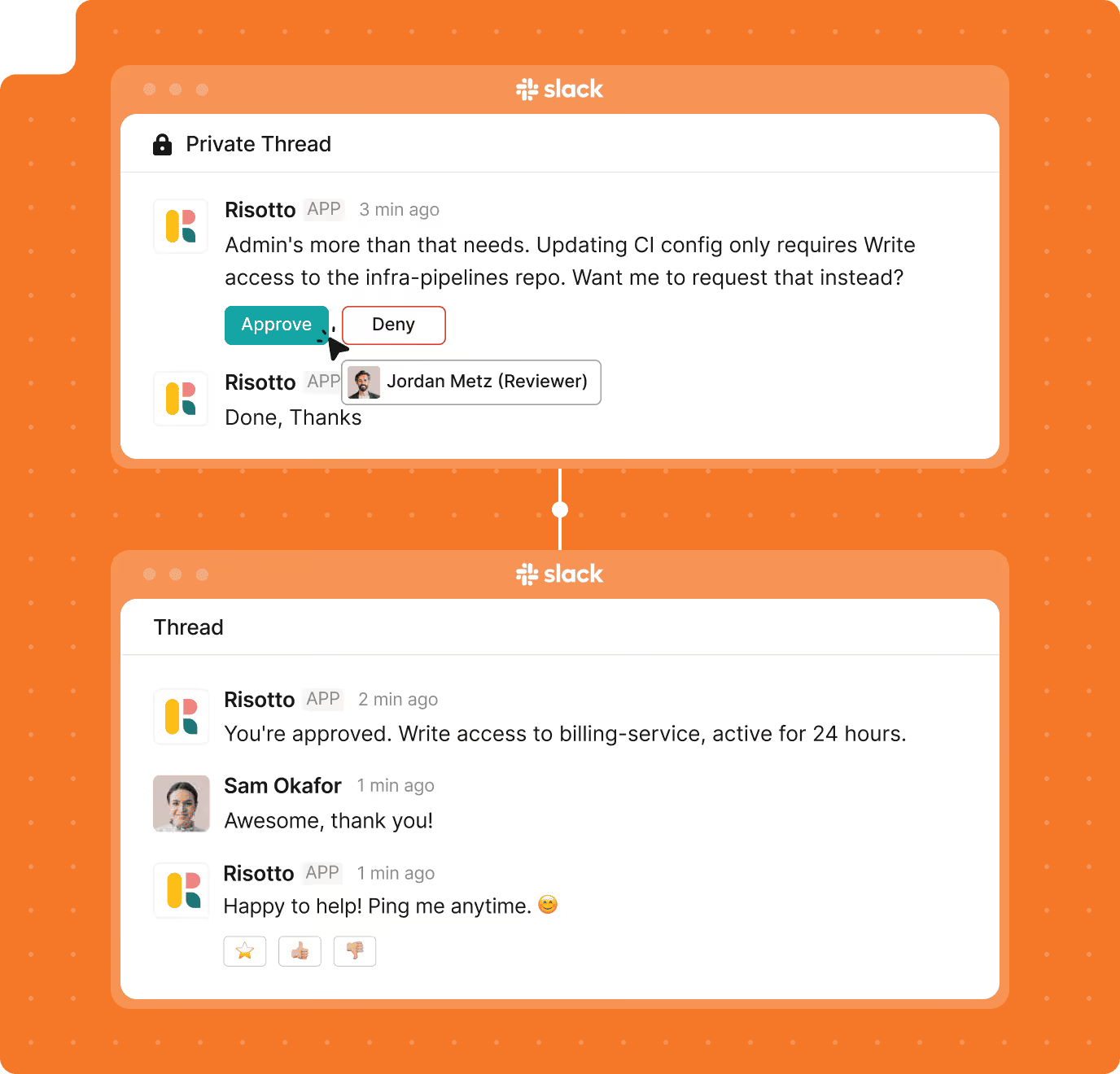
Approvers get a clean, structured notification in Slack with everything they need to decide. One tap and the access moves. The chain doesn't stall because someone didn't check a portal.
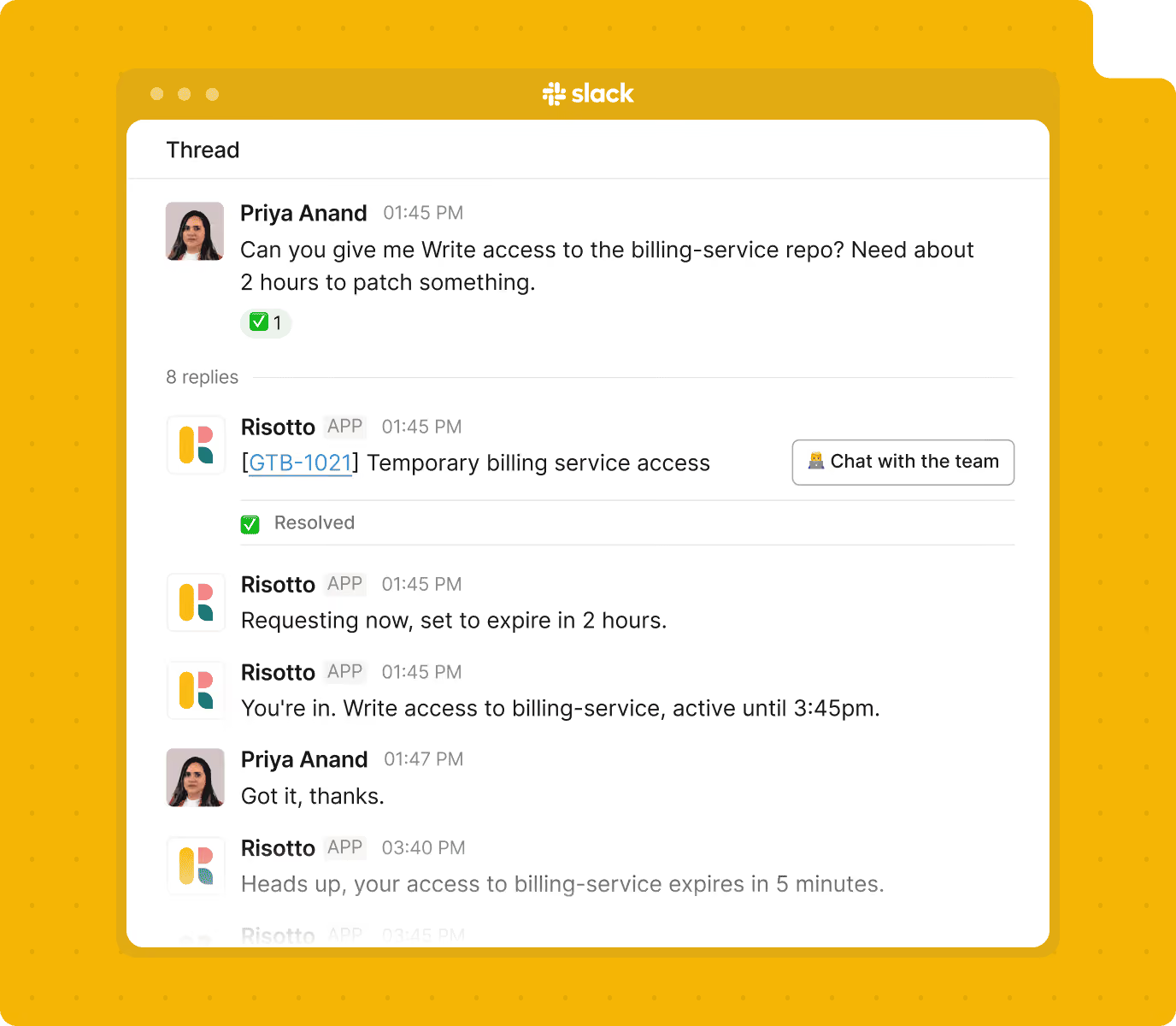
Set the window. Risotto provisions through Opal and revokes automatically when it closes. No one has to remember.
No standing access accumulates. The attack surface shrinks on its own.
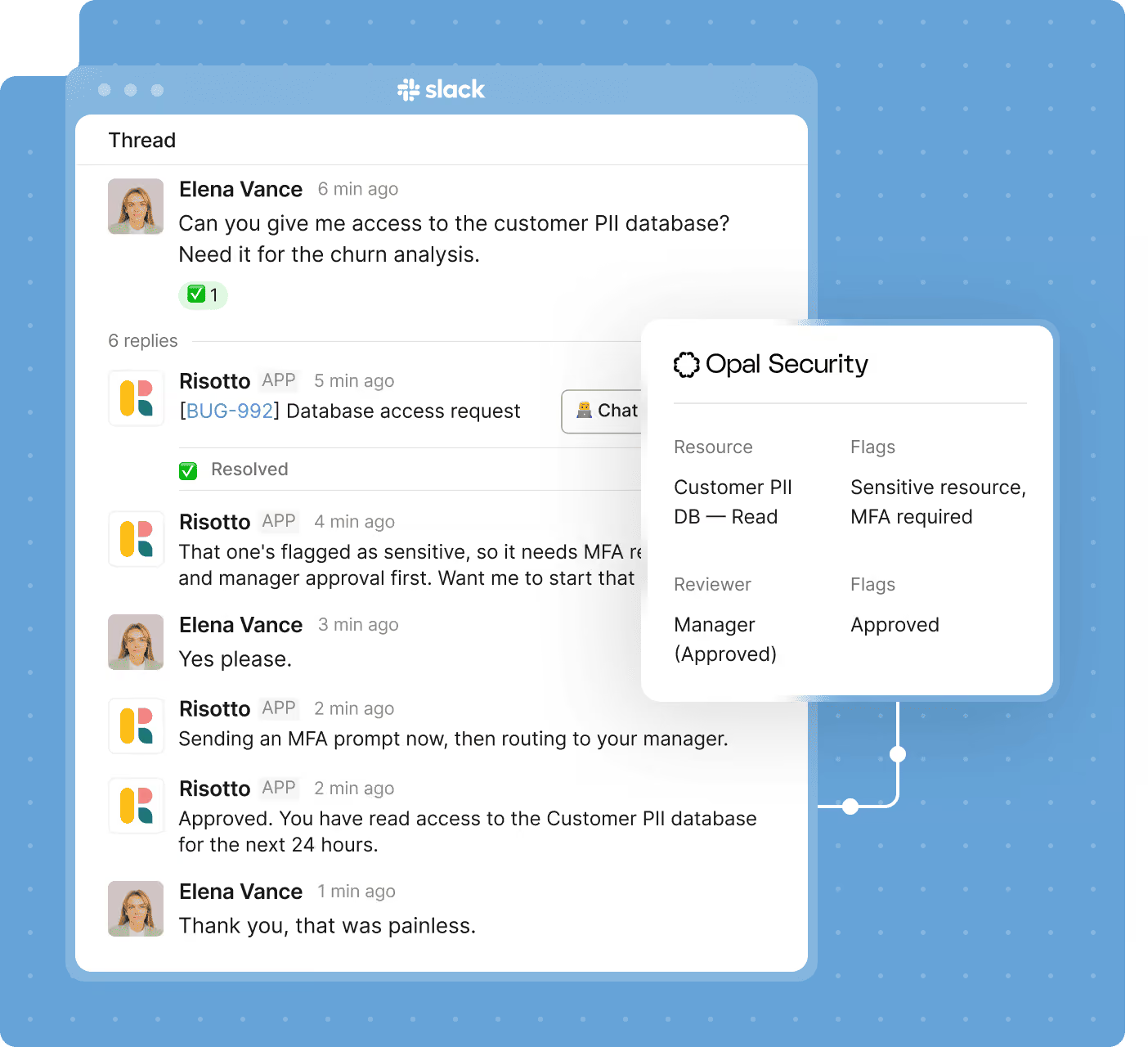
Risotto checks Opal's access graph before executing any change, validating groups, flagging conflicts, and protecting governed paths from modification.
Your policies, roles, approval workflows, and Identity Governance flows stay exactly as they are. Risotto adds a conversational interface on top. The employee experience is transformed.
Your security posture gets stronger.
Your employees notice nothing except faster access.
Employees ask for access in chat. Risotto handles the approvals and provisions the right access, with precise permissions and time limits, all in the same thread.
Risotto asks the right follow-up questions, understands what employees need, and provisions access that fits your rules.
Connect Risotto to Opal and your existing tools, then start automating access requests from day one.
Every request, approval decision, access grant, and revocation is logged in both Risotto and Opal with full context.
Create multi-step provisioning and approval flows using Risotto Runbooks. Describe the logic. Risotto writes the workflow and enforces it every time.
A few things worth knowing before the demo.
Still have questions? These might help.
From custom workflows to advanced access policies, our support team helps you get the most out of every integration.
What Opal workflows can Risotto trigger automatically?
Just-in-time access grants, role-based provisioning, group membership changes, time-limited access with automatic revocation, OIG joiner and mover flows, and access certification reviews, all from a message in Slack.
How does approval work for governed access requests?
Risotto routes the request to the right approver in Slack with full context and one-tap controls. Once approved, the action completes in Opal immediately. The approver never needs to open a portal.
Does Risotto touch access that shouldn't be changed?
No. Risotto validates every request against Opal's access graph before acting. Governed paths, directory-synced groups, and protected roles are checked before any change is made.
How does time-limited access actually work?
Risotto provisions access through Opal with a defined expiry window. When the window closes, Opal revokes it automatically. No one has to remember to follow up. Nothing lingers.
Does this require changes to our existing Opal configuration?
No. Risotto connects to your existing Opal setup and works with your current policies, roles, and approval workflows. Your governance layer is untouched. Risotto adds the conversational interface on top.
How is this logged for compliance?
Every action is captured in both Risotto and Opal, requester, request content, approvals collected, action taken, timestamp, and outcome. Exportable for any audit or access review when you need it.
How long does setup take?
Most teams are connected in under 30 minutes. Your existing Opal policies and workflows are immediately available through Risotto's conversational interface from day one.
What’s your IT team working on today?
Access that's easy to ask for and impossible to get wrong.
Ensure Legal never answers another "do we need an NDA for this?"
Every policy question is stealing time from the work Finance was hired to do.
Turn Slack requests into action items instead of engineering interruptions.
The biggest deal risk might be an unanswered internal question.
Run a united support system that your employees can depend on.
Build the automations you’ve been planning on for months.
The bottleneck isn't your team. It's the groundwork before they can actually help.
Get support data that your team can talk to.
Book a demo and see:
.svg)
%20(1).avif)
See what makes the Iru integration a 10/10 for our clients.