%20(1).svg)


Connect Iru to Risotto. Automate device management within chat.
Automate device provisioning and password resets by integrating Iru with Risotto. Give your IT team time back to work on strategic initiatives.

Trusted by modern companies that can’t afford slow internal support.





















Built for companies that want to free their IT teams from internal support.
Connect Iru to Risotto and watch device support happen in your chat platform.



Give your employees device support that goes beyond quoting help articles.
Replace manual MDM tasks with conversational automation. Manage devices directly from your chat platform.
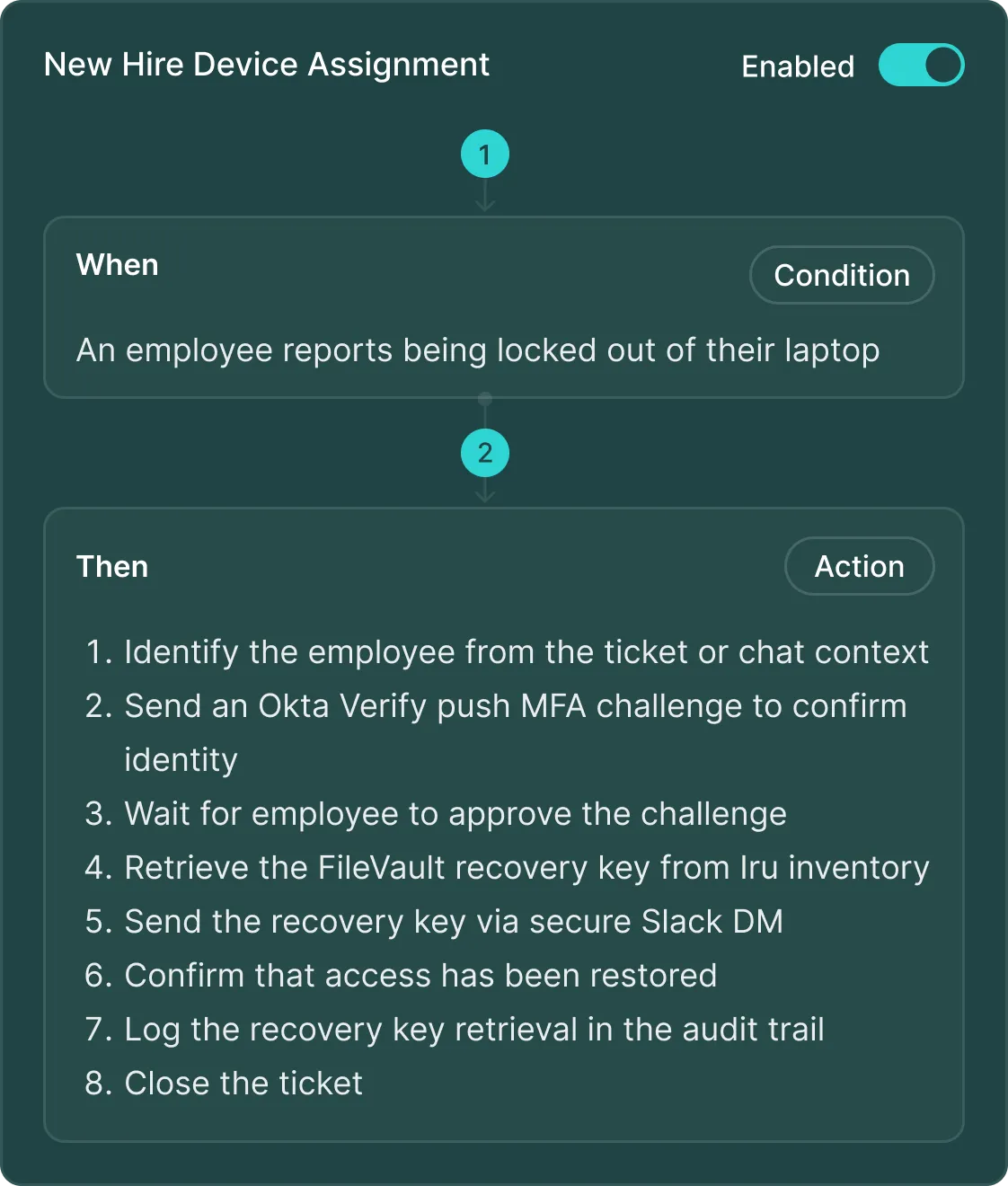
Create Iru workflows with runbooks, using plain English. Just describe what you want to happen, and Risotto translates it into executable workflows.
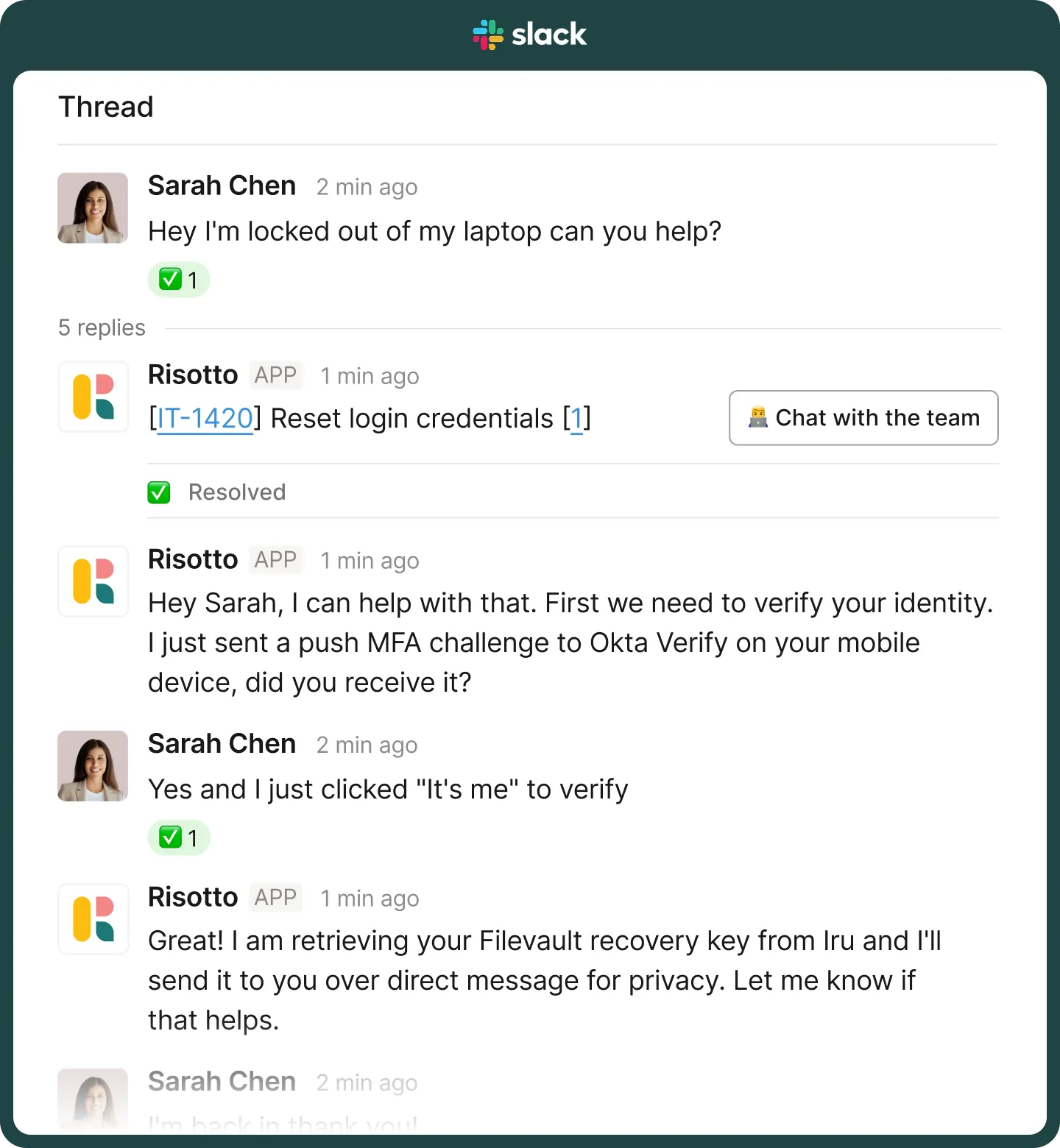
Let employees ask device questions in Slack or Teams. Risotto identifies the intent and runs your Iru workflows automatically.
Device workflows integrate with Risotto's knowledge base, access management, and ticketing for comprehensive IT support that handles everything automatically.
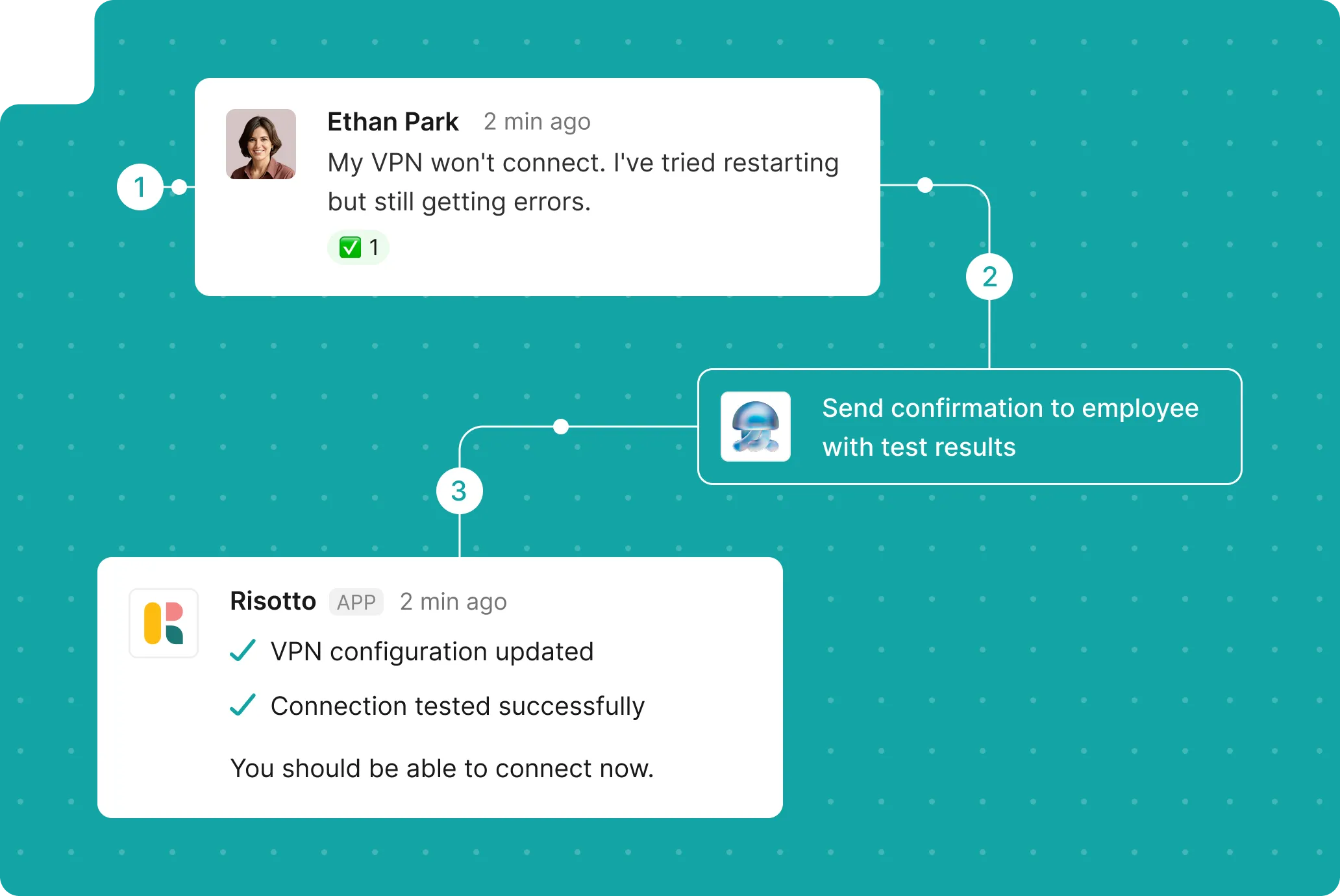
Replace manual MDM tasks with conversational automation. Manage devices directly from your chat platform.
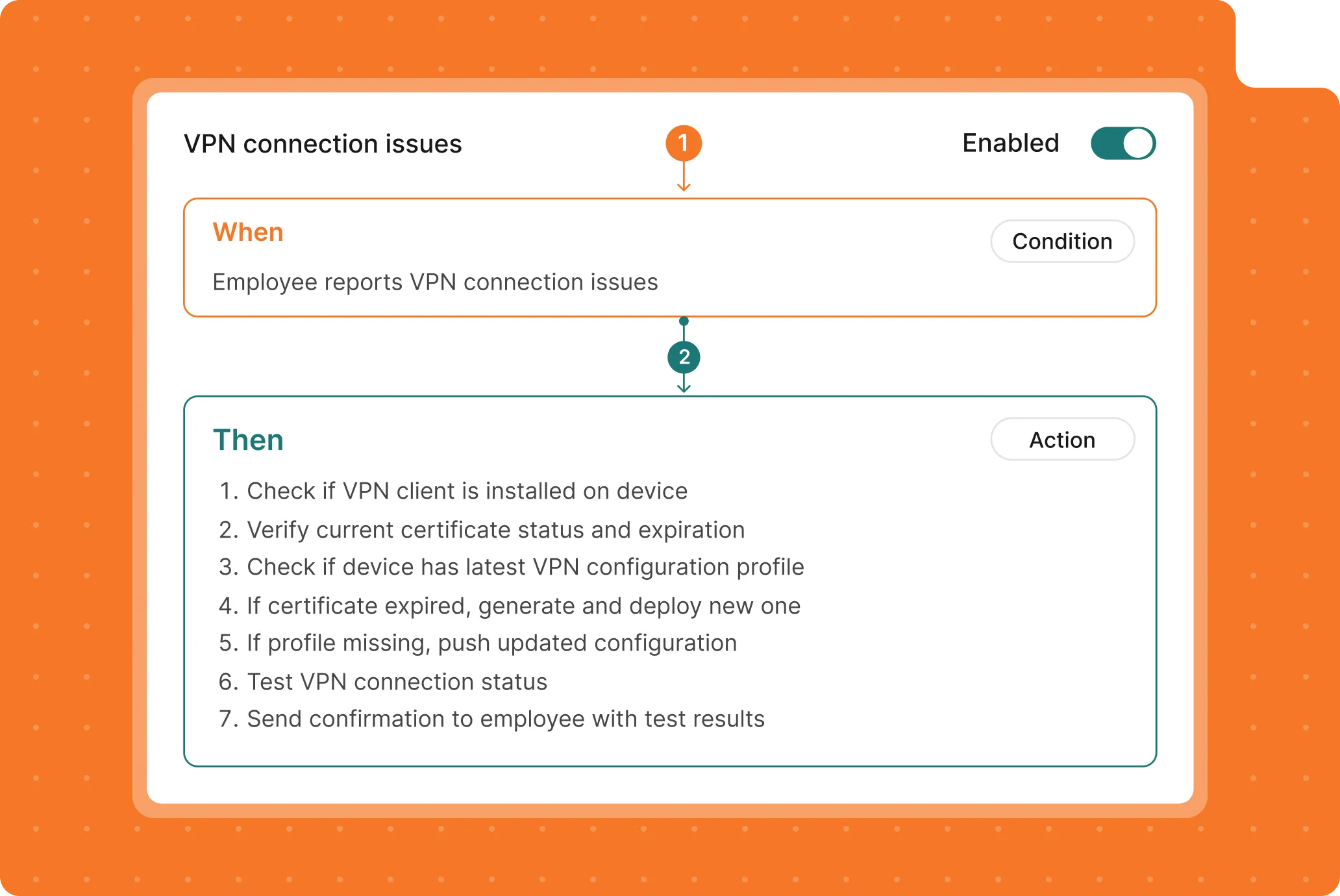
Create Iru workflows with runbooks, using plain English. Just describe what you want to happen, and Risotto translates it into executable workflows.
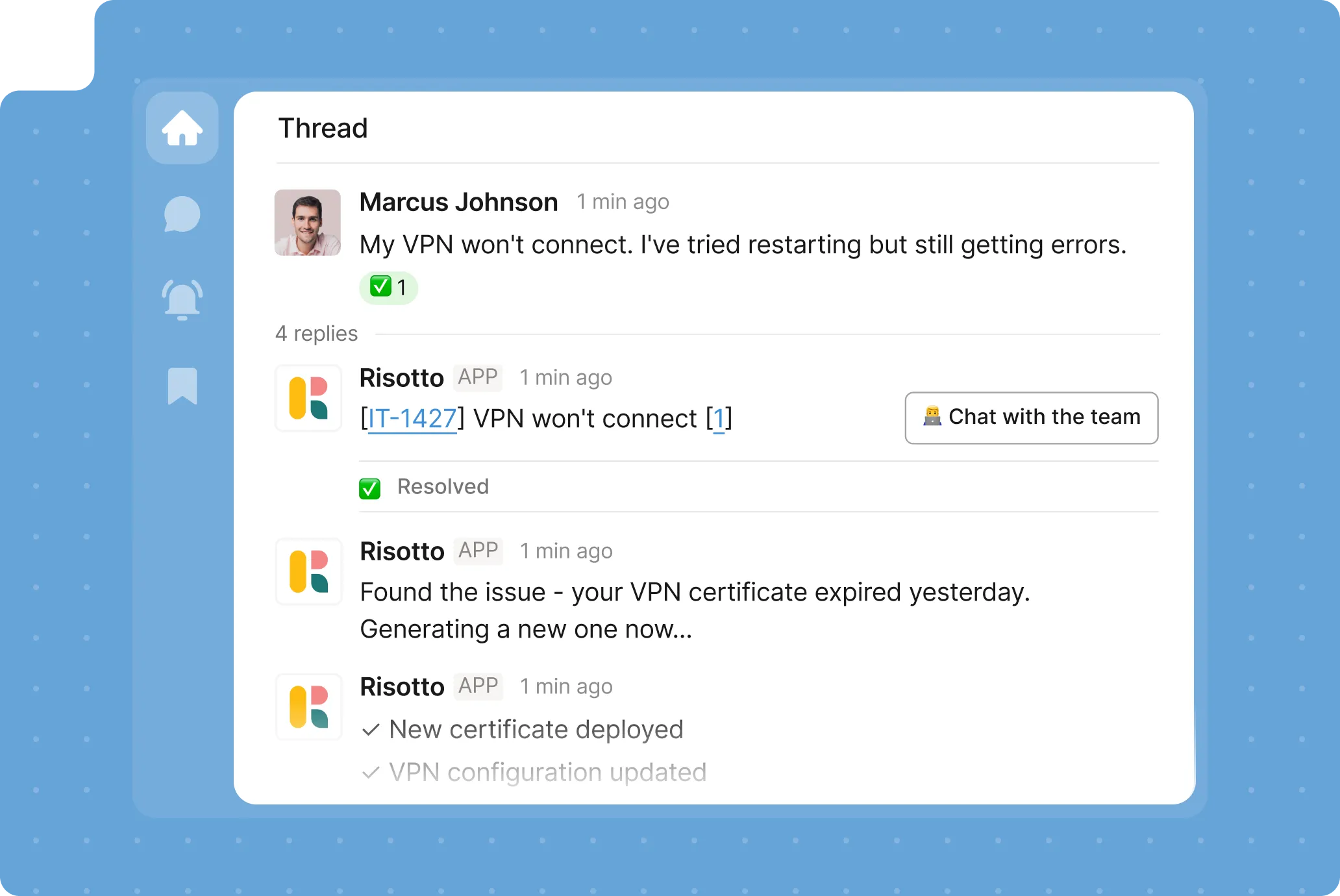
Let employees ask device questions in Slack or Teams. Risotto identifies the intent and runs your Iru workflows automatically.

Device workflows integrate with Risotto's knowledge base, access management, and ticketing for comprehensive IT support that handles everything automatically.
All the device tasks IT never has to touch again.
Automate password resets, certificate renewals, and credential updates through conversational workflows integrated with Iru's security policies.
Automatically pull device details, serial numbers, OS versions, and enrollment status when employees ask about their hardware.
Execute diagnostic commands, restart services, and run health checks without IT manually accessing the MDM console.
Push apps, updates, and configurations to employee devices based on conversational requests in Slack.
Lock devices, wipe data, or enforce compliance policies through automated workflows triggered by employee or IT requests.
Automate device setup, configuration profiles, and app installations for new hire onboarding, all through Slack.
Verify device compliance status, check for required software, and enforce security policies automatically.
Track device assignments, monitor hardware lifecycle, and manage asset information without manual database updates.
Automation for every device in your fleet.






Get a coworker who doesn’t shy away from repetitive support tasks.
Let employees describe device issues in Slack and get help instantly. Risotto runs your Iru workflows to diagnose and resolve them automatically.
Build device automation easily using Risotto Runbooks. Simply describe what should happen. Risotto turns it into active workflows.
Chain multiple Iru actions together.
Look up device info, check compliance, deploy fixes, and verify success step-by-step, from a single conversation.
Get the right workflow triggered just by asking in plain language. Risotto runs the correct action automatically, without relying on keywords.
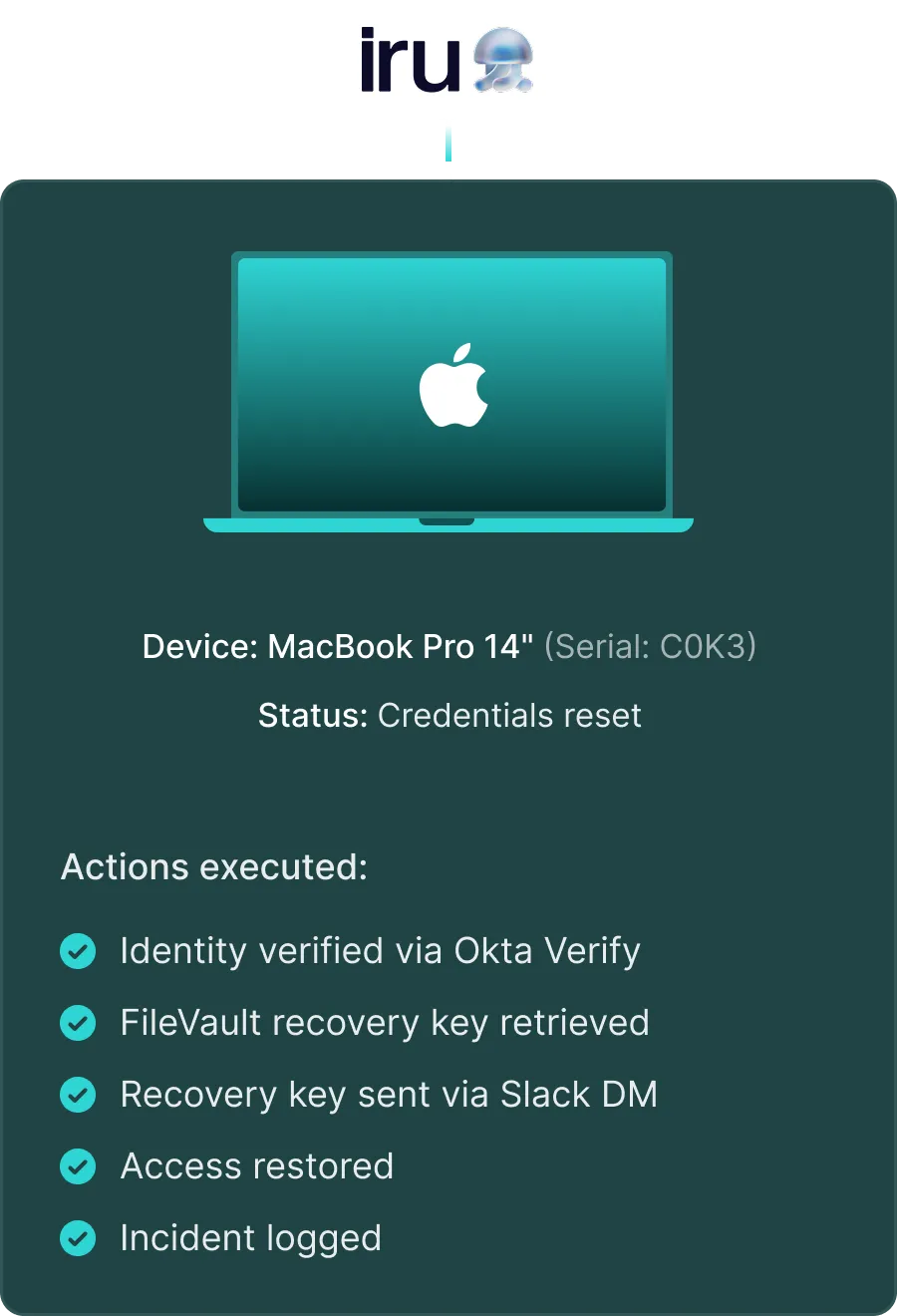
Log every workflow with full context. See what action was taken, when they were completed, and the results.
Let your IT team build a workflow once. Let Risotto run it through chat forever.
Still have questions?
Maybe these answers will help.
Still have questions? These might help.
Still have questions?
Maybe these answers will help.
From custom workflows to advanced access policies, our support team helps you get the most out of every integration.
How long does setup take?
Most teams connect Iru to Risotto in under 30 minutes. Workflows you've already built in Iru are immediately available for conversational execution.
What happens if a workflow fails?
Risotto notifies the employee and IT team immediately, creates a ticket with full context, and offers fallback options. The ticket is triaged to the right agent within minutes.
Does this work with our existing Slack setup?
Risotto integrates with your Slack workspace without requiring changes to channels, permissions, or existing bots. Risotto works alongside your current support set up.
Do we need to rebuild our workflows?
No. Risotto works with your existing Iru runbooks. You can continue managing workflows in Iru while Risotto handles conversational execution in Slack
Can we control which workflows are accessible?
Yes. Use role-based access controls to determine which employees can trigger which Iru workflows through Risotto. You can choose which workflows require manager approval.
What about compliance and audit requirements?
Every workflow execution is logged with full context, including the requester, the actions taken, the results, and timestamps. You can find the logs in both Risotto and Iru for compliance reporting
What’s your IT team working on today?
Access that's easy to ask for and impossible to get wrong.
Ensure Legal never answers another "do we need an NDA for this?"
Every policy question is stealing time from the work Finance was hired to do.
Turn Slack requests into action items instead of engineering interruptions.
The biggest deal risk might be an unanswered internal question.
Run a united support system that your employees can depend on.
Build the automations you’ve been planning on for months.
The bottleneck isn't your team. It's the groundwork before they can actually help.
Get support data that your team can talk to.
Jump on a call to understand:
If the answer is password resets, tool access, or “check the documentation,” it’s time to get Risotto. Automate the noise and let your team work on things that actually move the needle.
.svg)
%20(1).webp)
See what makes the Iru integration a 10/10 for our clients.