%20(1).svg)


Connect Linear to Risotto. Stop losing requests in chat.
Risotto resolves what it can instantly, and sends the rest to Linear, already triaged, labeled, and assigned.

Trusted by modern companies that can’t afford slow internal support.





















Companies that stopped letting product conversations disappear into Slack threads.



Don’t lose bugs and requests because no one logged them in Linear.
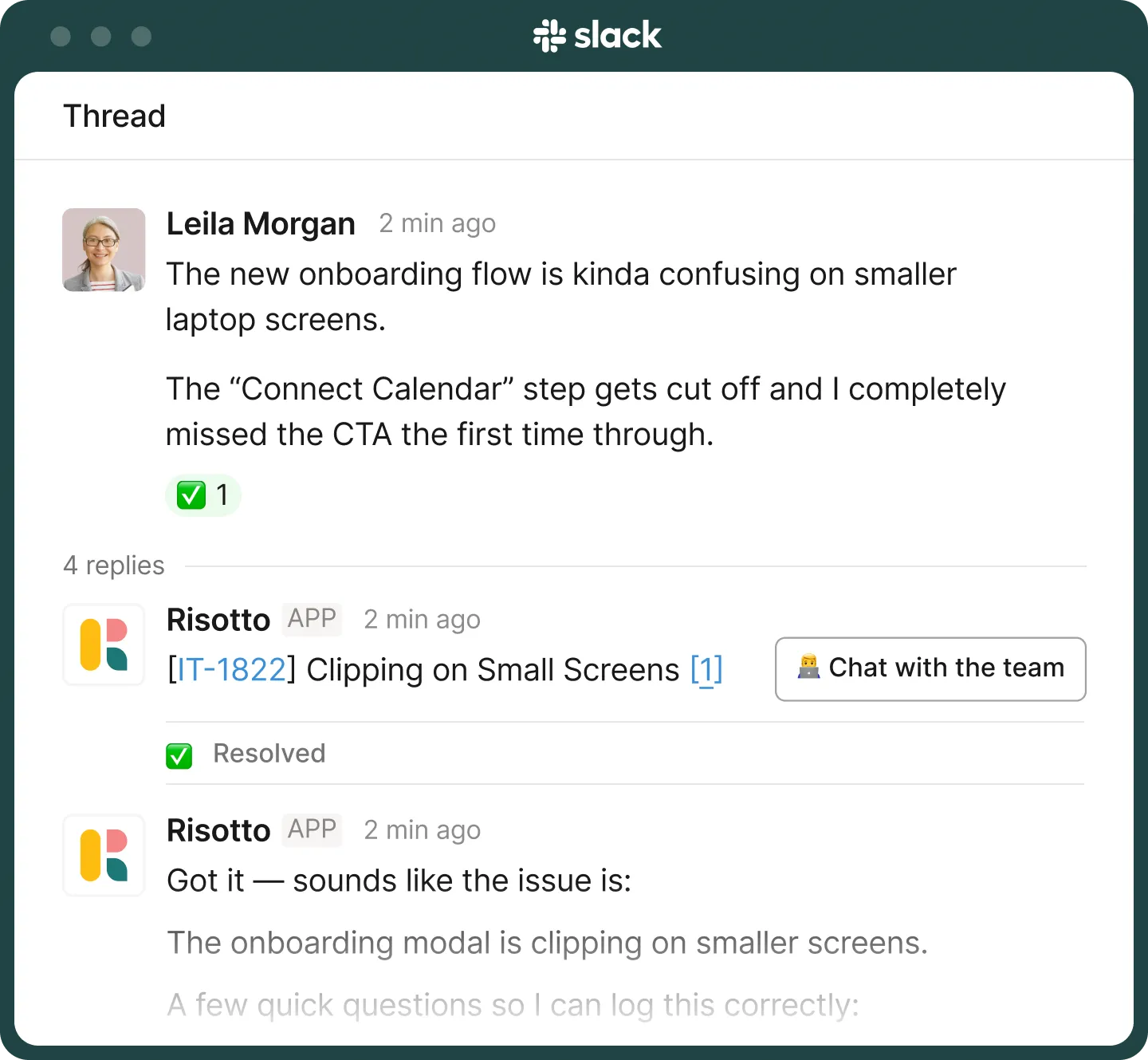
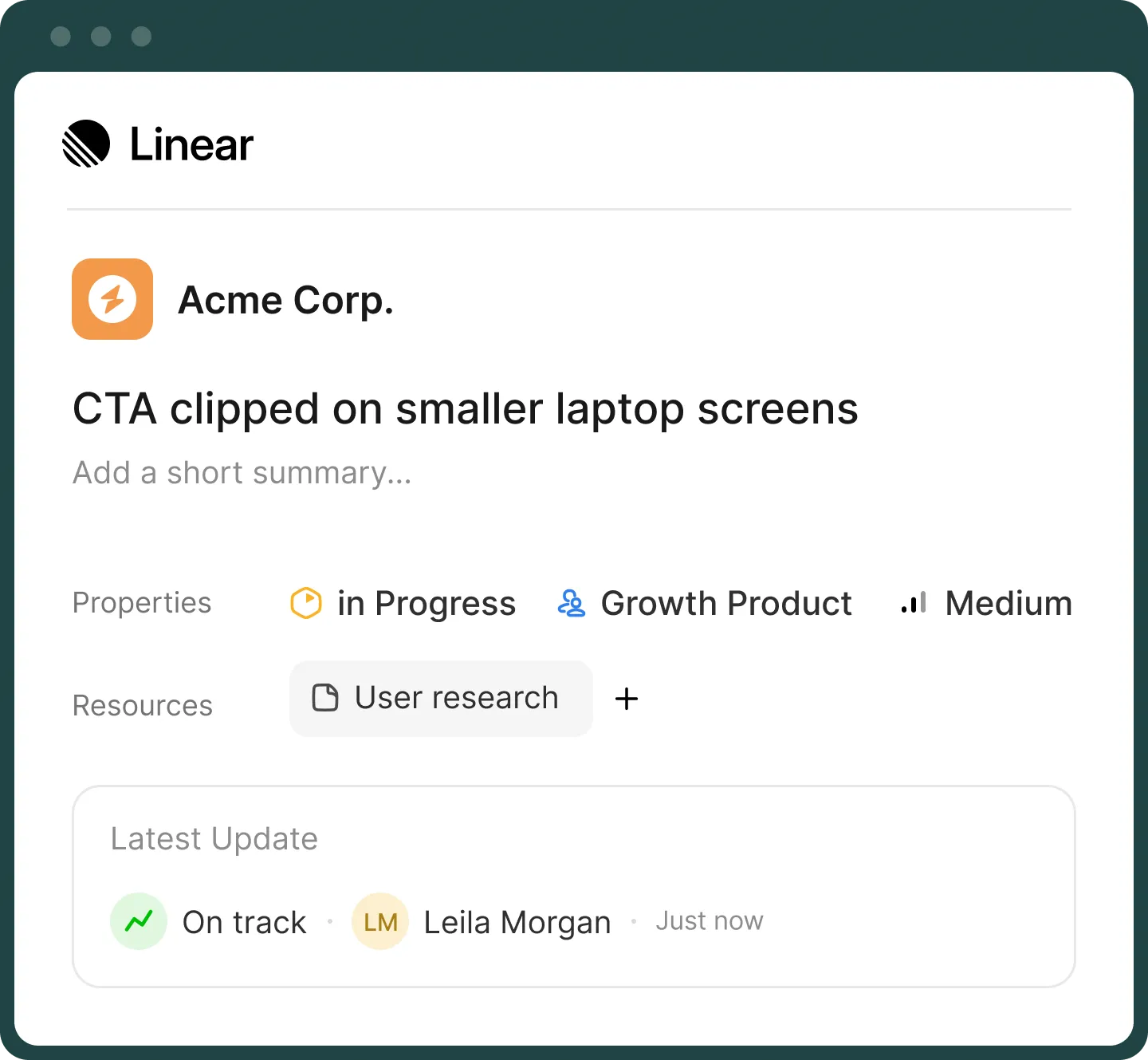
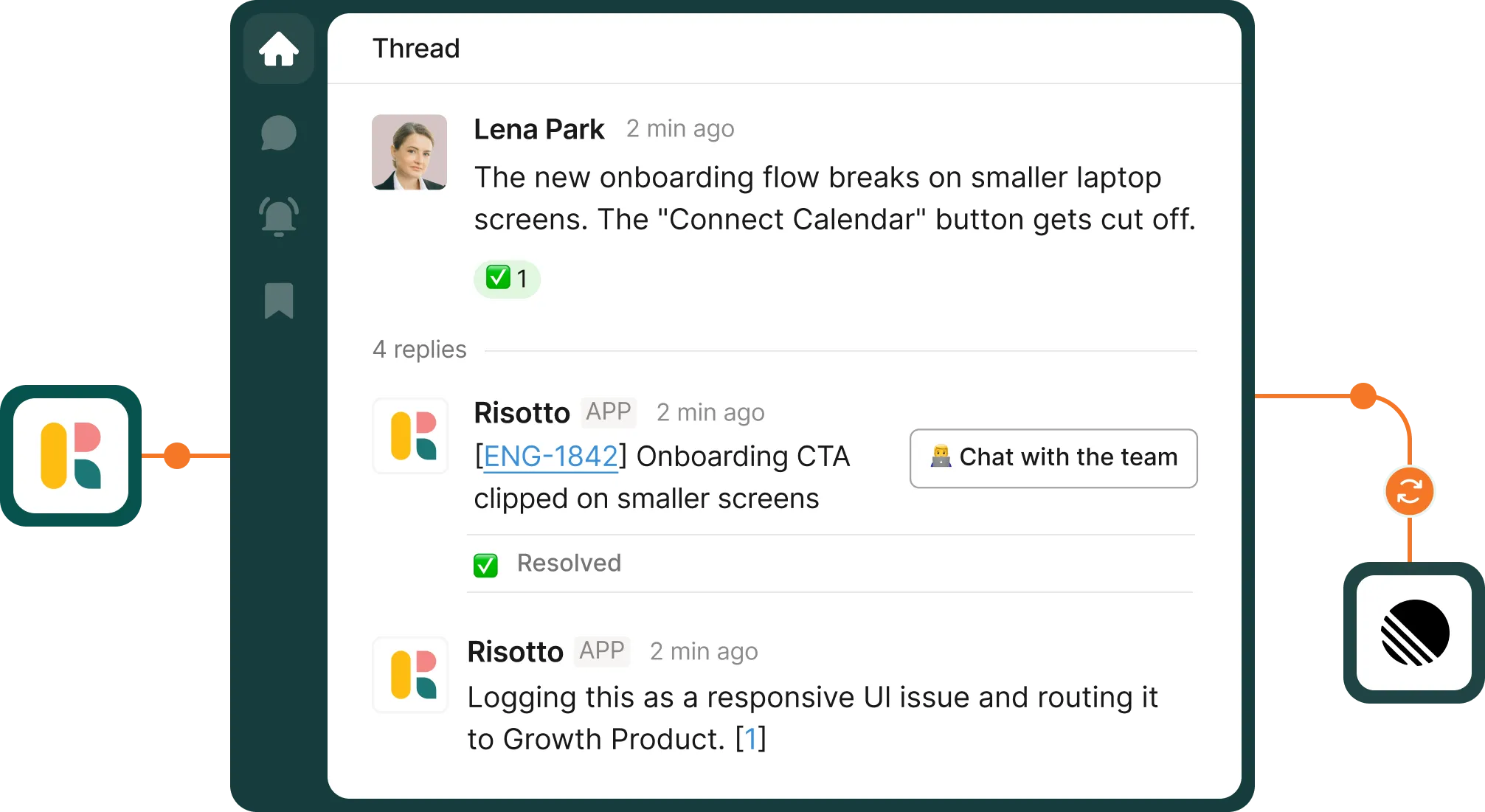
Risotto reads employee requests and decides if they should become a Linear issue. It creates the issue, adds clear titles and labels, and assigns it to the right person.
Risotto resolves all the requests it can before creating a ticket. Only unresolved requests become issues in Linear. Your backlog stays focused on work that actually needs your team.
Risotto sorts all escalated requests before they enter Linear. Our AI determines priority, category, and the right owner. So your team opens a clean queue, not a pile of raw messages.
Sync status changes, assignments, comments, and resolutions across Slack and Linear, no matter where an update happens.
Define which requests go to which teams. Risotto maps incoming requests to your existing Linear teams, labels, and priorities.
Your projects, cycles, labels, and workflows are untouched. Risotto plugs in and speeds things up without changing how your team already works.
When an issue is resolved in Linear, employees get notified in the original Slack thread. Nobody needs to remember to update anyone.
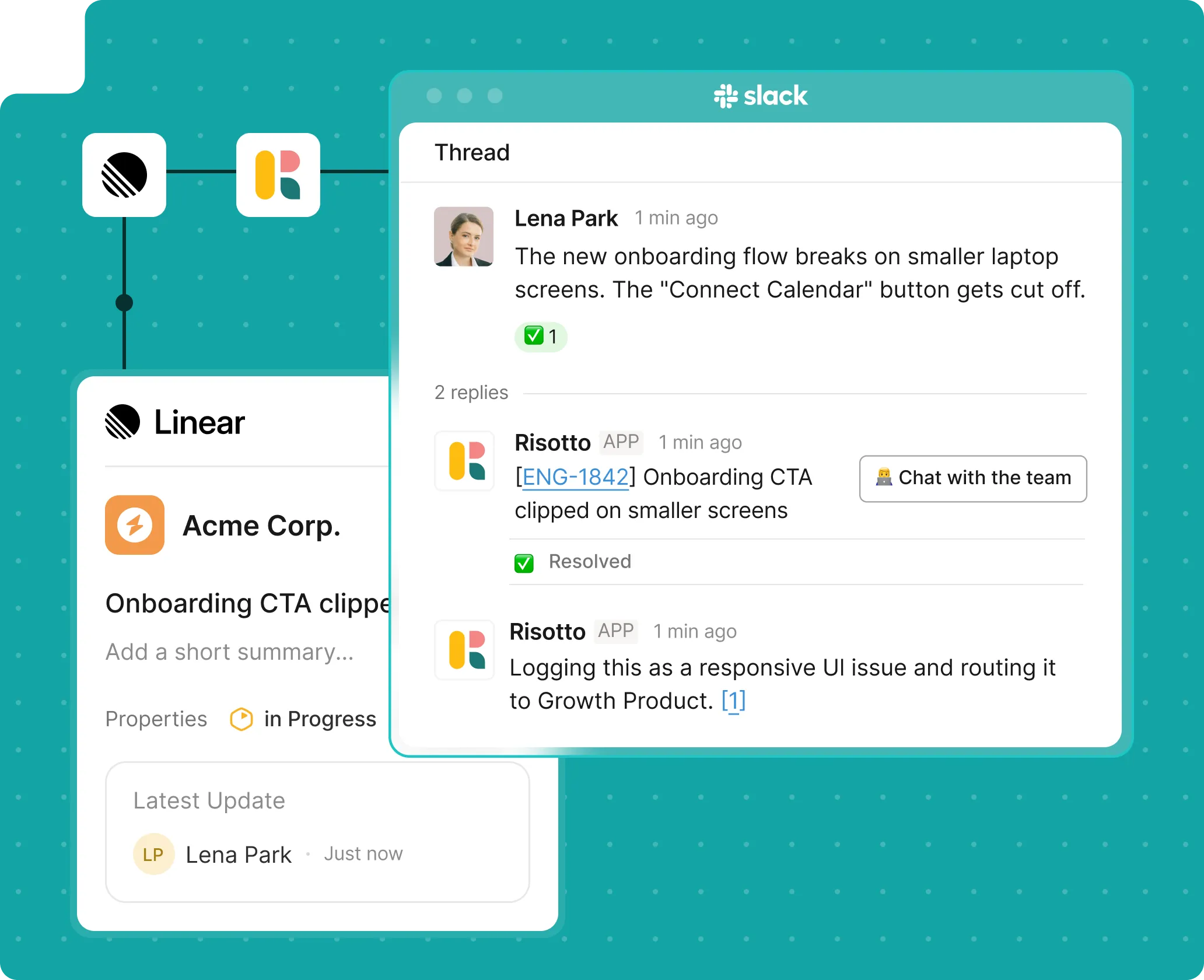
Risotto reads employee requests and decides if they should become a Linear issue. It creates the issue, adds clear titles and labels, and assigns it to the right person.
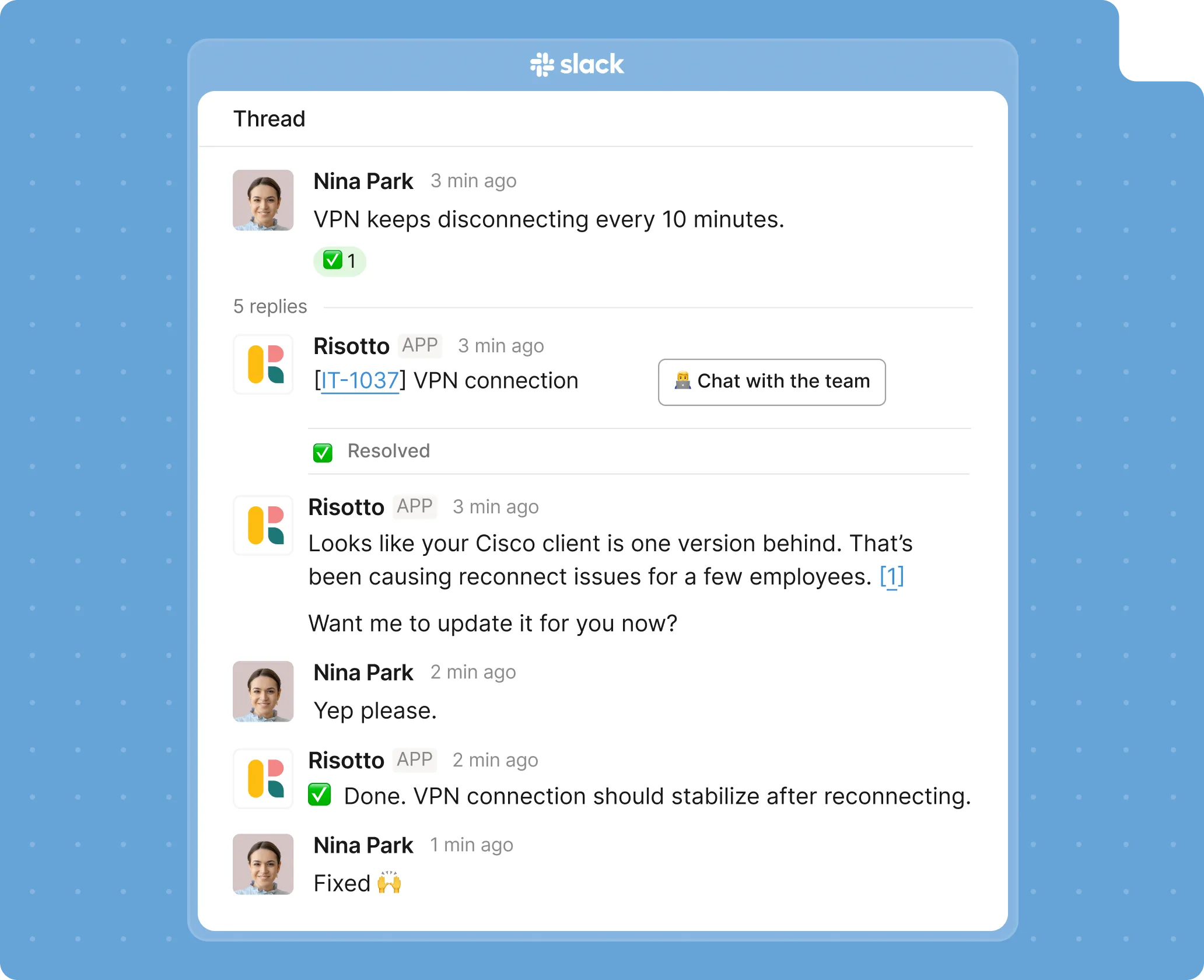
Risotto resolves all the requests it can before creating a ticket. Only unresolved requests become issues in Linear. Your backlog stays focused on work that actually needs your team.

Risotto sorts all escalated requests before they enter Linear. Our AI determines priority, category, and the right owner. So your team opens a clean queue, not a pile of raw messages.

Sync status changes, assignments, comments, and resolutions across Slack and Linear, no matter where an update happens.
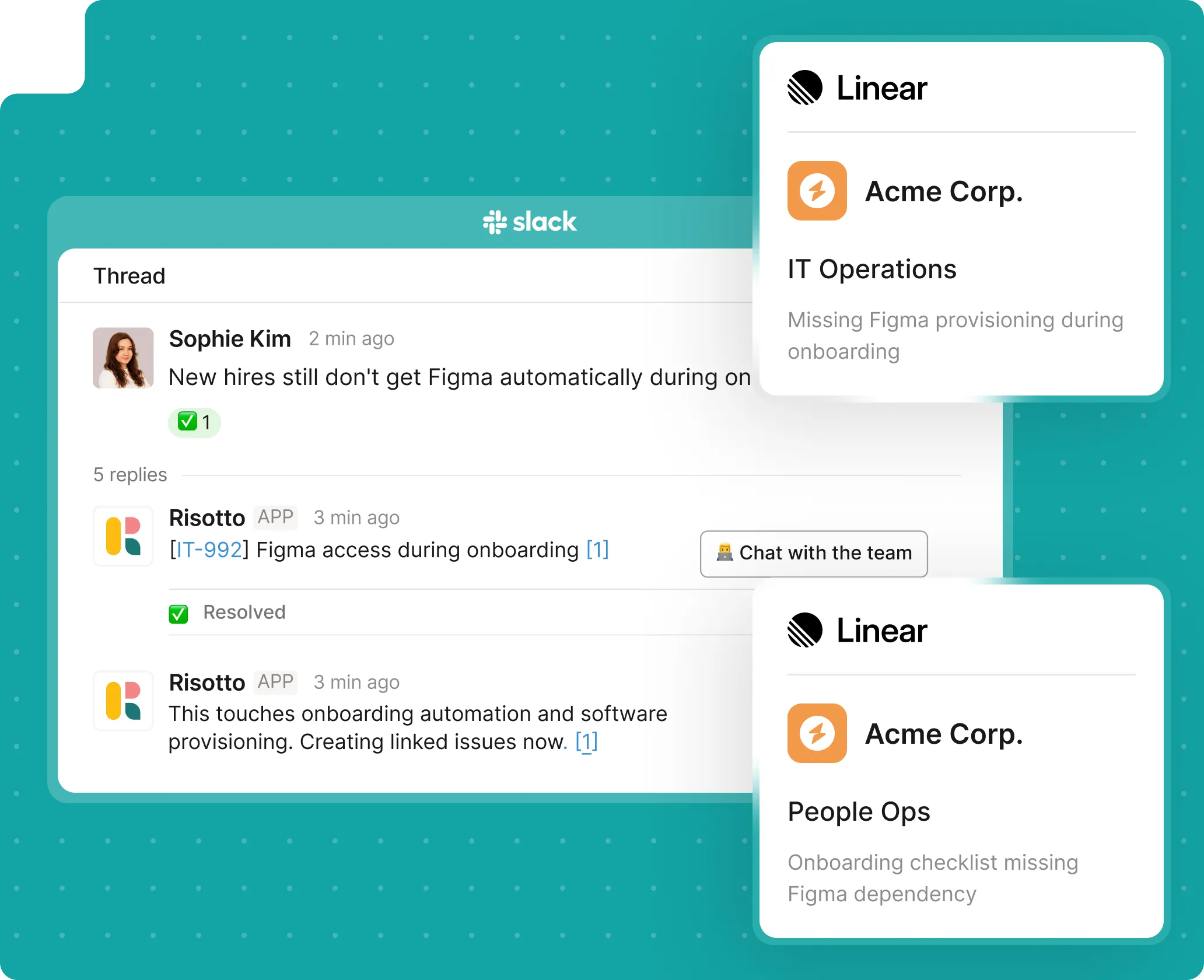
Define which requests go to which teams. Risotto maps incoming requests to your existing Linear teams, labels, and priorities.

Your projects, cycles, labels, and workflows are untouched. Risotto plugs in and speeds things up without changing how your team already works.
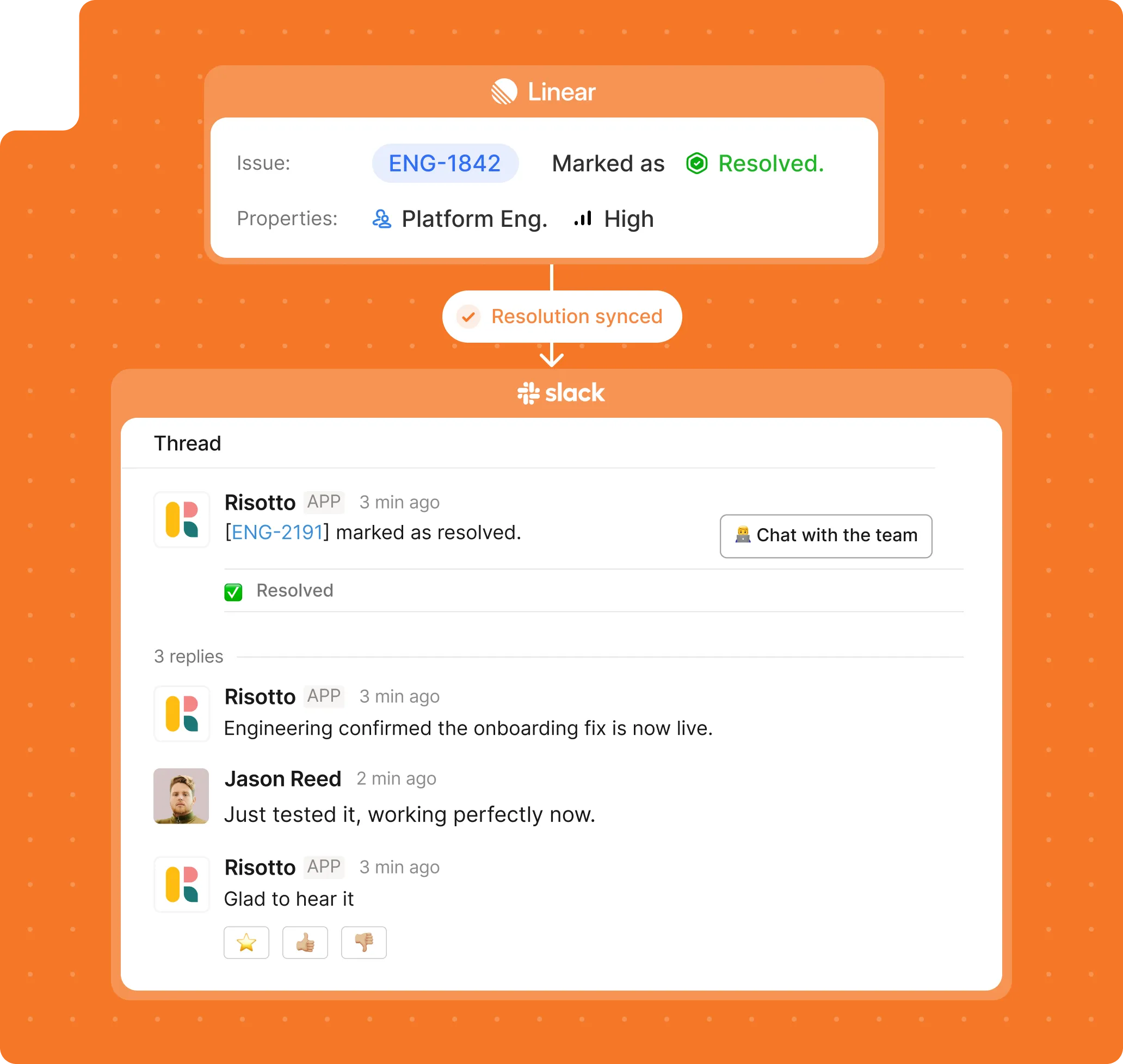
When an issue is resolved in Linear, employees get notified in the original Slack thread. Nobody needs to remember to update anyone.
A request either gets solved or gets serious. There is no third state.
No limbo, no ambiguity. Everything moves forward with intent.
Risotto automatically resolves all tier-1 requests, such as
Trigger the right workflow by asking in plain language. Risotto runs the correct action automatically, without relying on keywords.
Use Risotto Runbooks to build multistep if-not, this-then workflows. Write it in plain English. Let Risotto do the wiring.
Connect IT, HR, Finance, and your other teams. Pull in the right stakeholders and resolve multi-department issues faster.
Escalations include the full conversation, the actions taken, and a timestamp. Logged in both Risotto and Linear for any reporting or compliance needs.
Got a few questions before you book? Fair.
Still have questions? These might help.
Got a few questions before you book? Fair.
From custom workflows to advanced access policies, our support team helps you get the most out of every integration.
How is Risotto different from Linear's native Slack integration?
Linear's Slack tools help engineers manage their own issues.
Risotto is an intake and resolution layer that sits in front of Linear.
It handles all employee requests, resolves common ones automatically, and escalates the rest as structured issues.
What does a Linear issue look like when Risotto creates it?
It arrives fully formed, with a clear title, a structured description built from the Slack conversation, labels already applied, and routed to the right team.
Your team opens the queue and gets to work immediately.
What gets synced back to Slack?
Status changes, comments from assignees, and resolutions in Linear all sync back to the original Slack thread in real time. Employees stay informed without opening Linear.
How does Risotto decide what to escalate versus resolve automatically?
You define the rules using Risotto Runbooks.
Set what Risotto handles in chat and what gets escalated to Linear, based on request type, keyword, team, or any logic that matches how you already work.
Do employees need a Linear account?
No. Employees interact entirely in Slack.
Linear is used by your IT and ops teams in the background. Employees only see updates synced back to their original thread.
Will this change how our Linear teams currently work?
No. Risotto creates issues that behave like any other Linear issue. Your existing workflows, cycles, and triage processes stay completely untouched.
Every policy question is stealing time from the work Finance was hired to do.
Turn Slack requests into action items instead of engineering interruptions.
The biggest deal risk might be an unanswered internal question.
Run a united support system that your employees can depend on.
Build the automations you’ve been planning on for months.
The bottleneck isn't your team. It's the groundwork before they can actually help.
Get support data that your team can talk to.
Let’s fix the messy overlap between Slack conversations and Linear tasks.
Jump on a call to understand:
Skip manual intake, routing, and follow-ups. See how requests get resolved in chat or show up in Linear fully ready to act on, before your team even looks.
.svg)
See what makes the Iru integration a 10/10 for our clients.