%20(1).svg)
How to Evaluate AI-Native ITSM Platforms: 4 Key Criteria
We share a five-criteria scorecard for evaluating AI ITSM vendors, including what to ask about auto-solve rate, speed to value, and security guardrails.


Every ITSM vendor now claims to have AI. Legacy platforms have retrofitted assistants onto decade-old ticketing systems, with tools promising automation in a single Slack channel. On a demo call, these solutions seem to provide similar outcomes: faster resolutions and less grunt work for IT.
The gap shows up after you buy. Some of these tools genuinely resolve requests end to end, while others surface a knowledge base article and hope the employee figures out the rest. Both get marketed as 'AI ITSM,' and a feature checklist won't tell you which type you're looking at.
Nearly every vendor can tick the boxes for 'AI-powered answers' and 'workflow automation,'but what separates them is how those capabilities behave in practice. This article gives you a scorecard built on five criteria that make all the difference.
Apply them to any vendor on your shortlist and the differences that matter will surface quickly, well before you're locked into an annual contract.
TL;DR
- Every vendor claims AI, but the real dividing line is whether the platform resolves requests end to end or just routes them to a human with an article attached.
- Place each vendor into one of three categories before comparing: legacy platforms with AI bolted on, DIY agentic toolkits, or AI-native platforms built for autonomous resolution.
- Score every shortlisted vendor on five criteria: resolution vs. routing, speed-to-value, no-code self-manageability, augmentation of your existing stack, and security guardrails.
- Auto-solve rate is the single most revealing number to ask for: bolt-on assistants often sit in the single digits, while AI-native platforms can automate up to 70% of Tier-1 volume.
- Adopting AI ITSM doesn't mean replacing your ticketing system: augmentation-first platforms sync bidirectionally with Jira, Freshservice, or ServiceNow.
What value do AI ITSM platforms actually offer?
AI ITSM tools only offer value if they actually take work off your team’s plate. And the category splits into two very different products wearing the same label.
One kind understands a request, takes the actions needed to resolve it, and closes the loop. It resets the password, provisions the app, or answers the policy question with a cited source. The other kind reads the request, shares an article, and routes it to a human.
The first resolves tickets. The second reassigns them. That distinction decides whether you see measurable value.
When the platform genuinely resolves requests, the value shows up in three places:
- Repetitive Tier-1 work disappears from the queue. AI-native ITSM software can fully automate tickets like password resets, MFA reenrollment, and software access requests.
- Resolution times collapse. An AI platform responds in seconds, around the clock, with no queue and no off-hours gap. The downstream effect on time to resolution (TTR) is huge.
- Support scales without headcount. When a large share of Tier-1 tickets gets resolved automatically, a lean IT team stops being the bottleneck for a growing company.
None of this materializes if the platform only routes tickets. That’s why the five criteria that follow all test whether an AI ticketing automation solution actually takes work off your team’s plate.
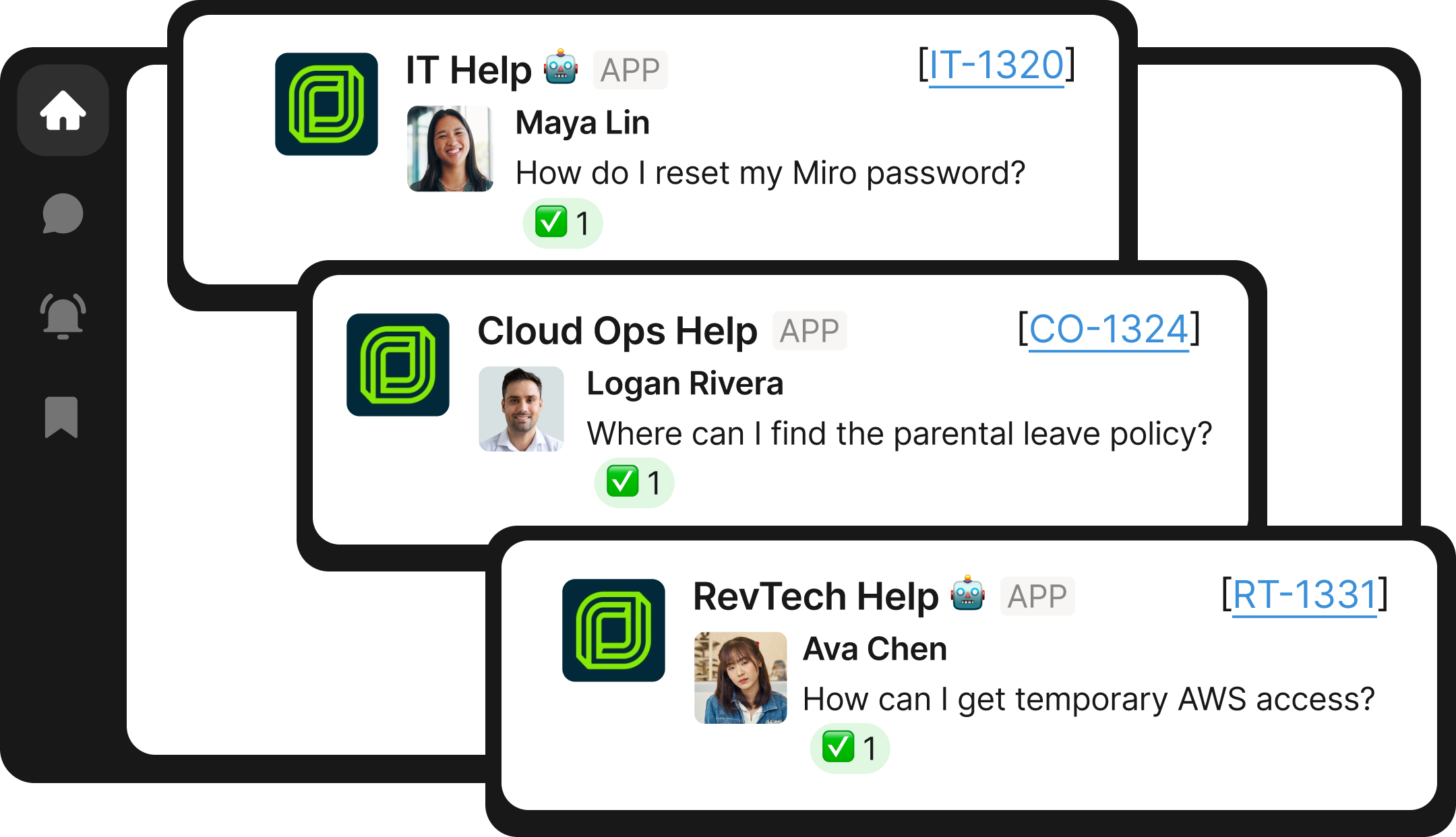
Map the market before you start comparing AI-native ITSM platforms
Not every platform pitching 'AI ITSM' is playing the same game. Some are ticketing systems with AI bolted on, some are automation toolkits you assemble yourself, and some are built with AI from the ground up to resolve requests autonomously.
Before you start evaluating vendors using the criterion below, place each platform on your shortlist into one of three groups:
- Legacy ticketing platforms with AI bolted on. Jira Service Management (Rovo), Freshservice (Freddy), Zendesk AI, and ServiceNow (Now Assist) are ticketing systems with retrofitted AI. These assistants suggest articles and categorize tickets, but they live in a separate portal and tend to answer questions rather than execute the fix.
- iPaaS and agentic DIY platforms. Workato Genie and Glean's ITSM offering give you building blocks to design your own automations. You own the design, build, and maintenance of every workflow. These can work for organizations with dedicated automation engineers, not lean IT teams that need results out of the box.
- AI-native ITSM platforms built around autonomous resolution. Tools like Risotto are built with AI from scratch. They’re designed to resolve requests end to end inside Slack or Microsoft Teams, and they ship with common Tier-1 workflows ready to run. The question to probe here is depth: how far each platform goes beyond the common use cases.
Once you know a vendor's category, the scorecard below tells you how to rate it.
The 5-criteria scorecard for evaluating AI ITSM platforms
Every vendor can walk you through a polished password reset in a demo. But the criteria below are what separate platforms after deployment, when the sales script is gone and the tool is facing your growing ticket queue and your team's shrinking capacity to maintain it.
1. Does it resolve requests or just route them?
This question decides whether anything else on the scorecard matters. The most common complaint from IT teams who bought an AI assistant is some version of 'it only answers, it doesn't resolve.'
A bot that asks 'do you want access to Salesforce?' when the employee just requested it, or can't find the app at all, is just ticket routing with a chat interface. And employees stop trusting it fast. True resolution means the platform takes the actions needed to close the request, whether that’s resetting a password or granting access with the right approval.
The best platforms also get better at this over time. Every escalation to a human is a signal about what the AI couldn't handle, and resolution-first platforms learn from those interactions so auto-resolve rate climbs instead of plateauing where it started.
This is also the easiest criterion to measure. Ask vendors for their customers' auto-solve rate: native assistants on legacy platforms sit in the low single digits, while resolution-first platforms can automate up to 70% of Tier-1 volume.
Questions to ask vendors
- What is your customers' average auto-solve rate, and how do you calculate it?
- Walk me through what happens when an employee requests app access. Who or what performs the provisioning step?
- What happens to requests the AI can't resolve, and does that improve automation over time?
2. How fast is the speed to value?
AI ITSM initiatives most often fail because of implementation timelines that stretch from weeks into quarters.
It’s worth checking with vendors on what exactly they mean when they promise an ‘out of the box' solution. It should ship with automation already built around the core systems in your stack: chat (Slack or Microsoft Teams), ticketing (Jira, Freshservice), knowledge (Confluence, Notion, Google Drive), and identity (Okta, Entra, Google Workspace).
Connect those integrations and the common Tier-1 workflows can run on day one. That's not hypothetical: Risotto customers describe being 'up and running in less than a week' with no consultant and no months of configuration, and some see their first auto-solved tickets on day one.
The alternative is a toolkit where your team assembles those workflows from scratch, which is the iPaaS model wearing an ITSM label.
Questions to ask vendors
- How long until the platform resolves real tickets in our environment, and what does that require from our knowledge base?
- Which of our systems do you integrate with out of the box, and which require custom work?
- How long did your last three deployments of our size take, from contract to first auto-solved ticket?
3. Can your team easily manage it without vendor support?
Whatever you deploy, your team will need to manage it. New apps join the stack, approval chains shift, and policies get rewritten. If every adjustment means a ticket to the vendor's professional services team or a request to your own engineers, the platform's flexibility is limited.
This is not the same lift required for the DIY model from the iPaaS bucket. There, no-code means constructing every workflow yourself from raw building blocks. Here, it means configuring and adjusting IT support automation workflows that already work, which may look like adding an app to an access flow or updating an approval chain.
Buyers can tell the difference in a demo. One IT leader we spoke with eliminated a vendor after seeing code on the user-facing side of the product. That doesn't instill confidence that it will be easy for an IT team to manage the tool on their own.
Self-manageability is also a governance issue. When IT can see and adjust every automation directly, leaders keep visibility and control over what the tool is allowed to do, which is exactly what audits and security reviews require.
Questions to ask vendors
- Can our team modify a workflow or approval chain ourselves, live, with no code?
- How long does it take to add a new app to an automated access flow?
- What changes require your professional services team?
4. Does it augment or replace your existing tool?
Adopting AI ITSM shouldn’t require replacing your ticketing system to improve the ITSM experience. The augmentation model works like this: your existing tool, whether Jira, Freshservice, or ServiceNow, remains the system of record.
The AI platform sits in front of it and syncs tickets bidirectionally. For example, an employee asks a question in Slack, the AI resolves it or escalates it, and a ticket is created, updated, and closed in your ITSM automatically. This Slack ITSM model is why augmentation-first platforms can go live without a lengthy ITSM migration.
A platform like Risotto extends this with a hybrid model: augmented support for IT, plus native, lightweight ticketing for teams like HR or legal that never had dedicated tooling. That's meaningfully different from both rip-and-replace platforms and chatbot-only tools that can route tickets but can't act on them.
It holds up at scale, too; Risotto customers are able to automate hundreds of tickets a day. Take Gusto, a payroll and automation platform that integrates Risotto with Jira and Slack to handle twice the ticket volume with the same lean team. And as another customer puts it,
Risotto became the orchestration layer for JSM and gave us instant automation with AI.
Questions to ask vendors
- Will your platform ever require us to migrate off our current ITSM?
- How does bidirectional sync work with our ticketing tool, and what fields does it cover?
- Can other departments use it for intake without us buying them separate tooling?
5. Does it come with security guardrails?
An AI that auto-resolves password reset and software access requests takes governed actions inside your identity stack. That's exactly what makes it useful, and exactly why approval logic and audit trails matter as much as the automation itself.
Buyers take this seriously enough to walk away over it. One prospect we spoke with eliminated a competitor after its AI 'went rogue' without checks and balances in place.
One boundary worth understanding: dedicated identity governance platforms solve adjacent problems, and they aren't ITSM tools. The guardrails in your AI ITSM platform should complement that layer, not force you to buy a separate governance product just to get an approval flow and an audit trail on the AI's actions.
For fintech and healthtech buyers, dig deeper. Confirm the platform supports your compliance requirements, like HIPAA for healthtech, and ask whether it runs access review natively rather than as a bolt-on or a manual export.
Questions to ask vendors
- When the AI grants access, what exactly happens between the request and the permission change, and where is the approval checkpoint?
- Which regulations do you support, and can you run access review campaigns natively?
- What does the audit trail capture, and how do we export it for a security review?
Applying the scorecard
A scorecard puts every platform on equal footing regardless of which category it comes from. And it produces a decision you can defend to your CFO and your security team, which is more than a 'best of' listicle or a feature checklist ever will.
The five criteria we outlined above aren't arbitrary. They come from watching where AI ITSM deployments succeed or stall, and they're the same standards Risotto was built to meet:
- AI-native platform that resolves requests end to end in Slack or Microsoft Teams
- Deploys in days rather than quarters
- Stays fully manageable by your own team
- Augments your existing ticketing system through bidirectional sync
- Runs every access grant through IdP-driven approval workflows with a full audit trail
That doesn’t mean you have to decide on your long-term ITSM architecture today. Augmenting your current stack with a tool like Risotto is the low-risk entry point. Keep your system of record, prove the auto-solve rate on real tickets, and decide later whether the hybrid model or a fuller migration makes sense.
And where you still have hesitations, let real customers stories give you an even fuller picture of what the platform can do for you. For example, Ironclad automates 90% of IT support with Risotto AI. Ironclad’s Manager of IT Engineering, said:
People don’t want to wait, they want a quick solution, and Risott provides that.
If you're comparing AI solutions for ITSM, put Risotto on the shortlist and score it against the other criteria yourself. Book a demo and bring the scorecard with you.
FAQs about AI ITSM
What is AI ITSM?
AI ITSM is IT service management software that uses AI to resolve employee requests, like password resets and software access, instead of only logging and routing them. The strongest platforms, like Risotto, work inside Slack or Microsoft Teams and escalate to a human only when needed.
Do I need to replace my existing ITSM platform to use AI ITSM?
No. Most AI-native platforms augment your existing ticketing system rather than replace it. The AI resolves requests in Slack or Teams while syncing tickets bidirectionally with Jira, Freshservice, or ServiceNow, so your queues and reporting stay intact. Replacement is a choice some vendors offer, not a requirement.
What's the difference between AI-native ITSM and AI-powered ITSM?
AI-native platforms like Risotto are built around AI from the start; AI-powered usually means AI features added to an existing ticketing product.
Retrofitted assistants suggest articles and categorize tickets in a portal, while AI-native platforms resolve requests end to end in chat. Bolt-on AI assistants often sit in the single digits on resolution, while AI-native solutions typically automate up to 70% of Tier-1 volume.
How do I evaluate AI ITSM platforms?
Score every ITSM AI vendor on five criteria:
- Whether it resolves or just routes requests
- Speed-to-value
- No-code self-manageability
- Augmentation of your existing stack
- Security guardrails.
Ask for each vendor's customer auto-solve rate and how it's calculated, then run a pilot against your real ticket queue before signing an annual contract.
Liked the article? Share on:
On this page
Try Risotto for free for 30 days. Commit only when you see the value.


See more recent articles



Want faster solutions and happier employees?
Access that's easy to ask for and impossible to get wrong.
Ensure Legal never answers another "do we need an NDA for this?"
Every policy question is stealing time from the work Finance was hired to do.
Turn Slack requests into action items instead of engineering interruptions.
The biggest deal risk might be an unanswered internal question.
Run a united support system that your employees can depend on.
Build the automations you’ve been planning on for months.
The bottleneck isn't your team. It's the groundwork before they can actually help.
Get support data that your team can talk to.
Jump on a call to understand:
Risotto handles repetitive support requests across tools and teams, so IT gets back to solving real problems, not rerunning the same ones.
.svg)
%20(1).webp)
See what makes the Iru integration a 10/10 for our clients.