Guide to runbook automation tools in ITSM
Learn how to turn routine IT procedures into automated runbooks that resolve employee requests with less manual effort. This guide walks you through building your first runbook and choosing the right automation software for your IT team.


Your IT team likely has standard operating procedures for routine requests like password resets and software access. Many still live on a wiki page that someone works through step by step, or in a custom script that only the engineer who wrote it can maintain. Either way, each request depends on a specific person being available.
Runbook automation takes those same procedures and turns them into workflows that run across connected systems when an employee asks for help. AI can now draft a runbook from a plain-English description, so IT teams can build and update them without engineering help.
Below, we'll explain how runbook automation works and which IT processes are worth automating. We'll also walk through how to create a runbook, including which steps AI can handle on its own and which should run the same way every time, and what to look for when choosing runbook automation software.
TL;DR
- Runbook automation turns a written IT procedure into an automated workflow, and it works best for tasks with several steps or decisions.
- Start with a common, low-risk request like account unlocks, and save multi-system processes like onboarding for later.
- Describe the request each runbook handles in one plain sentence, with real examples in employees' own words, so it matches how people ask.
- Let AI look things up freely, but put every change to an account or its access behind an approval or a step that never varies.
- Test which requests a runbook matches before it goes live, and give it an owner who keeps it current.
- Risotto runbooks resolve requests in Slack and Microsoft Teams, and you can build one from a template, a plain-language description, or a script.
What is runbook automation?
Runbook automation is the process of turning a runbook, the written procedure for handling a routine IT task, into a workflow that a system runs when something triggers it.
The trigger might be an employee asking for help, an alert from a security tool that a laptop's endpoint protection has been turned off, or a schedule, such as a monthly review of inactive accounts.
For automation to work, the runbook has to be written clearly enough that a new hire or an AI agent could follow it. Automated workflows then carry out each step in connected tools and bring in a person when a step needs approval or judgment.
Not every request needs a runbook. An AI agent can answer simple questions straight from your documentation, and many access requests only need a rule that sets who qualifies, who approves, and for how long. Runbooks, then, are for procedures with several steps or decisions, such as diagnosing a lockout before picking a fix.
How runbook automation works
As we mentioned above, every automated runbook has a trigger that starts it, instructions to follow, and actions to run in connected systems. Some steps also need an approval or identity check before an action goes ahead. A good setup records what happened, so IT can review the outcome later.
The trigger depends on the platform and the type of work being automated:
- Employee requests: Someone submits a self-service request through Slack, Microsoft Teams, email, or a service catalog. The system identifies what they need and matches the request to the right runbook.
- Monitoring alerts and webhooks: A monitoring or security tool detects a problem, such as a laptop with endpoint protection turned off, and sends an alert or webhook that starts incident response.
- Schedules: The runbook runs at a set time, such as a monthly review of inactive accounts.
- System events: A change in another application, such as a new employee record in the HR system, starts the workflow.
Some platforms handle these triggers in different features. In Risotto, for example, runbooks respond to requests from employees. A separate feature called Automations handles work that starts without a request, such as a scheduled job, a webhook from another tool, or a new hire being added to the HR system.
Runbook automation example
To see how these parts fit together, take a common request: an employee messages IT because they can't sign in to Okta. That message is the trigger, and the system matches it to the team's lockout runbook.
The runbook's instructions start with diagnosis. In a real lockout runbook that one IT team uses, the first instruction reads: 'Before acting, search the user's Okta system logs from the last 24 hours.'
From there, it picks one of three actions in Okta. If the account is locked, it unlocks it. If the logs point to an MFA problem, it resets the employee's factors. If the password is the issue, it starts a password reset.
Any required identity checks run before the change is made, enforced by the controls set on that action. If the runbook can't resolve the issue safely, it should escalate to IT with the conversation and what it found attached, so nobody has to start over.
When the runbook is connected to the service desk, the ticket records which runbook handled the request and whether it was resolved without manual intervention.
Common runbook use cases in IT
Account lockouts are just one example. Runbooks work best for repetitive tasks that follow a set procedure but involve several steps, decisions, or systems. Common use cases in IT include:
- Access requests that need extra checks: A runbook can ask the employee to read a policy page, check that their reason meets company guidelines, and get approval based on your access control rules before granting access. If the access is temporary, it's revoked automatically when it expires. Clear access request management rules make these easier to automate.
- Password resets and account unlocks: These requests come in often and follow a clear pattern: find out why the employee can't sign in, then apply the matching fix, as in the Okta example above. That makes them a good first runbook. Before any reset, the runbook confirms the employee's identity.
- Onboarding and offboarding: When someone joins, a runbook can create their accounts, add them to the right groups, and request their apps. When someone leaves, it removes their access across HR, identity, and device tools. Without this, one IT team we spoke to said new hires can wait 'two, three weeks… to get the full access they need.'
- Device recovery: If an employee is locked out of an encrypted Mac, a runbook can confirm the device is managed by the company and retrieve its FileVault recovery key. If the device isn't managed, it escalates to IT.
- Admin requests: Requests to create Slack channels or Google Groups come in often and carry little risk. A runbook can collect the details, check them against naming and membership rules, and create the channel or group.
- Monitoring alerts and security events: When a security tool reports a laptop with endpoint protection turned off, a runbook can open a ticket or run an approved fix.
Benefits of IT runbook automation
Automating requests like the ones above cuts the manual effort behind routine tasks, but the benefits go further. As part of a wider ITSM workflow automation setup, runbook automation enables six benefits for IT teams.
End-to-end resolution
A runbook can handle a request from start to finish. It gathers the details, gets any approvals, and makes the change in the target system, so the employee gets help without waiting in a queue. After a FileVault runbook ran on its first day, one IT lead we spoke to said: 'no human was involved in this process minus the approval… that's pretty great.'
Consistent execution
Steps that change access or accounts can be set to run the same way every time. That removes human error from manual steps, like copying the wrong permissions or adding someone to the wrong group.
Less reliance on one person
When a procedure lives in a runbook that anyone on the team can read and update, it no longer depends on the person who built it. That supports business continuity when someone is out or leaves.
As one IT team we spoke to put it: 'If someone comes in and creates a bunch of stuff and then decides they're gonna leave. We would be left with nothing.'
A record for audits
Because each run is logged automatically, the ticket shows who asked, which runbook handled the request, and who approved it. When security or an auditor asks why someone has access, the answer is already on record. These audit trails also support regulatory compliance.
Ownership beyond IT
Because runbooks can be written in plain language, the subject matter experts who know a process best, such as an HR or finance lead, can build and maintain their own. IT still controls who can edit which runbooks across the organization.
This helped Hazel Health when it acquired two mental health companies and needed to support the new teams quickly.
Its HR team and the acquired teams now build runbooks in plain English with minimal IT involvement. As IT Operations Manager Victoria DiRugeris put it: 'I could show colleagues how to configure their own workflows without any technical requirements.'
More capacity without more headcount
Every request a runbook resolves is one less interruption for IT. That leaves more time to focus on bigger projects and lets the team handle more requests without hiring.
At Gusto, an IT team of eight was handling roughly 3,000 requests a month, even with a chatbot in place. After rolling Risotto out across 11 departments, with more than 50 runbooks and 157 access rules, the team now auto-solves 55% of tickets on average and supports twice the ticket volume with the same headcount.
How to create a runbook for IT
Before you automate a procedure, you need a runbook that's clear enough for a person or an AI agent to follow from start to finish without asking questions. The six steps below cover how to write one, whichever tool you end up using.
1. Pick a common request
Start with a request your team already handles often and knows how to fix. The best first runbooks are repetitive and low risk, like Slack channel requests or account unlocks, because if something goes wrong, it's quick to spot and fix.
To find them, sort the last few months of tickets by type and look for the ones that come up every week. Save onboarding and other multi-system processes for later, once you've seen how a simple runbook holds up against real requests.
2. Define the trigger
For runbooks that start from an employee request, the trigger is the description the system matches incoming requests against. Getting it right is harder than it sounds, because people can describe the same problem in very different ways.
One IT admin we spoke to built a runbook for setting up work apps on employees' personal phones, part of the company's bring-your-own-device (BYOD) process. It missed requests like 'Can I get Slack added?' and 'Can I get Gmail added?' because employees asked for the app they wanted, not the process behind it.
To avoid this, write the trigger as one plain sentence that describes the request, such as 'An employee wants a work app set up on their personal phone.' Then add three to six real examples in employees' own words.
Keep a short list of requests that should match and a few that shouldn't, and re-run them after every edit, so fixing one phrasing doesn't break another. Expect a few rounds of this; one team we spoke to tuned a single runbook through 17 iterations.
3. Write steps a new hire could follow
Once the trigger is set, write the steps themselves: one action per step, in plain language, naming the system it happens in.
Vague steps leave the AI agent, or a new hire, guessing what you meant. Also spell out what happens when a check fails or the employee can't verify their identity. Here's the difference:
❌Vague: 'Fix the employee's account.'
✔️Clear: 'Check the employee's Okta system logs from the last 24 hours. If the account is locked, unlock it. If the logs show an MFA problem, reset their MFA factors. If neither applies, escalate to IT with the logs attached.'
If a new IT hire could follow the runbook without asking its author, it's ready to automate. Written this way, a runbook also doubles as documentation the rest of the team can read, which supports better ITSM knowledge management.
4. Decide which steps must run the same way every time
Not every step in a runbook should be left to the AI. An AI agent won't always handle the same request in exactly the same way.
That's fine when it's asking an employee a follow-up question, but risky when it's changing their access. The rule of thumb is to let the AI look things up freely, but put every change behind a fixed step or an approval.
Flexible steps are often called non-deterministic, because the outcome can vary. Fixed steps are called deterministic, because the same input always gives the same result.
Take the Okta lockout example from earlier, where an employee can't sign in. The AI can handle the first part flexibly: checking the logs, working out what's wrong, and asking the employee questions.
Unlocking the account is different. Instead of letting the AI decide how to do it, the runbook tells it which Okta tool to use and which account to unlock, so the change happens the same way every time.
Security and audit teams often raise this point. One fintech IT team we spoke to said of its previous AI vendor: 'security was concerned and audit was concerned about the AI being able to make changes on its own without a lot of guardrails.'
Here's how the two types of steps compare when you're deciding which to use:
A fixed step can be a single action, like unlocking an account, or a full set of rules. A runbook that creates Google Groups, for example, can check that the group doesn't already exist and that every email address follows company rules before it creates anything.
Some platforms let you combine flexible and fixed steps in the same runbook. In Risotto, for instance, you write each step of a runbook in plain language, the way you'd explain it to a new hire. For the steps that must not vary, you lock down the details yourself.
You can choose which tool the AI must use, set exactly where it gets details like the employee's email address, require someone to approve before an action goes ahead, or require the employee to confirm their identity first. The AI follows those settings every time instead of deciding on its own.
If a whole workflow needs to run the same way every time, like the Google Groups example above, Risotto can build it as a script instead: a small program that runs each check in order. IT can read the code to see exactly what it does.
5. Add approvals and an escalation path
Some requests shouldn't go ahead until a person signs off, such as access to a sensitive system or a change to someone's account.
If your policy requires approval, build that step into the runbook. Decide who approves, how long the access should last, and what happens if the approver doesn't respond.
Who approves often depends on how much the access allows. One IT team we spoke to has three levels of AWS access. The basic level is approved automatically for anyone in engineering, the next needs approval, and the most powerful is limited to three specific teams.
How long access lasts matters too. Admin rights are a good fit for short windows, such as Google admin access that's removed automatically after an hour or two.
Set a deadline as well, so nothing stalls when the approver is busy. Another team we spoke to sends the request to IT after 30 minutes without a response.
Finally, decide when the runbook should hand the request to a person, such as when a check fails, none of the fixes apply, or the employee can't verify their identity. Pass along the conversation and what the runbook has already tried, so whoever picks it up doesn't have to ask the employee to start over.
6. Test, publish, and keep it current
Before a runbook goes live, check that the right requests will trigger it. Take the example requests you wrote down in step 2 and see whether the system sends each one to this runbook. Include a few requests that belong to a different runbook, too, to make sure this one doesn't pick them up by mistake.
This kind of test only shows which runbook would handle a request. It doesn't carry out any of the steps, so read through the steps and permissions yourself before you turn the runbook on.
Once it's live, review the runbook whenever a policy changes or you switch to new software. That gets harder as the number of runbooks grows.
As one IT lead we spoke to asked: 'How are we going to generally keep track of what we have solutions for and what we don't?' Giving each runbook an owner helps, because someone is responsible for keeping it up to date. A version history also lets you undo a change that causes problems.
In Risotto, for example, you can send a sample request to see which runbook would handle it (Test Match), save a set of example requests to re-run after every edit (Saved Matches), and roll back to an earlier version if a change goes wrong.
Risotto also helps you identify gaps. When a request has no runbook and goes to IT, the Tier-2 Assistant helps investigate it. Once it's resolved, the assistant can offer to turn the fix into a new runbook, so the next request like it is handled automatically.
Got a procedure sitting in a doc somewhere? Describe it to Risotto and see it built as a runbook. Book a demo.
Runbook automation tools: what they are and what they do
Runbook automation tools store your runbooks and carry out the steps in the systems you use, such as your identity provider or help desk, whenever something triggers them.
Which kind of tool you choose matters, because it decides who can build runbooks, whether employees can ask for help in chat, and how much extra work IT has to build and maintain.
There are three main types, covered below.
Infrastructure runbook tools
Infrastructure runbook tools run automated jobs in a server or cloud environment, such as executing scripts when an infrastructure monitoring tool raises an alert.
Operations teams and engineers usually build and maintain them, often as part of incident management. Azure Automation runbooks, for example, are written in PowerShell or Python, or built in a graphical editor.
These infrastructure tools are a good fit if your main goal is keeping servers and cloud systems healthy. They aren't built for employee IT requests, though: there's no way for an employee to ask for help, and no ticket to update.
Workflow automation tools and custom scripts
Identity-provider workflow tools like Okta Workflows, integration platforms like Workato, and homegrown scripts can all run multi-step actions across apps, such as adding a new hire to the right groups.
They're a good fit if you have an engineer to build and maintain them. On their own, these tools don't talk to the employee or update the IT ticket, so IT has to build those parts separately, such as a form to collect the request and extra steps to sync the ticket's status.
These builds often end up with one owner and little documentation, which leaves IT with automations that only one person can maintain.
Service desk runbook automation
Service desk runbook automation ties the runbook to the help desk, so the request that starts it also creates, routes, and updates the ticket. People step in for approvals and escalations.
This type is a good fit for IT teams whose work mostly starts with employee requests. Because the conversation, the runbook, and the ticket live in one place, there's less for IT to build and keep in sync.
Risotto is one example. Its runbooks run from requests in Slack, Microsoft Teams, and email. Ticket handling is built in, so there are no sync steps to build, and it works alongside your existing ticketing system, such as Jira Service Management or Freshservice. That makes it an option for teams that want more IT workflow automation without replacing their ITSM.
How to choose runbook automation software
Whichever of the three types of runbook automation tools above suits your team, it helps to compare your options against the same set of questions. When you're evaluating a runbook automation platform, ask:
- Who can build and edit: Can people outside engineering write and update runbooks in plain language? And can you control who's allowed to edit which ones? The answer decides whether your runbooks end up depending on one person again.
- Flexible and fixed steps: Can you choose which steps the AI handles in its own way and which run the same way every time, as covered in step 4? This is what lets you use AI for the conversation while keeping changes to access under control.
- Ticket connection: Does the runbook create and update the IT ticket as it runs, or will you have to build and maintain that link yourself? Every extra connection is one more thing that can break.
- Triggers: Can runbooks start from employee requests in chat and email? If you also want alerts, schedules, or events in other tools to start workflows, check that the platform supports those too.
- Approvals and audit trail: Can you set different approvers for different levels of access, limit how long access lasts, and see who approved what? Security and audit teams will ask for this record.
- Fit with your stack: Does it work with your identity provider and the ticketing system you already use? A tool that sits alongside your current setup is easier to roll out than one that asks you to replace it.
- Upkeep: Can you test which runbook a request would match? Is there a version history, so you can roll back if an edit stops a runbook working properly? It also helps to keep each process in one tool, so a single workflow isn't split across systems that might clash.
Where to start with IT runbook automation
When implementing runbook automation, the quickest way to start is with one request your team handles every week.
Pull up the last few months of tickets, pick the most common low-risk request, and write its runbook using the six steps above. If the procedure already exists somewhere, such as a checklist in your wiki, an identity-provider workflow, or a playbook from another tool, start from that instead of a blank page.
Then judge it by one measure: how many of those requests now finish without anyone in IT doing the work manually. Once the first runbook holds up, move on to the next most common request.
You can build that first runbook in Risotto. An AI-native IT service management platform that resolves employee requests right inside Slack and Microsoft Teams, and it works alongside the ticketing system you already use.
Automated runbooks are how you teach your team's procedures, so the request you picked becomes the first one it learns to handle.
Creating one doesn't take engineering work, and there's a way in for every level of technical skill:
- If you'd rather not start from scratch, pick one of 28 ready-made templates for common access, knowledge, and software requests, and adjust the details to fit your team.
- If you know the process but not the code, describe it in plain English, or paste in an existing doc or workflow export, and use the AI Workflow Builder to build runbooks from a plain-language description. It drafts the runbook and connects the tools it needs, and you refine it in the same conversation.
- If you're comfortable with code, use the script tool for workflows that must run the same way every time. It turns the steps into code you can read to see exactly what it does.
Whichever route you take, test the runbook with a few sample requests before you turn it on.
Frequently asked questions
Runbook automation turns a written IT procedure into a workflow that runs when something starts it, such as an employee request, a security alert, or a schedule. Some steps can be flexible, where an AI agent decides how to handle them, and others fixed, so they run the same way every time.
A Mac lockout runbook is a simple example. When an employee is locked out of their encrypted Mac, the runbook asks whether the company's device management logo shows on the login screen, which confirms the Mac is managed by the company. If it does, the runbook retrieves the FileVault recovery key that unlocks it. If it doesn't, it escalates to IT.
Runbooks document repeatable procedures so anyone on the team, or an automation tool, can complete them without relying on the person who wrote them. IT teams use them for routine work like access requests, password resets and account unlocks, onboarding and offboarding, and device recovery.
Start with a common, low-risk request and describe what triggers it in one plain sentence, with a few real examples of how employees ask for it. Write the steps so a new hire could follow them, one action per step. Decide which steps must run the same way every time, then add approvals and a way to hand the request to IT. Finally, test it against real requests and give it an owner who keeps it current.
Not for most runbooks. Many tools let you write the steps in plain language, and some can draft a runbook from a description. You can usually lock individual steps without code, too. Code mainly comes in when a whole workflow has to run the same way every time, and even then, some platforms write the script for you.
Liked the article? Share on:
On this page
Ready to see the AI Workflow Builder turn one of your team’s procedures into a runbook?




Want faster solutions and happier employees?
Access that's easy to ask for and impossible to get wrong.
Ensure Legal never answers another "do we need an NDA for this?"
Every policy question is stealing time from the work Finance was hired to do.
Turn Slack requests into action items instead of engineering interruptions.
The biggest deal risk might be an unanswered internal question.
Run a united support system that your employees can depend on.
Build the automations you’ve been planning on for months.
The bottleneck isn't your team. It's the groundwork before they can actually help.
Get support data that your team can talk to.
Jump on a call to understand:
Risotto handles repetitive support requests across tools and teams, so IT gets back to solving real problems, not rerunning the same ones.

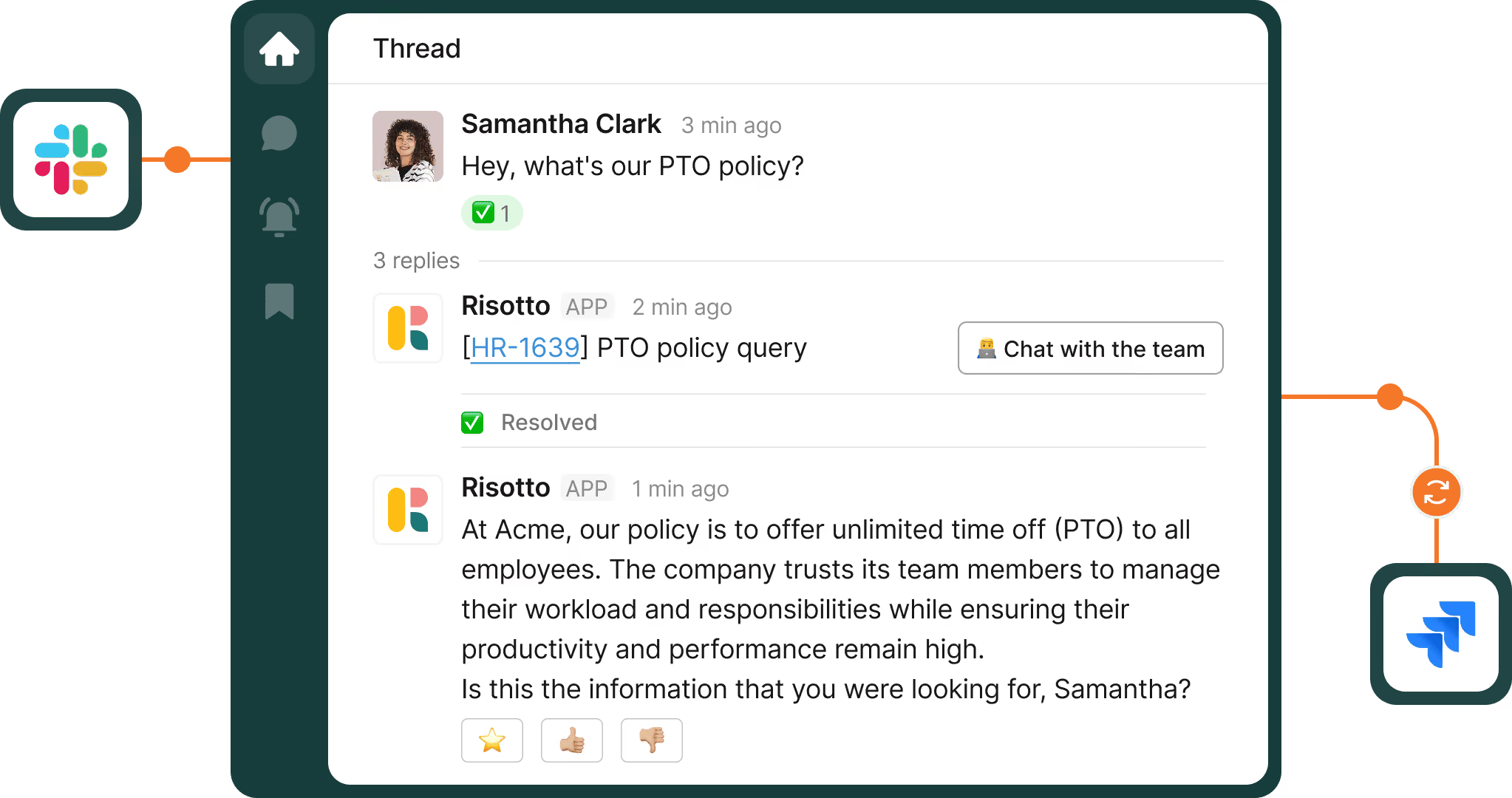
See what makes the Iru integration a 10/10 for our clients.